Threads
Threads for Small Businesses: Is It Worth Posting There? (2026)
An honest 2026 test to decide whether your small business should post on Threads, what actually works inside 500 characters, and a calm 15-minute weekly plan.
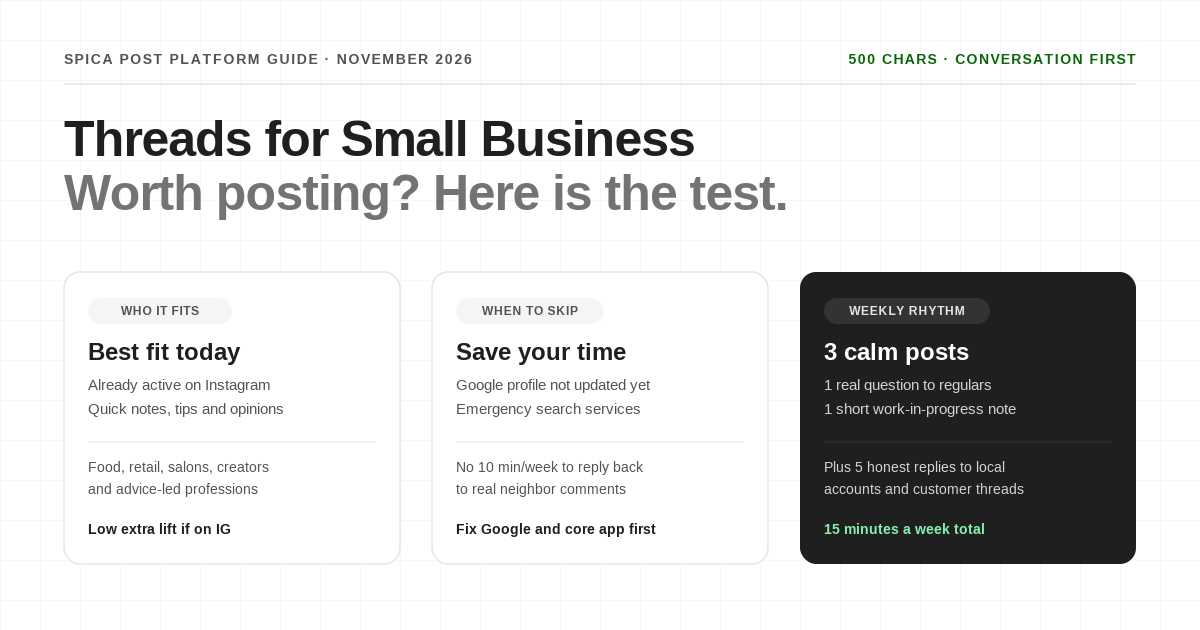
Yes, Threads is worth a low-effort 30-day test for small businesses and creators in 2026, but only under one condition: your Google Business Profile and main visual or search channel are already running cleanly, you have an active Instagram account to bring warm followers across, and you can spare 10 to 15 minutes a week to write plain updates and reply like a human. If your Google hours are stale or you barely keep up with Instagram once a fortnight, adding Threads right now only creates another quiet account to feel guilty about.
Threads has grown well past its early novelty phase into a mainstream conversation app tied directly to Instagram, giving Meta a text-first room where people ask recommendations, debate local favorites, share quick work updates, and follow small brands without expecting studio-lit Reels every afternoon. Yet high overall user counts never automatically guarantee local sales. What matters for an independent owner is whether your specific buyers hang out in text-first feeds and whether your profession naturally generates short, conversational moments.
This guide gives you a plain three-question decision filter, an honest breakdown of which professions benefit most (and which should skip Threads altogether), the exact 2026 Threads format and API limits, four copy-ready Threads templates you can publish without a photo shoot, and a calm 15-minute weekly routine.
Snapshot verified November 2026. Format specs and API publishing constraints reflect Meta’s official Threads API documentation (developers.facebook.com/docs/threads) and Spica Post’s current network approval status as of November 2026.
The three-question test: should your business be on Threads?
Before opening another app, run your business through three blunt checks. You want at least two clear “yes” answers before investing a single hour.
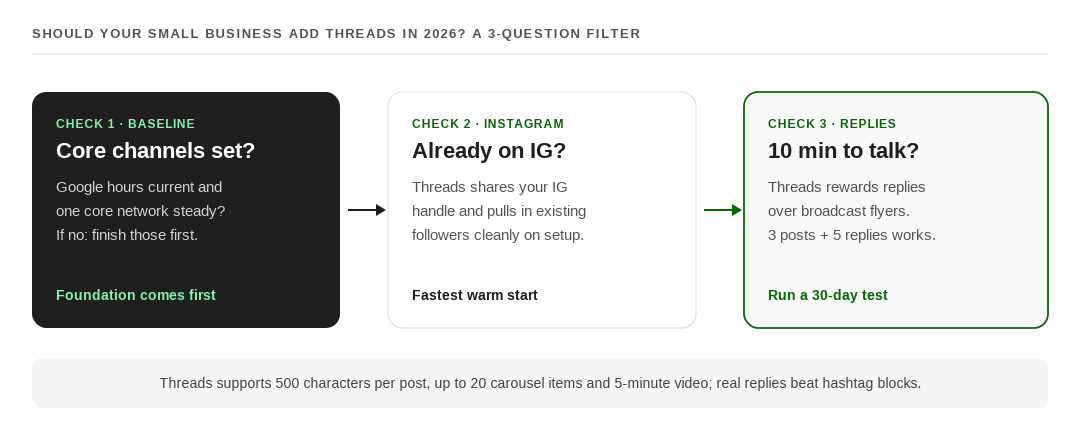
Check 1: Are your baseline channels already working?
A text-first feed never replaces search intent. When a pipe bursts at 7 AM or someone searches “bakery open near me” on Saturday morning, they check Google Maps and Google Business Profile first, not Threads. Make sure your Google Business Profile setup has accurate hours, fresh photos, and answered reviews, and that one core social channel (Instagram, Facebook, TikTok, or LinkedIn) is steady before adding a companion network.
Check 2: Are you already active on Instagram?
Threads connects directly to your Instagram account. Your handle carries over automatically, your bio imports in seconds, and people who already follow you on Instagram get nudged to follow you on Threads when they open the app. If you already have 400 or 4,000 real local Instagram followers, you skip the painful zero-follower cold start that slows down brand-new accounts elsewhere. If you have never used Instagram and do not plan to, that built-in advantage disappears.
Check 3: Can you spend 10 minutes a week replying to people?
Threads is built around replies, not one-way flyers. The feed aggressively surfaces conversations where real people answer a question, share a small disagreement, or swap tips. An account that posts three polished promos a week and never replies to a single comment almost always stalls. An account that drops three plain observations and leaves five helpful replies on local or niche threads each week builds real recognition fast.
Which small businesses fit Threads best (and which should skip it)
Not every profession gets the same return from a conversation feed. Use this breakdown to judge your real odds before committing.
| Business category | Fit on Threads in 2026 | Why it works (or why to skip) |
|---|---|---|
| Cafes, bakeries, restaurants, food trucks | Strong fit | Daily specials, menu debates, behind-the-scenes prep notes, and quick weather or sold-out updates spark fast local replies |
| Boutiques, bookstores, gift shops, florists | Strong fit | New stock arrivals, gift-idea questions, and sharing honest picks feel natural in 2 to 3 short sentences |
| Creators, coaches, authors, podcasters, indie shops | Very strong fit | Advice-led and personality-led audiences actively follow thought-in-progress notes and ask direct follow-up questions |
| Salons, barbershops, tattoo studios, fitness studios | Good fit (if already on IG) | Works well for myth-busting, last-minute chair openings, and showing real personality behind the Instagram portfolio |
| B2B agencies, consultants, accountants, web designers | Selective fit | Useful for sharing blunt lessons learned and plain client advice, though LinkedIn and Bluesky often bring warmer B2B leads |
| Emergency home services (towing, locksmith, urgent HVAC) | Usually skip | Urgent buyers search Google immediately rather than browsing text threads; put those hours into Google reviews and local SEO first |
If you land in the “usually skip” row, you can still reserve your Threads handle through your Instagram account, add one clear bio sentence pointing to your website and phone number, pin a single post explaining how to reach you, and walk away cleanly. Claiming your username costs two minutes and stops impostors without adding weekly chores.
Threads format and API limits you should know in 2026
Threads gives you more breathing room than X’s standard 280 characters or Bluesky’s 300 graphemes, while still keeping posts short enough to read in one glance. Check your exact draft lengths across Threads and your other accounts anytime with our free Social Media Character & Post Checker.
| Element | Current Threads limit | Practical takeaway for small businesses |
|---|---|---|
| Standard text post | 500 characters (complex emojis consume multiple UTF-8 bytes) | Enough for 3 to 5 punchy sentences without forcing awkward abbreviations |
| Chained thread replies | Multi-part reply chains (Spica Post supports up to 24 follow-up texts) | Break step-by-step advice into short numbered replies instead of one dense wall |
| Images and carousels | Single image or up to 20 items (images, videos, or mixed) | Great for before-and-after pairs or a 3-photo shelf peek without Instagram’s grid pressure |
| Video uploads | MP4 up to 5 minutes (max 1 GB via Meta’s API specs) | Reuse your clean vertical phone clips from Reels, TikTok, or Shorts without watermarks |
| Topic tags | 1 clickable topic tag per post (1 to 50 chars, no periods or ampersands) | Forget 15-hashtag blocks; pick one plain topic phrase or skip tags entirely |
| API publishing rate limit | 250 API-published posts per rolling 24-hour window (public profiles) | More than enough for any small business or multi-location team |
| Direct messages via API | Not supported via the Threads API | Handle any private inbox replies manually inside the app |
One subtle detail makes Threads genuinely friendlier than Instagram for busy owners: there is no permanent visual grid to keep aesthetically coordinated. You can share an unedited close-up of a fresh batch of cookies, a screenshot of a funny mistake you caught before shipping, or a text-only question with zero photo at all, and it looks completely native.
What actually gets read on Threads (and what flops fast)
Because Threads looks visually simple, people spot corporate filler immediately. Four distinct content patterns reliably earn replies for small businesses and creators.
1. Honest “pick one” or “settle a debate” questions
People love sharing a quick opinion when the stakes are low and fun. A bakery asking whether almond croissants should stay on the weekday menu, a bookstore asking for the best book under 200 pages, or a hardware shop asking which tape measure never breaks gets far more real replies than a generic graphic announcing “Happy Tuesday!”
2. Short work-in-progress notes that skip the polished reveal
Instagram rewards finished perfection. Threads rewards the messy middle: why you turned down a rushed order so quality would not slip, what broke in the kitchen at 6 AM and how you fixed it before opening, or the three minutes it took to choose a new coffee bean. Writing three plain sentences about the real decision behind your work builds human trust quickly.
3. Plain answers to counter and inbox questions
Every week, a customer asks a practical question that ten silent shoppers are also wondering. Turning that exact question into a 350-character Thread (“Quick answer since three people asked at the counter this week…”) positions you as helpful without sounding salesy.
4. Local community boosts and peer replies
Mentioning the neighborhood market next door, sharing another local business’s seasonal hours, or replying helpfully when someone in your city asks for a recommendation brings local eyes directly back to your profile. Always ask explicit permission before posting any photo or identifiable story involving a customer.
What flops on Threads
Leave three habits back on older feeds: copying long Instagram captions verbatim with 18 hashtags tacked onto the bottom, dropping bare website links with zero context (“New blog post! Click here!”), and posting stiff third-person press releases (“We are thrilled to announce…”). Write in first person (“We just pulled…”, “Here is what I tell every client…”) and keep the opening line sharp.
Four copy-ready Threads templates you can use this week
Swap the bracketed words for your real business details. Each stays comfortably under 500 characters and sounds like an actual person behind the counter.
Template 1: The real counter question (any profession)
Three people asked me this week whether [common customer question, e.g., you need to book ahead for a walk-in beard trim].
Short answer: [plain 1-sentence answer with exact detail].
If you have another question about [your service or product] you always felt awkward asking, drop it below and I will answer honestly.
Template 2: The low-stakes regular’s vote (food, retail, makers)
Testing two ideas for next month at [Business Name] in [Town] and genuinely split 50/50:
A) [Option 1 in 6 to 8 words] B) [Option 2 in 6 to 8 words]
Which one would actually make you stop in on a weekday?
Template 3: Behind-the-scenes craft note (photo optional)
Small detail most people never see when they hire a [your profession]: we spend the first [time, e.g., 20 minutes] on [specific prep step] before anything looks different.
Skipping it saves time today and causes headaches six months from now. Showing up in [City] all week if anyone needs [service].
Template 4: Same-day availability or fresh stock (local storefront or service)
Quick [Day] update from [street or neighborhood]: we just had [two afternoon openings / a fresh box of item] open up for today before [closing hour].
Reply here or tap the link in our bio if you want us to hold one for you.
A calm 15-minute weekly Threads routine
You do not need to live inside Threads all day to see whether it brings real conversations and local visits. Run this modest schedule for 30 days and evaluate the results honestly.
- Monday (5 minutes): Post one short text-only question or myth-buster based on something a customer asked last week.
- Wednesday (5 minutes): Share one real work-in-progress photo (or a 2-photo before-and-after carousel) with three conversational lines describing what is happening.
- Friday (5 minutes): Share one practical weekend note: open slots, fresh arrivals, weekend hours, or a quick shout-out to a neighboring small business.
- Twice a week (2 minutes each): Reply to every comment on your own threads, and leave two genuine, non-promotional replies on threads from local accounts, peers, or neighborhood food and city pages.
After four weeks, check your Threads insights and ask one simple question: did anyone reply, click your bio link, or mention seeing you on Threads when they walked in or booked? If the answer is yes, keep the 15-minute habit. If your audience simply does not spend time there, pause Threads with zero guilt and redirect those 15 minutes back into Google Business Profile, Instagram, or Bluesky where your buyers actually respond.
Threads vs. X vs. Bluesky vs. Mastodon: picking your text feed
Most small businesses should pick at most one or two short-text feeds alongside their core visual or local-search presence. Here is how the four main text networks compare in late 2026:
| Network | Text limit | Best audience today | Biggest trade-off |
|---|---|---|---|
| Threads | 500 chars | Mainstream consumers already using Instagram, local shoppers, lifestyle creators | Algorithmic discovery can swing unpredictably; relies on Meta account ecosystem |
| Bluesky | 300 graphemes | Creators, journalists, indie tech, illustrators, publishers, community-curated niches | Smaller total population than Meta, though links are never throttled and handles use your own domain |
| X | 280 chars (standard) | Live news, sports, tech, B2B founders, fast customer support | Heavy noise, outbound link reach friction, and paid verification tiers |
| Mastodon | 500 chars (default) | Open-source, privacy-minded, academic, creative, and local-instance communities | Zero central algorithm; requires choosing a community server and building organically |
If you are already posting across multiple short-text apps, you can read our full comparison on cross-posting from X to Bluesky and scheduling and cross-posting to Mastodon to avoid copying and pasting by hand.
How Spica Post handles Threads (and honest rollout status)
Writing a short conversational Threads note works best when it lives beside the rest of your week instead of forcing another separate login and spreadsheet.
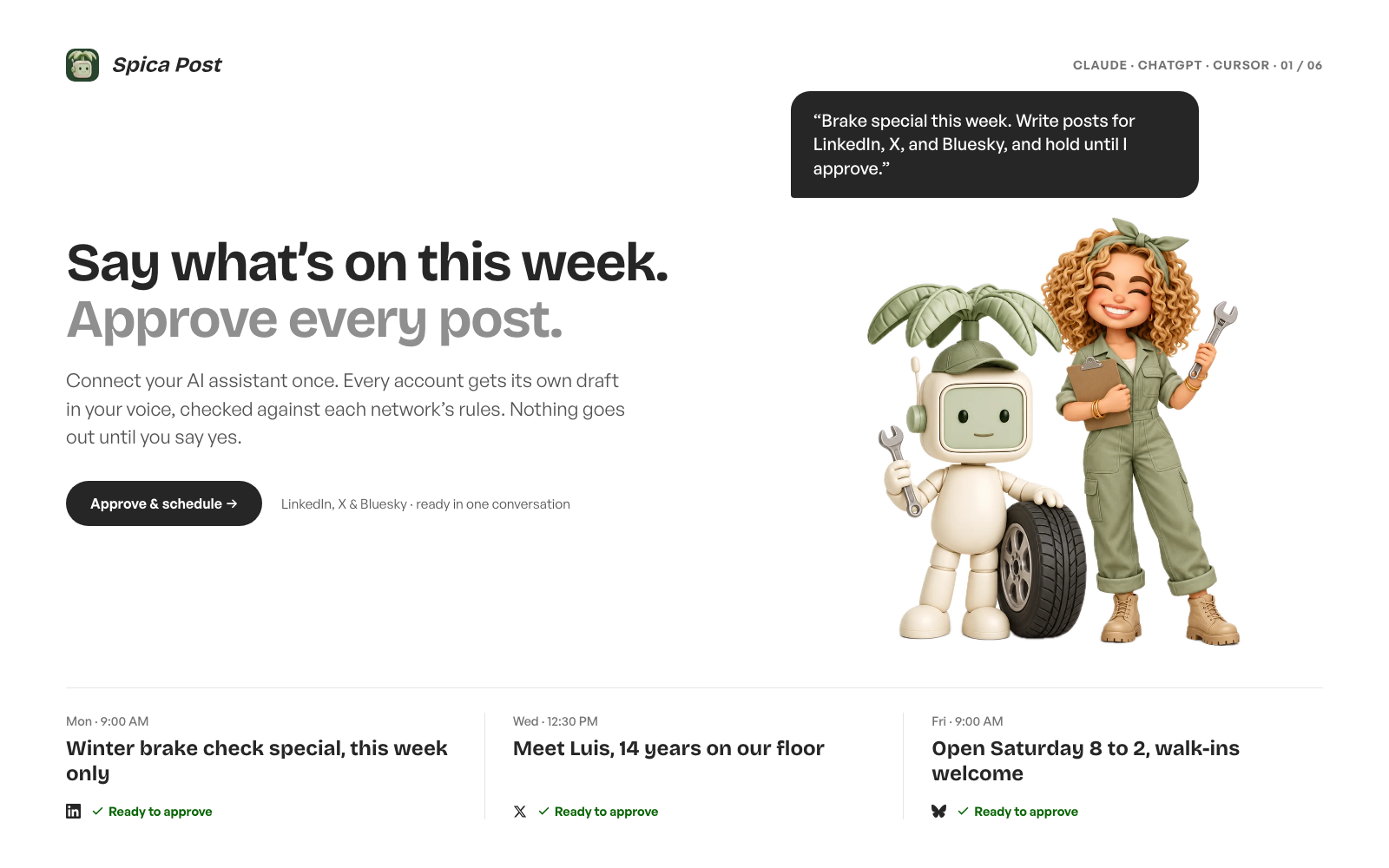
With Spica Post, you share one plain update with the AI assistant you already use, and it drafts tailored versions across each connected channel, checking Threads’ 500-character limit (including chained replies via firstReply and threadPosts up to 24 follow-up posts, photos, MP4 video up to 5 minutes, and carousels up to 20 items) before you approve anything.
To be completely transparent about current availability (verified November 2026): Spica Post’s native Threads adapter (including text, media, carousels, chained threads, and Auto-crosspost) is built in code and currently awaiting Meta App Review alongside Instagram and Facebook Pages before opening live to all customers. Right now, X, LinkedIn personal profiles, Bluesky, and Mastodon publish live directly from Spica Post. You can check current network status and flat workspace plans anytime on our pricing page and platforms overview.
If Threads passes your three-question test today, start with that quiet 15-minute weekly rhythm for 30 days: three plain notes, five honest replies, and zero wasted hours chasing viral tricks.
Questions people ask
- Is Threads worth it for a small business in 2026?
- It is worth a 30-day test if your Google Business Profile and at least one primary network are already running smoothly, you have an active Instagram audience you can carry over, and you can spare 10 to 15 minutes a week to reply to real comments. If your core channels are still neglected, skip Threads until those basics are steady.
- Do I need an Instagram account to create a Threads account for my business?
- Yes. Threads connects directly to your Instagram login, shares your username, and makes it easy for existing Instagram followers to follow your Threads profile automatically. That tight bridge is the main reason Instagram-active businesses get a faster start on Threads than on standalone text apps.
- What are the text, image and video limits on Threads?
- Standard Threads posts allow up to 500 characters (with multi-codepoint emojis counting by UTF-8 byte length), carousels up to 20 images or videos, and videos up to 5 minutes long. You can also chain follow-up replies into a multi-part thread when a topic needs more room.
- Should I copy and paste my exact Instagram captions onto Threads?
- No. Polished promotional captions with blocks of hashtags feel out of place on Threads and get scrolled past quickly. Keep the same core topic or photo, cut the fluff down to two or three conversational sentences, and end with a simple question people actually want to answer.
- Can small businesses schedule Threads posts automatically?
- Yes, Meta provides an official Threads API for public profiles (allowing up to 250 API-published posts per rolling 24 hours). In Spica Post, the native Threads adapter is built and currently awaiting Meta App Review alongside Instagram and Facebook Pages before opening live to all customers.