Bluesky
Bluesky for Small Businesses and Creators: A Plain Guide (2026)
How Bluesky works for small businesses and creators in 2026: custom domain handles, 300-grapheme limits, community norms, free audits and live tools.
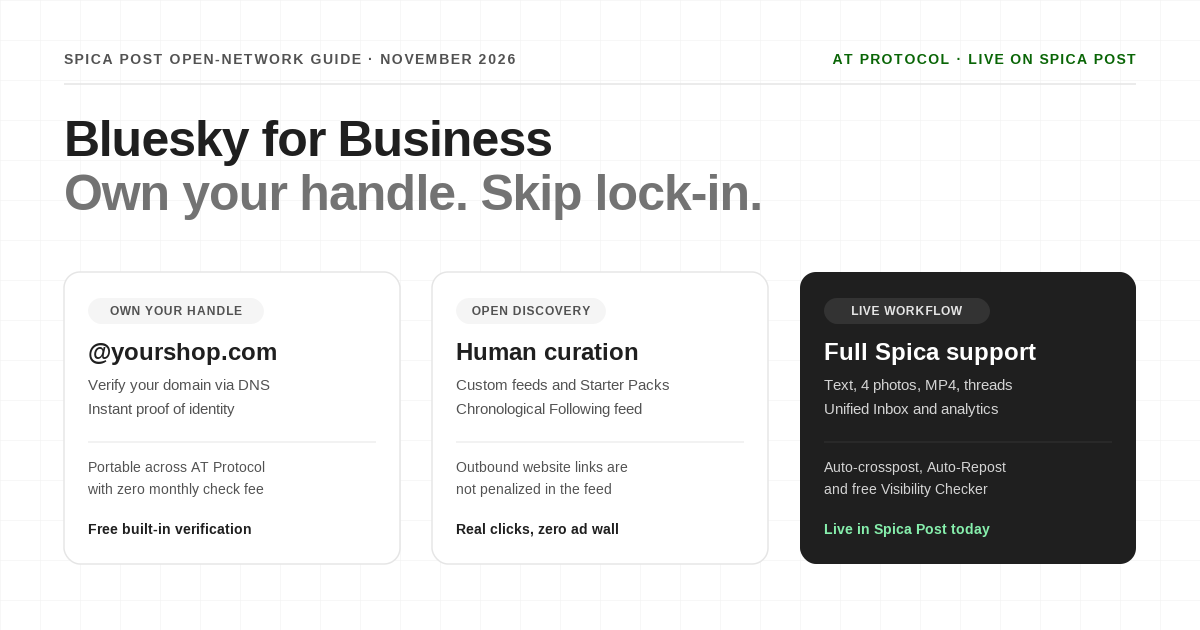
Bluesky is an open, text-and-media social network built on the AT Protocol where small businesses and creators can verify their own website domain as their handle (@yourshop.com for free), reach followers in a chronological feed that does not throttle outbound links, and plug into human-curated Custom Feeds and Starter Packs instead of paying to reach the people who already chose to follow them.
For a small business owner or independent creator in late 2026, Bluesky solves three quiet headaches that have made older text networks exhausting: you never pay a monthly fee just to prove your account is real, clicking through to your shop, newsletter, or booking page is treated like normal behavior instead of a reach penalty, and the underlying open protocol means your identity and follower graph are built to stay portable rather than trapped inside one closed company.
At the same time, Bluesky is not a magic replacement for Google Maps or Instagram for every business on earth. Its community has distinct norms, its total user base is smaller than Meta’s apps, and hard-sell corporate automation gets muted fast. This guide walks through who is actually buying and reading on Bluesky in 2026, the exact 30-minute business setup stack (including custom domain handle verification), Bluesky’s technical format limits, unwritten community etiquette, copy-ready post templates, and how Spica Post’s live Bluesky tools work end to end.
Snapshot verified November 2026. AT Protocol specs, custom domain handle verification, 300-grapheme / 4-image / MP4 video limits, and live Spica Post Bluesky features (direct publishing, video, threads, Auto-crosspost, Auto-Repost, Unified Inbox, and whole-account analytics sync) are verified against Bluesky’s official documentation and Spica Post’s live codebase as of November 2026.
Who actually wins on Bluesky (and who should treat it as secondary)
Bluesky grew rapidly into tens of millions of registered accounts with active daily communities clustered around specific interests rather than passive algorithmic scrolling. Knowing where your business sits on that map saves months of guesswork.
| Business or creator type | Fit on Bluesky in 2026 | Why it works (or when to keep it light) |
|---|---|---|
| Indie software, SaaS, developers, web studios | Very strong fit | High concentration of founders, builders, and early adopters who click product links and give direct feedback |
| Writers, newsletters, authors, journalists, podcasters | Very strong fit | Readers actively click outbound articles and subscribe to newsletters straight from link preview cards |
| Illustrators, photographers, makers, indie shops | Very strong fit | Art, craft, and design communities thrive in custom feeds and value alt text and real process photos |
| Specialty local shops (bookstores, coffee roasters, record shops, bakeries) | Good fit | City-level custom feeds and local Starter Packs connect curious residents looking for independent spots |
| Consultants, educators, coaches, B2B specialists | Good fit | Plain advice threads and real answers build peer referrals without LinkedIn’s corporate theater |
| Emergency local services (plumbing, roofing, towing, locksmith) | Secondary channel | Claim @yourbusiness.com to protect your brand and mirror key updates, but keep Google Business Profile as #1 |
Even if Bluesky is a secondary channel for your profession today, registering your account and binding your domain handle takes under fifteen minutes and secures your brand name permanently across the AT Protocol.
The 30-minute Bluesky business setup stack
Most businesses hurt their early reach on Bluesky by rushing past two quick setup details: leaving their handle as a generic .bsky.social address and accidentally leaving profile visibility settings broken. Follow these four steps in order.
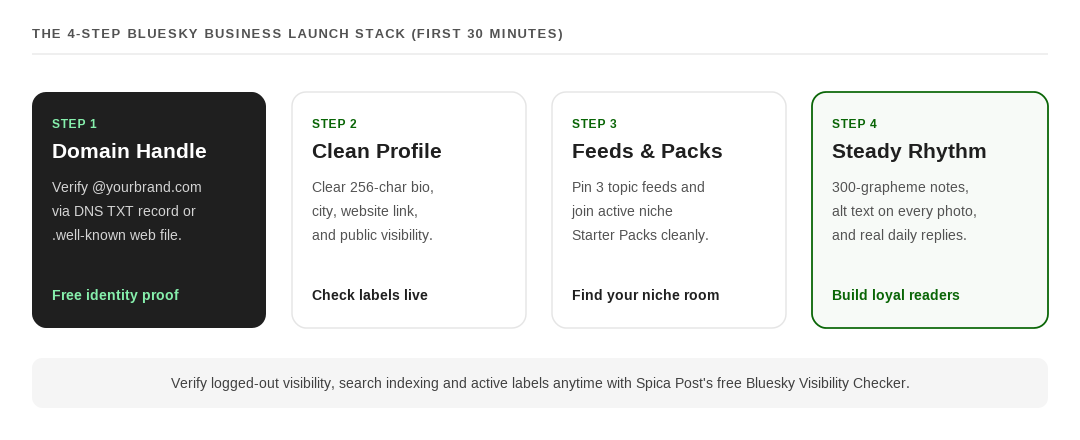
Step 1: Switch to your custom domain handle (@yourshop.com)
Every new account starts as @something.bsky.social. Swapping that default handle to your real domain (for example, @spicapost.com or @oakstreetbakery.com) does two things at once: anyone who sees your reply immediately sees your real website URL, and customers know with cryptographic certainty that they are talking to the actual business rather than a lookalike account.
Per Bluesky’s official domain handle guide, setup takes five minutes inside Settings -> Account -> Handle -> I have my own domain:
- Option A (DNS TXT record, easiest for most sites): Copy the single TXT record Bluesky gives you (
_atproto.yourshop.comwith valuedid=did:plc:...) into your domain registrar’s DNS panel (Cloudflare, Namecheap, Squarespace Domains, GoDaddy, or Porkbun), wait a minute for propagation, and click Verify DNS Record. - Option B (HTTP
.well-knownfile): If you prefer not to edit DNS, host a tiny plain-text file athttps://yourshop.com/.well-known/atproto-didcontaining only yourdid:plc:...string and click Verify Text File.
You can also assign subdomains for team members or locations (such as @support.yourshop.com or @miami.yourshop.com) at zero extra cost.
Step 2: Polish your 256-character bio and run a live visibility check
Write a plain, scannable bio within Bluesky’s 256-character limit: state what you make or do, where you are located (if local), and include a clean website or Link Page URL. Upload a sharp logo or real portrait avatar and a clean header banner so your profile looks trustworthy the moment someone hovers over your handle.
Then run your handle through our free, zero-login Bluesky Visibility Checker. It queries Bluesky’s public AppView (public.api.bsky.app) live from your browser to confirm:
- Your profile is visible to logged-out visitors (making sure the
!no-unauthenticatedsetting is not silently hiding your account from Google and web links) - You have zero unexpected moderation labels limiting reach
- Your handle indexes cleanly in Bluesky people search
Step 3: Pin 3 Custom Feeds and explore Starter Packs
Unlike apps that force everyone into one black-box “For You” stream, Bluesky lets users pin Custom Feeds built around cities, professions, hobbies, and topics (for instance, local city feeds, Booksky, Art, Food & Baking, or Indie Tech). Pin three feeds relevant to your customers so you see real conversations every time you open the app.
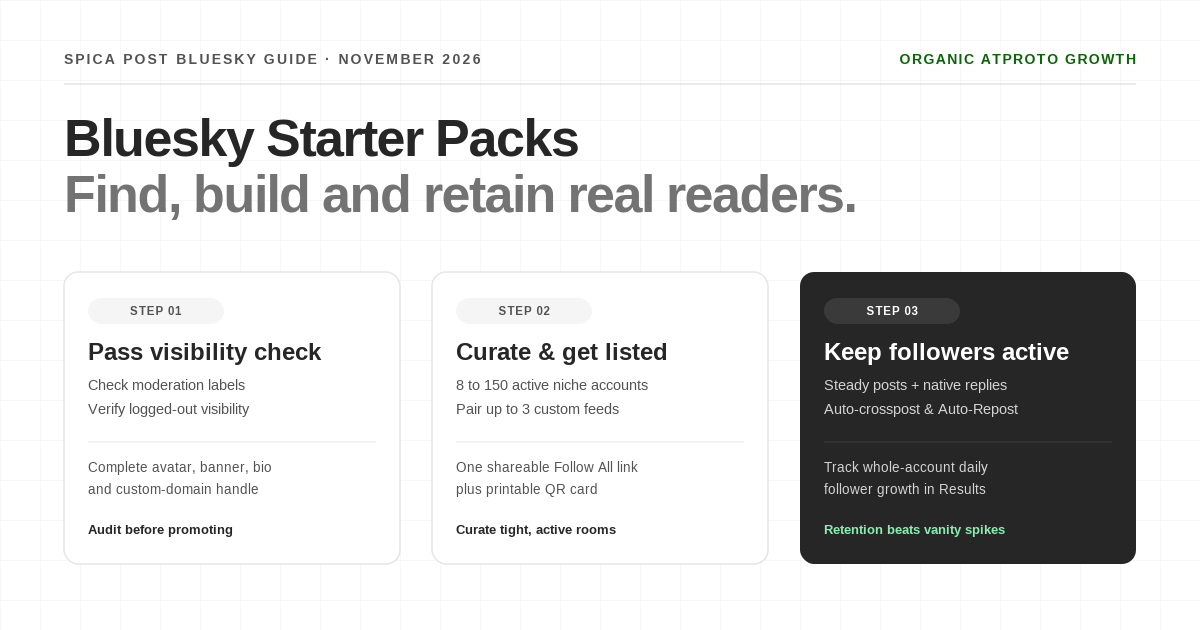
Next, learn how human-curated Starter Packs (shareable lists of 8 to 150 accounts plus up to 3 custom feeds) drive steady niche discovery. Once your profile has at least ten helpful posts up, follow our dedicated Bluesky Starter Packs Guide to get listed ethically or curate a focused pack for your local community or profession.
Step 4: Publish steadily with alt text and real replies
Consistency beats high volume. Three to five grounded posts a week plus a few genuine replies keep your custom handle showing up in chronological feeds without overwhelming followers.
Bluesky format limits every owner should check before posting
Bluesky counts post length differently than X or Instagram, and its media limits are strict rather than silently cropping or recompressing oversized files. Validate drafts before publishing with our free Social Media Character & Post Checker.
| Element | Official Bluesky limit | Practical detail to remember |
|---|---|---|
| Post text | 300 graphemes (3,000 UTF-8 bytes) | Counts visible characters (an emoji or accented letter counts as 1 grapheme), and URLs keep clickable link facets cleanly |
| Chained threads | Native self-reply chains (Spica Post supports up to 24 follow-ups) | Split longer stories cleanly instead of cramming unreadable abbreviations into one post |
| Images | Up to 4 images per post (PNG, JPEG, or WebP; max 2 MB each) | Resize large phone photos under 2 MB first; always fill in alt text |
| Image alt text | Up to 2,000 characters per image | Culturally vital on Bluesky (see community norms below) |
| Video | 1 standalone MP4 video (cannot mix with images in the same post) | Bluesky Lexicon allows up to 10 min / 300 MB (requires verified account email); Spica Post uploads up to 100 MB directly (25 MB via Auto-crosspost) |
| Profile bio / Display name | 256 characters bio / 64 characters display name | Put your profession, town, and main website URL right in the bio |
Unwritten Bluesky norms that earn trust (and mistakes that get you muted)
Bluesky’s moderation tools give individual users unusual power, including one-click mute lists and block lists. Respecting five plain community habits immediately separates thoughtful small businesses from noisy spam accounts:
- Always write real alt text on every photo. Bluesky’s community takes accessibility seriously; many users enable a setting that reminds or filters posts missing alt text, and some custom feeds only pick up captioned images. Describe what is actually in the photo in one plain sentence (“Fresh tray of six rosemary focaccia loaves cooling on a wire rack”).
- Skip hashtag stuffing. One or two relevant tags work cleanly when targeting a specific Custom Feed (for example,
#MiamiFoodor#Booksky). Pasting ten hashtags at the bottom of a 300-grapheme post looks robotic and eats half your room. - Add real context when sharing a link. Bluesky lets links breathe, so earn the click by summarizing one genuine takeaway in two sentences before linking to your article, product page, or menu.
- Never drop automated sales pitches into other people’s replies. Reply only when you actually have something useful, funny, or kind to add.
- Ask explicit permission before sharing any customer photo or quote. Just as on every other network, get clear permission before posting identifiable pictures of customers, their homes, or their work.
Three copy-ready Bluesky post templates (under 300 graphemes)
Each template below is sized to leave comfortable breathing room inside Bluesky’s 300-grapheme limit while inviting genuine clicks or replies.
Template 1: Real craft photo + plain story
Just wrapped [specific job or fresh batch] for [today / this weekend]. The trickiest part is always [one honest 6-word craft detail], and getting it right makes all the difference.
Open [days/hours] in [City] or see our full menu here: [link] (Attach 1 to 4 crisp photos with descriptive alt text.)
Template 2: Outbound link that actually earns clicks
Wrote up a short answer to the #1 question clients asked us this month: [exact question in plain words].
Short version: [1-sentence useful takeaway so readers get value even before clicking].
Full breakdown and checklist here: [link]
Template 3: Short 2-part mini-thread for advice or local updates
Post 1: Quick heads-up for anyone planning [seasonal project / holiday order / first visit] in [Town] next week: three small things that save you time before you book. (1/2)
Reply (Post 2): 1. [Practical tip 1]. 2. [Practical tip 2]. 3. [Exact cutoff date or booking URL]. Happy to answer any specific questions right in this thread. (2/2)
How Spica Post supports Bluesky live today
Unlike networks still working through third-party app review queues, Bluesky is completely live on Spica Post today across every major publishing, engagement, and analytics workflow:
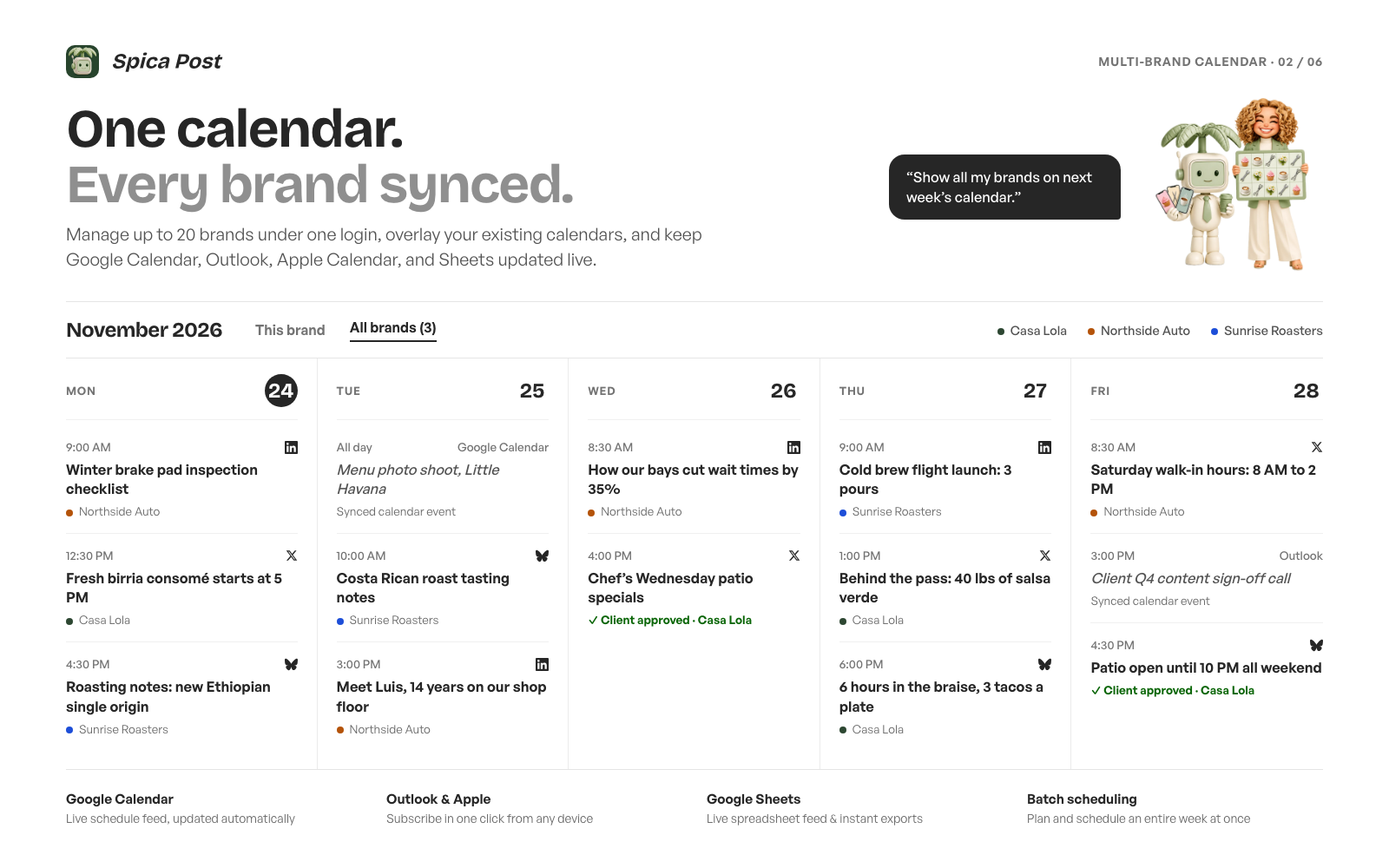
- Direct publishing and scheduling: Connect your Bluesky handle with a Bluesky App Password (never your main login password) and publish or schedule text (checked against Bluesky’s 300-grapheme / 3,000-byte ceiling), up to 4 PNG/JPEG/WebP images with alt text, standalone MP4 videos, and chained threads of up to 24 follow-up posts from the Studio composer, REST API, or your AI assistant over MCP.
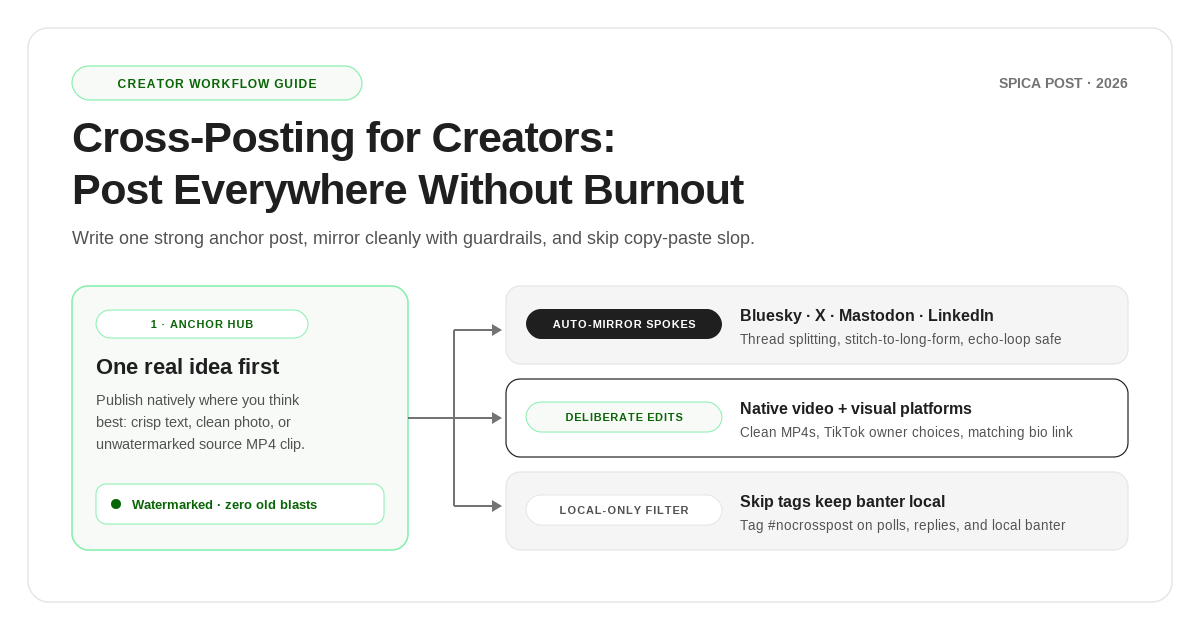
- Auto-crosspost and Native Auto-Repost: Mirror posts between X, Bluesky, and Mastodon automatically with automatic native thread splitting, two-layer echo-loop protection (so two-way rules never ping-pong), optional MP4 video crossposting, and conservative Native Auto-Repost boosts to catch followers in other time zones. Read our step-by-step X-to-Bluesky cross-posting guide for setup details.
- Unified Inbox: Read incoming Bluesky replies and answer them directly from one shared inbox alongside your other accounts (with saved replies and optional weekly email digests).
- Whole-account analytics sync: Sync all your recent Bluesky posts (both native posts made inside the Bluesky app and Spica-published posts) plus daily follower snapshots, 90-day growth sparklines, engagement rates, and automatic live follower counts on your public sponsor media kit.
You can check current plan inclusions and try the workflow directly on our Bluesky platform page and pricing page.
Start small this week: claim and verify your @yourbusiness.com custom domain handle, pass the 5-second Bluesky Visibility Checker, pin three feeds your customers read, and share three plain, alt-texted posts from your real workday.
Questions people ask
- Is Bluesky worth using for a small business or creator in 2026?
- Yes for creators, indie software makers, illustrators, publishers, educators, B2B consultants, and specialty shops whose buyers read online communities or value outbound links. Purely local emergency services (like towing or plumbing) still see much higher returns from Google Business Profile first, though claiming a verified domain handle on Bluesky takes five minutes.
- How does a custom domain handle work on Bluesky?
- Instead of keeping a default @yourshop.bsky.social username, Bluesky lets you verify your own website domain (such as @yourshop.com) by adding a single _atproto DNS TXT record or uploading a tiny .well-known/atproto-did file. It is free and acts as immediate proof that your account genuinely belongs to your business.
- What are Bluesky's post, photo and video limits in 2026?
- Bluesky posts allow up to 300 graphemes (3,000 UTF-8 bytes), up to 4 PNG, JPEG, or WebP images (up to 2 MB each, with 2,000-character alt text per photo), or 1 standalone MP4 video (up to 10 minutes / 300 MB in Bluesky's Lexicon; up to 100 MB through Spica Post's video uploader). Longer ideas can be chained into native reply threads.
- Does Bluesky suppress posts that include external website links?
- No. Unlike platforms that downrank posts sending readers away from the app, Bluesky's chronological Following feed and custom feeds display link preview cards normally, making it one of the highest click-through text networks for blogs, shops, newsletters, and booking pages.
- Can I publish, cross-post and track Bluesky analytics in Spica Post today?
- Yes, Bluesky is live in Spica Post right now. You can publish and schedule text, up to 4 photos, MP4 video, and chained threads (up to 24 follow-ups), run Auto-crosspost and Native Auto-Repost, reply to Bluesky comments from the Unified Inbox, and sync whole-account posts and daily follower growth in Results.
Sources
- Bluesky Official Blog: How to set your domain as your handle
- Bluesky Official Documentation: Getting Started with ATProto
- Bluesky Official Documentation: Posts, media embeds and facets
- Bluesky Official Blog: Introducing Starter Packs
- Spica Post Free Bluesky Visibility & Label Checker
- Spica Post Bluesky platform page