Switching to an Instagram Professional Account: Business or Creator?
Compare Instagram Personal, Business, and Creator accounts: reach myths, music limits, contact buttons, scheduling APIs, and 2-minute switch steps.
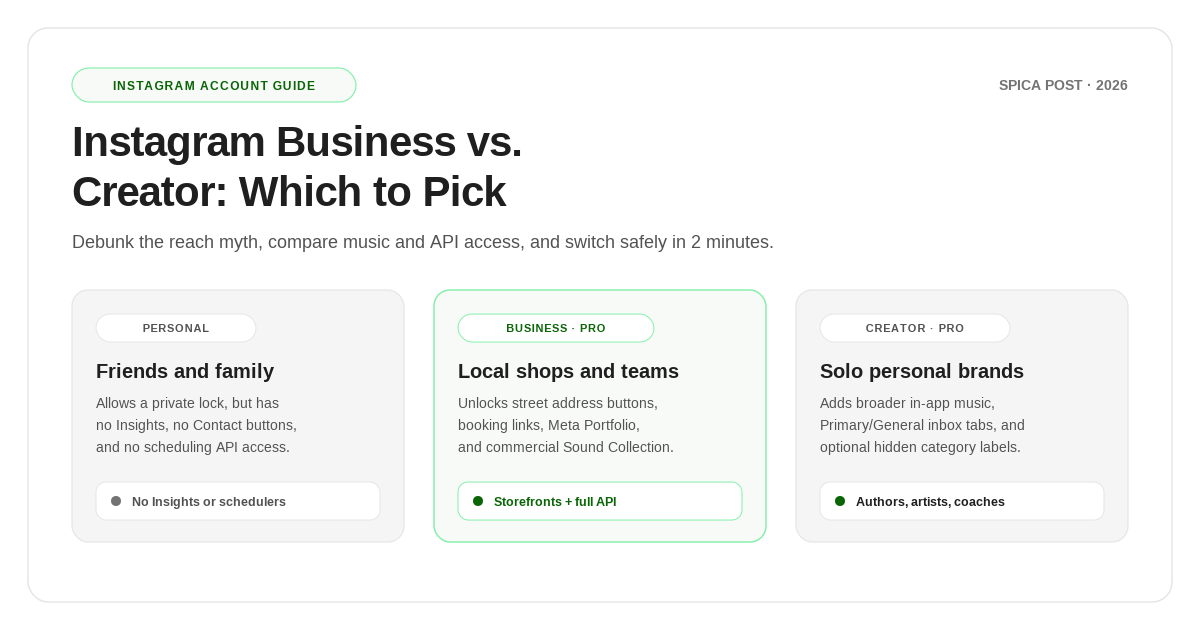
When choosing between an Instagram Business and Instagram Creator account in 2026, both are free Professional account types that unlock Insights, Primary and General DM folders, native in-app scheduling, and official API access without hurting your organic reach. Pick Business if you run a local storefront, salon, restaurant, clinic, home-service company, or multi-staff team that needs street-address Directions, third-party Book/Order action buttons, and full Meta Business Portfolio access; pick Creator if you are a solo author, artist, podcaster, educator, or influencer who wants the broader in-app music picker and does not need a physical address button or team portfolio controls.
Small businesses and creators stall on this single toggle for months because of recycled forum advice warning that switching to Business “tanks your reach to force you to buy ads.” Meanwhile, staying on a Personal account quietly locks you out of every tool that turns profile visits into real bookings: zero Insights to see which posts drove profile taps, zero Contact or Book buttons, zero inbox filtering, and zero third-party scheduling support.
This guide compares Personal, Business, and Creator accounts side by side, explains why the organic reach myth persists, walks through the five real feature differences that actually affect your weekly workflow, gives clear recommendations by profession, and lays out the exact reversible two-minute switch steps without losing a single post or follower.
Snapshot verified November 2026. Professional account controls, action buttons, audio licensing boundaries, and Instagram Platform publishing requirements reflect Instagram Help Center (help.instagram.com/138925576505882, 502981923235522, 1158274571010880) and Meta Developers documentation verified in November 2026.
Personal vs. Business vs. Creator: the side-by-side comparison
Instagram offers one non-professional type (Personal) and two free professional types (Business and Creator). Understanding what changes across all three clears up almost every misconception in thirty seconds.
| Capability | Personal Account | Business Account (Professional) | Creator Account (Professional) |
|---|---|---|---|
| Cost | Free | Free | Free |
| Can be set to Private | Yes | No (must stay Public) | No (must stay Public) |
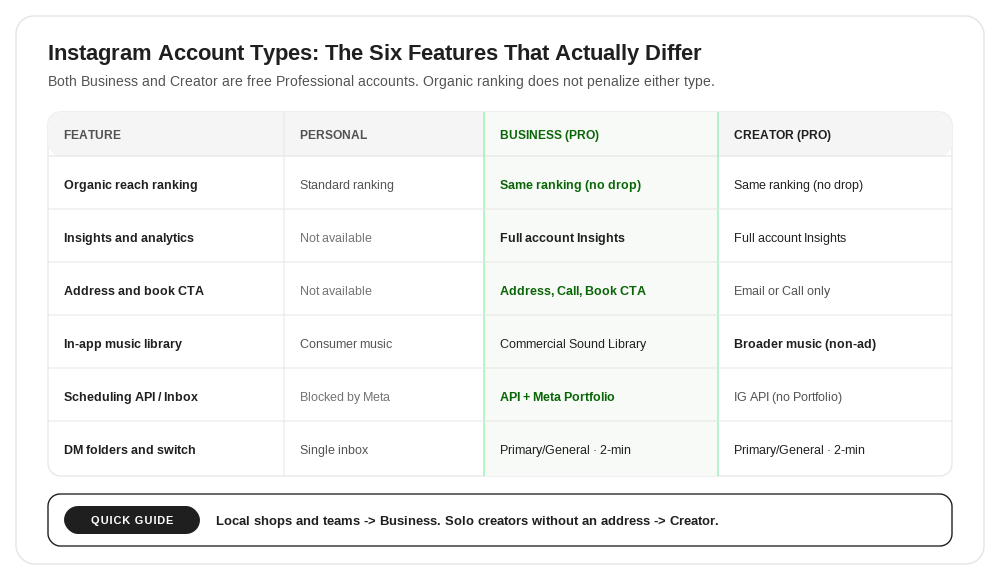
| Organic reach ranking | Standard ranking | Same ranking (no account-type penalty) | Same ranking (no account-type penalty) |
| Account Insights & analytics | None | Full Insights (reach, sends, saves, visits, demographics) | Full Insights (plus detailed daily follow/unfollow trends) |
| Street address & Directions | None | Yes (tappable map address right on profile) | Not available |
| Action buttons (Book, Order, Reserve) | None | Yes (connects supported booking/ordering partners) | Limited (standard Call/Email/Text contact options) |
| In-app music library | Full consumer catalog | Commercial-safe royalty-free catalog (Meta Sound Collection) | Broader mainstream catalog (still not cleared for ads) |
| Public category label | None | Optional display toggle (e.g., Bakery, Plumber) | Optional display toggle (e.g., Author, Artist, Coach) |
| DM inbox folders & Saved Replies | Single flat inbox | Primary, General, Requests tabs + Saved Replies + FAQ starters | Primary, General, Requests tabs + Saved Replies + FAQ starters |
| Third-party scheduling API & Inbox | Blocked by Meta API | Broadest support (Instagram Login, Unified Login, Meta Business Portfolio) | Supported via Instagram Login; limited in legacy Meta Business Portfolio flows |
| Multi-staff / agency access | Shared password only (risky) | Clean role-based access via Meta Business Portfolio | Built primarily for solo owners |
| Paid ads & Boosted posts | Not available | Full Meta Ads Manager & Boost support | Full Meta Ads Manager & Boost support |
The sharpest line in that table is not between Business and Creator. It is between Personal and Professional. Leaving a working business or creator brand on a Personal account means flying blind without Insights and losing easy one-tap contact actions for every warm visitor who lands on your profile.
Debunking the biggest myth: does switching to Business kill your reach?
No. Switching from Personal to Business, or from Creator to Business, does not flip a hidden throttle that suppresses your posts in the feed or Reels tab.
Instagram’s own official explanation of how ranking and algorithms work states plainly that Instagram runs separate ranking models for Feed, Stories, Explore, and Reels based on user behavior signals: watch time, likes per reach, shares (especially DM sends), saves, and past interaction history between the viewer and your account. Nowhere does Instagram demote an account simply because its profile type is set to Business instead of Creator.
Why so many owners swear their reach dropped right after switching
If there is no hidden penalty, why does the rumor refuse to die? Because three real-world shifts often happen during the exact same week an owner switches to a Business account:
- The content abruptly turns into stiff brochures. On a personal account, a baker shares warm behind-the-scenes photos of dough rising, family moments, and weekend markets that friends love sending to one another. The day they switch to Business, they start posting rigid promotional graphics full of discount text that nobody shares in DMs. Reach drops because DM sends and watch time dropped, not because of the account setting.
- A private audience becomes public. When a private account switches to Professional, any pending follow requests auto-approve and posts become eligible for public Explore and Reels discovery. The denominator changes, and early test impressions to cold local strangers behave differently than posts seen strictly by 200 close friends.
- Popular chart music disappears from the audio picker. A creator who relied on trending major-label pop hooks on Reels suddenly sees fewer mainstream songs after switching to Business, gets discouraged, and stops posting Reels for three weeks. Silence kills momentum far faster than any account setting.
The takeaway is reassuring: choose between Business and Creator based on the concrete features your workflow needs, not superstition about secret algorithm punishments.
The five differences that actually change your daily workflow
Once you set the reach myth aside, only five real operational differences separate Instagram Business and Creator accounts in 2026.
1. Street address, map directions, and booking action buttons
If customers visit your shop, sit in your chair, or book appointments on a calendar, Business wins decisively. A Business account lets you display a tappable street address beneath your bio that opens directly into the visitor’s maps app, plus dedicated partner Action buttons such as Book now, Order food, or Reserve (per Instagram’s Action button documentation).
Creator accounts let you show an Email or Call/Text contact button, which works smoothly for authors, freelancers, and remote consultants, yet Creator removes the clickable storefront address line and commercial booking button integrations.
2. Music licensing and the Meta Sound Collection trade-off
This is the single most noticeable daily difference inside the Instagram app, and it is also the most misunderstood.
- Business accounts are restricted inside Instagram’s in-app music picker to royalty-free tracks cleared for commercial use, drawn largely from Meta Sound Collection. Meta enforces this limit because its blanket licensing deals with major record labels cover personal, non-commercial sharing rather than brand advertising.
- Creator accounts generally retain access to Instagram’s broader mainstream music picker for organic Reels and Stories.
- The legal nuance many blogs skip: Seeing a chart-topping song inside a Creator account’s picker does not grant a blanket commercial sync license to use that copyrighted track in paid ads, boosted posts, or sponsored brand promotions. If you try to boost a Reel carrying copyrighted pop audio, Meta blocks the promotion or requires swapping the track.
If your business posts real craft Reels using natural shop audio (coffee steaming, scissors clipping, sizzling pans, your own 15-second voiceover explaining a finished job) or clean tracks from Meta Sound Collection, the Business audio boundary rarely slows you down at all. For simple, zero-dance Reel formats that convert local customers with original audio, browse our Instagram Reels ideas for small businesses.
3. Third-party scheduling APIs, Unified Inbox, and Meta Business Portfolio
Under Meta’s Instagram Platform Content Publishing API, Personal accounts cannot connect to official scheduling or publishing apps at all. Switching to either Professional type (Business or Creator) unlocks official Instagram API publishing for JPEG photos, carousels up to 20 items, MP4 Reels, collaborators, and user tags.
Where Business pulls ahead is multi-tool and team infrastructure:
- Meta Business Portfolio and multi-staff permissions: Business accounts attach cleanly into Meta Business Suite and Meta Business Portfolio alongside your Facebook Page, allowing owners to grant editors, managers, or agencies clean role-based access without ever sharing a login password.
- Unified Login and broad connector compatibility: Some third-party booking tools, commerce integrations, ad accounts, and older Facebook-linked workflows specifically check for a Business account connected to a Facebook Page, whereas newer Instagram Login connectors accept both Business and Creator professional profiles.
4. Primary and General DM filtering plus Saved Replies
Both Business and Creator unlock the upgraded Professional inbox that splits messages into Primary, General, and Requests, along with Saved Replies (short keyword shortcuts that expand into full answers like hours, booking links, or pricing ranges) and conversation starter FAQs.
Early versions of Instagram gave Creator accounts slightly extra message-filtering tabs first, yet by 2026 both Business and Creator give small teams fast inbox organization. Pair your DM Saved Replies with clear bio links so repeat questions take five seconds instead of five minutes.
5. Public category labels and profile display controls
Both account types ask you to choose a category during setup (for example, Hair Salon, Local Service, Bakery, Photographer, Author, or Digital Creator). Both types also include a Display category label toggle inside Edit profile -> Profile display, letting you show the gray label under your name for instant clarity or hide it for a cleaner minimalist bio.
One helpful detail for local businesses: showing a plain, specific category like Plumbing Service or Sourdough Bakery saves characters inside your 150-character bio so you can spend line one on your neighborhoods and booking action instead.
Clear recommendation by profession: Business vs. Creator
If you are still on the fence, match your real daily operation against this decision table. Most small businesses and creators land cleanly in one row within ten seconds.
| Profession or business model | Recommended account type | Why this type fits best |
|---|---|---|
| Brick-and-mortar retail, restaurants, bakeries, coffee shops | Business | Tappable street address and directions, Order/Reserve action buttons, Meta Business Portfolio for staff |
| Salons, barbers, nail studios, spas, gyms, dental/medical clinics | Business | Direct Book now button, location directions, clean staff permissions, straightforward ad boosting |
| Home services (plumbers, HVAC, electricians, landscapers, cleaners) | Business | Local Call/Email contact buttons, full Meta Business Portfolio alongside Facebook Page, commercial audio safety |
| Multi-location brands, franchises, agencies, e-commerce stores | Business | Multi-seat Meta Business Portfolio governance, product/ad catalogs, widest third-party API compatibility |
| Solo authors, podcasters, musicians, visual artists, public speakers | Creator | Personal-brand categories, broader organic in-app audio picker, clean contact email without a street address |
| Solo coaches, educators, newsletter writers, influencers | Creator (or Business if using a team) | Flexible personal branding and detailed follower-growth Insights; switch to Business if adding an assistant via Meta Portfolio |
| Solo photographers, wedding planners, custom cake bakers working from a studio | Business (if receiving clients) or Creator (if mobile/solo) | Pick Business if you want a studio map pin, booking button, or Meta Suite team access; Creator if strictly solo without an address |
Notice the simple tie-breaker rule hiding inside the last two rows: whenever you have a physical address customers drive to, a booking button you want on your profile, or more than one person touching the account, pick Business. Only choose Creator when you are genuinely a solo personal brand with no storefront address and no multi-staff Meta Business Portfolio needs.
Exact 2-minute switch steps (and what stays intact)
Switching to a professional account, or toggling between Business and Creator later, happens inside the Instagram mobile app in under two minutes and costs nothing.
Switching from Personal to Business or Creator
- Open the Instagram app and tap your profile picture at the bottom right.
- Tap the menu icon (three horizontal lines) at the top right to open Settings and activity.
- Scroll down to For professionals and tap Account type and tools.
- Tap Switch to professional account, then tap Continue through the short feature summary.
- Select the category that accurately matches your profession, toggle Display on profile on or off, and tap Done.
- Choose Business or Creator and tap Next.
- Review your contact info (email, phone number, or street address for Business), or tap Don’t use my contact info to add it later.
- When Instagram asks whether to connect a Facebook Page, link your business Page if you have one, or tap Skip (Instagram does not force a Facebook Page just to switch to Business or Creator; see our quick walkthrough on making an Instagram business account).
Switching between Business and Creator later (fully reversible)
Changed your mind six months later? You do not need to create a new account or rebuild followers:
- Open Profile -> Menu (three lines) -> Settings and activity.
- Tap Business tools and controls (if currently Business) or Creator tools and controls (if currently Creator).
- Scroll down and tap Switch account type.
- Select Switch to Creator account or Switch to Business account and confirm.
What stays intact vs. what actually changes
Before you tap confirm, double-check these four practical effects:
- What stays 100 percent intact: Every existing feed post, Reel, carousel, Story archive, Highlight, caption, comment, follower, saved collection, and DM conversation remains untouched.
- Privacy becomes public: Neither Business nor Creator can stay locked as a Private account. If you switch from a private Personal account, Instagram makes your profile public and automatically accepts pending follow requests.
- Do not toggle back to Personal casually: Moving from Professional back to Personal hides your historical Insights charts and immediately invalidates connected third-party scheduling and analytics tokens.
- Customer privacy on a newly public profile: Before flipping an older personal work account from Private to Public, scroll back through old posts and Stories. If any earlier photos show a customer’s face, child, license plate, or private home interior without explicit customer permission, archive those posts before going public, and make asking explicit verbal or written permission a firm habit on every future customer photo or DM screenshot.
Setting up your newly switched profile in 10 minutes
Flipping the switch is step one; spending ten minutes finishing four small details turns that professional account into a clean storefront neighbors can act on immediately.
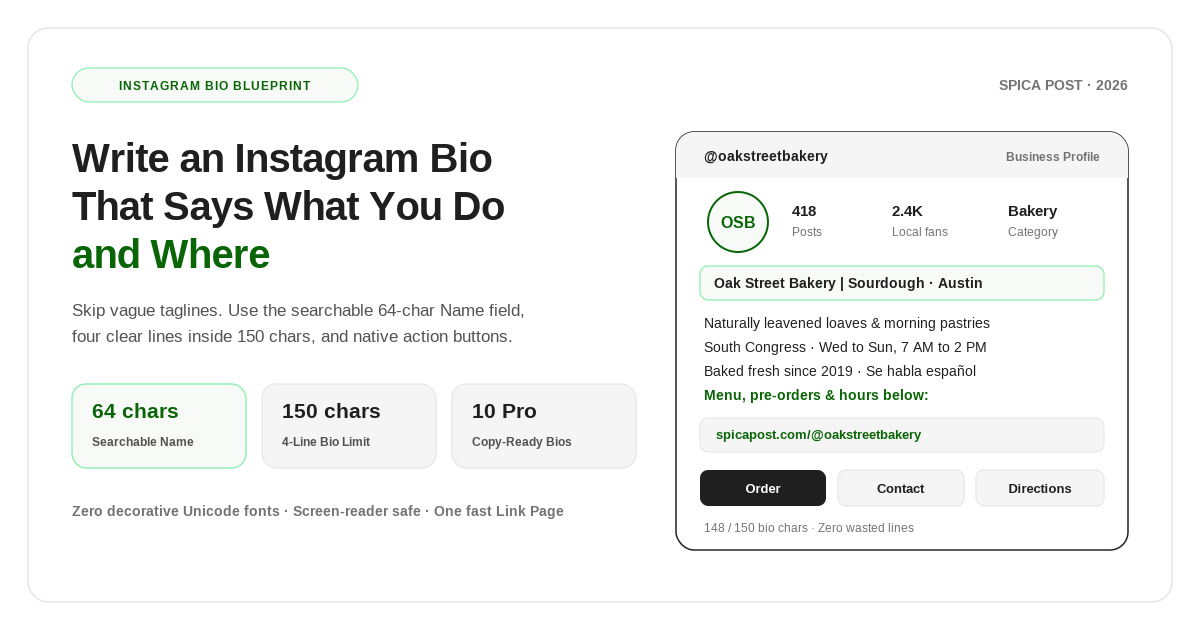
- Tighten your 3-line bio. Line 1: what you do and your exact city or neighborhoods. Line 2: one concrete trust signal or turnaround window. Line 3: a clear pointer to your Link Page or action button. If you want a full day-by-day publishing plan right after switching, follow our 30-day Instagram playbook for local businesses.
- Add one tidy Link Page in bio. Instagram captions still do not turn external URLs into clickable links. Place one clean mobile Link Page in your bio holding your booking calendar, menu or rate card, hours, and current offers.
- Save 3 counter-question Saved Replies in your DM inbox. Store ready-made answers for “What are your hours and location?”, “How do I book or get a quote?”, and “What is your current lead time?” so inquiries never sit unread overnight.
- Respect Instagram’s technical publishing limits. Every feed post needs at least one visual (no text-only posts), captions cap at 2,200 characters with the mobile preview folding around 125 characters, carousels take up to 20 photos or videos, and official API schedulers require JPEG photos (rejecting PNG, WebP, and raw HEIC) or MP4 videos. You can check caption folds and media limits anytime in our free Character and Post Checker.
How Spica Post supports Professional Instagram accounts (and honest November 2026 status)
If you plan to manage Instagram alongside your other channels in Spica Post, here is the transparent November 2026 picture for small businesses and creators:
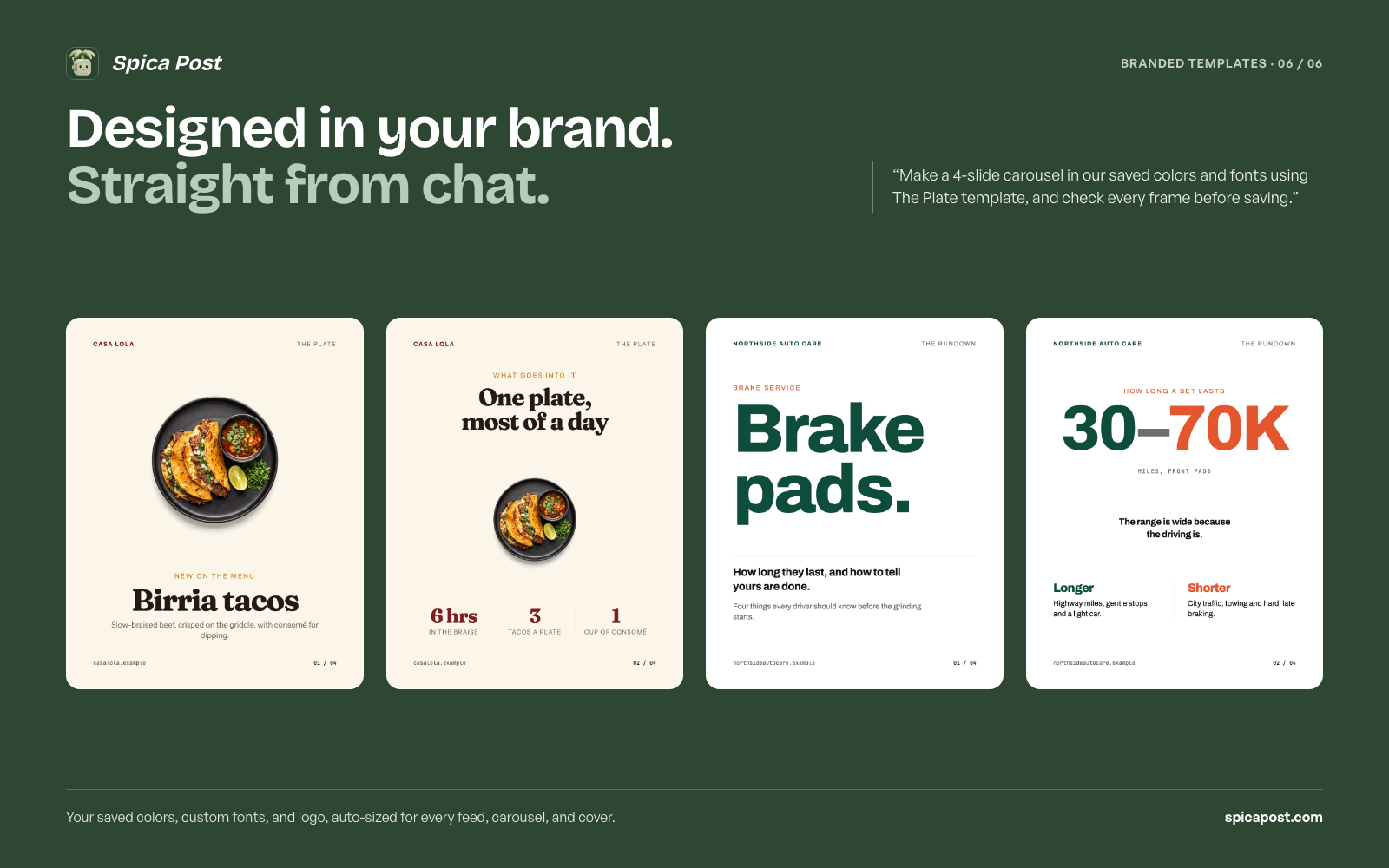
- Built for Professional accounts (Business and Creator): Spica Post’s Instagram adapter connects directly to Professional accounts via official Meta OAuth (checking JPEG/MP4 limits, 2,200-character captions, 20-item carousels, collaborators, tags, and Reel cover options before anything is scheduled), pairs with branded templates in your colors and fonts, routes Instagram comments into the Unified Inbox, syncs whole-account Results, and supports comment-keyword DM auto-replies.
- Live today vs. completing Meta review (verified November 2026): Direct scheduling and Auto-crosspost are live today on X, LinkedIn personal profiles, Bluesky (with live Unified Inbox replies and analytics sync), and Mastodon, alongside live branded Link Pages and click-tracked
/l/short links. Spica Post’s Instagram, Facebook Pages, and Threads connectors are built in code and currently completing Meta App Review before opening live across all workspaces (Google Business Profile is approved and enabled in production, completing first live profile verification; TikTok and YouTube are completing review/audit). Drafts you prepare for Instagram wait safely indrafts_holduntil your account connects, and you can review flat workspace plans anytime on our pricing page.
Open Settings and activity -> Account type and tools right now, pick Business if you serve local visitors, take bookings, or work with a team (or Creator if you run a solo personal brand with no physical address), and turn on Insights so every future post teaches you what your audience actually acts on.
Questions people ask
- Does switching to an Instagram Business account kill your organic reach?
- No. Instagram's ranking systems evaluate watch time, shares, saves, likes, and relationship signals rather than penalizing Business accounts relative to Creator or Personal accounts. Perceived reach drops right after switching usually happen because an owner abruptly shifts from relatable personal posts to stiff promotional flyers or loses access to a trending pop song.
- Will I lose my posts, followers, or DMs when switching between Business and Creator?
- No. Switching from Personal to Business or Creator, or moving back and forth between Business and Creator, takes under two minutes and preserves every post, Reel, Highlight, follower, username, and direct message thread. The one change to expect when moving from a private Personal account is that your profile becomes public and pending follow requests are accepted.
- What is the real difference in music between Instagram Business and Creator accounts?
- Business accounts are limited in the in-app audio picker to Meta's royalty-free commercial music library (Meta Sound Collection) because major record-label licenses cover personal, non-commercial use. Creator accounts see a wider selection of mainstream tracks inside the app, though in-app availability still does not grant a legal commercial license for paid ads or brand promotions.
- Do I need a Business account to schedule posts with a third-party tool?
- Meta's official publishing API blocks Personal accounts completely and requires a Professional account. Both Business and Creator accounts are Professional accounts that support Instagram Login scheduling, while Business accounts unlock the broadest Meta Business Portfolio, multi-staff permissions, unified Facebook Page workflows, and third-party partner integrations.
- Should a solo photographer, coach, or artist choose Business or Creator?
- Choose Creator if your own name is the brand, you do not need a public storefront street address or third-party booking button on your profile, and you manage the account solo. Choose Business even as a solo owner if you operate a physical studio, want a map Directions or Book button, or plan to grant agency or team access through Meta Business Portfolio.
Sources
- Instagram Help Center: About professional accounts (Business and Creator)
- Instagram Help Center: Set up a business account on Instagram
- Instagram Help Center: About creator accounts on Instagram
- Instagram Creators: How Instagram ranking and algorithms work
- Meta Developers: Instagram Platform Content Publishing API