Instagram Stories for a Shop: What to Share Every Day of the Week
Run a Monday to Sunday Instagram Stories plan for your shop: 2 to 4 clear frames a day, 9:16 safe zones, native stickers, and 4 evergreen Highlights.
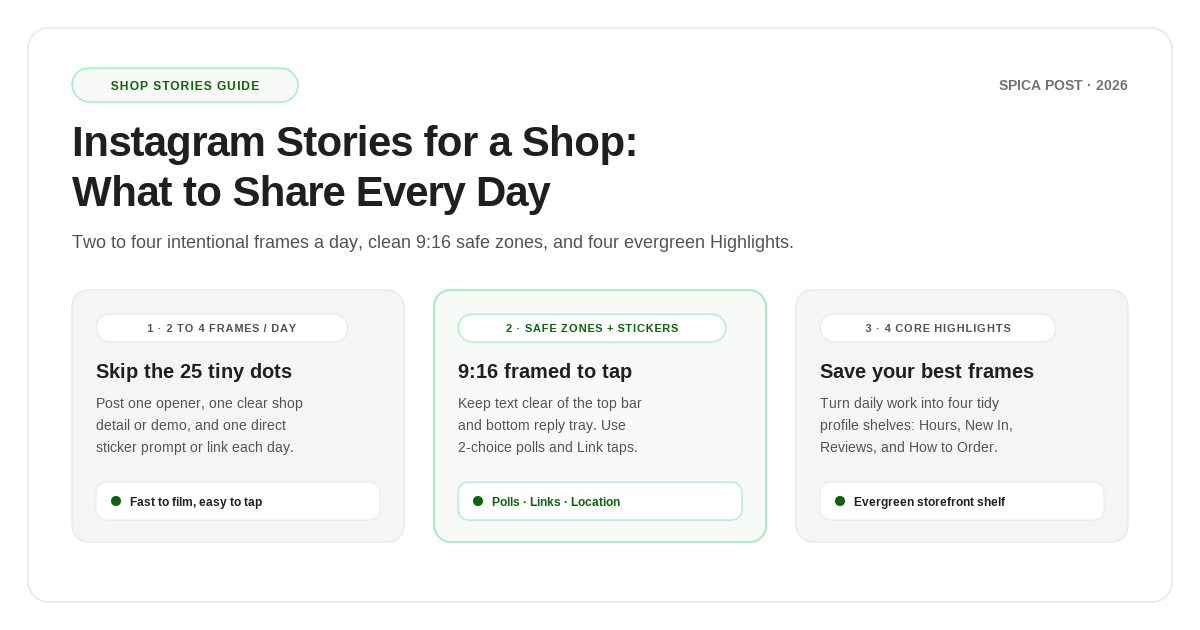
The best Instagram Stories ideas for business follow a calm Monday-to-Sunday rhythm of two to four intentional frames per day instead of dumping twenty-five tiny dots onto your followers’ screens every afternoon. For brick-and-mortar shops, boutiques, cafes, salons, and local makers, Stories act as your live storefront window: they tell neighbors that the doors are open, show what just hit the shelf, invite a one-tap reply, and send ready buyers straight to today’s item or booking link.
Most local shops fall into one of two unhelpful extremes with Stories. Some ignore the top bar for two weeks because filming feels overwhelming, leaving loyal regulars wondering whether the store changed hours. Others dump twenty unedited unboxing clips in a row with unreadable text tucked behind the reply bar, causing viewers to swipe straight to the next account by frame three.
A simple seven-day blueprint solves both problems in five minutes a day. Below is the exact Monday through Sunday shop Stories rhythm, why two to four frames outperform marathon updates, exact 9:16 safe-zone framing, the four native stickers that earn real replies and walk-ins, how to save your strongest daily frames into four evergreen Profile Highlights, customer privacy and permission habits, copy-ready Story scripts, and an honest November 2026 breakdown of Instagram Stories scheduling limits versus live native stickers.
Snapshot verified November 2026. Meta’s Instagram Content Publishing API limits for Stories, Instagram Help documentation on interactive stickers and Highlights, and Spica Post’s Instagram platform status reflect documentation verified in November 2026. Check current plan options anytime on Spica Post’s pricing page.
Why two to four intentional frames beat twenty-five tiny dots
When a shopper taps your profile ring and sees twenty-five hairline dashes across the top of the screen, their thumb immediately starts skipping. Very few people want a twelve-minute documentary on a Tuesday morning; they want a fast look at what is fresh today and how to visit or order.
Running two to four purposeful frames per day changes both viewer completion and your own energy on the shop floor:
- Frame 1 (The opener): Set instant context in natural light: unlocking the front door, pouring the first espresso, laying out a new display table, or showing the shop sign with today’s hours.
- Frame 2 (The tangible detail): Zoom in on one item, color, fabric texture, ingredient, or service chair result, with the plain price or size range written clearly in the middle safe zone.
- Frame 3 (The conversation or action): Add one simple native sticker (a two-choice Poll, Question box, Link sticker, or Location tag) so interested viewers can tap once instead of typing a paragraph.
- Optional Frame 4 (Same-day update): Only add a fourth frame when real news happens: a popular pastry sold out, a last-minute afternoon salon slot opened, or rain pushed sidewalk racks indoors.
Stopping at three frames keeps your Story bar inviting, lets you film in under five minutes while opening or restocking, and makes every individual frame much more likely to be watched to the end.
The Monday-to-Sunday Instagram Stories plan for local shops
Give every day of the week one light, predictable job so neither you nor your team ever stands behind the counter wondering what to film.
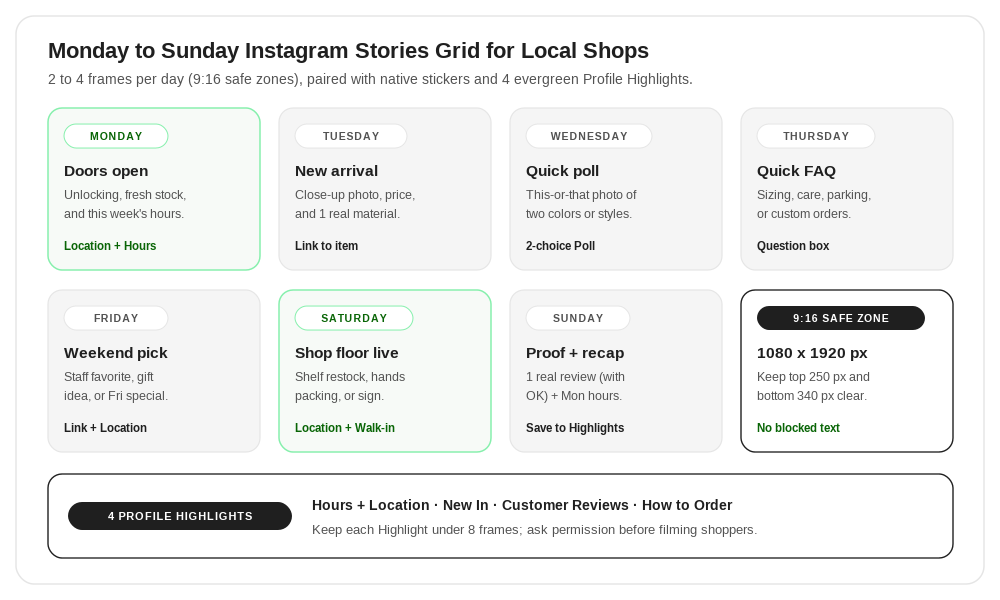
| Day | Shop Story theme | What to shoot (2 to 4 frames) | Best native sticker | Highlight shelf to save to |
|---|---|---|---|---|
| Monday | Doors open and weekly hours | Frame 1: unlocking front door or fresh counter; Frame 2: clean hours card for Mon to Sun; Frame 3: one highlight arriving this week | Location tag + shop street landmark | Hours and Location |
| Tuesday | New arrival spotlight | Frame 1: wide shot on shelf; Frame 2: daylight close-up showing texture or fit; Frame 3: plain price, sizes/options, and direct tap | Link sticker to item or Link Page | New In |
| Wednesday | Two-choice customer poll | Frame 1: side-by-side daylight photo of two colors, pastries, scents, or styles; Frame 2: quick follow-up showing which one regulars love most | 2-choice Poll sticker | Optional (keep temporary) |
| Thursday | One real shop FAQ | Frame 1: prompt asking sizing, care, parking, or gift-wrap questions; Frame 2 and 3: calm written or 15-second spoken answer with real product in hand | Question box or Link sticker | How to Order |
| Friday | Weekend pick or gift idea | Frame 1: staff favorite or weekend pairing on the counter; Frame 2: price and availability; Frame 3: parking or pickup reminder | Link sticker + Location tag | New In or How to Order |
| Saturday | Live shop-floor pulse | Frame 1: fresh restock or coffee bar prep before rush; Frame 2: hands wrapping an order cleanly (no customer faces without permission); Frame 3: closing time reminder | Location tag | Hours and Location (if clean) |
| Sunday | Social proof and week ahead | Frame 1: one real customer review or tagged photo (with explicit permission); Frame 2: quick thank-you; Frame 3: Monday opening time | Link sticker to booking or shop | Reviews |
If your shop closes on Sunday or Monday, simply skip that day’s live floor frames or share a clean one-frame “Closed Mondays for restock; doors reopen Tuesday at 10 AM” card with your online Link sticker so locals never make a wasted trip. Pair this daily Stories habit with steady grid posts using our 30-day Instagram guide for local businesses.
Adapting the 7-day grid by shop profession
The same seven slots fit almost every storefront or studio with minimal tweaks:
- Clothing boutiques and gift shops: Use Tuesday for flat-lay or hanger-to-daylight close-ups, Wednesday for “Olive linen or cream canvas?” polls, and Thursday for honest fit notes (“Runs slightly relaxed; Maria is 5’5” wearing Medium”). See more shop-specific examples on Spica Post for shops and boutiques.
- Cafes, bakeries, and florists: Shoot Monday and Saturday morning prep 60 minutes before doors open, use Wednesday polls for seasonal flavors or bouquet palettes, and drop a quick Frame 4 whenever the last croissants or tulips are nearly gone.
- Salons, barbers, and studios: Use Monday for open weekday appointments, Tuesday for one close-up finish (with explicit client permission), Thursday for maintenance or aftercare FAQs, and Friday for weekend walk-in or cancellation openings with a direct booking Link sticker.
Exact 9:16 safe-zone framing so text and stickers never get buried
Instagram Stories render at 9:16 vertical aspect ratio (1080 by 1920 pixels) across modern phones, yet Instagram overlays its own interface right on top of your image or video. When shop owners place prices, store hours, or Link stickers too close to the top or bottom edge, viewers physically cannot read or tap them.
Follow these concrete safe-zone boundaries on every frame:
| Screen region (1080 x 1920 px) | Approximate pixel zone | What Instagram covers here | Framing rule for your shop |
|---|---|---|---|
| Top hazard zone | Top 250 px (y = 0 to 250) |
Story progress bars, profile avatar, handle, audio tag, and Close X button |
Keep all headlines, logos, and prices below this line |
| Middle safe zone | Middle 1330 px (y = 250 to 1580) |
Clear viewing and tapping space across phone screen ratios | Place your hero product, caption text, price, Poll, and Link sticker here |
| Bottom hazard zone | Bottom 340 px (y = 1580 to 1920) |
“Send message” input box, heart button, and paper-plane share icon | Never place Links, dates, or subtitles here (taps trigger the keyboard instead) |
| Left and right edges | Outer 60 px on each side | Narrower screens crop slight outer margins; right edge triggers “Next frame” tap | Keep interactive stickers centered with generous thumb room on both sides |
Before shooting, wipe your phone lens with a clean cloth and step toward a front window or open doorway so colors stay true instead of casting yellow overhead shadows. Keep on-screen text to two short lines in high contrast (dark ink on a crisp white pill background or crisp white text on a dark solid pill), never pale text over busy floral or cluttered shelves. For cleaner phone product lighting, follow our phone product photography guide.
Interactive stickers that actually earn replies (and four mistakes to drop)
Instagram offers dozens of decorative stickers, yet four simple native tools drive almost every meaningful DM, save, and store visit (Instagram interactive stickers guide):
- Simple two-choice Polls: Make the vote effortless and tied to real merchandise (“Restock this mug in Forest Green or Matte White?” or “Iced matcha or cortado first today?”). Anyone who votes already signaled interest; reply casually when someone follows up with a question.
- Focused Question boxes: Replace vague “Ask me anything!” boxes (which usually stay empty) with one concrete prompt: “Need help picking a gift under $40? Drop who it’s for” or “Questions on sizing or local pickup this week?”.
- Clear Link stickers with custom text: Never paste a raw ugly URL string on top of a photo. Tap Customize sticker text and label it plainly with the exact destination (“Shop the Linen Tote · $48”, “Book Thursday Cuts”, or “Today’s Menu + Hours”). Point to one specific item page or your clean Link Page so shoppers land immediately where they expect.
- Accurate Location tags: Tag your exact storefront or neighborhood on opening and weekend frames so nearby shoppers browsing local places recognize you are open right down the street.
Skip four habits that quietly drag down Story performance: stacking three stickers on top of one another on a single slide, posting tiny screenshots of dense paragraphs nobody can read in five seconds, sharing ten unrelated feed reposts in a row without adding one line of shop context, and forgetting to add captions when you speak on camera (many people tap through Stories on mute at work or on transit).
Turn daily Stories into four evergreen Profile Highlights
Stories expire after 24 hours, which makes them feel disposable unless you curate your clearest frames into permanent Profile Highlights directly under your bio (Instagram Story Highlights help).
Resist creating fourteen cluttered circles covering every past holiday sale since 2023. Four clean Highlights answer nearly every first-time visitor question in ten seconds:
- Hours + Map: Current weekly hours, street address, parking tip or nearest transit stop, a clean daylight shot of your storefront door so first-timers recognize it from the sidewalk, and a Link sticker to your Link Page.
- New In: Five to eight recent arrivals with plain prices and current Link stickers. Every Tuesday when you add two fresh arrivals, remove the two oldest sold-out frames so shoppers never click dead stock.
- Reviews: Four to six real customer reviews, kind messages, or happy buyer photos (shared only with explicit permission) showing real proof of quality and hospitality.
- How to Order: Plain answers on in-store hold requests, local pickup windows, shipping turnaround, gift wrapping, booking deposits, and return policies.
Keep every Highlight trimmed to under eight frames, use crisp readable cover titles (short enough not to truncate under the circle), and spend three minutes on Sunday evening deleting anything sold out or outdated.
Customer permission and shop-floor privacy come first
A busy boutique or salon looks inviting, yet filming customers without consent breaks local trust immediately. Make explicit permission an automatic habit across your whole team:
- In-store filming: Always ask shoppers, salon clients, or cafe regulars for explicit verbal or written permission before pointing a camera at identifiable faces or recording children. If you are filming general morning atmosphere, shoot before doors open, aim cleanly at shelves, counter trays, or your own hands packing orders, and keep bystanders out of frame.
- Resharing customer tags and reviews: Even when a happy customer tags your shop in their Story or sends a warm DM, send a two-second reply asking “Thank you so much! May we reshare this to our Stories and Reviews Highlight?” before reposting it permanently.
- Protecting personal order details: Never leave handwritten customer phone numbers, home delivery addresses, or credit card receipts visible on the packing table in the background of a Story clip.
Five copy-ready Story frame scripts for busy shop owners
Keep these five short frame sequences taped behind your register or saved in your notes so any team member can capture clean Stories in five minutes.
1. Monday morning opening (3 frames)
Frame 1 (Front door or sunlight hitting display): “Good morning [Neighborhood]! Doors are open today [Start] to [End].” + [Location tag]
Frame 2 (Clean photo of counter with plain hours text in middle safe zone): “This week’s hours: Tue to Fri 10 to 6 · Sat 10 to 5 · Sun 11 to 4 · Free parking behind [Street].”
Frame 3 (Preview of 1 item unpacking): “Fresh shipment of [Item] hitting shelves tomorrow. Tap below if you want first look.” + [Link sticker: “See What’s New”]
2. Tuesday new arrival spotlight (3 frames)
Frame 1 (Wide daylight shot): “Just unpacked: [Product Name] in [Two Colors or Materials].”
Frame 2 (Close-up held in hand beside window): “[One real detail: weight, scent, fabric, or fit] · Available in [Sizes / Options] · $[Price].”
Frame 3 (Product on shelf + clean call to action): “In store today at [Address] or reserve online for pickup.” + [Link sticker: “Shop [Product Name]”]
3. Wednesday two-choice poll (2 frames)
Frame 1 (Side-by-side daylight photo of two real items): “Help us pick Friday’s window display (or next restock): which one comes home with you?” + [Poll sticker: “[Option A]” / “[Option B]”]
Frame 2 (Optional afternoon follow-up): “Early leader is [Option A]! Both are sitting right up front if you want to see them in person today.” + [Location tag]
4. Thursday shop FAQ (2 frames)
Frame 1 (Holding item or standing near display): “Most asked question at the counter this week: ‘[Exact Short Customer Question]?’”
Frame 2 (Clear 2-line answer in middle safe zone): “Short answer: [Clear Direct Answer + Timeframe or Sizing Tip]. Have another question? Drop it here.” + [Question box: “Ask about sizing, gifts, or pickup”]
5. Sunday review and Monday preview (2 frames)
Frame 1 (Clean product photo with real customer quote shared with explicit permission): “‘[Short 1-Sentence Real Review]’ · Thank you [First Name, with permission] for supporting our small shop!”
Frame 2 (Tidy shop shelf before closing): “Restocking tonight and back open tomorrow at [Opening Time]. Browse anytime at our Link Page below.” + [Link sticker: “Hours + Shop Online”]
Honest November 2026 note: Instagram Stories scheduling vs. live native stickers
Many shop owners look for a tool that will auto-publish an entire week of Instagram Stories complete with clickable Polls, Link stickers, Question boxes, and Location tags while they run the register. It is important to understand where Instagram’s platform limits draw the line today.
According to Meta’s Instagram Content Publishing API documentation, third-party publishing tools can schedule and publish single-photo (JPEG) and single-video (MP4) Instagram Stories (and basic user tags), not interactive stickers such as Polls, Question boxes, Link stickers, Countdown stickers, or Location tags. That is a Meta API boundary across every approved scheduler, not a bug in one specific app.
Here is how smart shops split the work cleanly without wasting time:
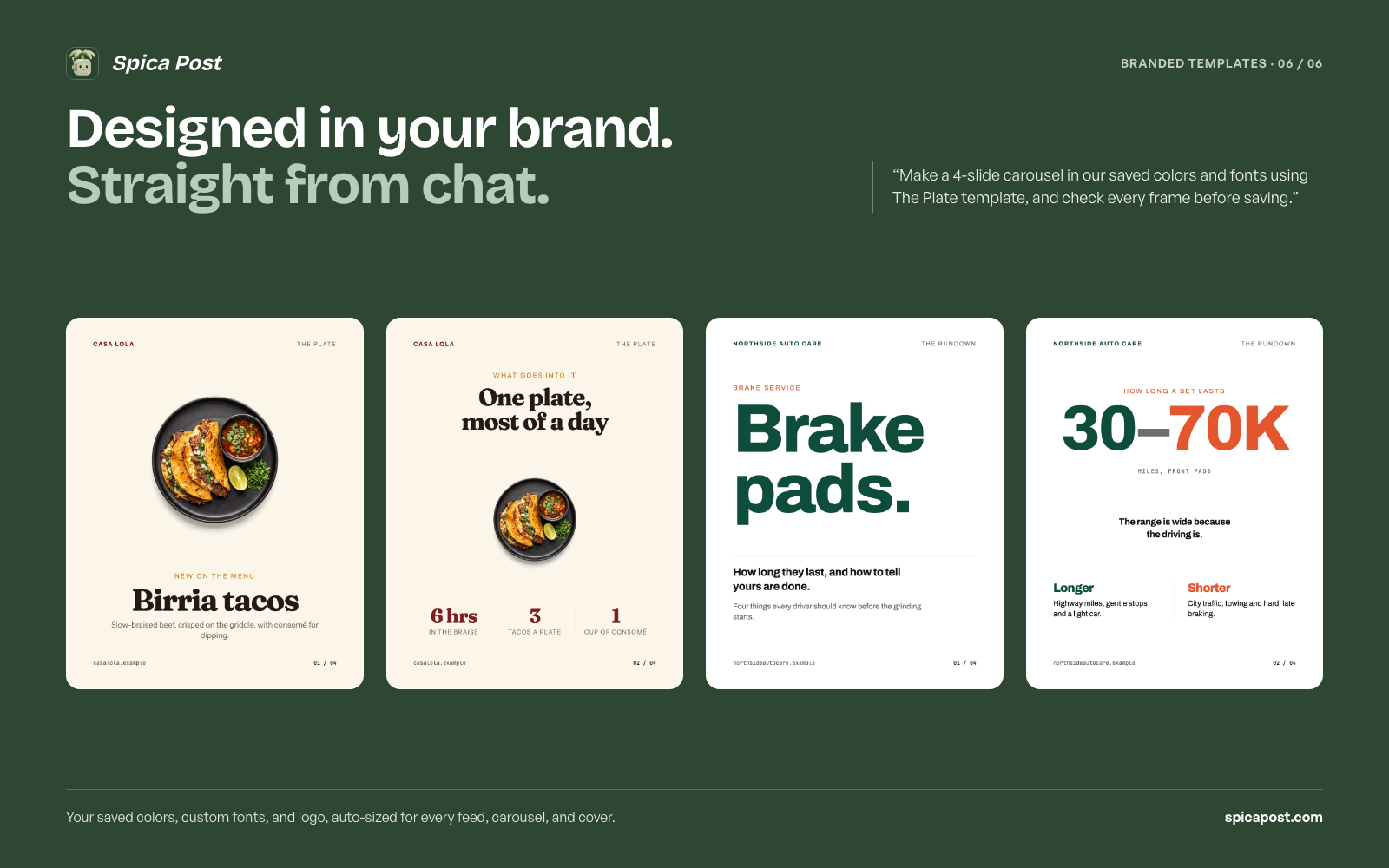
- Batch ahead what works best scheduled: Prepare your weekly feed posts, multi-photo carousels, and short Reels (see our Instagram Reels ideas for small business), plus clean 9:16 brand-styled Story background cards (such as your Monday hours card or a clean seasonal price card) ahead of time.
- Post interactive Stories live in two minutes: Open your prepared 9:16 photo or quick morning counter shot natively in Instagram, drop one Poll, Question box, Link sticker, or Location tag inside the middle safe zone, and hit Share.
Honest Spica Post status for Instagram shops (Nov 2026)
If you are evaluating Spica Post for Instagram and your local storefront in November 2026, here is the transparent state of the workspace:
- What is live today: Spica Post gives shops a fast branded Link Page (perfect as the single destination behind your Story Link stickers and in-store QR code, complete with editable announcement boxes and printable SVG QR codes),
/l/click-tracked short links so you can see how many shoppers tapped a Story link, brand-styled post templates, MCP assistant drafting in your store’s voice, and live direct publishing plus Auto-crosspost across X, LinkedIn personal profiles, Bluesky (with live Unified Inbox replies), and Mastodon. - What is built and completing Meta review: Spica Post’s Instagram adapter (supporting single photos, 20-item carousels, Reels with cover frames, Stories media, collaborators, and user tags) as well as Facebook Pages, Threads, and Google Business Profile (approved and enabled in production, awaiting first live service-area profile verification) are built and completing platform review and verification. Even once Meta App Review opens direct Instagram publishing across all workspaces, interactive Stories stickers (Polls, Questions, Links, and Location) will still be added natively in Instagram because of Meta’s API limit. Review current workspace plans anytime on our pricing page.
Start tomorrow morning with just three clean frames: unlock the door in daylight, show one real item with its price inside the middle safe zone, and add one simple Link or Poll sticker. Four tidy Highlights and five calm minutes a day turn Instagram Stories into your hardest-working storefront window.
Questions people ask
- How many Instagram Stories frames should a local shop post per day?
- Aim for two to four intentional frames per day instead of fifteen or twenty-five rapid slides. A three-frame mini-arc (one opening context frame, one clear product or craft detail, and one interactive sticker or Link tap) holds attention, takes five minutes to capture, and stops regulars from tapping past your account.
- What are the exact 9:16 safe zones for Instagram Stories?
- Design and film vertical Stories at 1080 by 1920 pixels (9:16 ratio), and keep all text, prices, and interactive stickers out of roughly the top 250 pixels (covered by your handle and progress bars) and the bottom 340 pixels (covered by the message reply bar and reaction icons). Staying inside the middle 1080 by 1330 pixel safe zone prevents unreadable cropped copy.
- Which Instagram Stories stickers actually earn replies and shop visits?
- Simple two-choice Polls, plain Question boxes about sizing or care, Link stickers pointing straight to today's item or booking page, and accurate Location tags drive the highest real engagement. Avoid cluttered multi-sticker slides where shoppers cannot tell where to tap.
- Can third-party tools schedule Instagram Stories with Link, Poll, or Location stickers?
- No. As of November 2026, Meta's official Instagram Content Publishing API lets approved tools publish single-image and video Stories (plus user tags), not interactive stickers such as Polls, Question boxes, Link stickers, or Location stickers. Prepare clean vertical visuals ahead of time, then post sticker-driven shop Stories natively in the Instagram app in under two minutes.
- Do I need permission before filming shoppers or resharing customer Story tags?
- Yes. Always ask explicit verbal or written permission before filming identifiable shoppers inside your store or salon, showing children, or resharing a customer's tagged Story or message onto your business account and permanent Highlights. When shoppers prefer privacy, focus on freshly styled shelves, hands packing orders, or storefront light before doors open.
Sources
- Meta for Developers: Instagram Platform Content Publishing API (media and Stories limits)
- Instagram Help Center: Add interactive stickers (polls, questions, links) to Stories
- Instagram Help Center: Create and manage Story Highlights on your profile
- Spica Post for Instagram: publishing limits, formats, and platform status