Google Maps
Why Your Business Is Not Showing on Google Maps (7 Fixes)
Diagnose why your business vanished from Google Maps: verification holds, suspensions, wrong categories, broken map pins, duplicates, and weak prominence.
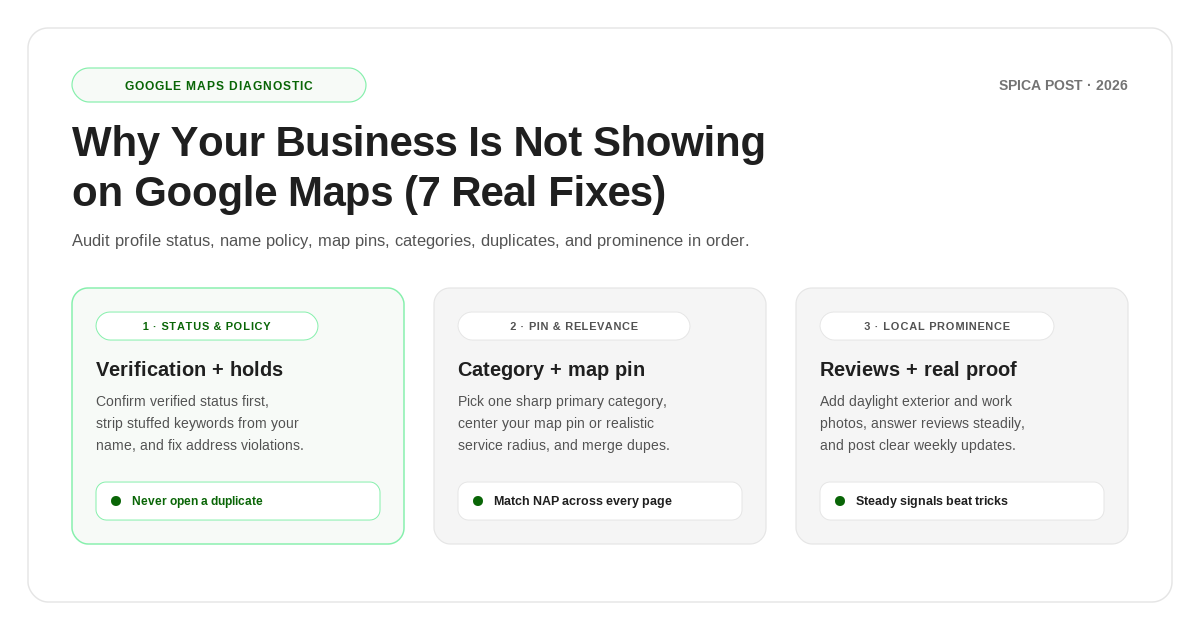
When your business is not showing on Google Maps, the cause almost always falls into one of seven concrete issues: an unverified profile or stalled video verification, a suspension or disabled status for guideline violations, the wrong primary category, a drifted map pin or unrealistic 500-mile service radius, inconsistent NAP details or duplicate listings splitting signals, a brand-new profile or recent edit still propagating, or low local prominence compared to nearby competitors.
The biggest mistake small business owners make when they cannot spot their pin on Maps is guessing blindly: rewriting their description five times, creating a second profile in frustration, or paying for questionable directory blasts before checking whether Google even considers the profile verified. Fixing Google Maps visibility works like diagnosing a car that will not start. You check the battery and ignition before polishing the hood.
This troubleshooting guide walks through all seven real causes grounded in Google Business Profile Help documentation, shows the exact diagnostic order to avoid wasting weeks, includes a clean appeal explanation template, and explains how to rebuild durable local prominence once your listing is healthy.
Snapshot verified November 2026. Verification timelines, representation guidelines, service-area limits, and local ranking pillars reflect live Google Business Profile Help documentation verified in November 2026.
Run one honest search test before changing anything
Before editing a single field inside your Google Business Profile, verify what is actually missing. A listing can be completely healthy on Google Maps and still stay invisible to one specific test search.
Open a private or incognito browser window and run two separate searches:
- Exact brand search: Search
[Exact Business Name] [City]. If your knowledge panel and map pin appear cleanly on the right side or top of mobile results, your profile is live and indexed. You are dealing with a category, pin, duplicate, or local ranking gap rather than a suspension. - Core service search: Search
[Main Service] near [Your Neighborhood](for example, “emergency dentist near Coral Gables” or “brake repair near Ballard”). Remember Google’s three official local ranking factors in Google’s local ranking guide: Relevance (how closely your categories and page match the search), Distance (how far the searcher sits from your pin), and Prominence (how well known and trusted your business appears across reviews, photos, and local web mentions).
If you run a shop on the south side of town and search from your home twelve miles north, Google naturally favors closer competitors first. Once you distinguish between “missing completely” (Causes 1, 2, and 6) and “buried below nearby competitors” (Causes 3, 4, 5, and 7), your next fix becomes obvious.
Quick diagnostic table: the 7 real causes at a glance
Use this table to match what you see in Google Search and your Business Profile manager to the fastest accurate fix.
| # | Root cause | What you usually see | Primary fix | Typical resolution window |
|---|---|---|---|---|
| 1 | Unverified or stuck in video verification | Banner reading “Verification required” or “Processing” inside GBP | Complete continuous uncut video verification without editing core details mid-review | Up to 5 business days |
| 2 | Suspended or disabled for policy violations | Red status banner “Suspended” or “Disabled” in GBP dashboard | Fix name, address, or eligibility issue first, gather official proof, submit Appeals Tool | Several days to 2+ weeks |
| 3 | Wrong primary category | Appears for exact name, invisible for core service searches | Switch primary category to exact profession; add truthful secondary categories | 3 to 14 days |
| 4 | Broken map pin or giant service area | Pin sits on wrong block/highway or service area spans whole state | Reposition pin in satellite view; trim service area to ~2 hours max driving reach | 3 to 7 days |
| 5 | NAP mismatch or duplicate profiles | Old phone number, former address, or two competing pins on Maps | Align Name, Address, Phone across site and directories; report or merge duplicates | 1 to 4 weeks |
| 6 | New profile or recent core edit | Created or edited within the last 72 hours; or future opening date >90 days out | Pause extra edits and allow Google re-review and map propagation to finish | 3 to 5 business days |
| 7 | Low local prominence | Verified and accurate, yet buried past page 2 under active rivals | Build steady reviews, real exterior and work photos, weekly posts, and matching website pages | 4 to 12 weeks |
Cause 1: your profile is unverified or stuck in video verification
An unverified Google Business Profile cannot appear reliably on Google Maps or accept owner replies. Even owners who verified years ago occasionally find a profile flipped back to “Verification required” after moving suites, changing phone numbers, or switching management accounts.
Why video verification stalls or rejects legitimate businesses
Google relies heavily on business video verification (Google verification help) to confirm that a real business operates at the claimed location. Most rejections happen because the video misses one of three required visual proofs inside a single continuous, unedited clip:
- Location proof: Street signs, cross streets, nearby neighboring storefronts, or your building number clearly legible outside.
- Business existence proof: Permanent exterior signage mounted on the building or door (handwritten paper signs and taped flyers routinely fail), branded work vehicles, or interior workspace and profession-specific tools.
- Management proof: Physically unlocking the front door with keys, opening a locked staff-only room, accessing your point-of-sale register, or showing an official business license or utility bill matching your exact GBP name.
Keep the recording steady, shoot in bright daylight, stay under two minutes so the upload never stalls on mobile data, and do not edit your business name, address, or category while Google is still reviewing the video. Editing a core field mid-review frequently resets the verification queue from scratch.
Cause 2: your profile was suspended or disabled for guideline violations
If your listing suddenly vanished from Google Maps overnight, open Google Search while signed into the owner account and search my business. A red banner stating “Your Business Profile has been suspended” or “Disabled” confirms an automated or manual policy hold under Google’s representation guidelines.
The three guideline violations that trigger most suspensions
Small businesses rarely violate Google policy out of malice; they usually copy bad habits they saw a competitor get away with temporarily:
- Keyword-stuffed business names: Adding extra cities, phone numbers, or service slogans to your title (for example, “Apex Plumbing | Best 24/7 Emergency Drain Repair Miami & Broward” instead of the real signage name “Apex Plumbing”). Google strictly requires your exact real-world business name as shown on your storefront sign, legal registration, and invoices.
- Ineligible addresses (P.O. boxes, UPS mailboxes, and unstaffed virtual offices): Listing a mail drop, shared coworking mailbox where you do not maintain dedicated permanent signage and staffed hours, or displaying your home street address when customers do not visit you there.
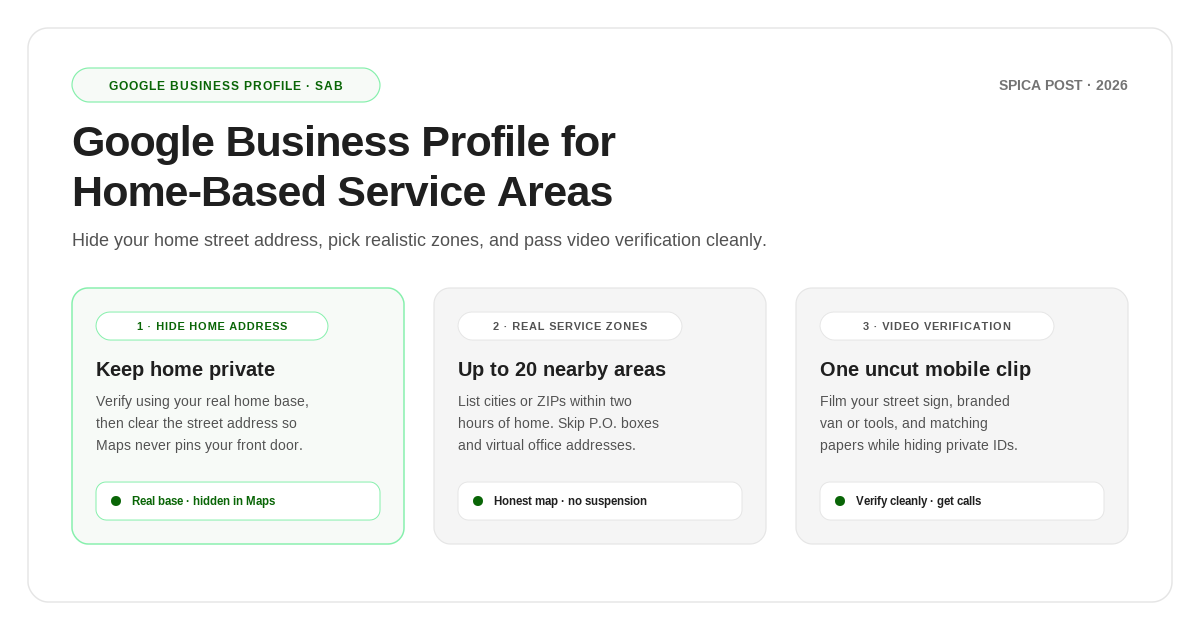
- Wrong storefront vs. service-area configuration: Mobile businesses and home-based service providers must hide their residential street address and operate as a service-area business unless they hold permanent signage and receive walk-in visitors during posted hours.
How to recover cleanly without making a suspension worse
First, check whether the managing Google account itself has a restriction, and never create a brand-new replacement listing to dodge a suspension. Opening a second listing compounds the violation and risks losing your historic reviews permanently.
Instead, follow three calm steps:
- Audit every single profile field against Google’s guidelines and fix the violation first (strip extra keywords from the name, hide a residential address if you travel to customers, fix broken website redirects).
- Collect matching official evidence in clean PDF or JPG files: business registration or LLC certificate, state or municipal profession license, tax certificate, and a recent utility bill (electric, water, internet, or business phone) displaying the exact business name and address.
- Submit one concise, factual appeal through Google’s official Appeals Tool.
Copy-ready GBP appeal explanation template:
Our business, [Exact Legal / Signage Name], is an active local [profession] operating from [Street Address or Service Area City]. After reviewing Google’s Business Profile guidelines, we identified and corrected [exact fix made, e.g., removed city keywords from our business name so it matches our exterior signage / cleared our home street address and configured our local service area]. Attached are our state business registration, local license, and current utility bill showing our exact business name and address. Please review and reinstate our Business Profile.
Cause 3: wrong primary category or missing secondary categories
Your primary category is the strongest relevance lever in Google Maps. If a customer searches “emergency plumber” or “pediatric dentist” and your profile sits under a vague umbrella like “Contractor” or “Medical Clinic”, Google Maps will show hyper-specific competitors right past you even when the searcher stands two blocks away.
Choosing one sharp primary category and honest secondaries
Pick the single narrowest category that completes the sentence “This business IS a…” rather than “This business also sells…”. For instance, a specialized coffee roaster that serves espresso drinks should pick “Coffee shop” rather than “Food manufacturer” if walk-in foot traffic drives daily sales; an HVAC company should choose “HVAC contractor” as primary and add “Air conditioning repair service” and “Furnace repair service” as secondary categories.
Fill out your Services or Menu section right beneath categories using plain customer phrasing. Avoid adding unrelated secondary categories just to cast a wider net; diluting your primary profession confuses Google’s relevance matching instead of helping it.
Cause 4: a drifted map pin or an unrealistic 500-mile service area
Google Maps relies on literal coordinates to decide which neighborhood searches match your business. Even a verified listing with a perfect street address can sit invisibly off-target when its map pin or service area drifts out of bounds.
Inspecting pin drift on satellite view
Open Edit profile -> Location -> Adjust and switch the small map preview to Satellite view. Zoom all the way in on your roof. New retail plazas, suite subdivisions, rural roads, and newly built developments routinely drop Google’s automatic pin in the middle of an adjacent highway, behind a retention pond, or half a mile down the street. Drag the red pin directly onto your actual front entrance or building roof and save once.
Fixing bloated service areas for mobile professions
Service-area businesses often try to claim an entire state or a 500-mile radius hoping to catch more calls. Per Google’s service-area business help, you may list up to 20 service areas (cities, postal codes, or counties), and the outer boundary should stay within roughly two hours of driving time from your base. Setting an absurdly wide service area does not boost rankings in distant cities; it blurs your geographic focus and can trigger manual review. List the specific towns and zip codes where you actually drive every week.
Cause 5: NAP inconsistencies or duplicate profiles splitting your signals
Google does not rely on your Business Profile in isolation. Its local index cross-checks your Name, Address, and Phone number (NAP) across your own website, Apple Business Connect, Yelp, Facebook, Better Business Bureau, and state licensing boards. When half the web lists your old suite number or a disconnected landline, Google loses confidence in which location is real.
Hunting down hidden duplicates and old tenant listings
Search Google Maps directly for your phone number in quotes ("555-0148") and search your exact street address. Watch for two silent troublemakers:
- Duplicate profiles of your own business: An older unclaimed listing created by a former agency, previous owner, or automated directory feed can compete head-to-head with your verified profile and trigger Google’s local filter, hiding one of the two from map results completely.
- Same-profession neighbors at the exact same address: Inside salon suites, executive offices, or shared clinics, multiple practitioners using the identical primary category at one exact street address often trigger Google’s proximity filter (sometimes called the Possum filter), showing only the strongest listing until the user zooms tightly in.
Audit your own website footer and Contact page first so your exact business name, suite format, local phone number, and hours match your Google Business Profile character for character. Then update your top five local citations (Facebook Page, Instagram contact buttons, Yelp, Apple Business Connect, and your local chamber or licensing directory) and request removal or merging of true duplicates through Google Business Profile Support.
Cause 6: a freshly created profile or recent edit still propagating
Sometimes nothing is broken at all; Google simply has not finished processing your change.
Freshly verified profiles typically take 3 to 5 business days (and occasionally up to two weeks in competitive metro categories) to populate across all Google Search and Maps servers. Similarly, if you entered a future opening date that sits more than 90 days away, Google keeps your listing hidden until that 90-day pre-opening window opens.
If you recently changed your business name, street address, website URL, or primary category, resist the urge to tweak the profile again 24 hours later. Repeated edits inside the same week look suspicious to automated spam filters and can turn a routine propagation wait into a re-verification request or soft suspension. Make clean, accurate edits in one deliberate batch, then let the listing settle for a full week.
Cause 7: low local prominence compared to active nearby competitors
If Causes 1 through 6 all check out cleanly, your business IS on Google Maps, yet stronger local competitors occupy the top three Map Pack spots and push your pin down below the fold. Google calls this third pillar Prominence (Google local ranking tips).
Four honest signals that rebuild local prominence steadily
You do not need paid tricks to climb back into local map visibility. Google rewards the exact behaviors real customers look for when choosing a local business:
- Real daylight photos updated monthly: Upload clear exterior storefront shots (so drivers recognize your building), clean interior views, and real completed work per Google’s Business Profile photo guidance. Always ask explicit customer permission before posting any photo showing identifiable faces or private property interiors. See our Google Business Profile photo tips for exact framing and sizing.
- Steady customer reviews with real replies: Five honest reviews per month beat fifty reviews dropped in one suspicious weekend. Give every satisfied client a direct review link or checkout QR card (with zero discounts or gifts in return), and answer every review warmly in plain language within a few days.
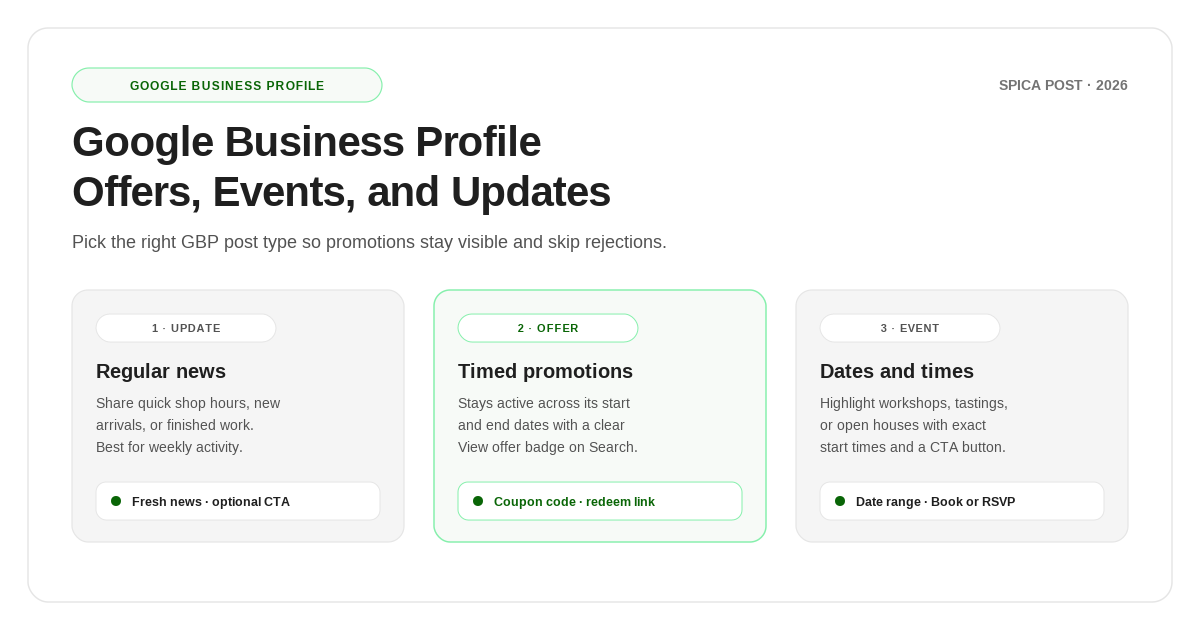
- Clear weekly Google Business Profile updates: Sharing a weekly Update, Offer, or Event keeps your listing visibly active and reinforces the exact services and neighborhoods you serve. Check our guide on how to show up in near me searches for phrasing that converts local views into calls.
- A matching website landing page: Link your GBP website field to a fast page that clearly states your exact profession, core services, city and surrounding neighborhoods, hours, and matching local phone number.
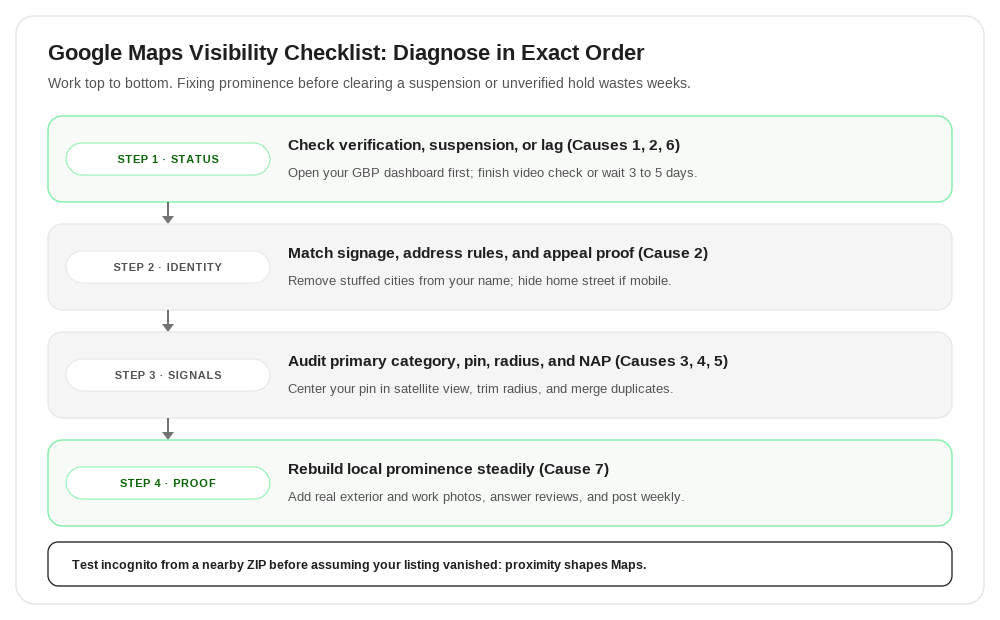
The exact 4-step diagnostic order to follow today
Save hours of frustration by checking your profile in this strict order from top to bottom:
- Step 1 (5 minutes): Check live dashboard status. Log into the managing Google account, search
my business, and confirm whether the profile reads Verified, Verification required, Processing, Suspended, or Disabled. If a future opening date is set more than 90 days out, confirm your date. - Step 2 (10 minutes): Audit real-world name and address compliance. Compare your GBP title word-for-word against your exterior sign and registration. Remove stuffed cities or service taglines, confirm storefronts display real staffed addresses, and confirm mobile professions hide home addresses cleanly.
- Step 3 (15 minutes): Inspect category, map pin, service radius, and duplicates. Verify your primary category is the single sharpest fit, zoom into Satellite view to place your pin accurately on your roof or entrance, cap service areas to realistic driving reach, and search your phone number on Maps to catch duplicate listings.
- Step 4 (Ongoing, 15 minutes a week): Rebuild local prominence. Align NAP across your website and top profiles, add two fresh daylight photos a month, ask every customer equally for a review, answer every review warmly, and publish one concise weekly Google update.
Checking Google Business Profile posts cleanly and Spica Post trade-offs
Once your listing is verified and healthy, keeping it active takes only minutes a week when you preview updates against Google’s exact limits before publishing (1,500 characters max, roughly 120 characters visible before the mobile fold, one clean JPEG or PNG photo, and zero videos on standard GBP posts). You can test your wording, fold line, and action buttons free without logging in using our Google Business Profile Post Previewer.
Honest trade-offs if you evaluate Spica Post for Google Business Profile
Here is the transparent November 2026 status of Spica Post’s Google Business Profile support for small businesses and creators:
- Live today: You can use Spica Post’s free no-login Google Business Profile Post Previewer (
/tools/google-business-post-preview/), build a fast branded Link Page with hours and printable QR codes for your storefront, draft updates in your own voice, and publish directly to X, LinkedIn personal profiles, Bluesky (with live Unified Inbox replies), and Mastodon. - Built and finishing live verification: Google approved Spica Post’s Business Profile API access and v4 is enabled in production, with Update/Offer/Event scheduling, Unified Inbox review replies, and “On Google” performance metrics (calls, direction requests, website clicks, and Maps/Search views) built in the app. Live customer rollout awaits our first real-world service-area profile verification walk, alongside ongoing Meta, TikTok, and YouTube reviews for sister networks. Review current flat plans anytime on our pricing page.
Work the checklist in order: verify status first, clean up any name or address violations, lock in your exact category and map pin, and then feed Google steady real-world proof week after week. That sequence fixes almost every missing map listing cleanly and permanently.
Questions people ask
- Why does my business appear when I search its exact name but not for my main service?
- Showing up for your exact brand name confirms your profile is verified and active, so you are not suspended. Missing broader service searches usually points to an overly vague primary category, weak distance alignment from the searcher's location, duplicate listings splitting signals, or lower local prominence than nearby competitors who have more steady reviews and real photos.
- Should I create a new Google Business Profile if my current one gets suspended?
- Never create a second profile for a suspended business. Google's guidelines explicitly warn against opening duplicate listings during a suspension because it triggers further violations and delays reinstatement. Instead, fix the underlying policy issue on the existing profile, gather official business documents, and submit a clean appeal through Google's Appeals Tool.
- How long does it take for a new or recently edited Google Business Profile to show on Maps?
- Verification review typically takes up to 5 business days after submitting video or code verification, and significant edits to your business name, street address, or primary category can take several days to settle across Google Search and Maps. Avoid making repeated core edits while a review is still pending.
- Can a home-based or mobile service business show up on Google Maps without showing a home address?
- Yes. Google requires service-area businesses that travel to customers (such as plumbers, cleaners, or mobile pet groomers) to clear their street address from public display and define up to 20 service areas instead, generally staying within roughly two hours of driving time from home base.
- Does posting weekly on Google Business Profile fix a missing map listing?
- Weekly updates will not rescue an unverified, suspended, or miscategorized listing. Fix verification, policy compliance, primary category, map pin placement, and duplicates first. Once your profile is healthy and eligible, consistent weekly updates, real job photos, and genuine review replies strengthen local engagement and customer trust.
Sources
- Google Business Profile Help: Guidelines for representing your business on Google
- Google Business Profile Help: Verify your business on Google
- Google Business Profile Help: Manage your service areas for service-area and hybrid businesses
- Google Business Profile Help: Tips to improve your local ranking on Google
- Google Business Profile Help: Manage photos and videos for your Business Profile