Solopreneurs
Social Media for a One-Person Business: A Realistic Plan
Run social media in 2 hours a week without burning weekends: cap at 2 platforms, post 3 real work updates, and draft from phone notes with MCP.
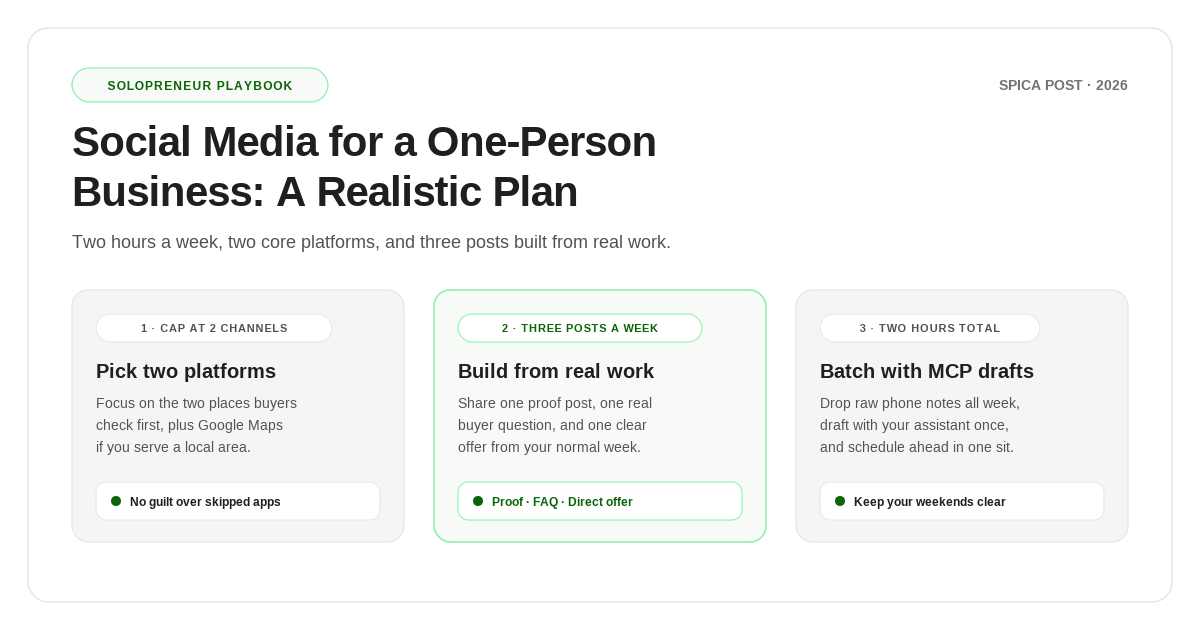
Social media for solopreneurs works when it fits inside two focused hours a week, caps active effort at two platforms (plus Google Business Profile if you serve a local area), and builds three high-signal posts straight out of work you are already doing. If you deliver the client work, answer the phone, send the invoices, and keep the books yourself, any marketing plan that expects daily studio videos or presence on six networks will collapse the first week a client project runs late.
Most solo owners do not hate marketing. They hate advice written for ten-person agencies with a dedicated video editor, a copywriter, and an account manager. When you try to copy that pace alone, you spend Sunday evening feeling behind, rush out two generic posts, and then disappear for three weeks while real billable work takes over.
A realistic plan accepts your calendar as it actually exists. Below is the exact two-hour weekly budget, how to choose your two platforms cleanly, the three-post weekly rhythm built from real work, how to recycle strong ideas without burning weekends, how an assistant connected via MCP turns messy phone notes into scheduled drafts, and an honest November 2026 look at what Spica Post handles today.
Snapshot verified November 2026. Google Business Profile posting and review guidance, Model Context Protocol workflow details, and Spica Post’s live platform status reflect documentation verified in November 2026. Review current plan options anytime on Spica Post’s pricing page.
Why agency playbooks break a one-person business
When one person runs every department, every extra hour spent filming, cropping, or writing captions comes straight out of either billable delivery or sleep. Standard social media advice quietly assumes invisible capacity you do not have, creating three predictable traps:
- Channel sprawl: Opening accounts on Instagram, TikTok, LinkedIn, Facebook, X, Bluesky, and YouTube because someone said “be everywhere” splits your two weekly hours into seventeen minutes per network, leaving every profile looking stale.
- Invented content pressure: Treating social media as a separate creative job forces you to invent topics from scratch on Tuesday night instead of reporting the useful work you just finished on Tuesday afternoon.
- Trend guilt: Scrolling past slick edits and lip-sync templates convinces solo owners that calm, plain posts are not worth sharing, even though local buyers and B2B clients routinely hire the clearest expert rather than the loudest performer.
Fixing those three traps does not require more willpower. It requires shrinking the surface area until the system survives your busiest month of the year.
Cap your footprint at two core platforms (plus Google Maps if local)
Your first boundary is choosing where you will show up reliably and explicitly giving yourself permission to ignore everything else. Two active platforms give you both discovery and depth without doubling your admin load. If you serve customers within a city or metro area, treat your Google Business Profile as an essential third utility that takes five minutes a week for a clean update (Google Business Profile post help) and timely review replies (Google Business Profile review guidance).
Use this decision matrix to lock your pair by profession and business model:
| One-person business model | Primary platform (home base) | Secondary platform (reach or backup) | Add Google Business Profile? | What to skip without guilt |
|---|---|---|---|---|
| Independent consultant, bookkeeper, designer, or writer | LinkedIn (personal profile) for buyer trust and referrals | Bluesky or X for fast thinking and peer networking | Optional (yes if you prefer local small-business clients) | Daily short-form dance trends, Pinterest, Facebook Groups |
| Local solo service (plumber, tailor, tutor, pet groomer, therapist) | Instagram or Facebook Page depending on neighborhood age group | The other Meta channel (mirroring the same 3 core posts) | Yes, mandatory (weekly photo + prompt review replies) | X, LinkedIn company pages, multi-camera YouTube |
| Solo maker, baker, florist, or boutique owner | Instagram for crisp product proof and local discovery | Facebook Page or Bluesky/Mastodon for community links | Yes, mandatory if customers visit or pick up locally | Daily polished vlogs, chasing every trending audio |
| Independent creator, developer, or digital product seller | X, Bluesky, or YouTube where your niche already gathers | LinkedIn or Mastodon to crosspost core lessons cleanly | No (replace with a fast Link Page and email list) | Platforms where your buyers rarely click external links |
If you are still torn between three options, read our breakdown on how many social media platforms a small business should use. Pick the two channels where you have personally seen real buyers ask questions or buy from solo peers, reserve your handle elsewhere with a one-line bio pointing to your active Link Page, and stop checking the unused apps.
One Link Page beats editing five separate bios
Every time a solo owner updates a booking link, opens a seasonal offer, or changes service hours, updating multiple bios invites dead links. Point every social bio (including parked profiles you do not actively post on) to one fast branded Link Page. Hold four clear items at the top: what you do and where you work, your main booking or shop link, one current seasonal notice or free resource, and your direct contact line. When availability shifts, you edit one page in thirty seconds and every profile stays accurate.
The exact 2-hour weekly budget (120 minutes, zero weekend work)
Two hours a week sounds modest until you protect each block on your calendar and refuse to let marketing spill into Saturday night. Divide your 120 minutes into four distinct jobs so drafting never collides with answering buyers.
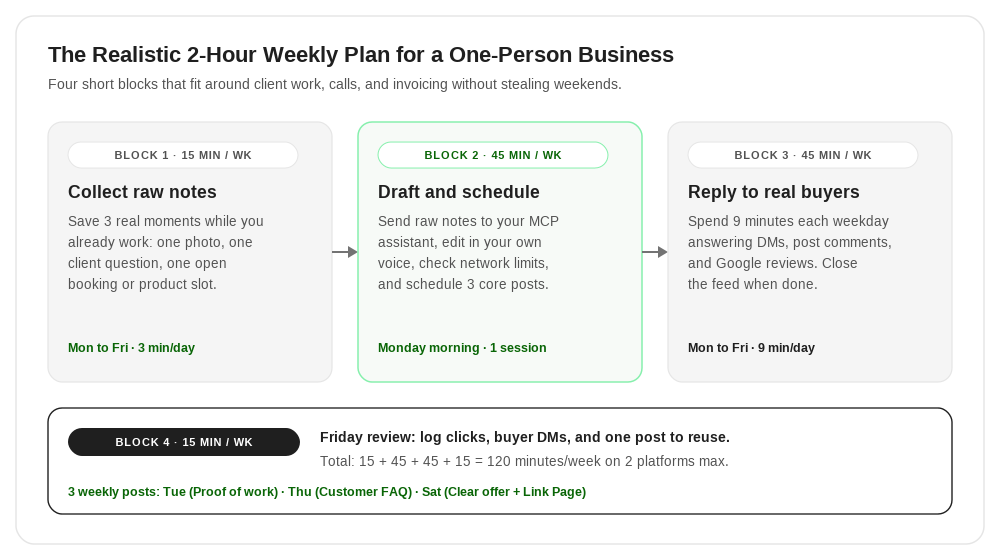
| Weekly block | Time budget | When it runs | Exact output |
|---|---|---|---|
| 1. Raw note capture | 15 min / week (3 min/day, Mon to Fri) | During normal work transitions | 3 to 5 messy phone notes, daylight photos, or client questions saved in one folder |
| 2. Monday batch and schedule | 45 min / week (one sitting) | Monday morning before inbox chaos | 3 finished posts adapted for your 2 platforms, checked against network limits, and queued |
| 3. Buyer reply window | 45 min / week (9 min/day, Mon to Fri) | Same daily anchor (morning coffee or post-lunch) | Every DM, post comment, and Google review answered warmly; apps closed when timer rings |
| 4. Friday reality check | 15 min / week (one sitting) | Friday afternoon before wrapping up | Quick count of link clicks, DMs, booked calls, and picking 1 older winner to reuse next month |
Why separating capture from writing saves hours
Most solo owners lose an hour every time they open a blank composer because they try to remember what happened all week while simultaneously trying to sound clever. Saving a two-sentence voice memo or snapping one window-lit photo right after you finish a job takes ninety seconds. By Monday morning, you are never inventing ideas; you are simply selecting the three sharpest notes already waiting in your folder. For owners who prefer an even tighter weekday rhythm, pair this structure with our 15-minute daily social media routine.
Protecting your 9-minute reply block from doomscrolling
Algorithms reward keeping you inside the home feed, not helping you close a client. During your 9-minute weekday reply block, open straight to your notifications screen or unified inbox, answer direct inquiries and comments first, respond to any new Google review, and close the app the second your timer rings. Do not scroll the main feed during work hours.
Publish three high-signal posts a week from work already happening
You do not need seven clever hooks every week. Three dependable post slots give potential buyers everything they need to decide whether to hire you, buy from you, or recommend you to a friend.
Post 1 (Tuesday): Proof of real work in progress or finished
Show concrete evidence that you actively do what your bio claims. Buyers trust real craft far more than abstract slogans.
- Service providers and consultants: Share a short breakdown of a real snag you solved this week (anonymized unless the client gave explicit permission), the before-and-after structure of a deliverable, or a three-bullet checklist you walked a client through.
- Local makers and physical professions: Share one clean daylight photo of a finished piece on the workbench, freshly prepared orders ready for pickup, or tools laid out cleanly before a job starts. Name the specific material, neighborhood, or turnaround time so readers picture hiring you.
Post 2 (Thursday): One real customer question answered plainly
Every time a prospect emails, calls, or asks at the counter “How long does this take?”, “What does preparation look like?”, or “Should I pick option A or option B?”, you have Thursday’s post handed to you for free. Write the exact question in line one, answer it directly in three or four short lines without jargon, and mention one nuance most beginners miss. Answering real buyer questions publicly reduces repetitive back-and-forth in your inbox while proving you explain things clearly.
Post 3 (Saturday or Friday): One direct offer, availability note, or booking invite
Many solo owners share helpful tips for months and forget to tell anyone how to pay them. Dedicate your third weekly post to one plain commercial invitation: two open consultation slots next week, a seasonal package, a restocked item, or a simple breakdown of your core service and who it fits best. Include one unambiguous next step pointing to your Link Page, booking calendar, or phone line.
Customer permission comes before every face or quote
Before you photograph a client, snap a finished room inside someone’s home, screenshot a glowing text message, or share a customer’s real name, ask for explicit permission first. A two-sentence message (“I loved working on this project. Would you be comfortable with me sharing this finished photo and your kind note on our social pages, with or without your first name?”) takes ten seconds and protects trust. Whenever a client declines or prefers privacy, respect that immediately by focusing on anonymous lessons, clean product surfaces, or workshop details.
How to reuse ideas cleanly without burning weekends
Writing three completely original ideas every single week for fifty-two weeks means inventing 156 fresh topics a year. Almost no solo business needs 156 unrelated topics; your buyers usually have the same twelve core questions all year long, and new followers never saw what you shared three months ago.
Run a calm 90-day rotation to cut your weekly writing workload in half:
- Keep a single “Winners” note: During your Friday 15-minute review, copy the link or text of any post that triggered a real DM, a saved bookmark, a Link Page click, or a thoughtful comment.
- Repackage, do not blindly copy-paste: Ninety days later, pull one winner back into Monday’s 45-minute batch and rotate its angle. Turn a plain text FAQ post into a five-point checklist with a fresh daylight photo, or turn a short client-snag story into a direct “3 signs you need this fixed before winter” offer post.
- Adapt once across your two platforms: One anchor idea powers both platforms the same week. Keep your LinkedIn post structured with crisp two-line paragraphs, trim the Bluesky or X version to fit compact character limits cleanly, and strip hashtags out completely if you mirror the update to your Google Business Profile.
Reusing your clearest explanations is not laziness. Clear businesses repeat their core promise and answers calmly until new buyers arrive at the exact moment they need help. For a deeper look at batching several weeks ahead during slower seasons, read our guide to batching a month of social media posts.
Turn messy phone notes into scheduled drafts with MCP
The biggest friction point for a solo owner is staring at raw bullet points on Monday morning and turning them into clean, platform-ready posts that respect every network’s limits. Connecting your everyday AI assistant (such as Claude, ChatGPT, or Gemini) to your scheduling workspace through the Model Context Protocol (MCP) removes the copy-paste tax between notes, chat windows, and publishing calendars (Model Context Protocol architecture).
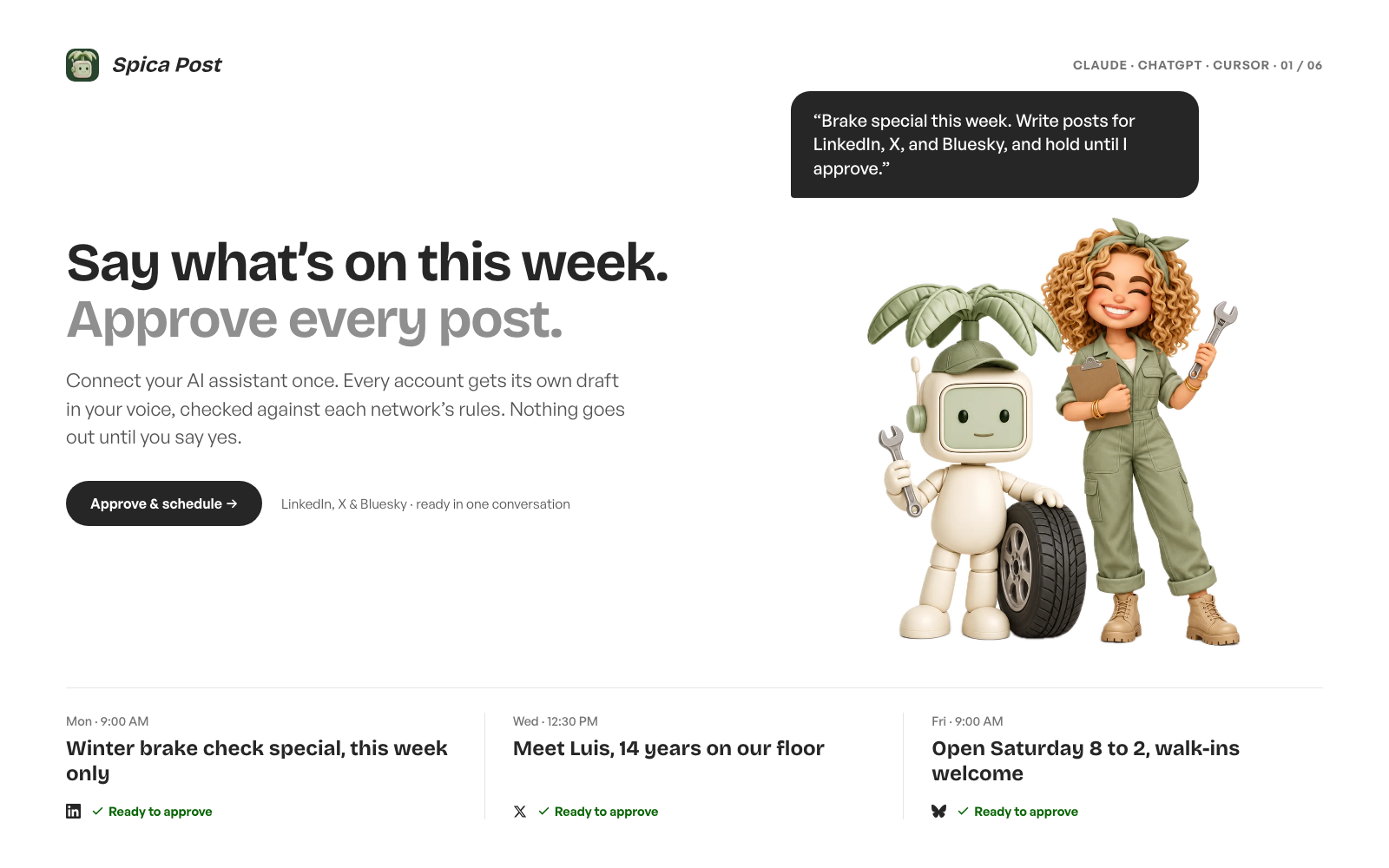
Here is how the 45-minute Monday batch looks when your assistant connects to Spica Post over MCP:
- Paste your three raw notes (5 minutes): Drop your messy Tuesday work note, Thursday buyer question, and Friday availability update into one chat with your connected assistant, along with any daylight photo you uploaded to your media folder.
- Let the assistant read your saved brand voice (5 minutes): Because your workspace stores your business description, tone notes, location, and services, the assistant drafts all three posts in your natural cadence instead of generic marketing hype, automatically checking each network’s character and media limits.
- Edit like a human, never auto-blindly (20 minutes): Read every draft out loud. Swap any stiff sentence for how you actually talk to a customer across a desk or counter, verify dates, hours, and tracked
/l/short links, and add short descriptive alt text to every photo. - Approve and schedule the week (15 minutes): Confirm your Tuesday, Thursday, and Saturday slots in one pass and close the tab until Friday’s review. Learn how the end-to-end draft-and-approve flow works on our how it works page.
Three copy-ready templates for a solopreneur’s week
Drop these three structures straight into your phone notes or hand them to your connected assistant every Monday morning.
1. Tuesday proof-of-work post
Finished [Specific Project / Order] this morning for a [Client Type, anonymized unless permission granted] dealing with [Common Problem].
Most people assume fixing this takes [Common Myth], so they put it off for months. In practice, three small adjustments solved it in [Real Timeframe]:
- [Concrete Step 1]
- [Concrete Step 2]
- [Concrete Step 3]
If you are running into the same snag this month, drop a question below or check how we handle it at [Your Link Page].
2. Thursday customer question (FAQ) post
A customer asked me this week: “[Exact Question in Plain Everyday Words]?”
Short answer: [Direct Yes/No or Clear Range in One Sentence].
Here is what actually decides the best fit: [Two Concrete Details, e.g., timeline, sizing, prep needed, or honest caveat]. If you want to double-check before booking, send me a quick note with [One Fact Needed] and I will give you a straight answer.
3. Saturday clear offer and availability post
Opening [Number] spots for [Month / Next Week] for [Core Service or Product] in [City or Remote].
This fits best if you need [Specific Outcome] without [Main Frustration], and it is probably not the right fit if you want [Honest Boundary]. Typical turnaround is [Timeframe].
Tap the link in bio ([Your Link Page]) to see full details, current hours, and grab a time before [Day].
4. Monday MCP assistant prompt from raw phone notes
Use my saved brand voice and business details in Spica Post. Turn these three raw notes from my week into 3 drafts for [Platform 1] and [Platform 2], checking each network’s exact character and image limits:
Keep every opening line direct, avoid hype or em dashes, leave placeholders if any fact is missing, and save them as drafts for my review without publishing yet.
Stop feeling guilty about the trends you skip
Guilt wastes more solo-owner energy than posting itself. Every week, a loud thread insists that unless you film daily vertical reels with animated captions, launch a podcast, and reply to fifty strangers before breakfast, your business will vanish. That claim sells courses, not plumbing repairs, wedding cakes, bookkeeping retainers, or independent software.
Give yourself a written permission-to-skip list taped next to your monitor:
- Skip trending audio and lip-sync formats unless filming them genuinely energizes you and reaches buyers in your actual market.
- Skip daily posting streaks that force you to water down three strong insights into seven forgettable fillers.
- Skip networks where your customers do not make buying decisions, even when another creator goes viral there.
- Skip vanity reach comparisons against accounts with full-time marketing teams; one steady local buyer or recurring client pays your bills while ten thousand stray views from another continent do not.
When you measure success by booked work, real replies, and how calm your weekends feel, skipping noise becomes a deliberate competitive advantage.
Your 30-day starter checklist for solo sustainability
If your social accounts have been quiet for months, do not try to build a grand strategy tonight. Run this four-step reset over your next four weeks:
- Week 1 (Setup, 45 minutes): Pick your 2 active platforms (plus Google Business Profile if local), refresh your bio line one with what you do and where you serve, and publish one clean Link Page holding your core booking or contact link.
- Week 2 (Capture habit, 15 minutes total): Create a single pinned phone note titled “Weekly Posts” and drop three raw observations into it while working. Ask permission before snapping any identifiable client photo or saving a customer quote.
- Week 3 (First 2-hour week): Run Monday’s 45-minute draft-and-schedule session (manually or through an MCP assistant), hold your 9-minute weekday reply timer, and ship your first Tuesday proof, Thursday FAQ, and Saturday offer posts.
- Week 4 (Review and tighten): Spend 15 minutes on Friday checking link clicks, DMs, and phone inquiries. Keep whichever format earned real conversations, trim anything that felt forced, and save your strongest post into your 90-day Winners note.
Honest trade-offs if you consider Spica Post
If you are evaluating Spica Post as a one-person business or independent creator, here is the exact November 2026 picture so you know what works live today and where manual steps still apply:
- What is live today: You can connect your own assistant (Claude, ChatGPT, Gemini, Grok, Perplexity, Le Chat, Hermes, or any MCP client) to Spica Post’s MCP link to draft from raw notes in your saved brand voice, validate against each network’s limits, upload media, and approve before anything goes out. Direct publishing, scheduling, and Auto-crosspost work live today on X, LinkedIn personal profiles, Bluesky (with live Unified Inbox replies and whole-account analytics sync), and Mastodon (any public server), alongside Branded Link Pages with customizable announcement boxes, printable SVG QR codes, and
/l/click-tracked short links. - What is built and completing network review (Nov 2026): If your two core platforms include Instagram, Facebook Pages, Threads, Google Business Profile, TikTok, or YouTube, note plainly that those connectors are built and completing platform review or verification (Google Business Profile is approved and enabled in production, awaiting first live service-area profile verification; Meta apps for Instagram, Facebook Pages, and Threads are completing Meta App Review; TikTok is in app review; YouTube OAuth verification is approved while completing its API Services compliance audit; LinkedIn Company Pages await LinkedIn’s Community Management API approval). Until a pending network opens for direct publishing on your workspace, you can still use Spica Post and your MCP assistant to draft all adapted copy, organize media, host your Link Page and
/l/tracked links, and paste finalized captions natively in two minutes. - Where a single native scheduler may fit better right now: If you only ever post to Instagram and Facebook and want zero MCP setup or cross-channel hub until Meta direct publishing opens across all workspaces, Meta Business Suite handles basic free scheduling natively today. Check flat workspace plans and current features anytime on our pricing page.
Pick your two channels tonight, start one raw phone note tomorrow morning, and block forty-five calm minutes next Monday. Two honest hours a week is enough to keep your pipeline warm and keep your weekends yours.
Questions people ask
- How many social media platforms should a one-person business actually maintain?
- Cap your active posting at two platforms where your real buyers already look, plus a kept-current Google Business Profile if you serve local customers. Stretching across five or six accounts turns marketing into an unpaid second job and usually leaves every profile half-abandoned within a month.
- Is posting three times a week enough for a solopreneur to win new clients?
- Yes. Three focused posts every week (one proof-of-work post, one answered customer question, and one clear booking or offer post) outperform daily filler because every piece gives a ready buyer a concrete reason to trust you and reach out. Consistency over fifty weeks matters far more than daily spikes.
- How can a solo owner fit social media into two hours a week?
- Split the two hours into four bounded blocks: 15 minutes total across the week saving raw photos and client questions in phone notes, one 45-minute Monday session drafting and scheduling your three posts with an MCP-connected assistant, 45 minutes spread across weekday replies (9 minutes a day), and a 15-minute Friday click and inquiry check.
- Should a solopreneur chase trending audio or viral short-form video formats?
- Only if you genuinely enjoy filming them and have spare hours after client delivery. Most one-person businesses earn far steadier bookings from clear daylight photos, concise text posts, and plain answers to buyer questions than from spending Sunday evenings rehearsing trends that attract views outside their market.
- Do I need permission before posting client photos, quotes, or work examples?
- Yes. Always ask for explicit verbal or written permission before sharing identifiable client faces, private home interiors, branded client documents, or attributed testimonials. When a client prefers privacy, anonymize the scenario completely or photograph clean materials, tools, and finished details with zero identifying marks.
Sources
- Google Business Profile Help: Create posts to keep local customers updated
- Google Business Profile Help: Read and reply to customer reviews
- Model Context Protocol: Architecture and specification overview
- Spica Post MCP: One assistant link for drafting and scheduling
- Spica Post: How assistant-driven drafting and approval work