AI writing
AI-Written Posts: How to Keep Them From Sounding Like AI
Strip robotic AI tells, replace hollow buzzwords with real local proof, and turn any draft into your natural voice in a 60-second edit pass.
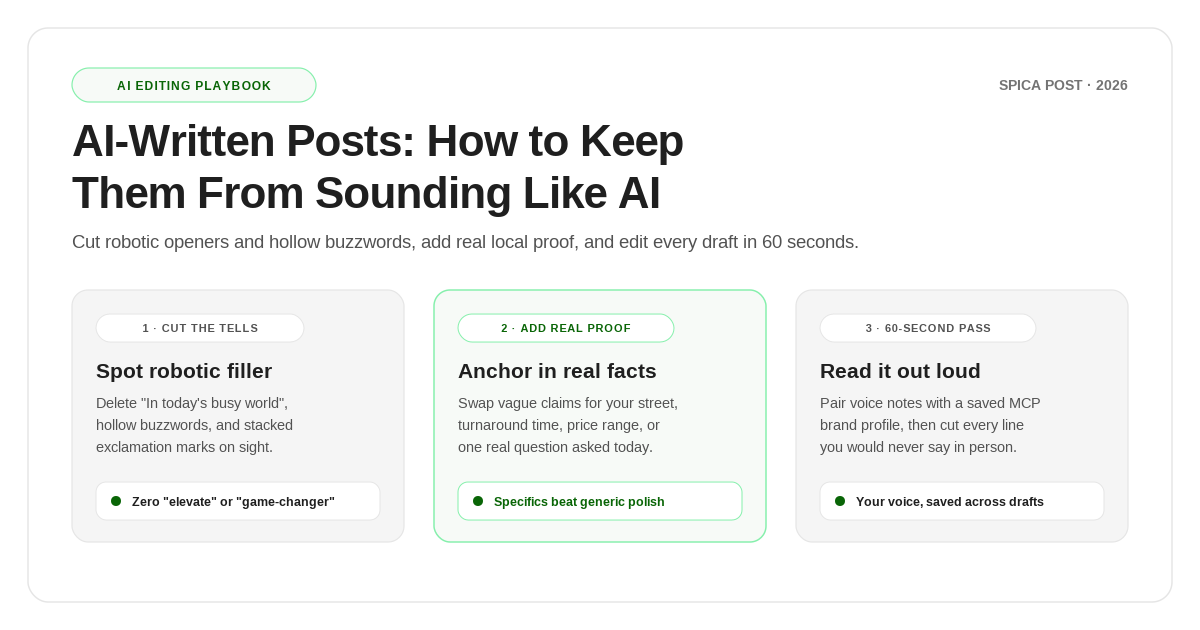
To make AI social media posts sound human, stop asking a blank chat window to invent enthusiasm and instead feed it real business specifics first, then run a 60-second read-aloud cut that strips throat-clearing openers, hollow buzzwords, and fake hype. Readers rarely mind whether an assistant helped draft your Tuesday caption; what makes them scroll away instantly is stiff brochure copy that contains zero proof a real person opened the shop this morning.
Small businesses and creators turn to AI assistants for an honest reason: running a shop, answering phones, fulfilling orders, and writing three fresh captions a week from scratch takes hours most solo owners do not have. Used well, an assistant turns a 20-second voice memo into clean draft copy in moments. Used carelessly, it floods your feed with “elevate your journey” cliches that erode trust with neighbors who know how you actually talk.
This playbook shows you the eight robotic tells readers catch immediately, walks through five side-by-side AI drafts and 60-second human rewrites across real professions, gives you a repeatable three-step prompt-and-edit loop with a copy-ready anti-slop brief, and explains how connecting your assistant via MCP with your saved brand profile stops generic copy before the first sentence is even generated.
The eight AI tells readers spot in two seconds
People cannot always name the exact grammar pattern that feels fake, yet their thumb flicks past it automatically. Almost every robotic social post gives itself away through the same eight habits.
| Robotic AI tell | What it looks like on a feed | Why readers scroll past | The 10-second human fix |
|---|---|---|---|
| 1. Throat-clearing opener | “In today’s fast-paced world, finding quality service matters more than ever.” | Wastes the first two lines before the caption cut on an empty truism | Delete sentence one entirely; start on the concrete fact in sentence two |
| 2. Hollow hype verbs | “Elevate, unlock, unleash, transform, revolutionize, game-changer, seamlessly” | Nobody uses these words across a real counter or on a phone call | Replace with plain everyday verbs: fix, bake, cut, pack, clean, book |
| 3. Exclamation and emoji stacks | “Ready to shine?! ✨🔥 We’re SO thrilled to announce big news!! 🎉” | Forced excitement reads as nervous sales pressure | Keep at most one calm exclamation mark per post and cut emoji bookends |
| 4. Dramatic contrast crutch | “It is not just a haircut. It is a confidence transformation.” | Classic AI cadence that inflates ordinary great work into melodrama | State the actual practical result: “A clean taper that grows out evenly.” |
| 5. Rule-of-three symmetry | “Fast, reliable, and affordable. Craftsmanship, care, and dedication.” | Every line marching in identical three-word triplets feels synthetic | Pick one specific trait and prove it with a real example or number |
| 6. Zero local or concrete proof | “Stop by our location soon for fresh treats crafted with passion.” | Could describe ten thousand businesses in any country | Name your street, landmark, exact item, price range, or real hours |
| 7. Stiff corporate pronouns | “At [Brand], we strive to deliver unparalleled excellence to our valued clientele.” | Sounds like a legal disclaimer rather than a local owner | Speak in plain first person: “We check every valve before leaving your basement.” |
| 8. Desperate closing prompt | “Drop a 🔥 in the comments if you agree! Let us know your thoughts below!” | Feels like engagement bait copied from a viral template | Ask one real neighborly question or give one plain link to book or visit |
Why raw AI defaults to brochure copy
Large language models predict probable next words across millions of public marketing pages. When you open a fresh chat and type “Write an Instagram post for my plumbing business about winter pipes,” the model has zero access to your town, your service call fee, the actual frozen crawlspace you thawed yesterday, or how you joke with homeowners. Because it lacks real material, it fills the gap with glossy adjectives and safe generalizations.
That matches the core standard in the Federal Plain Language Guidelines: clear writing uses active voice, short sentences, everyday vocabulary, and concrete facts aimed at one real reader. Cutting bloated wording does not make your business sound less professional; it makes you sound confident enough to speak plainly.
What actually hurts performance: sameness, not the tool
Owners sometimes worry that search engines or social apps secretly detect and suppress any caption drafted with an assistant. In reality, Google Search Central’s guidance on AI-generated content focuses squarely on helpfulness, originality, and first-hand experience rather than the tool used to draft the text. Social algorithms follow human behavior the same way: when locals pause, read, save, reply, or tap your link, the post earns distribution. When a post reads like generic wallpaper, nobody interacts, so reach collapses on its own.
Five side-by-side rewrites: AI draft vs. 60-second human edit
The fastest way to train your editing eye is seeing real before-and-after drafts across different professions. Notice how every rewrite takes under a minute, gets shorter, and trades vague praise for specific real-world anchors.
1. Neighborhood bakery (morning pastry drop)
Unedited AI draft:
Ready to elevate your Thursday morning?! ✨🥐 In today’s busy world, you deserve a moment of pure artisan indulgence! At Maple Street Bakery, we are passionate about crafting fresh, flaky, and delicious pastries that will truly transform your coffee routine. Stop by today and unlock the magic of homemade goodness! Drop a 🥐 below if you love mornings! #bakery #pastry #morningvibes #foodie #delicious
60-second human rewrite:
Cold rain on Maple Ave this morning, which felt like a good excuse to pull an extra tray of brown-butter cardamom buns out of the oven.
They are warm right now, $4.75 each, and we usually run out around 11:30 AM. Free 15-minute parking sits right behind the green awning on 4th Street if you are dashing to work.
Three edits that fixed it: Deleted the throat-clearing opener and every buzzword (elevate, indulgence, transform, unlock); added today’s weather, the exact pastry name, the real price, and a realistic sell-out window; gave a helpful parking detail only a real local shop knows.
2. Local plumber (seasonal pipe check)
Unedited AI draft:
Winter is coming, and protecting your home is not just a chore, it is peace of mind! ❄️🔧 Don’t let frozen pipes ruin your season. Our dedicated, experienced, and trustworthy team strives to deliver seamless plumbing excellence whenever you need us most. Contact us today to schedule your comprehensive inspection and experience the difference!
60-second human rewrite:
Two quick minutes in your backyard tonight can save you a $900 burst pipe next week.
Before Friday’s overnight freeze hits Northside, unscrew every garden hose from your outside spigots and toss a $4 foam cover over each faucet. Leaving a hose attached traps water right behind the exterior brick wall where frost hits first.
Need a shutoff valve replaced before winter really sets in? Tap the link in our bio for open Tuesday and Wednesday morning windows.
Three edits that fixed it: Replaced “it is not just X, it is Y” melodrama with one exact protective habit homeowners can do tonight; named the real neighborhood and Friday weather shift; offered a concrete service slot instead of “experience the difference.”
3. Hair salon (midweek color appointment opening)
Unedited AI draft:
✨ Hair goals alert! ✨ Looking to refresh your look and unleash your inner radiance? We are thrilled to share that we have a rare opening this week! Our talented stylists combine creativity, precision, and luxury care to bring your dream hair to life. Book now before it vanishes!! 💇♀️💖
60-second human rewrite:
Rare quiet pocket on Thursday: Elena had a color reschedule open up from 1:00 PM to 3:30 PM at our Cedar Park studio.
That is enough time for a root touch-up with blowout, a gloss refresh, or a haircut and style (not quite long enough for a full platinum transformation). Tap the booking link in bio to grab it directly, or reply here if you want to double-check timing for your hair length.
Three edits that fixed it: Named the actual stylist, exact open hours, and which services genuinely fit that block (plus one honest boundary of what does not fit, which feels instantly human and saves back-and-forth DMs).
4. Independent bookkeeper or tax preparer (quarterly deadline reminder)
Unedited AI draft:
Navigating small business finances in today’s dynamic landscape can feel overwhelming! 📊💼 Remember, clean books are not just numbers, they are the foundation of unlocking sustainable business growth. Let our expert financial solutions empower your journey this quarter. Reach out today to level up your accounting!
60-second human rewrite:
Quick Tuesday nudge for solo owners and contractors in Ohio: estimated quarterly taxes are due in twelve days.
If your receipts are still living in a glovebox and two email folders, pick one 30-minute block this Friday to pull your bank statements and total your mileage log so you are not guessing on Sunday night.
Want a simple one-page checklist of what to gather before meeting your preparer? Link is in our bio, free and no signup wall.
Three edits that fixed it: Cut corporate consulting jargon (dynamic landscape, empower your journey, level up); named the exact state, deadline countdown, and relatable glovebox reality; gave a specific, friction-free next step.
5. Solo creator selling handmade ceramics (small batch launch)
Unedited AI draft:
Big news, everyone!! 🎉✨ I am beyond excited to unveil my newest handcrafted ceramic collection! Every piece is lovingly forged with passion, intention, and timeless artistry to elevate your daily rituals. These unique treasures won’t last long, so run don’t walk to shop now!!
60-second human rewrite:
Fourteen speckled stoneware mugs just survived the glaze kiln without a single hairline crack (always a small relief when opening the lid on Friday morning).
Each holds 12 ounces, fits comfortably under a standard drip brewer, and goes through the dishwasher without chipping. This small batch goes live on my Link Page Saturday at 10:00 AM Central, priced at $36 each with local porch pickup in Austin or flat-rate shipping.
Three edits that fixed it: Added one honest, imperfect studio observation (always a small relief opening the kiln lid); gave exact capacity, dishwasher practicality, batch count, launch time, and price instead of “timeless artistry.”
Whenever any real post mentions a specific customer story, repair at a client’s home, or client review, remember to ask that customer’s explicit permission before naming them or sharing an identifiable detail or photo.
The 3-step prompt-and-edit loop that takes two minutes
You do not need ten-page prompt frameworks to get clean drafts. A short three-step loop keeps your voice intact and stops you from wrestling with robotic output.
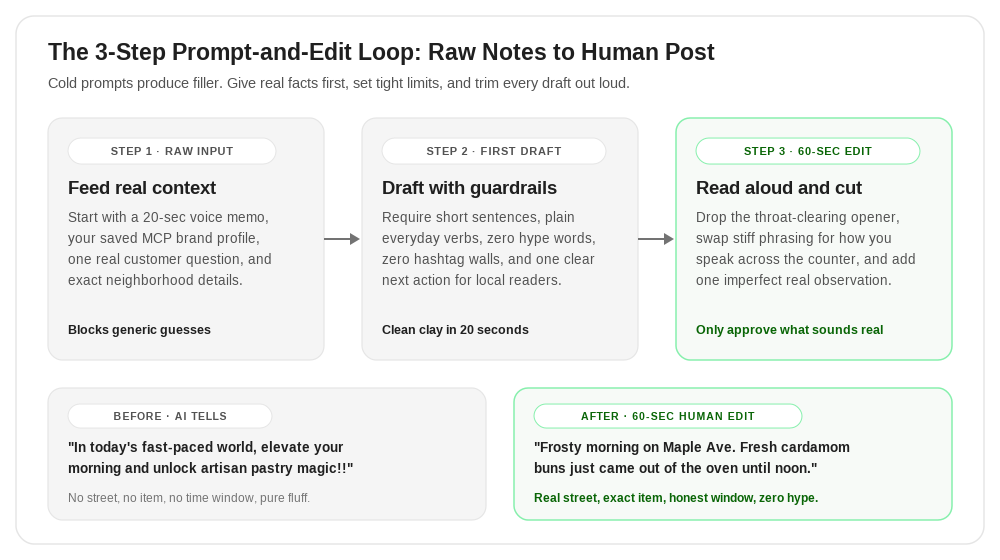
Step 1: Feed raw voice notes and four real anchors first
Never ask an assistant to start from an empty topic like “write a post about spring cleaning.” Spend 20 seconds dictating a messy voice memo on your phone or typing four rough bullet points containing real anchors:
- Where you are: street, neighborhood, city, or studio context.
- What is concrete: exact item, turnaround time, open slot, price range, or batch size.
- One real question or moment from this week: something a customer asked at the counter, on the phone, or in DMs.
- One honest detail or limit: what sells out early, what takes extra time, or what you do not recommend.
Rough, half-finished human bullets are gold for an assistant because they lock the draft to real facts instead of letting the model invent generic fluff.
Step 2: Constrain the draft with a copy-ready anti-slop brief
Paste or save a brief like the template below so your assistant knows exactly what to leave out before it writes a line.
Write a short social media post for [Network, e.g., Instagram / LinkedIn / Bluesky] using ONLY the real facts in my notes below.
Voice and constraints:
- Write like a calm local business owner speaking plainly to one neighbor across a counter.
- Start straight on the concrete point. Do not write a warm-up sentence like “In today’s busy world.”
- Never use these words: elevate, unlock, unleash, game-changer, transform, seamless, tapestry, landscape, thrilled, journey, or magic.
- Avoid “It is not just X, it is Y” phrasing and rule-of-three adjective lists.
- Use at most one exclamation mark in the whole post, zero em dashes, and at most 2 relevant hashtags (or zero on LinkedIn/Bluesky).
- Keep it under [120 / 250] words with one clear, low-pressure next step at the end.
My raw notes: [Paste your 4 messy bullets or voice transcript here]
For platform-specific prompt variations, compare our guides on using Claude for social media posts and ChatGPT prompts for a monthly content calendar.
Step 3: Run the 60-second read-aloud cut
Never copy-paste an AI output straight into your schedule without reading it aloud once. Your ears catch artificial rhythm far faster than your eyes do. While reading out loud, do four quick cuts:
- Slash sentence one if sentence two is where the actual news begins.
- Swap every stiff word you stumble over for the plain word you would use on a phone call with a regular customer.
- Cut half the adjectives. Keep concrete nouns and active verbs (oak bench, 45-minute tune-up, warm cinnamon roll).
- Check every fact. Verify prices, days of the week, hours, and links manually, because assistants occasionally guess or blend old dates.
Why saved MCP brand context beats cold copy-paste prompting
Even a sharp prompt gets tiring when you have to paste your business name, city, services, hours, banned words, and audience tone into a brand-new chat every single week. Worse, once you skip pasting that background on a busy Thursday, the assistant slips straight back into generic marketing speech.
That is what the Model Context Protocol (MCP) solves in practice. Instead of pasting context by hand into disconnected browser tabs, you connect the assistant you already use (Claude, ChatGPT, Gemini, or another MCP-compatible assistant) directly to your Spica Post workspace through one MCP link. Before drafting anything, your assistant reads your saved brand profile, business description, tone rules, services, local hours, media library, and network character limits straight from your workspace.
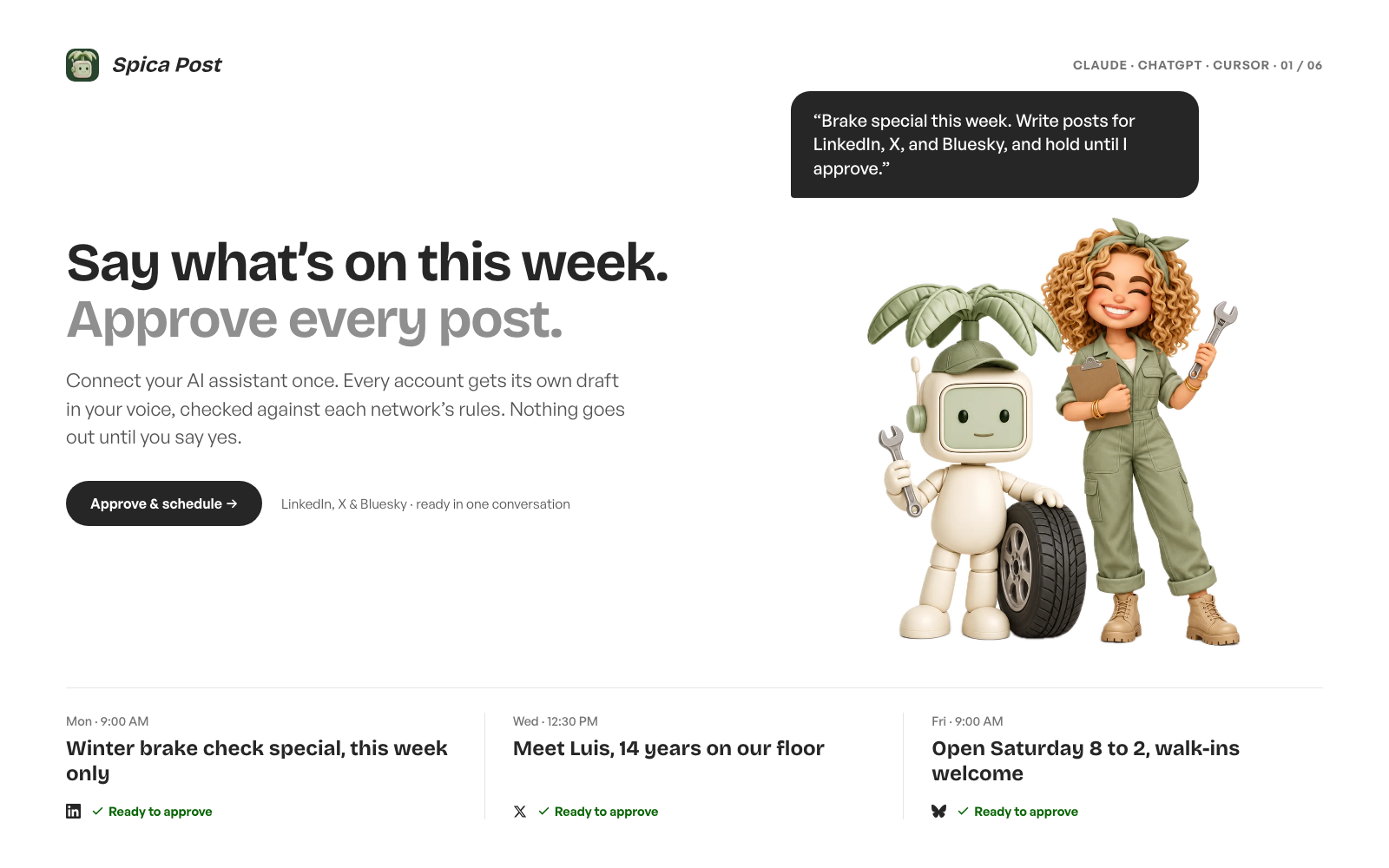
When you then say “Turn this quick note about Friday’s rain and our open 2:00 PM bay into a LinkedIn and Bluesky update,” the assistant already knows your city, your plain-spoken style, your exact Link Page address, and each network’s character limits. It hands you a draft ready for your 60-second read-aloud approval rather than a blank-slate sales pitch.
What belongs inside your saved brand voice note
Spend ten minutes filling out your brand notes once so every future draft starts close to the finish line:
- Five phrases you actually say: greetings, local neighborhood names, or shorthand your regulars recognize.
- Ten words you ban forever: every hype word that makes you cringe when you see it on competitors’ accounts.
- How you talk about pricing and booking: whether you list starting ranges openly, prefer quick photo estimates, or book strictly online.
- Your default call to action: the single link or phone path you want readers to use.
- Your customer privacy boundary: a note reminding the assistant never to fabricate customer quotes or name real clients without explicit permission.
Building a personal “never use” word list
Different professions have different cliches. A salon might ban radiance, glam squad, pamper, and transform. A home service profession might ban peace of mind, top-notch, seamless, and unparalleled. A consultant or creator might ban unlock, level up, game-changer, and deep dive. Keep your own list of ten banned words inside your saved brand instructions, and add one word whenever an AI draft hands you a phrase that makes you wince.
Quality checklist before hitting publish and honest Spica Post trade-offs
Before any AI-assisted caption leaves your drafts folder, run this seven-point check in under a minute:
- Read-aloud test: Could you say every line comfortably to a neighbor standing in front of you?
- One local or real-world anchor: Does the post name a real place, time window, price range, batch count, or real customer question?
- Zero hype sweep: Are elevate, unlock, game-changer, seamless, and fake exclamation stacks completely gone?
- Fact check: Are dates, hours, street names, and offers 100% accurate for this week?
- Consent check: If a photo or caption mentions an identifiable customer, client home, or staff member, did they give explicit permission?
- Network limit check: Does the caption fit cleanly before the truncation fold and inside each platform’s character and media limits? (Test drafts anytime with our free multi-network character counter.)
- Single clear action: Does the post finish with one obvious next step rather than three competing asks?
Honest trade-offs if you draft through Spica Post
If you are considering connecting your assistant to Spica Post over MCP, here is the exact November 2026 reality for small businesses and creators:
- What works live today: Spica Post keeps your saved brand profile, colors, fonts, hours, media library, and drafted posts in one workspace readable over MCP by Claude, ChatGPT, Gemini, and other MCP-compatible assistants (no extra AI API keys required). You review and approve every draft before it ships, run tracked
/l/short links and branded Link Pages, and publish or schedule directly to X, LinkedIn personal profiles, Bluesky (with live Unified Inbox replies), and Mastodon. - What still needs a human eye and platform approvals: Even with saved MCP brand context, an AI assistant cannot walk onto your shop floor to smell the coffee or see why a repair took an extra twenty minutes; feeding two rough real facts and running a 60-second read-aloud pass remains non-negotiable. On the publishing side, Spica Post’s connectors for Instagram, Facebook Pages, Threads, TikTok, and Pinterest are built and completing platform review, Google Business Profile is approved and enabled in production awaiting first live service-area verification, and YouTube OAuth verification is approved while completing its compliance audit. Until direct publishing opens on every Meta and video network, draft cleanly in your brand voice inside Spica Post and copy approved captions directly into native Instagram or Facebook in seconds. See current workspace plans on our pricing page.
AI works best as a fast typist organizing your real thoughts, never as a substitute for knowing your own shop. Feed it four concrete facts, cut every word you would not say out loud, and hit publish sounding unmistakably like yourself.
Questions people ask
- What are the fastest giveaways that a social media post was written by AI?
- Readers spot AI copy in two seconds from throat-clearing openers like 'In today's fast-paced world', hype verbs like 'elevate', 'unlock', and 'game-changer', stacked exclamation marks, repetitive rule-of-three lists, and vague praise with zero street names, prices, turnaround times, or real customer questions.
- Do social platforms or Google penalize AI-assisted posts automatically?
- Google Search Central states clearly that helpful, people-first content backed by real experience is rewarded regardless of how it is produced, while unedited generic automation fails because readers ignore it. On social feeds, the real penalty is human boredom: people scroll straight past brochure language that could belong to any business on earth.
- How long does it take to edit an AI draft so it sounds like my business?
- About 60 seconds once you follow a simple checklist: cut sentence one if it warms up too slowly, read the draft out loud and delete any phrase you would never say across a counter, replace vague claims with two concrete details (a street, price range, or real time window), and keep one clear next step.
- Why do my AI drafts still sound generic even when I write detailed prompts?
- Most cold chats have zero memory of your real business facts, past posts, banned words, or local neighborhood context. When an assistant has to guess your services, hours, and tone from a short prompt, it falls back on safe marketing cliches to fill the silence.
- How does connecting an assistant over MCP keep drafts closer to my actual voice?
- Through the Model Context Protocol (MCP), your assistant reads your saved brand profile, tone instructions, services, hours, media, and network limits directly from your workspace before writing a single word. You spend your minute tweaking real facts instead of rewriting generic fluff from scratch.