Captions
Calls to Action for Social Media: 40 That Are Not 'Link in Bio'
Replace stale 'link in bio' endings with 40 specific social media CTAs grouped by goal, matched to each network's link limits, plus before/after edits.
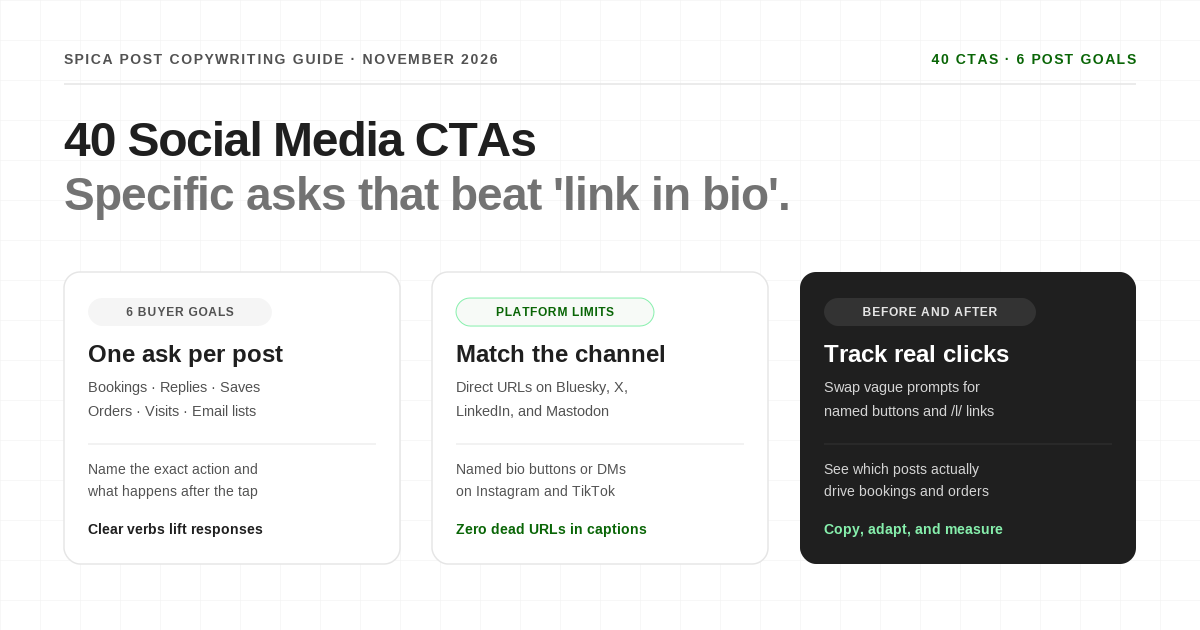
The strongest social media call to action examples tell a reader one concrete next step, what happens right after they tap or reply, and fit the link limits of the platform they are reading on. Writing a vague “link in bio!” at the bottom of every caption forces busy people to guess where they are going and wastes clickable link slots on networks that already let you link straight to the page.
Platform link behavior and Spica Post availability snapshot verified November 2026 against Instagram Help Center, LinkedIn Help, Google Business Profile Help, and Bluesky documentation.
Below, you get a clean channel matrix matching each CTA format to platform link limits, 40 copy-ready social media call to action examples grouped across six real small-business goals, a before-and-after rewrite table across seven professions, four paste-ready caption endings, and a plain way to track which asks actually earn bookings and clicks.
Why ‘link in bio’ quietly stalls conversions (and what works instead)
Think about what “link in bio” asks a tired reader on a phone to do: stop reading, tap your profile picture, wait for the profile to load, tap a link, wait for a menu of ten buttons to load, and guess which button relates to the photo they just saw. Every unnecessary tap drops another willing customer along the way.
The three-part anatomy of a specific CTA
Replace vague endings with three quick ingredients that take under fifteen words:
- A concrete verb: Book, grab, reply, save, send, stop by, claim, preview, or test.
- The exact destination or button name: “Tap the ‘Fall Menu’ button on our profile,” “Book directly at the link below,” or “Comment QUOTE.”
- The immediate payoff or detail: “See open Thursday times in 30 seconds,” “No phone call required,” or “Ready for counter pickup until 6:00 PM.”
One ask per post wins every time
Ending a caption with “Like this post, save it for later, tag two friends, drop a comment, and check our website!” turns a helpful update into homework. Choose one job before you write the last line (see our small business caption writing guide): either earn a booking, spark a reply, encourage a save, bring someone through the door, or send traffic to a single URL.
Match your CTA to each platform’s link limits
Copying the exact same last sentence across five networks is one of the fastest ways to lose clicks. Posting "Link in bio!" on LinkedIn or Bluesky looks careless because both support direct links; pasting https://yourshop.com/fall-drop into an Instagram feed caption creates ugly dead text nobody can tap.
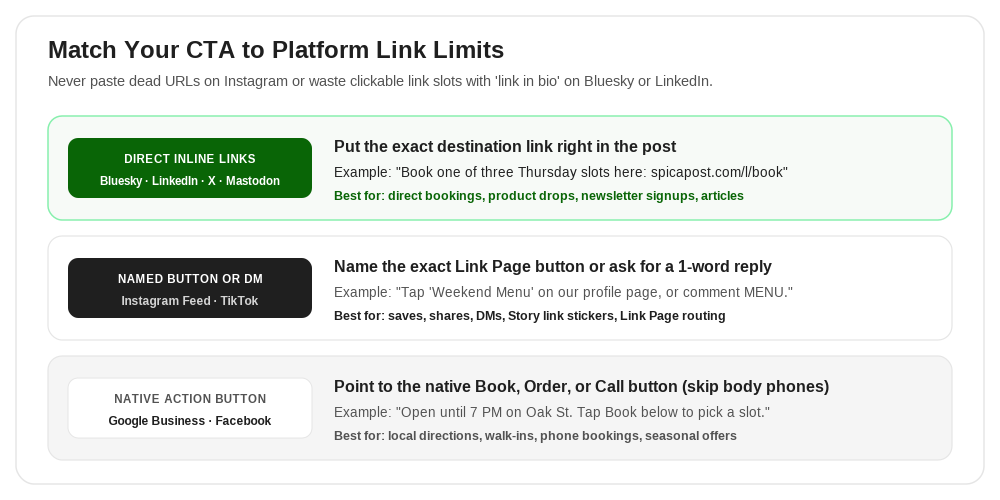
Check each channel’s link limits before finalizing your caption:
| Platform | How links work inside posts | Best CTA pattern |
|---|---|---|
| Bluesky | Direct clickable links and rich preview cards (per Bluesky docs) | Put the exact short URL right in the final line alongside what the page shows |
| Mastodon | Direct clickable links inside every post, no algorithmic link penalty | Plain destination URL plus one clear line on why it is worth opening |
| X | Direct clickable links (shortened via t.co); clean short URLs keep text tidy | Concise direct link or a crisp 2-option reply prompt when starting discussion |
| Clickable links supported in posts and profiles (per LinkedIn Help) | Direct link to an article, calendar, or case study with one sentence of context | |
| Facebook Pages | Direct clickable links in captions or pinned first comment | Direct booking/order link paired with plain local hours and street cross-streets |
| Instagram (Feed & Reels) | Captions do not make URLs clickable; bio holds up to 5 links (per Instagram Help) | Name the exact button on your Link Page, invite a 1-word comment/DM, or use a Story link sticker |
| TikTok | Video descriptions do not make URLs clickable; business accounts link in bio | Name the exact bio button on screen and in copy, or invite a specific question in comments |
| Google Business Profile | Built-in action buttons (Book, Order online, Buy, Learn more, Call now, per Google Help) |
Point straight to the native button below the post; keep phone numbers out of body text |
40 social media call to action examples grouped by goal
Pick the single bucket that matches what this week’s post is supposed to accomplish, swap in your real numbers, times, and button names, and drop the generic bio line for good.
Bookings, appointments, and phone calls (1 to 7)
- “Grab one of our three remaining Thursday afternoon slots directly here: [booking link].”
- “Tap the ‘Book a 15-Minute Estimate’ button on our profile page to pick a time without playing phone tag.”
- “Need a pre-weekend cut? Check live Friday chair openings on our profile under ‘Book Now’.”
- “Tap the Book button below to lock in your spring tune-up before next week’s forecast shifts.”
- “Reply with your ZIP code and preferred day, and we will message you the next two open arrival windows.”
- “Skip hold music: pick your exact table time for Friday night right here: [reservation link].”
- “Unsure which service tier fits your situation? Send us a quick message with two lines about your project and we will point you to the right slot.”
Replies, comments, and DMs (8 to 14)
- “Comment MENU and we will send tonight’s gluten-free options straight to your inbox.”
- “Quick neighborhood vote: should we bring back cardamom buns or savory cheddar scones for Saturday morning? Drop A or B below.”
- “What is the single question you wish you had asked before starting your last [remodel / tax filing / color appointment]? Ask it below and we will answer plainly.”
- “Reply CHECKLIST if you want our one-page seasonal prep sheet sent over.”
- “Tell us which city or neighborhood you are tuning in from so we can share local pickup stops near you.”
- “Message us a quick photo of your [room / hair goal / broken latch] and we will tell you honestly whether it is a 30-minute fix or a bigger job.” (If you ever want to feature a customer’s photo or story in a follow-up post, always ask for their explicit permission first.)
- “Which of these two layouts would you actually live with every day, slide 1 or slide 2?”
Saves and shares (15 to 20)
- “Save this sizing chart now so you have it handy the next time you order frames.”
- “Bookmark this 4-step care guide so you do not have to search for it when winter weather hits.”
- “Send this post to the friend in charge of planning Friday night dinner.”
- “Save these three pre-appointment prep steps so your visit runs fast and smoothly.”
- “Pass this holiday hours graphic along to anyone in your family driving in this weekend.”
- “Save this checklist before you hire a [plumber / contractor / photographer] so you remember the four questions to ask upfront.”
Shop orders and product drops (21 to 27)
- “Tap ‘Spring Linen Drop’ on our profile page to see all four colors and exact chest measurements.”
- “Order by Wednesday at 4:00 PM for Friday counter pickup (zero shipping cost): [order link].”
- “Only nine small-batch jars left from this week’s roast; claim yours here before Saturday: [product link].”
- “Need a gift that never misses a delivery truck? Grab an instant digital gift card here: [gift card link].”
- “See the full price list and bundle savings directly on the ‘Shop Sets’ button on our Link Page.”
- “Pre-order your holiday pie tray in 45 seconds here so we bake yours fresh to order: [direct link].”
- “Want first notice when medium restocks next Tuesday? Tap ‘Restock Alert’ on our profile page.”
Local visits, walk-ins, and pickups (28 to 34)
- “Doors stay open until 7:00 PM tonight on [Street Name] with free parking behind the building; walk right in.”
- “Tap Directions on our Google profile before heading over: we are two doors east of the library.”
- “Fresh loaves hit the counter at 10:30 AM today; stop by early if you want rosemary sea salt.”
- “No appointment needed on Tuesdays from 1:00 PM to 5:00 PM; bring your [item / bike / knives] straight to the front desk.”
- “Skip third-party delivery fees and order direct for 15-minute counter pickup here: [direct order link].”
- “Swing by our booth at [Local Farmers Market] this Saturday between 8:00 AM and noon to test samples in person.”
- “Check our live Open Now status and holiday hours on our Link Page before making the drive.”
Newsletter signups and lead magnets (35 to 40)
- “Join our once-a-month Sunday note for early access to limited classes before public spots open: [signup link].”
- “Grab the free 1-page printable [budget sheet / care checklist / menu planner] via ‘Free Checklist’ on our profile.”
- “Read the full step-by-step breakdown with photos and measurements on our blog here: [article link].”
- “Want our seasonal local maintenance reminders twice a year (zero weekly spam)? Sign up in ten seconds here: [signup link].”
- “Download the exact packing list we hand every client before shoot day: [direct link].”
- “Tap ‘Monthly Drops’ on our Link Page to get one plain email whenever new handmade pieces go live.”
Before and after: turning weak endings into clear asks
Seeing how one concrete detail changes a caption makes editing your own drafts fast. Compare these seven everyday small-business rewrites:
| Profession | Weak default CTA | Specific rewrite matched to channel |
|---|---|---|
| Hair salon (Instagram) | “Link in bio to book!” | “Tap ‘Book With Maya’ on our profile page to grab Thursday at 2:00 PM or Friday at 11:00 AM.” |
| Plumber (Google Business Profile) | “Call 555-0199 today!” (flagged in GBP body) | “Same-day water heater checks across [County]. Tap the Call button below to check today’s route.” |
| Restaurant (Facebook Page) | “Check out our website for dinner.” | “Patio opens at 5:00 PM on Oak St. Reserve a table or order direct pickup here: [direct link].” |
| Boutique (Bluesky) | “New sweaters! Link in bio.” | “Midweight cotton sweaters just landed in XS to XXL; see fabric weights and photos here: [direct link].” |
| Accountant (LinkedIn) | “DM me if you need help.” | “Read our 5-item Q4 bookkeeping checklist for solo owners here, or message me if you want a 15-minute review: [article link].” |
| Digital creator (TikTok) | “Go get my guide in bio.” | “Tap ‘Free Pricing Sheet’ in our profile to copy the exact spreadsheet shown at second 0:18.” |
| Bakery (Instagram Story) | “Order now!!” | “[Link sticker: Pre-Order Sunday Boxes] Order by Friday 3:00 PM for Sunday morning pickup.” |
Four copy-ready caption endings you can paste today
Drop these short closing blocks straight onto the end of your next batch of posts, adjusting only the bracketed specifics.
Ending 1: Direct-link networks (Bluesky, LinkedIn, X, Mastodon, Facebook)
See exact details, pricing, and open times directly here: [tracked /l/ short link]. No account signup required.
Ending 2: Bio-link networks (Instagram Feed and TikTok)
Ready to grab yours? Tap the ‘[Exact Button Name]’ button at the top of our profile Link Page, or drop [ONE WORD] in the comments and we will message you the direct page.
Ending 3: Low-friction local visit (Google Business Profile or local feed)
Open today until [Closing Time] at [Street / Landmark] with [parking / walk-in detail]. Tap [Book / Directions / Order] below so we have everything ready when you arrive.
Ending 4: High-value save and share (educational or checklist post)
Save this post so it is waiting in your bookmarks when you need it next month, and send it to one person who has been putting this off.
Measure which CTAs actually earn clicks (without guessing)
A clever CTA that sounds smooth to you might lose to a plain, literal button that gets three times as many taps. Rather than guessing from vanity likes, measure the clicks directly in two simple ways:
- Tag campaign links cleanly. When pointing to your own site, build consistent tags with our free UTM link builder so Google Analytics shows which network and CTA brought the visitor.
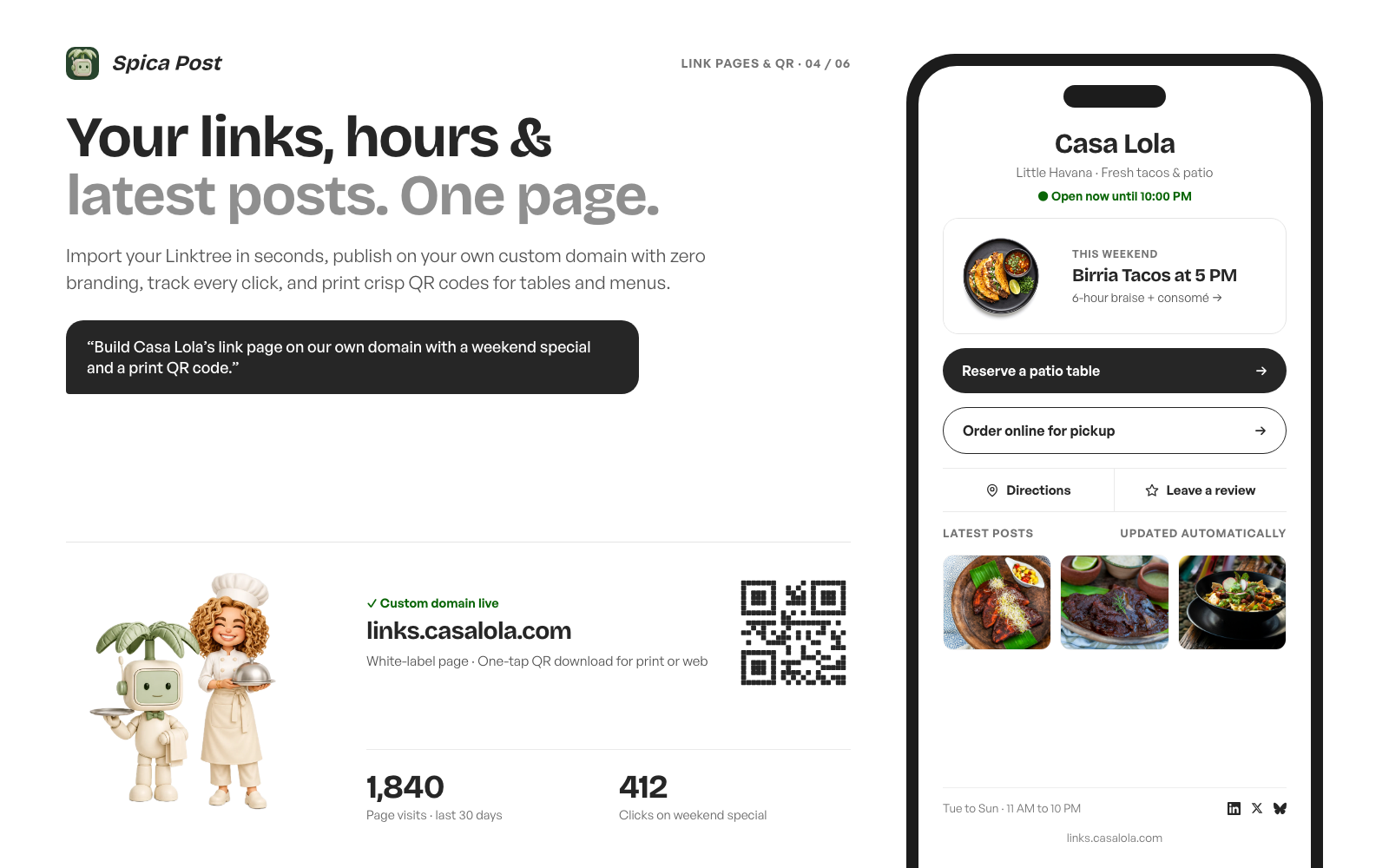
- Route bio and post clicks through tracked short links and one branded Link Page. Inside Spica Post Studio, you can build a fast branded Link Page with named buttons, current open-now hours, promo cards, and printable QR codes, plus one-click
/l/tracked short links directly in the composer that count human browser clicks per post automatically while filtering link-preview bots.
Real trade-offs to weigh before using Spica Post
To stay completely transparent on current platform availability (verified November 2026): Spica Post publishes directly today to X, LinkedIn personal profiles, Bluesky, and Mastodon (with live Bluesky analytics and Unified Inbox), and our branded Link Pages, hosted blog, and /l/ tracked short links are live now (click counts and /l/ short links are included on Studio, Pro and Agency plans). Integrations for Google Business Profile (API approved, completing profile verification), Instagram, Facebook Pages, Threads, TikTok, YouTube, Pinterest, and LinkedIn Company Pages are built and finishing platform review and verification. Keep in mind that phone and email buttons on Link Pages open the visitor’s own phone or mail app directly and are not counted as web clicks. You can compare exact plan features anytime on our pricing page.
Audit your last five published posts right now: replace every vague “link in bio” on your next week of drafts with one specific verb, one exact button or direct link, and one clear payoff, then watch what happens to real replies and clicks.
Questions people ask
- Why does 'link in bio' perform poorly as a social media call to action?
- It hides both the action and the payoff. People scrolling on a phone rarely leave a post, tap a username, open a bio link, and hunt through eight buttons unless you tell them the exact button name and what they get on the next screen. On networks that allow clickable links right in the post, saying 'link in bio' adds needless extra taps.
- How many calls to action should one social media post include?
- Use exactly one call to action per post. Asking readers to like, save, comment, share with a friend, and visit your shop in the same caption splits attention and usually lowers every single action.
- Which social networks let you put a clickable link directly inside a post?
- Bluesky, Mastodon, X, LinkedIn, and Facebook Pages all turn URLs inside post copy into clickable links or preview cards. Instagram feed captions and TikTok descriptions do not make pasted URLs clickable, so those posts need a named profile button, a Story link sticker, or a simple reply prompt instead.
- What is the best call to action for a Google Business Profile post?
- Pair a short factual caption with Google Business Profile's built-in Call, Book, Order online, or Learn more action button. Keep phone numbers out of the post body text, because Google's posting limits can flag unverified numbers inside body copy.
- How can a small business tell which social media CTAs actually drive clicks?
- Use unique tracked short links or clean UTM parameters on your direct-link posts and check click counts per button on your Link Page once a month. Judge CTAs by clicks, replies, bookings, and walk-ins rather than likes.