AI workflows
How to Use ChatGPT to Plan a Month of Posts (6 Prompts Included)
Six copy-ready ChatGPT prompts to turn your real business hours, offers and buyer FAQs into a month of human-sounding posts in 30 minutes.
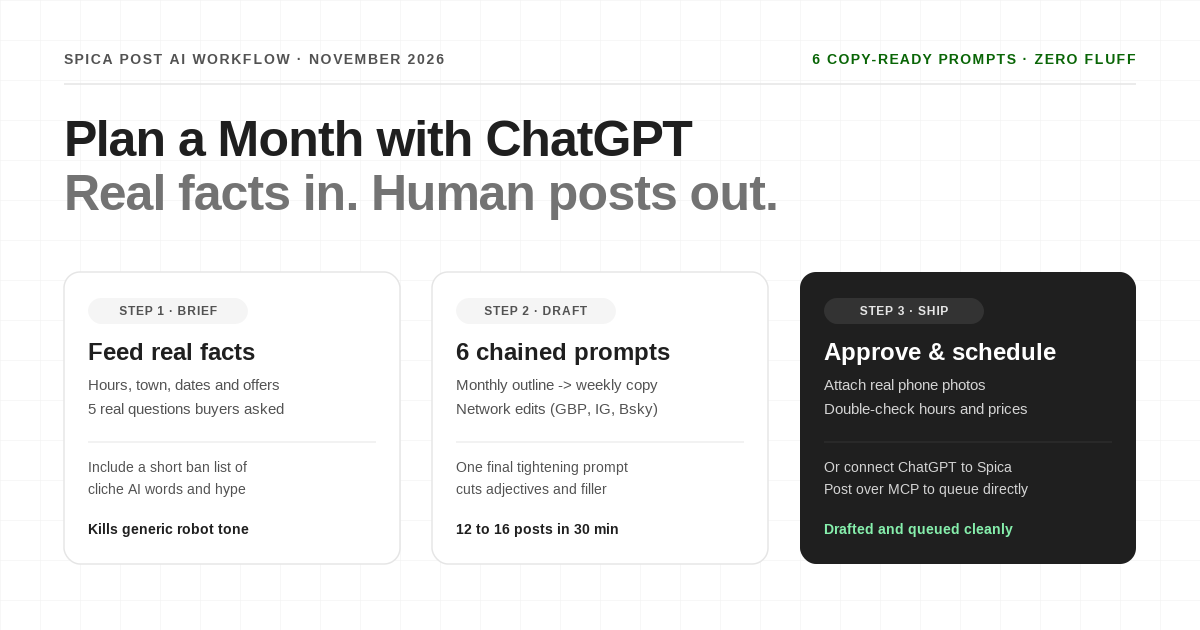
You can plan, draft, and format an entire month of social media posts with ChatGPT in 30 calm minutes, provided you stop asking it to invent your business from scratch. The difference between obvious AI slop (“Elevate your Tuesday with our handcrafted excellence!”) and a post that genuinely sounds like you comes down to four chained prompts in one conversation: feed ChatGPT your real facts and a short ban list first, generate a balanced 12-post calendar grid, draft copy one week at a time, and run a brutal human-polish pass before approving a single line.
Most small business owners try ChatGPT once, type “Write 30 social media posts for my plumbing company,” stare at thirty cheerful paragraphs stuffed with rocket emojis and vague adjectives, and decide AI does not work for real businesses. ChatGPT is a fast junior writer who has never stepped inside your shop. When you give it zero facts, it guesses in clichés. When you hand it five real customer questions, two open dates on your calendar, your town name, and a clear tone boundary, it saves you three hours of staring at a blinking cursor.
Below is the exact four-pass monthly workflow, six copy-ready prompts you can paste straight into ChatGPT today, a 2-minute human fact-check checklist, and how connecting ChatGPT directly via MCP removes the copy-paste grind altogether.
The four-pass ChatGPT monthly calendar workflow
Never ask for thirty finished multi-platform posts in a single giant prompt. Long one-shot outputs lose focus halfway through Week 2 and repeat the exact same phrasing over and over. Split your 30-minute session into four crisp passes inside the same ChatGPT thread so each step builds on your approved facts.
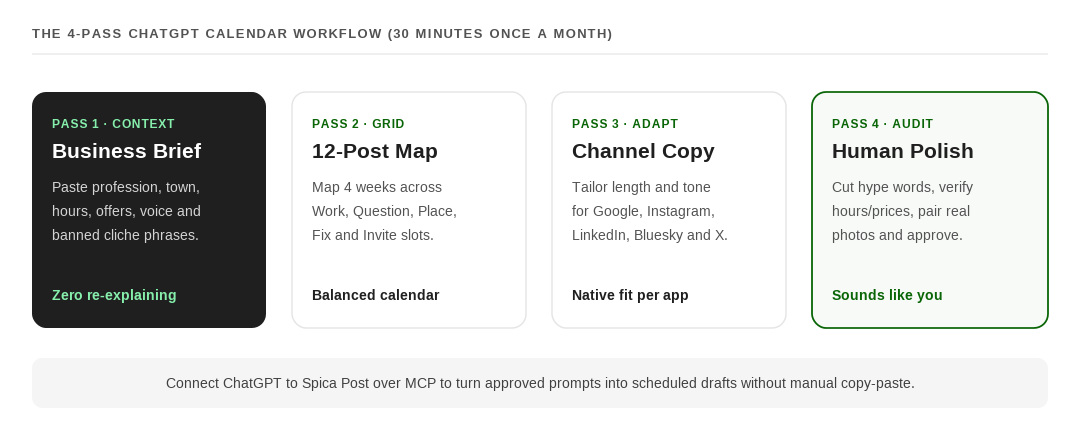
- Pass 1 (5 minutes): Paste your reusable Business Brief (real facts, hours, town, audience, and banned AI phrases).
- Pass 2 (5 minutes): Ask for a 12-post monthly topic map (3 posts/week) before writing any captions, so you can swap weak topics in 30 seconds.
- Pass 3 (10 minutes): Draft copy in tight batches (Week 1 to 2, then Week 3 to 4) and adapt winners cleanly to each network’s character limits.
- Pass 4 (10 minutes): Run the anti-cliché tightening prompt, verify every date, price, and hour yourself, pair each draft with a real phone photo, and schedule.
Six copy-ready ChatGPT prompts (in exact order)
Copy and paste these six prompts into one ChatGPT chat, swapping only the bracketed details for your business. Save Prompt 1 in a plain note on your phone or computer so you can reuse it every single month with just two minutes of updates.
Prompt 1: The reusable Business Brief (paste first)
You are helping me plan social media posts for my real small business. Do not write any posts yet; read these facts and reply “Brief loaded” when ready.
- Business name & profession: [e.g., Oak Street Bakery, neighborhood sourdough bakery]
- Location & service area: [e.g., Coral Gables, FL, off Oak Street with free rear parking]
- Regular hours & special dates this month: [e.g., Tue to Sat 7 AM to 3 PM; closed Nov 26; special pie cutoff Nov 21 at 5 PM]
- Core items or services to highlight this month: [list 3 specific items/services with honest details]
- 5 real questions customers asked recently: [paste 5 actual questions you answered by phone, DM, or at the counter]
- Tone: Plainspoken, neighborly, first person (“we” or “I”). Write like an experienced owner talking across the counter, never like an ad agency.
- Strict limits: Never invent prices, discounts, awards, or fake customer quotes. Never use em dashes. Never use these phrases: “elevate”, “unlock”, “game-changer”, “seamlessly”, “delve”, “in today’s fast-paced world”, “thrilled to announce”, or more than 1 emoji per post.
Setting that explicit ban list and instructing ChatGPT not to invent prices or quotes prevents nine out of ten robotic habits before the first draft appears.
Prompt 2: The 12-post monthly calendar grid
Using only the facts in my brief above, build a 4-week content calendar table for [Month, Year] with 3 posts per week (12 posts total: Tuesday, Thursday, Saturday).
Rotate every post across five buckets so we never sound repetitive:
Give me a Markdown table with columns: Post #, Day & Date, Bucket, Specific Topic, Suggested Phone Photo (something I can snap in 60 seconds with zero studio gear), and Goal. Wait for my edits before writing captions.
Review the table right here. Cross out any topic that feels off, swap in an upcoming neighborhood event or seasonal delivery, and tell ChatGPT “Swap Post #4 to cover [X] and Post #9 to remind about [Y]. Looks good otherwise.”
Prompt 3: Draft Weeks 1 and 2 in plain human language
Great. Now write the master captions for Posts #1 through #6 (Weeks 1 and 2).
Rules for every caption:
- Length: 45 to 90 words (3 to 5 short sentences).
- Sentence 1 must jump straight into the real detail or buyer question (no “Happy Tuesday!” or “Did you know…” openers).
- Include our real town or neighborhood naturally in at least 3 of the 6 posts.
- End with one concrete next step (exact hours, simple comment question, or booking link placeholder
[link]).- Follow my strict tone limits and banned words list.
Once Weeks 1 and 2 read cleanly, send “Looks good, now do Posts #7 through #12 with the same structure and fresh opening lines.” Splitting twelve posts into two batches of six keeps the writing sharp from start to finish.
Prompt 4: Adapt your approved drafts for each network’s exact limits
Take Posts #1 through #6 above and create a clean multi-network set for each post:
Keep all facts, hours, and dates 100 percent identical across every version.
You can double-check every adapted line against exact platform limits (including X weighted counts and Bluesky graphemes) in our free Social Media Character & Post Checker.
Prompt 5: The anti-AI tightening pass (never skip this step)
Now act as a strict local editor. Review every caption you just wrote and rewrite any line that still sounds like AI marketing copy.
- Cut empty filler adjectives (“amazing”, “incredible”, “premium”, “top-notch”, “bespoke”).
- Shorten any sentence over 22 words.
- Replace vague claims with concrete nouns from my brief.
- Return only the tightened final versions.
Prompt 5 is where ordinary drafts suddenly read like a real shop owner wrote them over morning coffee.
Prompt 6: Turn customer questions into next month’s bank (optional monthly refresh)
Here are 4 questions customers asked me this past month and 2 seasonal dates coming up next month: [paste short bullets]. Update my Business Brief and suggest 6 fresh topics for next month that do not repeat this month’s exact angles.
What ChatGPT is great at (and what only you should do)
Knowing where AI saves hours and where human judgment stays irreplaceable keeps your brand trustworthy:
| Task | Best handled by ChatGPT | Must stay with you (the owner) |
|---|---|---|
| Structuring 4 weeks of varied topics | Excellent (rotates buckets cleanly in seconds) | Picking which real dates, offers, and items actually matter this month |
| First-draft captions and channel trimming | Excellent (reformats GBP, IG, Bluesky, X, LinkedIn fast) | Verifying exact prices, holiday hours, deadlines, and policy exclusions |
| Photo suggestions and alt-text drafts | Helpful starting checklist | Shooting real phone photos of your actual work, place, and team |
| Customer stories and reviews | Polishing grammar once real details are pasted | Getting explicit customer permission before sharing any photo or story |
| Live comments and sensitive replies | Drafting calm options for tricky situations | Reading context and sending authentic human replies |
The 2-minute human audit before anything enters your calendar
Before scheduling a single ChatGPT draft, scan four fast checks:
- Every date, day of the week, and hour matches a real calendar. LLMs occasionally pair the wrong weekday name with a calendar date (for example, calling November 28 a Friday instead of Saturday). Always verify dates by eye.
- Every offer includes clear boundaries. Confirm start date, end date, and any exclusions so nobody feels misled at checkout.
- Every photo is real and permitted. Pair posts with crisp phone shots from your workspace (see our guide on taking product photos with your phone), and confirm customer permission for any recognizable person, home, or vehicle.
- Read two captions out loud. If you would feel slightly embarrassed saying a sentence face to face to a regular customer, cut it and rewrite it in six plain words.
Skip manual copy-paste by connecting ChatGPT directly to Spica Post
Pasting twelve posts across four different scheduling tabs is where a great 30-minute ChatGPT session turns into a 90-minute chore.
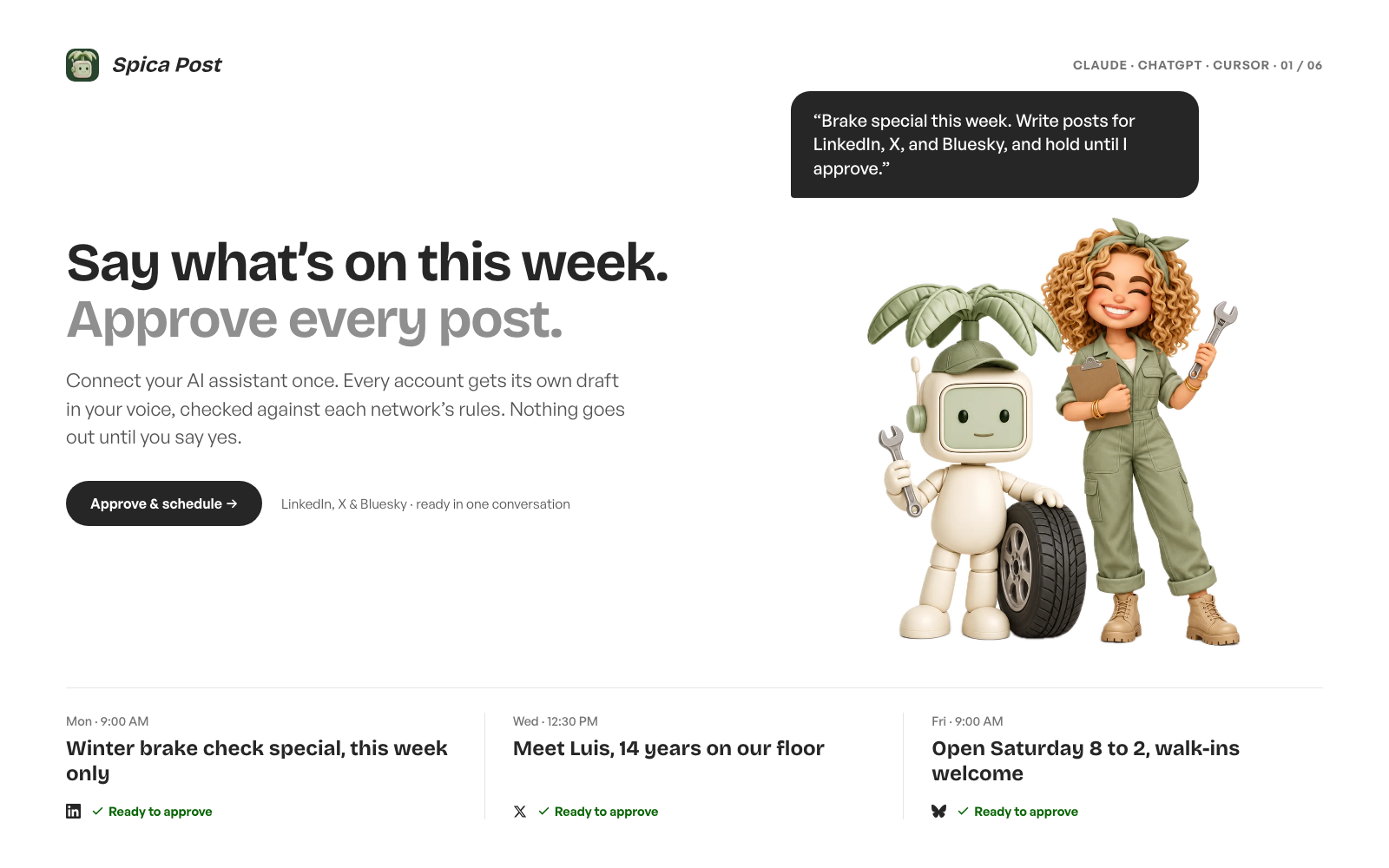
With Spica Post, you connect ChatGPT directly to your workspace through one standard MCP (Model Context Protocol) link (see our deep-dive Social Media API & MCP Guide). Once connected, ChatGPT reads your saved brand profile, hours, and media library directly, drafts channel-checked posts for each network, and lines them up for your explicit review and approval before scheduling anything onto your calendar.
To stay fully transparent on current rollout status (verified November 2026): Spica Post publishes directly today to X, LinkedIn personal profiles, Bluesky, and Mastodon. Integrations for Google Business Profile (API approved, completing profile verification), Instagram, Facebook Pages, Threads, TikTok, YouTube, Pinterest, and LinkedIn Company Pages are built and finishing platform review and verification. Note also that OpenAI’s custom MCP connector availability can vary by ChatGPT plan tier, and our ChatGPT connection guide walks through the current steps clearly alongside our pricing page.
Save Prompt 1 in your notes today, drop in five real questions customers asked you this week, and run all six prompts in one calm 30-minute block. Next month will already be planned before your coffee gets cold.
Questions people ask
- Why do ChatGPT social media posts usually sound robotic and generic?
- Because most people type one vague line like 'Write 12 Instagram posts for my bakery' with zero real facts. Without your real hours, neighborhood, customer questions, prices, or a short list of banned hype words, ChatGPT fills the gap with cliché phrases like 'elevate your mornings' and 'unlock the magic.'
- How many social posts should I ask ChatGPT to plan for one month?
- Start with 12 posts for the month (3 posts per week across 4 weeks). Twelve solid posts grounded in real offers, work-in-progress photos, and buyer FAQs consistently outperform 30 thin daily posts that burn out your calendar and bore regulars.
- Should I let ChatGPT invent dates, discounts, or customer testimonials?
- Never. Always feed ChatGPT your real calendar dates, real offers with end dates, and real questions customers asked you. Never publish fabricated testimonials, and always ask a real customer for explicit permission before quoting their story or sharing their photo.
- Can ChatGPT adapt one idea for Google Business Profile, Instagram, LinkedIn, and Bluesky automatically?
- Yes. Once you approve the 12-post monthly plan, one follow-up prompt can rewrite each approved post to match each network's limits (keeping phone numbers out of Google posts, keeping Bluesky under 300 graphemes, and trimming X under 280 characters).
- Can ChatGPT schedule my approved posts directly without copy-pasting?
- Yes, when connected to a scheduling workspace over MCP (Model Context Protocol). Spica Post provides a single MCP link and setup guide for ChatGPT so it can read your saved brand kit, create drafts, check character limits, and schedule posts after you approve them.