Holidays
New Year Social Media Posts for Small Businesses: Thank-Yous, Recaps and What's Next
Skip hollow 'New Year, New You' graphics. Run a 2-week posting sequence from Dec 26 to Jan 10 with holiday hours, real recaps and 6 templates.
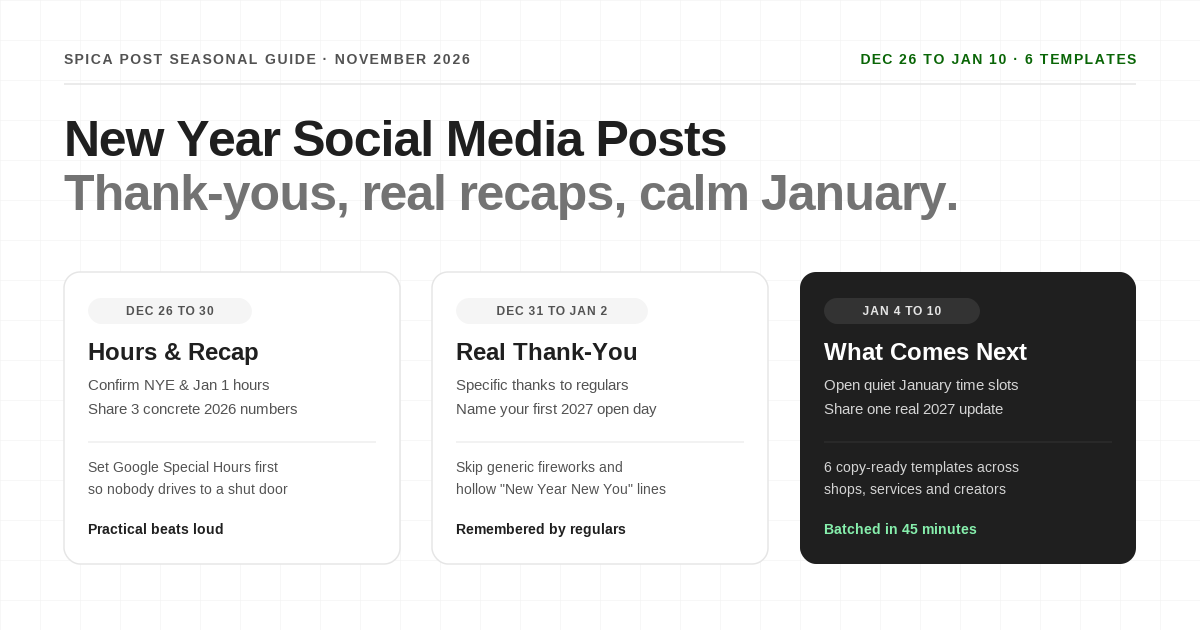
The strongest New Year social media posts for a small business skip stock fireworks and cover four practical jobs between December 26 and January 10: confirming holiday hours early, sharing three concrete year-in-review milestones, posting one grounded thank-you without clichés, and opening quiet January slots with one clear next step. Batching those four posts before Christmas lets you step away from your phone during the holiday week while keeping regulars informed and early-January bookings steady.
The two-week stretch around New Year’s feels oddly tricky for small businesses and creators. Everyone is tired from December, inbox noise is high, and half the accounts on your feed default to the exact same sparkly graphic reading “Cheers to a New Year! New Year, New You!” Nobody remembers those graphics five seconds later, yet people genuinely check social profiles and Google Maps between December 26 and January 10 to see who is open, who made it through a busy year, and where to spend a holiday gift card or book a calm January appointment.
Snapshot verified November 2026 using the U.S. Office of Personnel Management federal holiday calendar (confirming New Year’s Day falls on Friday, January 1, 2027) and Google Business Profile Help. Below is the exact two-week sequence from Saturday, December 26, 2026 through Sunday, January 10, 2027, six copy-ready templates across different professions, what clichés to leave on the cutting-room floor, and a 45-minute batching routine to get everything queued before Christmas Eve.
The exact 2-week New Year posting sequence (Dec 26, 2026 to Jan 10, 2027)
You do not need to post every single day during holiday week. Four intentional updates spaced cleanly across sixteen days outperform daily filler because each post answers a real question customers have at that exact point in the calendar.
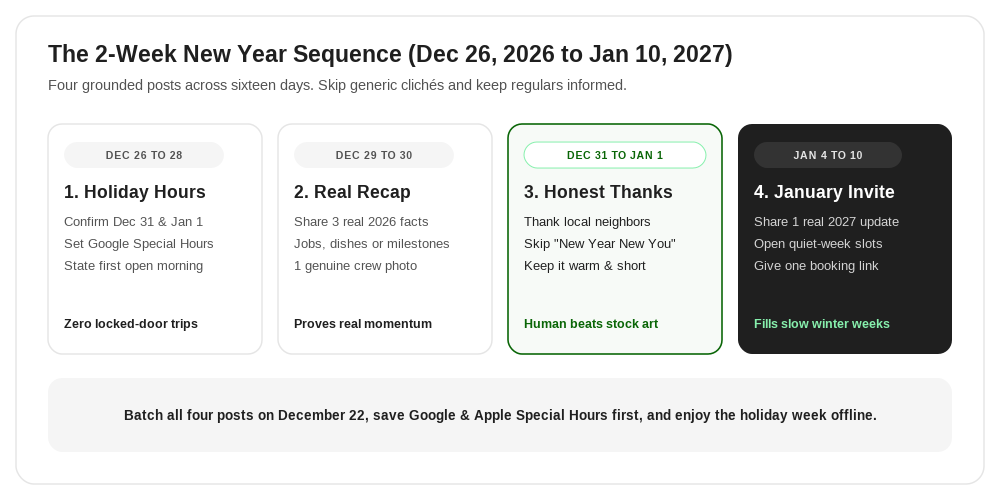
| Window (2026 to 2027) | Post role | Primary job it does for customers | Best channels |
|---|---|---|---|
| Sat Dec 26 to Mon Dec 28 | Post 1: Holiday Hours | Tells neighbors exact New Year’s Eve, Jan 1, and Jan 2 hours so nobody drives to a locked door | Google Business Profile Special Hours + Update post, Facebook, Instagram, Link Page |
| Tue Dec 29 to Wed Dec 30 | Post 2: Concrete Year Recap | Shares 3 real numbers or milestones from 2026 that prove real local momentum and craft | Instagram, Facebook, LinkedIn personal profile, Bluesky, X |
| Thu Dec 31 or Fri Jan 1 | Post 3: Honest Thank-You | Sends one warm, specific note to regulars and names the exact morning you reopen in 2027 | Facebook, Instagram, LinkedIn, Bluesky, Mastodon |
| Mon Jan 4 to Sun Jan 10 | Post 4: Quiet-Week Welcome | Introduces one concrete 2027 improvement and opens calm January appointment or shopping slots | Google Business Profile Update/Offer, Facebook, Instagram, X, Link Page |
Post 1 (Dec 26 to Dec 28): Holiday hours before everything else
Customers do not guess whether an independent bakery, barber shop, dental clinic, or auto shop closes at 2:00 PM on Thursday, December 31 or stays closed all weekend after Friday, January 1. Put the exact day-by-day hours in the first three lines so nobody has to expand a long caption or hunt through old Stories.
Before publishing on social feeds, open Google Business Profile and enter Special Hours for December 31, January 1, and any shortened days around January 2. Per Google Business Profile Help on special hours, confirming your holiday hours explicitly removes Google’s warning that hours might differ, even if you plan to stay open your regular schedule. Update Apple Business Connect right afterward so iPhone users looking up directions see identical hours.
Post 2 (Dec 29 to Dec 30): A concrete year-in-review backed by real numbers
Late December is one of the few days all year when readers genuinely enjoy looking behind the curtain of a local company. Skip vague summaries like “What an amazing journey 2026 was!” and share three to five grounded details from your real register, notebook, or dispatch log:
- Honest volume or craft counts: How many boilers were tuned, loaves baked, dogs groomed, pairs of jeans hemmed, or neighborhood kitchens painted in 2026.
- One milestone customers helped create: Hiring your second technician, replacing an old espresso machine, expanding Saturday morning hours, or moving to a brighter studio down the block.
- One customer favorite that surprised you: The seasonal sandwich that sold out four Saturdays in a row, the service package regulars requested most, or the workshop that filled up twice.
Pair those specifics with one bright, real photo of your team, your cleared workbench, or a clean storefront shot rather than a cluttered collage template. If any customer appears recognizably in a recap photo or clip, ask for their explicit permission first before posting.
Post 3 (Dec 31 or Jan 1): A real thank-you with zero filler
On New Year’s Eve afternoon or New Year’s Day morning, keep your message brief, grateful, and completely free of hard selling. Thank the exact groups that kept the doors open: the regulars who came in during rainy Tuesdays in February, the neighbors who tagged your page in local groups, the local suppliers who delivered on time, and the team that worked late through the holiday rush. Close with one simple practical line naming the exact date and hour you reopen in January.
Post 4 (Jan 4 to Jan 10): The quiet-week welcome and what comes next
By Monday, January 4, 2027, holiday visitors have driven home, work calendars reopen, and many local shops and service businesses hit the slowest two weeks of the entire year. Do not go silent just because December ended. Use your first full week of January to tell regulars two helpful things: one concrete improvement you are making in 2027 (a new early-morning slot, a refreshed menu item, faster online booking, a new maintenance bundle) and why January is the calmest, easiest time to visit or book (shorter waits, gift-card redemption, unhurried consultations).
Why “New Year, New You” fluff hurts small business feeds
Big chains lean on loud “New Year, New You” slogans because they have no personal relationship with buyers. When a local business copies that voice, three things break:
- It sounds interchangeable: Gyms, salons, restaurants, and cleaners using the same “Reset your life in 2027!” headline blur into background noise.
- It adds awkward pressure: Many neighbors enter January watching budgets after December and tired of self-improvement lectures.
- It misses why regulars pick you: Small businesses and creators win on reliability, warmth, neighborhood convenience, and personal craft.
Read every New Year caption out loud as if speaking across your own counter to a regular you know by first name. If a sentence feels stiff out loud, cut it and write the plain truth.
Six copy-ready New Year templates across business types
Adapt the bracketed facts to match your actual hours, numbers, and town. When adapting any of these for Google Business Profile, keep phone numbers out of the description text (per Google’s Business Profile post guidelines, Google supplies its own Call button and may reject post descriptions containing a phone number).
1. Local retail shop or gift boutique (Holiday hours + gift card note)
Quick New Year’s hours for our [Neighborhood] shop so nobody makes an extra drive:
- Wednesday, Dec 30: Open 10:00 AM to 6:00 PM
- Thursday, Dec 31 (New Year’s Eve): Open 10:00 AM to 3:00 PM
- Friday, Jan 1 (New Year’s Day): Closed
- Saturday, Jan 2: Back open 10:00 AM to 5:00 PM
Holding a holiday gift card or ready for a quiet Saturday browse? Fresh January restocks land on our shelves this weekend at [Street Address].
2. Restaurant, bakery, or coffee shop (Concrete 2026 recap)
Before we flip the kitchen calendar to 2027, a few honest numbers from our counter this year:
- [Number] morning loaves pulled out of the oven before 7:00 AM
- [Number] neighborhood birthdays, graduations, and Sunday dinners hosted
- Two new weekend specials that became permanent favorites because you kept asking for them
Thank you to every regular who stopped by in rain, heat, and December lines. We close at [Time] on Dec 31, rest on Jan 1, and fire the ovens back up at [Time] on [Return Day].
3. Home service profession (Honest Dec 31 thank-you + calm January calendar)
Thank you to every homeowner across [Town 1], [Town 2], and [Town 3] who trusted our crew inside your house in 2026.
Every referral to a neighbor and every five-minute review kept our vans rolling all year. Our office is closed on Friday, January 1 so our technicians can rest with their families, and we return Monday morning, January 4 at 8:00 AM.
Putting off a small repair or winter checkup until the holiday rush passed? Quiet early-January morning slots are open now at [link].
4. Salon, barbershop, studio, or wellness clinic (Quiet-week welcome without clichés)
No loud resolution speeches here. Just clean chairs, warm towels, and a noticeably calmer week if you want an unhurried appointment after the December rush.
We have open weekday openings between January 5 and January 10 for trims, color refreshes, and quiet mid-day sessions. One new thing for 2027: we added earlier [Day] morning hours starting at [Time] so you can get in before work.
Pick a slot directly on our calendar at [link].
5. Solo creator, maker, or independent consultant (What’s next in 2027)
Wrapping up 2026 with a cleared desk and a lot of gratitude for everyone who bought a print, shared a post, or sent a client my way this year.
What is staying the same in 2027: small batches made in my [City] studio and honest shipping timelines. What is new: I am opening [Number] custom commission slots each month starting January 8 so turnaround stays fast.
See current availability and upcoming release dates on my link page at [link].
6. Google Business Profile update (Hours + January kickoff, zero phone in body)
Happy New Year from our [City] team. Here is our updated schedule for the week: open until [Time] on Thursday, Dec 31, closed Friday, Jan 1, and back to regular hours starting [Return Day] at [Time].
Our January booking calendar is now open for [Core Service 1] and [Core Service 2] across [Service Area]. Tap Call or Book directly from our Google profile to grab a quiet first-week slot.
Tailoring your New Year sequence to each platform’s limits
Keep your dates, hours, and booking links identical across every channel so customers never hit conflicting schedules, then adjust formatting to match each network’s real limits. For tighter first-line hooks and character thresholds, see our guide on how to write social media captions.
- Google Business Profile: Set Special Hours first, then publish Post 1 (hours) and Post 4 (January welcome) as clean Google Updates with bright horizontal photos and zero phone numbers inside the body copy. Check the exact crop beforehand in our free Google Business Profile post preview tool.
- Instagram and Facebook: Lead with a real phone photo of your crew, storefront, or fresh January workspace. Put the exact return date inside the opening two lines before the caption folds, and save your December 26 hours graphic to a temporary Story Highlight until January 4.
- LinkedIn personal profile: Your Post 2 recap and Post 4 “what is new in 2027” work especially well on LinkedIn when written in plain owner voice reflecting on lessons learned, team growth, or local partnerships.
- X, Bluesky, and Mastodon: Trim each of the four updates down to two crisp sentences with your direct booking or link-page URL so locals scanning quick updates get the open/closed status immediately.
As noted in the U.S. Small Business Administration’s marketing guide, retaining existing local customers costs far less effort than chasing cold strangers every month. Your New Year sequence is primarily a retention tool: it reminds people who already like your work when you are open and gives them an easy reason to return in January.
Batch all four New Year posts in 45 minutes before Christmas
Writing on New Year’s Eve morning while closing year-end books ends in stock graphics or silence until mid-January. Block 45 quiet minutes on Tuesday, December 22 (or follow our monthly batching routine) and finish in six steps:
- Lock exact operating hours for December 30, December 31, January 1, January 2, and January 4 on one sheet so every channel agrees.
- Save Special Hours first in Google Business Profile and Apple Business Connect before drafting social posts.
- Pull three real 2026 facts from your point-of-sale summary or booking calendar for your December 29 recap.
- Pick four bright phone photos from your camera roll (storefront, crew, finished craft, clean workspace), confirming explicit permission for any recognizable person shown.
- Draft all four captions together from the templates above, cutting stiff slogans until each reads like you talking in person.
- Schedule December 26 through January 10, check time zones and links, and close your laptop for the holiday week.
Schedule your quiet holiday week once with Spica Post
The easiest way to avoid last-minute holiday posting is putting your hours, three 2026 milestones, and four photos into one calm workflow before Christmas hits.
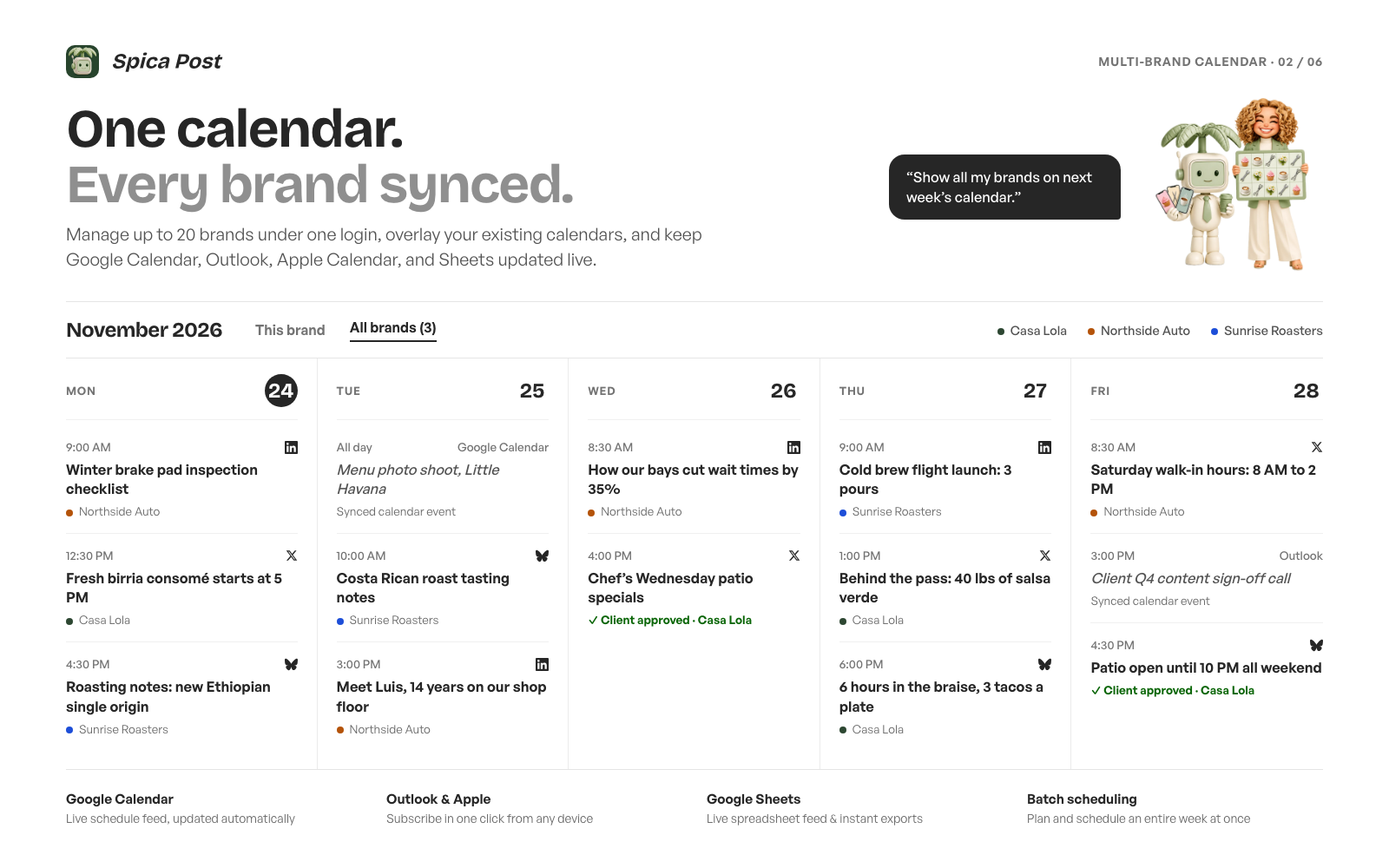
With Spica Post, small businesses and creators hand their holiday hours, year-end notes, and real photos once to the AI assistant they already use (or write directly in the composer). Spica Post drafts channel-checked versions respecting each platform’s character limits, puts them in one approval queue so nothing publishes unreviewed, keeps your branded Link Page’s open-now hours current automatically, and lets you measure which January welcome links actually drive clicks with built-in /l/ tracked short links.
To stay transparent on current network availability and real trade-offs (verified November 2026): Spica Post publishes directly live today to X, LinkedIn personal profiles, Bluesky, and Mastodon, along with live branded Link Pages, hosted blogs, and tracked short links. Integrations for Google Business Profile (API approved and enabled in production, awaiting first live service-area verification), Instagram, Facebook Pages, Threads, TikTok, Pinterest, YouTube, and LinkedIn Company Pages are built and finishing platform review and verification. Spica Post will also never invent fake year-end numbers for you: the sharpest recaps always start from two minutes of real notes you supply from your own business. You can check scheduling windows and flat workspace plans anytime on our pricing page.
Pair this two-week sequence with our complete 2026 holiday posting calendar, block 45 minutes on December 22, save your Google Special Hours first, and enter January with a full calendar and a rested head.
Questions people ask
- When should a small business publish its New Year's hours on social media?
- Publish your New Year's Eve and New Year's Day hours between December 26 and December 28, right after Christmas wraps up, and save Google Business Profile Special Hours first. Customers begin checking who is open for New Year's Eve errands, dinners, and January 2 appointments several days before the calendar turns.
- How many social media posts does a small business need between December 26 and January 10?
- Four purposeful posts across those sixteen days are plenty for almost every small business or creator: one clear holiday-hours post, one concrete year-in-review milestone post, one honest thank-you note on December 31 or January 1, and one practical January welcome post between January 4 and January 10.
- Why should small businesses avoid generic 'New Year, New You' posts?
- People scroll past hundreds of identical champagne-glass graphics and high-pressure self-improvement slogans every January. Specific local gratitude, real year-end numbers from your own workbench or kitchen, and calm invitations to book quiet January openings feel human and earn far more replies and bookings.
- What should I update on Google Business Profile for New Year's Eve and New Year's Day?
- Enter Special Hours inside Google Business Profile for Thursday, December 31, 2026 and Friday, January 1, 2027, even if you stay open your normal hours. Google's help documentation notes that confirming holiday hours removes the warning that hours might differ. Keep phone numbers out of any Google post body text.
- Can I share photos of customers or holiday events in my year-in-review recap?
- Only when you have explicit permission from every recognizable customer or family featured in the photo or video. If you do not have clear permission on file, highlight your own team, your workbench, finished orders, clean counter shots, or empty pans after a busy week instead.