YouTube
YouTube Shorts for Small Businesses: Reuse What You Already Film (2026)
Turn the vertical phone clips you already film for Reels and TikTok into searchable YouTube Shorts up to 3 minutes long that bring customers for months.
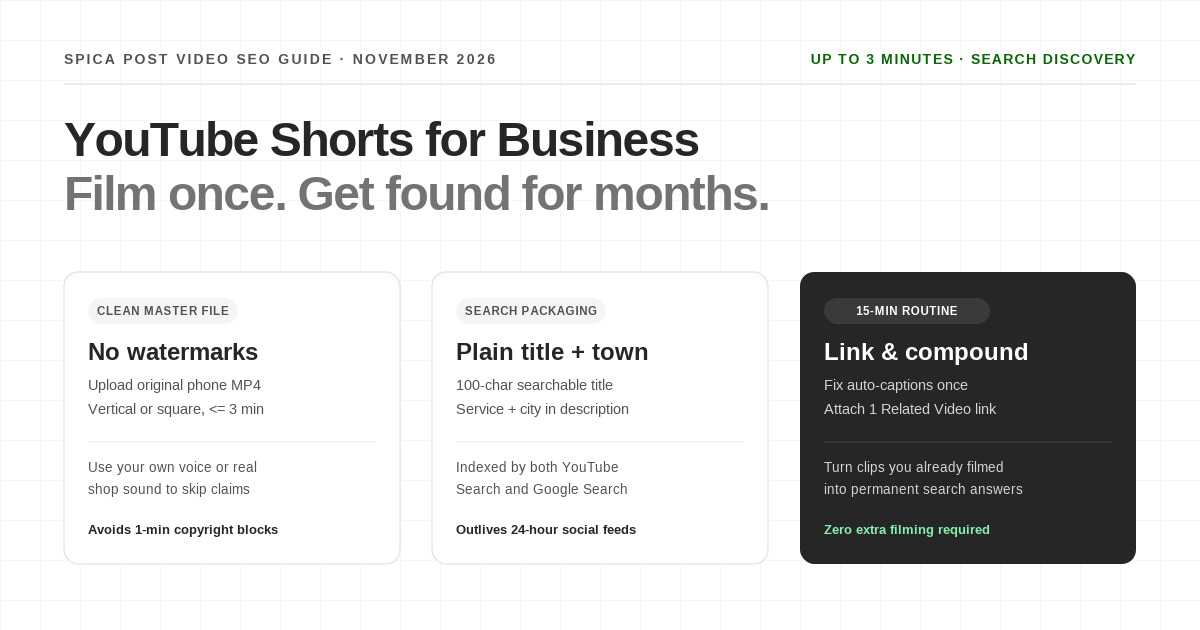
If your small business already films short vertical phone clips for Instagram Reels or TikTok, publishing those exact same clips as YouTube Shorts takes roughly 15 minutes a week and turns temporary 48-hour feed posts into searchable local answers that keep getting found on YouTube and Google Search for months. You do not need new shoots, widescreen cameras, or a second editing calendar; you only need to change five packaging details around your clean master MP4: zero app watermarks, copyright-safe audio, a plain searchable title (up to 100 characters), a description naming your town and booking method, and five seconds checking YouTube’s automatic captions.
Social feeds move fast. A helpful Instagram Reel or TikTok explaining how to spot worn brake pads or how far ahead to book wedding florals spikes for two days and then disappears down the timeline. YouTube works like a search engine: six months later, when a neighbor types “how long does a tankless water heater flush take” or “curly dry cut before and after” into YouTube or Google, your 40-second Short can still sit right at the top of the screen.
This guide covers YouTube’s current 3-minute Short format limits, the five packaging changes between Reels/TikTok and YouTube, concrete title rewrites across five local professions, copy-ready description templates, how to link Shorts to longer walkthroughs using Related Videos, and a calm 15-minute weekly repurposing routine.
Snapshot verified November 2026. Three-minute Shorts classification, copyright block limits over 1 minute, Related Video links, and Video SEO behavior match YouTube Help and Google Search Central documentation verified in November 2026.
What YouTube counts as a Short in 2026 (up to 3 minutes)
Since October 15, 2024, YouTube automatically classifies any uploaded video as a Short when two simple conditions hold:
- Aspect ratio: Vertical (
9:16) or square (1:1) - Duration: 3 minutes (180 seconds) or less
There is no special toggle box to check. Nearly every clip you film upright on your phone for Instagram Reels or TikTok qualifies automatically. Any video longer than 3 minutes, or shot horizontally (16:9), uploads as a regular landscape YouTube video instead.
One clean master clip, two completely different discovery engines
The footage stays identical; what surrounds the video changes because social feeds optimize for immediate scrolling stops while YouTube optimizes for search intent and watch completion.
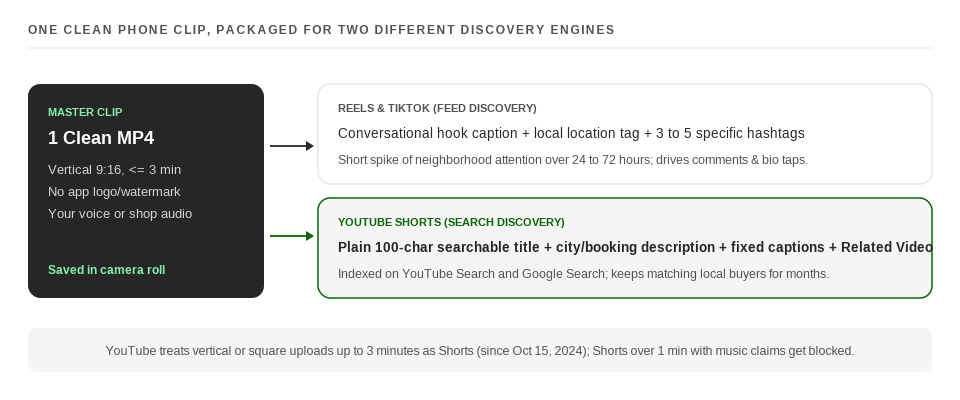
| Packaging element | On Instagram Reels or TikTok | On YouTube Shorts |
|---|---|---|
| Video file | Often saved back out of the app after posting | Clean original MP4 from your camera roll (zero TikTok/IG watermarks) |
| Main headline | Conversational caption to spark replies | Plain searchable title (<= 100 characters) stating what happens in the clip |
| Description | Hashtags + “link in bio” | 2 to 3 clear lines (up to 5,000 chars): exact service, town/city, phone or booking URL |
| Audio track | Trending song from in-app audio library | Your own voice, real shop sound, or cleared commercial audio |
| Captions | On-screen text typed inside the app | On-screen text plus YouTube auto-captions reviewed for business & street names |
1. Always upload the clean master MP4 (never a re-downloaded copy)
Downloading your own finished TikTok or Reel back out of the app stamps a bouncing app logo across the video and compresses picture sharpness twice. Always film in your phone’s native camera app (or export an un-watermarked master copy first) so your YouTube Short looks crisp and native.
2. Keep audio safe so clips over 1 minute never get blocked
Borrowing a pop song inside TikTok or Instagram frequently triggers Content ID copyright claims on YouTube. Under YouTube’s three-minute Shorts documentation, any Short over 1 minute that receives an active copyright claim of any type is blocked worldwide until resolved. For almost every local business, natural sound works better anyway: the hiss of the espresso wand, scissors trimming cleanly, a furnace lighting smoothly, and your calm voice explaining what viewers are seeing.
3. Fix auto-captions once (especially your business name and town)
YouTube generates automatic captions that help muted viewers and feed search indexing, yet YouTube explicitly warns that accents, shop noise, and local street names often get misheard. Spending 30 seconds editing your business name, neighborhood name, and key service terms in YouTube Studio prevents embarrassing typos and sharpens local search matching.
Write the 100-character title a buyer would actually type
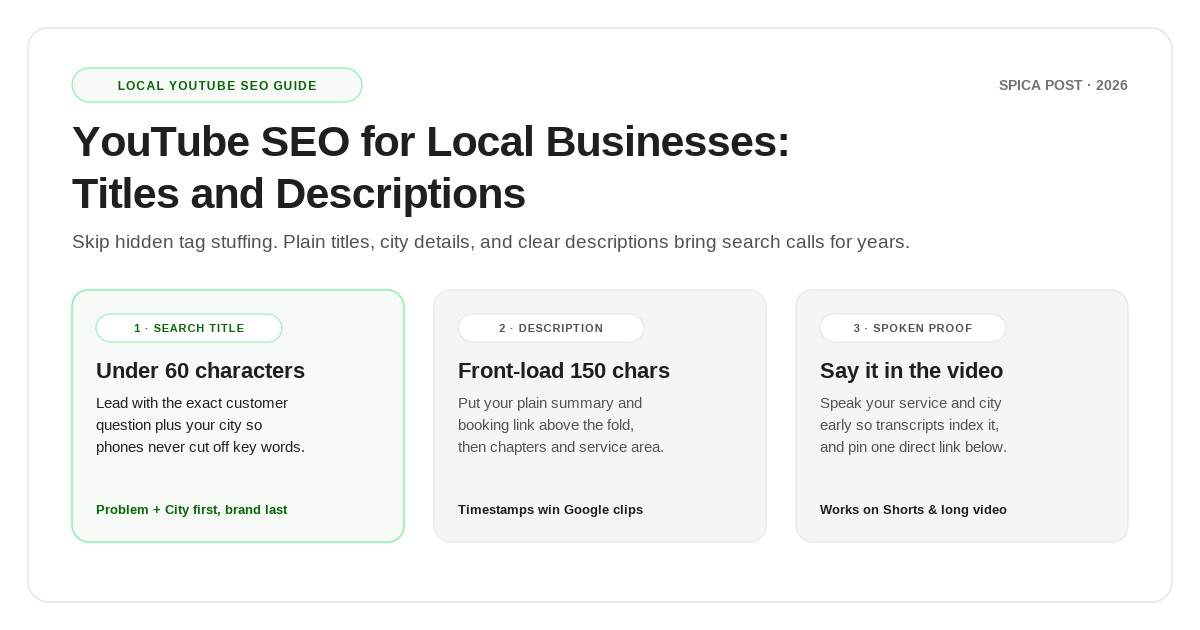
YouTube’s search documentation states that it matches queries against video titles, descriptions, tags, and content alongside viewer engagement. A playful Instagram caption rarely ranks on YouTube because nobody types “Another happy Monday in the bay” into a search bar.
Write plain, literal titles using the exact nouns a customer types (check exact 100-character titles and 5,000-character descriptions in our free Character & Post Checker):
| Local profession | Instagram / TikTok caption (feed style) | YouTube Short title (<= 100 chars, search style) |
|---|---|---|
| Auto repair shop | “Another happy Monday in the bay!” | “Replacing front brake pads on a 2018 Honda Civic” |
| Bakery | “She’s back and she’s warm!” | “Fresh warm conchas at 6 AM in Hialeah bakery” |
| Hair salon | “The glow up you didn’t know you needed” | “Curly dry haircut before and after transformation” |
| Landscaper | “Saturday morning vibes” | “Replacing a patchy front lawn with fresh sod in 1 day” |
| Fitness coach | “No excuses this week!” | “10-minute lower back stretch for desk workers” |
Keep the description right below the title equally grounded: two or three plain sentences naming what the video demonstrates, the exact city and surrounding towns you serve, and how to call or book on your website or Link Page.
Copy-ready YouTube Shorts description and pinned-comment templates
Because clickable external links inside Shorts descriptions and comments can be restricted depending on current YouTube link policies, keep your description clean and direct viewers to your channel bio link, website domain, or Related Video.
Template 1: Local storefront or service Short description
Quick walkthrough of [exact job, dish, or question shown in the clip] at [Business Name] in [City, State].
We serve [City] and nearby neighborhoods including [Area 1] and [Area 2]. Open [days and hours] at [Street or landmark].
Book an appointment, view our menu, or see current hours on our channel page or at [yourdomain.com].
Template 2: Pinned first comment to spark real local leads
Questions about [topic of the clip] or wondering whether we handle [related service] in [City]? Drop your question below and we will answer right here or film a quick Short showing how it works.
Four common mistakes that quietly waste good Shorts footage
Before you upload a batch of clips, catch these four avoidable habits:
- Uploading a widescreen clip squeezed into vertical bars. Letterboxed horizontal footage looks tiny on phones and triggers immediate swipes; keep Shorts strictly 9:16 vertical or 1:1 square.
- Starting with a slow logo intro. A five-second spinning logo costs half your viewers before the real subject appears. Begin immediately on the hands, finished job, or spoken question.
- Leaving out your city in both speech and text. A great repair or recipe clip without a town name helps YouTube show it nationally rather than to neighbors who can actually visit.
- Ignoring audio volume spikes. Quick phone clips filmed near espresso grinders, air compressors, or hair dryers can drown out your explanation; pause loud equipment for ten seconds while speaking, or record a calm voiceover right after finishing the step.
Why YouTube Shorts compound across both YouTube and Google Search
Investing fifteen minutes a week pays off in three ways that fast-moving social feeds rarely deliver:
- YouTube topic authority: Uploading 20 focused 30-second clips covering real problems in one profession signals to YouTube search that your channel genuinely knows its craft.
- Google Search visibility: Per Google Search Central’s Video SEO guidance, Google surfaces YouTube videos directly inside main web search results, Videos tabs, Google Images, and Discover. A clear title plus city name in the description gives Google concrete context to match local intent.
- Zero extra filming time: Every single clip already exists on your phone from your weekly Reels or TikTok habit.
Connect Shorts to deeper answers with Related Videos
Inside YouTube Studio (Content -> Shorts -> Related video), you can attach one Related Video from your own channel right beneath your channel name on any Short (requires advanced feature access; target video must be public or unlisted).
Use that link as a bridge from a quick hook to a higher-trust conversion asset:
- A roofer’s 25-second Short showing hail-bruised shingles links to a 4-minute walkthrough of what a full roof inspection includes.
- A bookkeeper’s Short explaining one missed tax deduction links to a complete year-end preparation checklist video.
- If you only have Shorts so far, link your top-performing Short to your newest FAQ Short so viewers stay on your channel instead of swiping away to someone else.
Remember: whenever any clip features a customer, their home, their car, or their recognizable order, get the customer’s explicit permission before filming or uploading.
A calm 15-minute weekly routine to keep YouTube Shorts running
Pick one fixed 15-minute block every Friday afternoon and work through the week’s clips in one sitting:
- Open your camera roll and select 2 or 3 clean vertical clips you filmed this week that clearly demonstrate real work or answer a common buyer question.
- Confirm each clip is vertical or square, 3 minutes or under, free of third-party app watermarks, and uses copyright-safe audio or your own voice.
- Write a literal <= 100-character searchable title for each clip using plain customer language.
- Write a 3-line description naming the service, your city/neighborhoods, and your booking link or phone number.
- Schedule the 2 or 3 Shorts spaced across next week (say Monday, Wednesday, and Friday) rather than dumping them simultaneously.
- The day after each Short goes live, scan its automatic captions in YouTube Studio and fix any mangled street or business names.
- Once a month, attach a Related Video to your top-viewed Shorts and note which search-style titles brought the highest view duration, then reuse those exact buyer words next month.
Managing multi-platform video without repeating uploads by hand
Manually renaming files, tailoring captions, and logging into three apps is where good repurposing habits break during busy seasons.
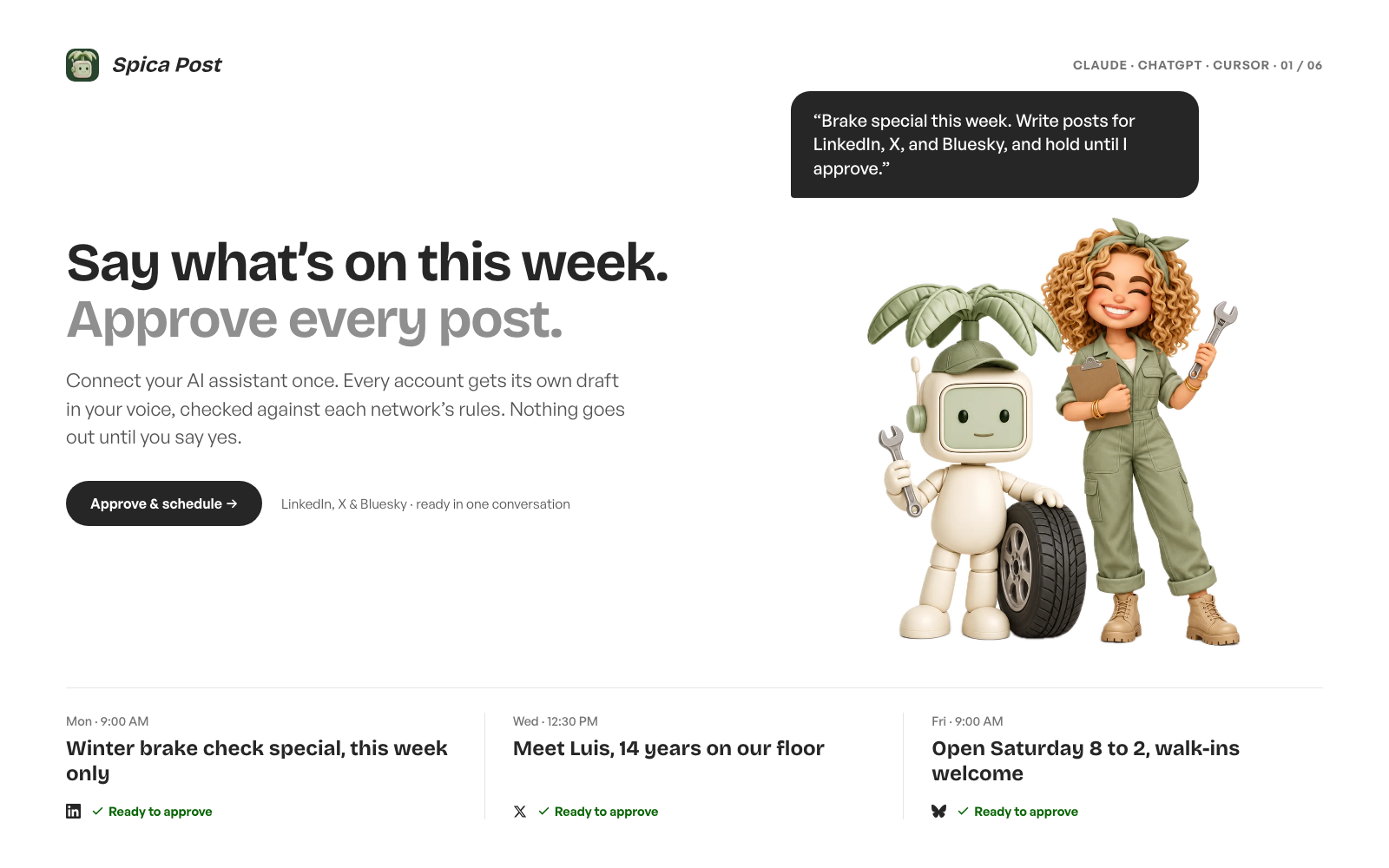
With Spica Post, you keep your clean master MP4 once, draft distinct channel copy (a conversational Instagram caption, a plain 100-character YouTube title plus full description, and separate social summaries), validate every network’s limits before scheduling, and approve everything in one pass (see pricing for flat workspace plans).
To stay completely transparent on rollout status (verified November 2026): our YouTube video and Shorts publishing adapter (including visibility selector and automatic 100-character title formatting on MP4 Auto-crosspost) is built and walked for review, while YouTube channel/video analytics sync and inbox comments remain held pending completion of the YouTube API Services compliance audit (and Instagram and TikTok await their own app reviews; today X, LinkedIn personal profiles, Bluesky, and Mastodon publish live). Until your YouTube channel connects live, the 15-minute weekly YouTube Studio routine above puts every clip you already filmed to work in search right away.
Questions people ask
- Can I upload the same video I posted on Instagram Reels or TikTok as a YouTube Short?
- Yes, as long as it is your own original footage. Upload the clean original MP4 saved on your phone (never a watermarked copy downloaded back out of another app), write a searchable 100-character title describing the work, and add your service, town and booking link in the description.
- How long can a YouTube Short be in 2026?
- Up to three minutes. Since October 15, 2024, YouTube automatically classifies any square or vertical video up to 3 minutes long as a Short. Widescreen 16:9 videos or clips over 3 minutes upload as standard YouTube videos instead.
- Do YouTube Shorts actually help a local business appear in Google Search?
- Yes. YouTube ranks videos by matching titles, descriptions, spoken words and viewer satisfaction against searches, and Google Search regularly surfaces YouTube videos across standard web results, Videos mode and Discover. A plain title naming the exact job and city helps both search engines match local buyers.
- Can a YouTube Short link directly to a longer walkthrough video?
- Yes. Inside YouTube Studio, you can attach one Related Video from your own channel to any Short; viewers see it as a tappable link right beneath your channel name. The linked video must be public or unlisted, and your channel needs YouTube's advanced feature access enabled.
- Why should I avoid trending pop music on business YouTube Shorts?
- Trending songs added inside other social apps frequently trigger copyright claims on YouTube, and YouTube blocks any Short longer than 1 minute with an active copyright claim worldwide until resolved. Using your own voice and natural shop sound eliminates copyright headaches completely.
Sources
- YouTube Help: Understand three-minute YouTube Shorts (effective Oct 15, 2024)
- YouTube Help: Get started creating YouTube Shorts
- YouTube Help: How YouTube search works
- YouTube Help: Add a related video to your YouTube Shorts
- YouTube Help: Use automatic captioning and edit captions
- Google Search Central: Video SEO best practices