TikTok
TikTok for a Local Business: Do You Need to Dance? (2026 Plan)
No dancing, no trends. Film your real work, answer counter questions, trigger TikTok's 2026 Local Feed, and turn neighborhood views into real visits.
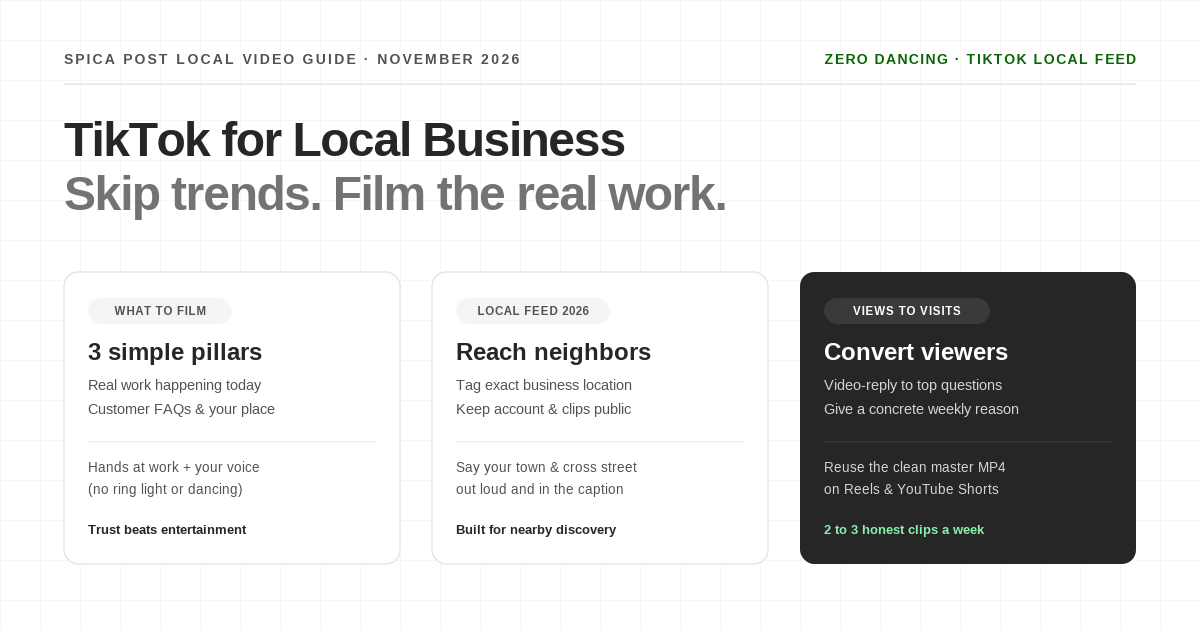
No, you do not need to dance, point at floating text bubbles, or chase audio memes you barely understand. A local business wins on TikTok in 2026 by filming what it already does every day, answering the real questions customers ask at the counter, tagging its exact location so TikTok’s Local Feed surfaces the clip to neighbors nearby, and ending with a clear reason to visit, call, or ask a follow-up question in the comments.
Trending dances belong to full-time entertainers whose business model is getting watched by strangers two thousand miles away. Your business model is getting visited or hired by people within a 15-minute drive. A neighbor scrolling TikTok at 8 PM does not need you to perform comedy; they want to see how straight you lay bathroom tile, what actually comes out of your oven at 6 AM, or how calmly you explain why a water heater makes a popping noise, plus which street your shop sits on.
This guide lays out the three video categories that work across local professions, a six-step phone filming routine requiring zero extra gear, how TikTok’s 2026 Local Feed actually matches clips to nearby shoppers, how to convert views into real foot traffic using video replies, and how to reuse the exact same vertical MP4 cleanly across Instagram Reels and YouTube Shorts.
Snapshot verified November 2026. Local Feed and Nearby distribution details reflect TikTok Newsroom announcements (December 2025 and February 2026) and current TikTok Business Account capabilities as of November 2026.
Why plain phone video beats polished ads for a business with a front door
A scripted trend video asks viewers to be entertained. A plain local video asks viewers to trust your hands and your judgment, and trust comes almost entirely from watching real competence up close.
That is why a slightly imperfect 20-second phone shot of a barber blending a fade, a mechanic holding a worn brake pad beside a fresh one, or a baker scoring sourdough outperforms a shiny studio commercial every week. The footage is unmistakably real, nobody suspects stock video, and you never run out of topics because the work happens every single morning whether the camera is propped up or not.
What to film: three repeatable pillars across six local professions
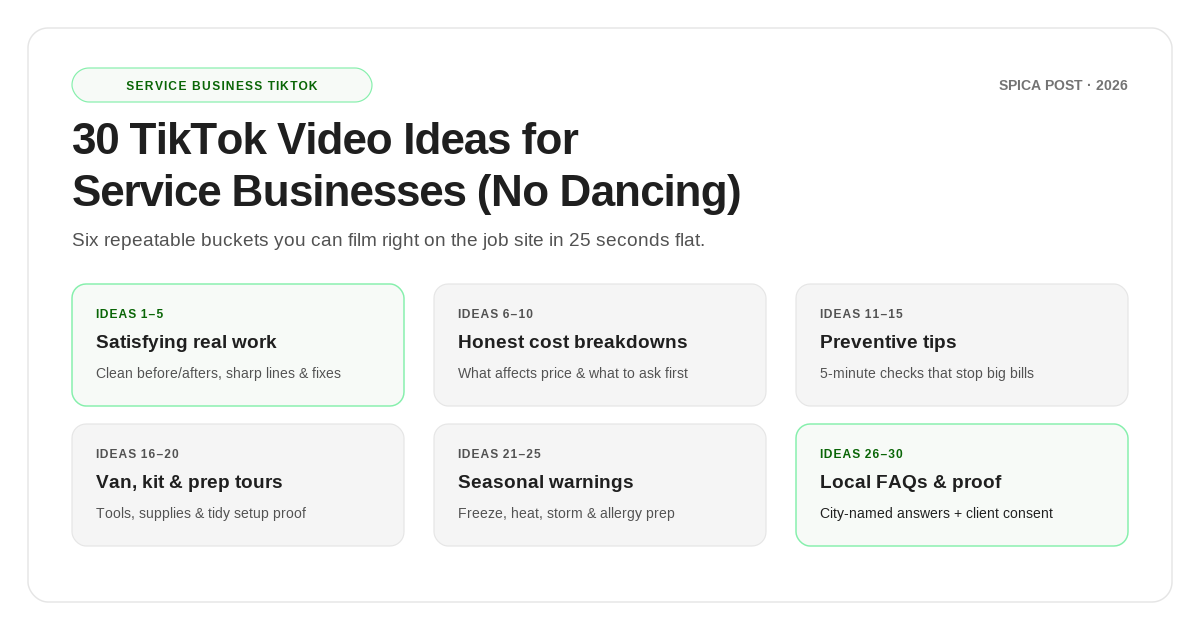
Every effective local TikTok falls into one of three buckets: The Work (proof of skill), An Answer (removing buyer hesitation), or The Place (showing how easy it is to visit and park).
| Kind of business | The Work (proof) | An Answer (buyer FAQ) | The Place (front door) |
|---|---|---|---|
| Restaurant or bakery | First tray leaving the oven, steam rising | “What is actually in the house salsa?” | The dining room 10 minutes before doors open |
| Salon or barber | Cut or color from prep to finished style | “How many weeks does this style hold cleanly?” | Where to park and walk in, filmed from the street |
| Plumber, electrician, roofer | Before, the clean fix, and the after test | “Is a dripping water heater urgent or can it wait?” | Loading the service van at 7 AM |
| Retail shop or boutique | Unpacking fresh seasonal inventory | “How does this brand fit compared to standard sizing?” | A 10-second walk through the front door |
| Gym or fitness studio | One exercise shown right vs. common mistake | “Never been before: what happens in your first class?” | Quiet mid-morning hours vs. energetic evening class |
| Auto repair shop | Failed part held directly beside the new OEM part | “What does a flashing vs. steady check-engine light mean?” | Clean waiting area, Wi-Fi desk, and coffee bar |
Start with An Answer for your first three clips. Every question you answered twice this month at the register or on the phone already has a proven local audience, and the customer already wrote the hook for you.
The local TikTok flywheel in three calm steps
You do not need daily uploads to build momentum. Two or three grounded clips a week run through one simple loop keep local discovery compounding without taking over your workday.
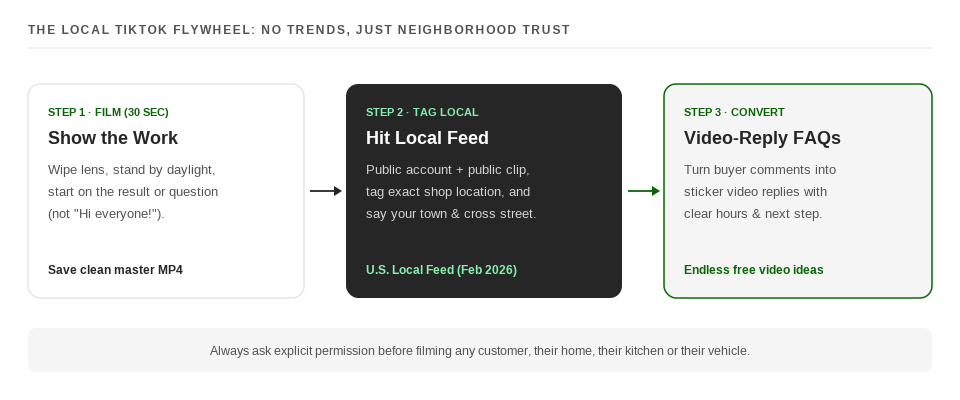
Filming crisp clips on the phone already in your pocket
Skip the $300 ring light, clip-on lavalier packs, and complex editing suites. Six simple habits make ordinary phone footage look clean and trustworthy:
- Wipe your camera lens with your shirt before hitting record. Pocket oil smudges are the #1 reason small-business phone clips look foggy and amateurish.
- Shoot vertical (9:16) facing natural daylight. Stand near a front window or open garage bay so light hits the subject instead of sitting behind it in silhouette.
- Start at second 0 on the result, problem, or exact question. Cut “Hey guys, welcome back to our page!” completely. Viewers decide in two seconds whether to keep watching.
- Talk the exact way you talk across the counter. Plain, unhurried speech beats announcer energy every time.
- Show one close-up detail, then step back for context. Let people see both the precision of the craft and the shop or workspace around it.
- End with one concrete local next step. Name your street or town and tell them whether to walk in, call, tap your bio link, or drop a question in the comments.
Hands-only video works just as well if you dislike being on camera
If standing in front of a lens makes you stiff, point the rear camera down at your hands, tools, ingredients, or finished work and narrate calmly over it. Hearing the real owner explain a detail in their own voice builds virtually the same familiarity as showing your face.
Ask explicit permission before filming any customer
Whenever a clip could show a customer’s face, child, home kitchen, driveway, or license plate, get the customer’s explicit permission before filming and publishing. Asking calmly up front (and keeping a quick text yes on file) prevents awkwardness and protects local word of mouth.
Three 30-second video outlines you can film this week
If you freeze the moment you hit record, follow one of these three plain outlines. None of them require acting, scripted jokes, or memorized lines.
Outline 1: The real-work close-up (20 to 30 seconds)
Seconds 0 to 4: Show the finished result or the trickiest step right away (“Here is what a clogged dryer vent looks like after three years without a cleaning”). Seconds 5 to 20: Show two quick shots of the actual fix or preparation happening with your hands while explaining one practical detail a customer would not notice on their own. Seconds 21 to 30: Show the clean finished result and add one local line (“We handle dryer vents and duct cleaning across Tempe and Mesa; drop your question below or tap our bio to book”).
Outline 2: The counter-question answer (30 to 45 seconds)
Seconds 0 to 3: Repeat the exact question a customer asked this week (“People ask all the time whether sourdough needs to go in the fridge”). Seconds 4 to 25: Hold the actual product or tool and answer plainly in two or three sentences, giving one quick tip they can use tonight. Seconds 26 to 40: Invite the next question (“Fresh loaves come out at 7 AM off Main Street; ask your next baking question in the comments and we will answer it in a clip”).
Outline 3: The easy first-visit walk-in (15 to 25 seconds)
Seconds 0 to 5: Stand on the sidewalk or parking lot showing your storefront sign so strangers recognize the building before they drive over. Seconds 6 to 15: Walk through the front door showing the counter, waiting area, or menu board at a calm hour. Seconds 16 to 25: State your parking tip and hours plainly (“Free parking sits right behind the brick wall off Oak Avenue; open Tuesday through Saturday from 9 to 6”).
Fix your TikTok bio before your first clip takes off
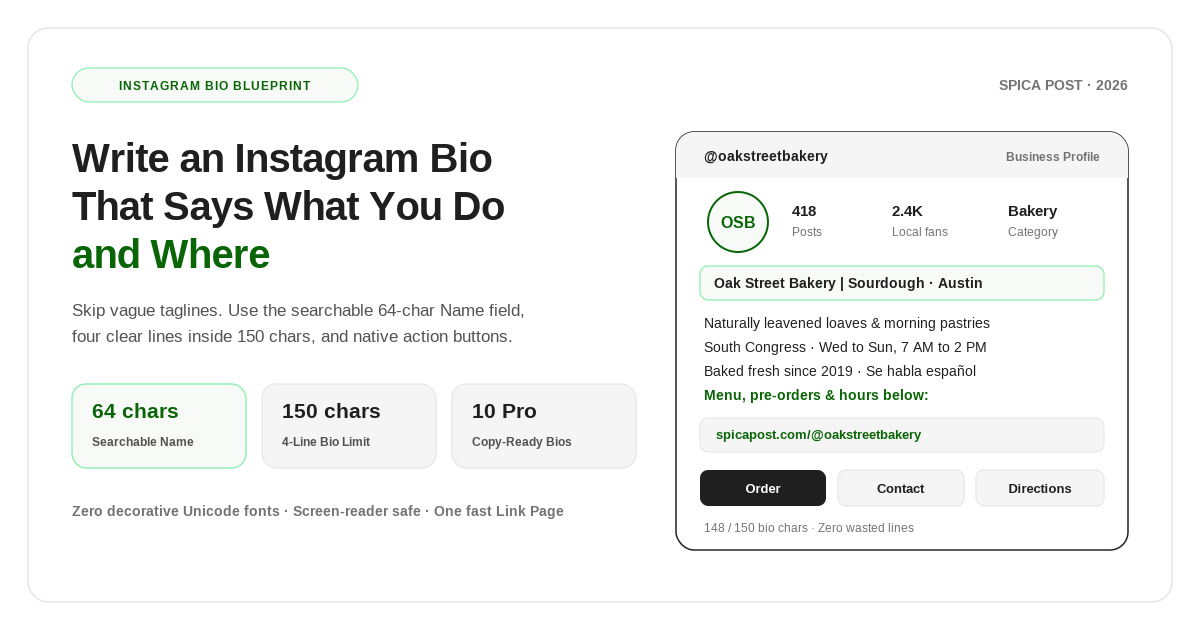
When a nearby viewer likes your video and taps your name, they decide within five seconds whether you are actually near them. Fill in four plain fields on your TikTok Business Account profile before posting:
- Name field: Put your business name plus your profession and city (for example,
Rivera Auto Repair · Tampa) so TikTok search reads your location immediately. - Two-line bio: Line 1 states what you do and the exact neighborhoods you serve; line 2 states your open days or booking method.
- Website or Link Page: Link straight to your booking page, menu, or clean Link Page (once your Business Account meets TikTok’s current bio-link eligibility limits) instead of making people hunt across Google.
- Three pinned videos: Once you have ten clips up, pin one front-door and parking clip, one most-asked question clip, and one flagship work clip at the top of your grid so every new local visitor gets the full picture right away.
How to trigger TikTok’s 2026 Local Feed on purpose
A video watched by 40,000 teenagers in another state rarely pays rent for a neighborhood shop, whereas 600 views inside your ZIP code can fill Saturday’s schedule. Four concrete settings steer TikTok’s local distribution directly toward nearby buyers:
- Keep both your account and every video Public. TikTok introduced its Local Feed tab across the U.S. starting in February 2026 (building on its December 2025 Nearby feed in Europe), ranking posts by location, topic, and recency. TikTok explicitly notes that private accounts and Friends-only posts are excluded from Local Feed discovery.
- Tag your exact business location on every upload. Adding your storefront or city location tag gives TikTok’s discovery model direct geographic coordinates.
- Speak AND write your neighborhood or cross street. Saying “Right off Bird Road two blocks east of the high school” inside the audio and spelling your city in the caption lets both viewers and TikTok’s speech-to-text search index match local searches.
- Write plain captions that name your profession and town. “Mobile dog groomer covering Kissimmee and Celebration” helps strangers instantly far more than “Living our best puppy life!” TikTok gives you up to 2,200 caption characters (with mobile previews collapsing after roughly 100 to 125 characters, so put the town and service at the very start).
Turning local views into real calls and walk-ins
Views alone do not pay invoices. Three short habits close the gap between “nice video” and “I saw you on TikTok and stopped by.”
1. Answer strong comment questions with a Video Reply
TikTok’s Reply to comments with video feature places the customer’s exact comment as a clickable sticker on top of your new response clip, publishing it both beneath the original thread and as a fresh video on your profile. When someone asks “Do you have dairy-free options?” or “How much is a basic oil change?”, answering with a 25-second video reply hands you your next post for free and proves to everyone watching that a real owner reads comments.
2. Attach one specific weekly reason to visit
Mention a concrete seasonal item, two afternoon appointment openings, or an offer with its exact closing day (“Through Sunday at 4 PM”). If an item sells out early, pin a quick update comment so nobody drives across town disappointed.
3. Switch to a Business Account and read retention after 30 days
A free TikTok Business Account unlocks video completion rate, traffic sources, and audience geography inside Analytics. After four weeks, look at which 3 clips held viewers past the halfway mark and generated comments or profile taps, then double down on those exact formats.
Record once, keep the clean master MP4, and reuse it cleanly
Never film three separate versions of the same job for three apps. Film your vertical clip in your phone’s native camera app (or save the clean un-watermarked master MP4 before adding TikTok stickers or trending music) so the exact same file works cleanly as:
- A TikTok with your local location tag and plain neighborhood caption
- An Instagram Reel with a tight 125-character hook and 3 to 5 local tags
- A YouTube Short with a searchable 100-character title and your city in the description (see our YouTube Shorts repurposing guide)
How Spica Post handles TikTok (and why TikTok stays owner-approved)
- Clean multi-platform video workflows: Spica Post keeps your video uploads, captions, and brand templates organized in one studio (see our TikTok page and pricing), checking caption length against TikTok’s 2,200-character limit and keeping a clean library of reusable media.
- Honest rollout & compliance note (verified November 2026): Our TikTok publishing adapter (including TikTok’s explicit per-post creator-choice approval flow and read-only account metrics) has completed sandbox verification and is currently awaiting TikTok’s production app review approval before opening live to all customers (today X, LinkedIn personal profiles, Bluesky, and Mastodon publish live). Also note that Spica Post’s Auto-crosspost deliberately skips silent auto-posting to TikTok in order to respect TikTok’s strict per-post owner-choice policy, ensuring every TikTok goes out only with your direct approval.
Skip the trending audio you dislike, wipe your camera lens, film two honest 30-second clips of real work this week, tag your town, and get back to running your business.
Questions people ask
- Does a local business need to follow TikTok trends or dance to get views?
- No. Local businesses perform best on TikTok by filming real work in progress, answering common customer questions and naming their town clearly. Trends belong to entertainers chasing global watch time; a clear 25-second clip of a finished haircut, brake job or fresh bake gives a nearby viewer a real reason to visit.
- Should a small business switch to a TikTok Business Account?
- Yes, it is free and built for local companies. A TikTok Business Account adds video performance analytics, audience insights, a profile category label, and commercial-safe audio tools, plus eligibility for website links and scheduling workflows.
- How do I get my TikTok videos shown to people who live near my business?
- Keep your account and posts public, tag your exact business location before publishing, and speak and write your town, neighborhood or cross street plainly. TikTok's Local Feed (rolled out across the U.S. starting February 2026) and Nearby feed rank public posts by location, topic and recency while excluding private accounts.
- What should a small business film for its very first TikTok video?
- Pick the #1 question customers asked twice this week at the counter or on the phone, hold the real product or tool in your hands, and answer it plainly in 30 to 45 seconds. It requires zero script and shows strangers how approachable you are before they walk in.
- Do I have to show my face on camera for TikTok to work?
- No. Close-up shots of skilled hands working, tools, ingredients, finished projects and your clean shop floor paired with your natural voiceover build plenty of trust. Hearing a calm human voice explaining the craft does almost everything a talking-head shot does.
Sources
- TikTok Newsroom: Introducing the Local Feed (February 11, 2026)
- TikTok Newsroom: Introducing TikTok Nearby (December 4, 2025)
- TikTok Newsroom: Reply to comments with video (official tutorial)
- TikTok for Business: Business Account features and analytics
- Spica Post TikTok integration & scheduling workflow