Restaurants
Social Media for Restaurants: Menus, Specials and Full Tables
Fill slow weeknights without endless filming: fix mobile menus and hours, time lunch and dinner posts right, and shoot plates by window light.
Most independent restaurants do not have a Friday-night problem; they have a Tuesday-night and slow-lunch problem. Yet almost every restaurant posts the exact opposite of what fills empty chairs: blurry dark plates uploaded at 8:00 PM on Saturday when the dining room is already packed, followed by total silence until Thursday.
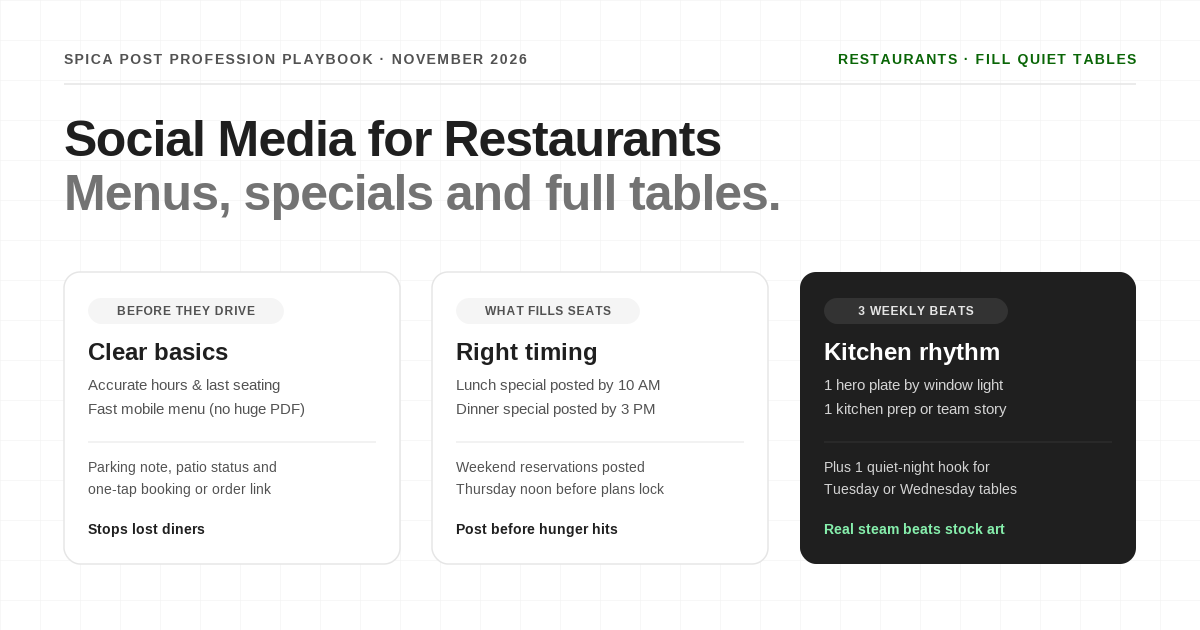
Social media fills restaurant tables when you fix three plain operational basics before worrying about viral Reels: make your hours, parking, and mobile menu effortless to read, publish food posts two to four hours before diners choose where to eat, and shoot three crisp dishes by window light during afternoon prep instead of scrambling during dinner rush.
This guide gives you the exact decision-window timing chart for lunch, dinner, and weekend tables, a fast profile-and-menu audit that stops losing hungry searchers, a repeatable 3-post-a-week kitchen schedule, four copy-ready restaurant captions, and quick daylight food photography habits any manager or chef can do in five minutes.
Fix four silent diner-killers before posting a single dish
Before you spend time filming sizzling skillets, check the four friction points that send hungry diners straight to the next spot down the street:
- Outdated hours or unclear kitchen cutoffs. If your bar stays open until 11:00 PM but the kitchen closes at 9:30 PM, write that plainly on your Google Business Profile, Instagram bio, and website. Nothing creates a fast 1-star review like driving across town for dinner at 9:40 PM to hear the grill is off.
- Slow, unreadable PDF menus. Pinching and zooming a giant scanned PDF on a phone drives hungry customers away immediately. Keep a clean mobile-friendly menu webpage linked from your Google Business Profile (per Google Business Profile menu help), Instagram bio, and Link Page, with clear dietary notes (vegetarian, gluten-free, spicy) and honest prices.
- Hidden reservation, takeout, or parking instructions. Tell first-time guests in one line whether you take walk-ins only, link directly to reservations or direct commission-free takeout ordering, and explain where to park if your street is tight.
- Unanswered Google reviews and menu questions. Diners read your five newest reviews before booking a birthday dinner. Replying warmly and promptly shows a real owner cares about the room (see our Google review response guide).
Post when diners are deciding, not when they are already chewing
Timing matters more for restaurants than almost any other profession. A mouthwatering photo of short-rib tacos posted at 7:15 PM gets likes from people already eating pasta on their couch; the exact same photo posted at 3:15 PM puts your name straight into the family group chat asking “What should we do for dinner tonight?”
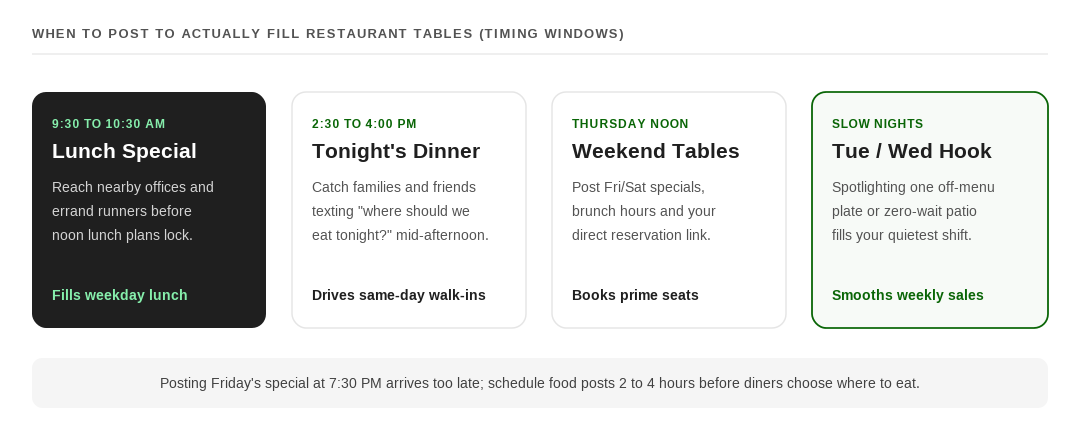
Use these four timing windows every week:
- 9:30 AM to 10:30 AM (Weekday lunch): Share today’s lunch plate, soup-and-sandwich pairing, or fast 30-minute counter pickup before office crews decide where to eat.
- 2:30 PM to 4:00 PM (Same-day dinner): Post tonight’s feature dish, cocktail, or patio forecast right as commuters and parents start figuring out dinner.
- Thursday around noon (Weekend tables & brunch): Announce Friday/Saturday chef specials, live music, or Sunday brunch hours with your direct reservation link before weekend plans lock in.
- Monday afternoon or Tuesday morning (Quiet-night hook): Give regulars a genuine reason to come in on your slowest shift (a Tuesday-only family tray, half-price corkage, a seasonal pasta that returns only on Wednesdays, or simply reminding neighbors that Wednesday evenings mean zero wait on the patio).
The calm 3-post-a-week kitchen rhythm
You do not need daily polished videos to stay top of mind in your neighborhood. Three clear posts a week (mirrored cleanly across Google Business Profile, Instagram, Facebook, and optional Threads or Bluesky) keep your dining room visible without pulling managers off the floor.
| Day & window | Post job | What to shoot (5 minutes during prep) |
|---|---|---|
| Tuesday · 3:00 PM | The quiet-night hero plate | One crisp window-lit photo (or 15-second pour/steam clip) of a comforting dish that fills Tuesday/Wednesday tables |
| Thursday · 12:00 PM | Weekend specials & reservations | Two-photo carousel of the weekend feature plus your tidy dining room or patio ready for service, paired with exact hours and booking link |
| Saturday · 10:00 AM | Kitchen craft, team, or brunch/walk-in welcome | Fresh bread leaving the oven, prep cook chopping herbs, espresso pouring, or bartender prepping garnish before doors open |
Five-minute daylight food photos during prep
Never wait until dark evening service to photograph dishes under dim yellow ceiling bulbs. Carry one test plate to the brightest front window at 2:30 PM during prep, switch off the table lamp right overhead, wipe your phone lens cleanly, and take two shots: one 45-degree angle showing height and layers (burgers, stacked tacos, cocktails, tall desserts) and one straight overhead shot for pizzas, sushi boats, grazing platters, and full table spreads. For deeper phone tips, see our no-studio phone product photo guide.
Always ask explicit permission before photographing or posting identifiable guests at tables, birthdays, or staff members who prefer staying off camera. Focus naturally on the food, hands plating cleanly, steaming cookware, and the inviting room before opening.
Four copy-ready restaurant captions that move seats
Keep food copy sensory, plain, and specific: name the real ingredients, the day and hours it is available, and whether guests should walk in, order online, or book a table.
Caption 1: Quiet Tuesday / Wednesday dinner hook (3:00 PM)
Skipping dishes tonight? Our [signature slow-night dish, e.g., braised short-rib ragu over fresh pappardelle] is simmering now and ready when dinner doors open at 5:00 PM.
Quietest night of the week means zero wait on the patio and fresh bread warm from the oven. Walk-ins welcome all night off [Street / Neighborhood], or grab a table here: [reservation link].
Caption 2: Weekday lunch special (10:00 AM)
Lunch plan solved in [Town]: today’s [soup + half sandwich / hot plate special] is ready from 11:30 AM to 2:30 PM, made to order and out fast if you are on a lunch break.
Dine in on [Street] or order direct for counter pickup (skip third-party delivery fees): [direct order link].
Caption 3: Thursday weekend-table preview (12:00 PM)
Weekend feature starting Friday at 5:00 PM through Sunday while it lasts: [dish name with 2 real ingredients, e.g., pan-seared snapper over charred corn and herb butter].
Friday and Saturday prime tables fill fast, so grab your spot early: [reservation link]. Open Fri & Sat 11:30 AM to 10:00 PM, Sun 11:00 AM to 8:00 PM.
Caption 4: Behind-the-scenes prep & pride (Saturday morning)
8:15 AM in the kitchen before the doors unlock: [specific prep task, e.g., rolling fresh tortillas / roasting tomatillos / pulling sourdough loaves] for today’s service.
Thank you to every regular who packed our dining room this week. Doors open at [time] today in [Neighborhood] with free parking behind the building.
What to post on each restaurant channel (without repeating blindly)
One kitchen photo can serve every channel cleanly as long as you adapt what surrounds it to how hungry locals use each app:
| Channel | What diners want there | Best weekly use for a restaurant |
|---|---|---|
| Google Business Profile | Accurate hours, readable menu items, parking, reviews, and fresh dish photos | Upload 2 new daylight plate photos weekly; publish seasonal menus or holiday hours as Google Updates/Offers (never put phone numbers in post body copy) |
| Instagram (feed & Stories) | Visual proof of what tastes good right now and what the room feels like | Clean 4:5 food photos on the feed, 10-second kitchen steam or cocktail pours in Reels, and saved Highlights for Menu, Hours, and Patio / Parking |
| Facebook Page | Full weekly specials, family-pack pre-orders, private dining, and holiday hours | Longer warm caption with exact hours, direct takeout link, and community updates for neighborhood regulars |
| TikTok Local Feed | Short, authentic neighborhood discovery clips | 20-second kitchen prep clips with your exact location tagged and street name spoken out loud (see our TikTok local business guide) |
| Bluesky / Threads / X | Fast same-day status updates (sold-out warnings, patio open, last two bar seats) | Two-sentence real-time updates with direct reservation or menu links |
Five restaurant social mistakes that quietly empty tables
Cutting these five common habits immediately lifts calls, direct orders, and walk-ins without adding a minute of extra work:
- Hiding hours and daily specials only in 24-hour Stories. When a diner searches your page on Friday at 4:00 PM after your Thursday Story expired, they see zero proof of what you are serving tonight. Keep recurring menus, hours, and booking links pinned on your grid and Link Page.
- Shooting under dim amber dining lights or using phone flash. Direct phone flash turns sizzling sauces greasy and makes crisp greens look flat. One bright window shot during afternoon prep beats ten dark nighttime snaps.
- Leaving allergy and dietary comments unanswered. When someone asks “Are the corn tortillas celiac-safe?” or “Do you have a dairy-free dessert?”, answering clearly in public helps that guest AND the next twenty families reading the same comment thread.
- Never posting a quick sold-out update. If your famous brisket or weekend pastry sells out at 1:30 PM, pin a friendly 1-line comment and Story note right away so nobody drives twenty minutes only to leave frustrated.
- Relying on steep 40-percent-off coupons instead of showcasing fresh food. Deep discounts attract deal hunters who never return at full price; highlighting limited seasonal dishes, fresh ingredients, and effortless direct pickup builds loyal full-margin regulars.
Turning commission-free takeout and gift cards into repeat posts
Third-party delivery apps take steep commissions out of every ticket. Once every two weeks, remind regulars politely why ordering takeout directly through your own link or buying digital gift cards helps your independent kitchen keep prices fair. Putting your direct ordering link, reservation button, hours, and menu onto a single fast Link Page in every social bio (and printing its QR code on takeout bags and table tents) turns one-time delivery app orders into loyal direct customers.
Keep restaurant posts queued before dinner rush starts
Typing captions while tickets print at 6:00 PM never lasts. Shoot three plates by the front window on Tuesday afternoon before doors open, and schedule the whole week in fifteen minutes.
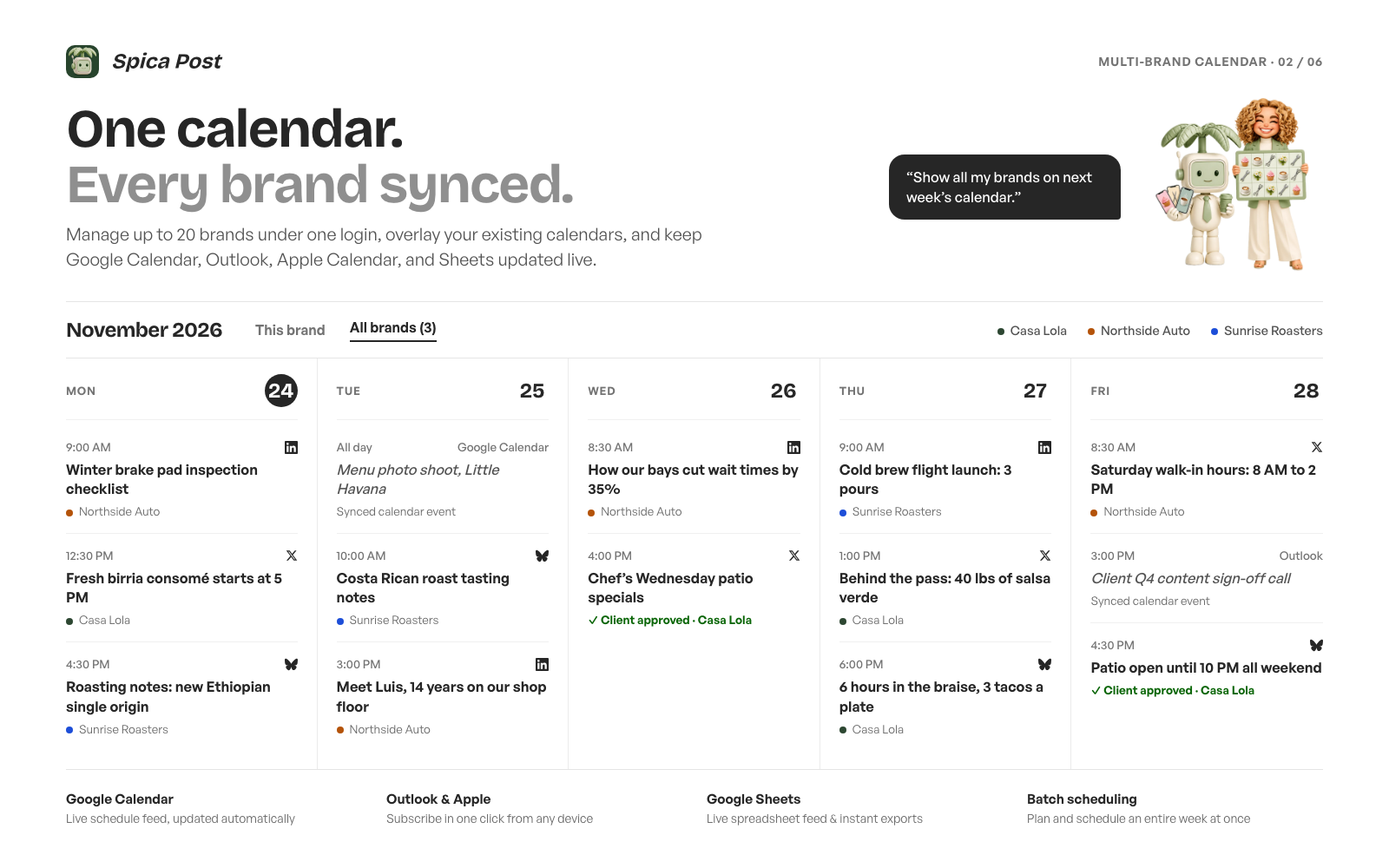
With Spica Post for restaurants, you drop three prep photos and your weekly specials once into the AI assistant you already use, and it writes tailored captions sized for each network, builds clean Link Pages with printable QR codes for takeout bags, and schedules posts into your exact lunch and dinner decision windows after you approve them.
To stay completely transparent on current platform availability (verified November 2026): Spica Post publishes directly today to X, LinkedIn personal profiles, Bluesky, and Mastodon (including live Bluesky analytics and Unified Inbox). Integrations for Google Business Profile (API approved, completing profile verification), Instagram, Facebook Pages, Threads, TikTok, YouTube, Pinterest, and LinkedIn Company Pages are built and finishing platform review and verification. You can review flat workspace plans (including multi-location support if you run more than one dining room or food truck) anytime on our pricing page.
Try one simple change this week: photograph Tuesday’s best dish beside your front window at 2:30 PM, schedule it for 3:00 PM with exact hours and parking info, and watch how many guests mention seeing the photo when they walk in that evening.
Questions people ask
- What time should a restaurant post on social media to actually fill tables?
- Post two to four hours before diners decide where to eat. Share weekday lunch specials between 9:30 AM and 10:30 AM, same-day dinner specials between 2:30 PM and 4:00 PM, and Friday or Saturday specials plus your reservation link by Thursday around noon. Posting dinner specials at 7:30 PM misses almost everyone.
- Which social platforms matter most for a local restaurant in 2026?
- Google Business Profile and Instagram do the heaviest lifting for local restaurants. Diners check Google Maps for hours, menu links, photos, and reviews, and tap Instagram to see what the plates and dining room actually look like. Facebook remains strong for neighborhood regulars, families, and private-event bookings.
- Why do PDF menus hurt a restaurant's social media conversions?
- Pinching and zooming a slow 12 MB scanned PDF on a phone screen frustrates hungry diners fast. Link your social bios and Google profile to a clean, fast-loading mobile webpage or Link Page with readable menu sections, clear prices, allergy notes, and one-tap reservations or online ordering.
- How should a restaurant photograph food with a phone during a busy shift?
- Do not shoot under harsh orange dining-room lamps at 8 PM. Carry one test plate to a bright front window during afternoon prep, wipe your phone lens, shoot a clean 45-degree angle plus one overhead shot, and snap a 10-second steam or pour clip before dinner service starts.
- Can restaurants post photos of happy diners in the dining room?
- Only when you ask those guests for explicit permission before taking and posting identifiable photos or videos. Shooting real cooks plating dishes, steaming pans, cocktails on the bar, or an inviting empty dining room ten minutes before doors open builds huge appetite appeal without intruding on anyone's dinner.