Pinterest for Small Businesses: Pins That Send People to Your Site
Turn Pinterest into steady website traffic: vertical 2:3 pin layout, search-first titles, website claiming, niche fit check, and copy-ready templates.
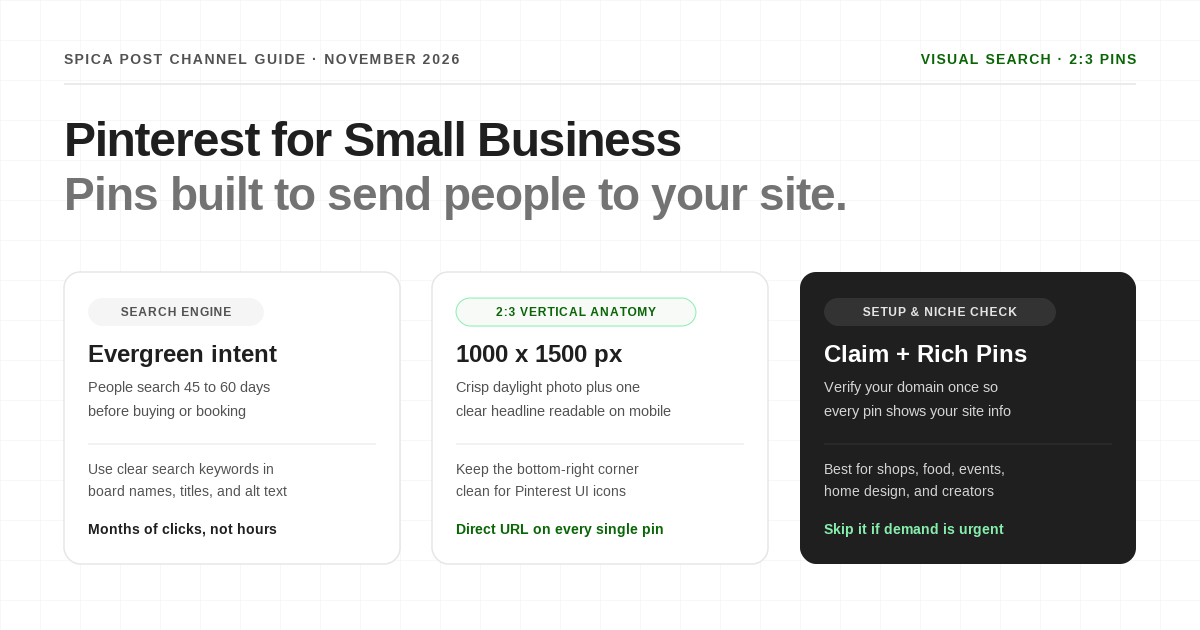
Pinterest works for small businesses and creators when you treat it as a visual search engine instead of a daily social chat feed. Every vertical 2:3 pin you publish acts like a visual bookmark linked straight to a product page, portfolio gallery, recipe, or service guide on your website, sending steady referral clicks for months rather than vanishing after 24 hours.
Platform specs, Rich Pin options, and Spica Post availability snapshot verified November 2026 against Pinterest Business Help documentation.
Most owners try Pinterest once, upload six square Instagram graphics with cute caption puns, link everything to their homepage, see twenty impressions in a week, and conclude Pinterest does not work. The platform rewards a completely different habit: honest niche fit, claimed website metadata, vertical 1000 x 1500 visuals with plain search headlines, and direct links to the exact page promised on the image.
Why Pinterest behaves like a visual search engine, not a social feed
On Instagram, TikTok, or X, you interrupt people while they scroll for entertainment, news, or updates from friends. On Pinterest, people arrive actively planning something they intend to buy, make, wear, renovate, or book. That difference changes everything about how you create and judge pins.
| Dimension | Short-lived social feeds (IG, X, TikTok) | Pinterest visual search |
|---|---|---|
| User mindset | Browsing friends, updates, and entertainment | Actively planning a purchase, event, meal, or project |
| Post lifespan | Hours to a few days | Weeks, months, or multiple seasons |
| Outbound links | Often restricted to profile bio or lower-reach link cards | Built natively into every standard pin image |
| What drives discovery | Rapid early likes, watch time, and replies | Search keywords in titles, descriptions, boards, and text overlay |
| Seasonal timing | 2 to 3 weeks ahead of a holiday | 45 to 60 days ahead so Pinterest indexes the pin before search peaks |
| Metric that matters | Replies, saves, and profile taps | Outbound clicks to your website and saves to buyer boards |
Because Pinterest indexes keywords and visual objects slowly, a pin uploaded today rarely spikes tonight. Think of it closer to publishing a clean blog post or product listing for Google: quiet in week one, then steadily sending ready-to-buy visitors throughout the season.
Which small businesses win on Pinterest (and who should skip it)
Pinterest is not mandatory for every profession. Before adding another channel to your week (see our platform selection guide), run your business through this honest fit check.
| Profession or business model | Pinterest fit | Why it wins (or why to skip) |
|---|---|---|
| Boutiques, makers, jewelry, apparel, gifts | Strong fit | Shoppers compare colors, styles, and gift guides visually and click straight to product pages |
| Bakeries, food brands, caterers, nutritionists | Strong fit | Recipes, seasonal menus, cake designs, and party platters are top evergreen Pinterest searches |
| Weddings, florists, event planners, photographers | Strong fit | Brides, hosts, and families build mood boards 3 to 9 months before booking local vendors |
| Home decor, remodelers, landscapers, organizers | Strong fit | Before-and-after rooms, kitchen hardware, and patio ideas pull high-intent remodel research |
| Salons, nail studios, estheticians, stylists | Strong fit | Clients save hair colors, cuts, and nail sets to bring directly to appointments (pair with city keywords) |
| Digital creators, coaches, templates, courses | Strong fit | Checklists, worksheets, and tutorials convert Pinterest searchers into email subscribers and buyers |
| Emergency local services (towing, locksmiths, urgent plumbing) | Skip | Nobody builds a mood board when a pipe bursts or a car battery dies; prioritize Google Business Profile |
| Commodity B2B IT or compliance services | Skip | Decision-makers search Google or LinkedIn, not visual inspiration boards |
If your business sits in the skip rows, protect your time and pass on Pinterest completely. If your customers research how something will look, taste, fit, or feel before pulling out a credit card, Pinterest can become your calmest traffic source.
Claim your website and turn on Rich Pins before uploading
Spending twenty minutes on three setup steps inside a free Pinterest Business Account makes every pin you upload work harder from day one.
1. Claim your domain name
Follow Pinterest Business Help’s website claiming steps by adding a short HTML verification tag, uploading an HTML file, or adding a DNS TXT record on your domain host (Shopify, Squarespace, WordPress, and Wix all support this in a few clicks). Claiming your website attaches your brand avatar and Follow button to every pin saved from your domain, even when customers pin your products themselves, and unlocks outbound click data in Pinterest Analytics.
2. Enable Rich Pins for products, recipes, or articles
Rich Pins automatically read structured metadata (Open Graph or Schema.org tags) from your website pages and sync it onto your pins. Product Rich Pins show current pricing and availability; Article Rich Pins display the full headline and summary; Recipe Rich Pins surface ingredients and cook times. Most modern store platforms and blog systems output these tags automatically once your website is claimed and validated.
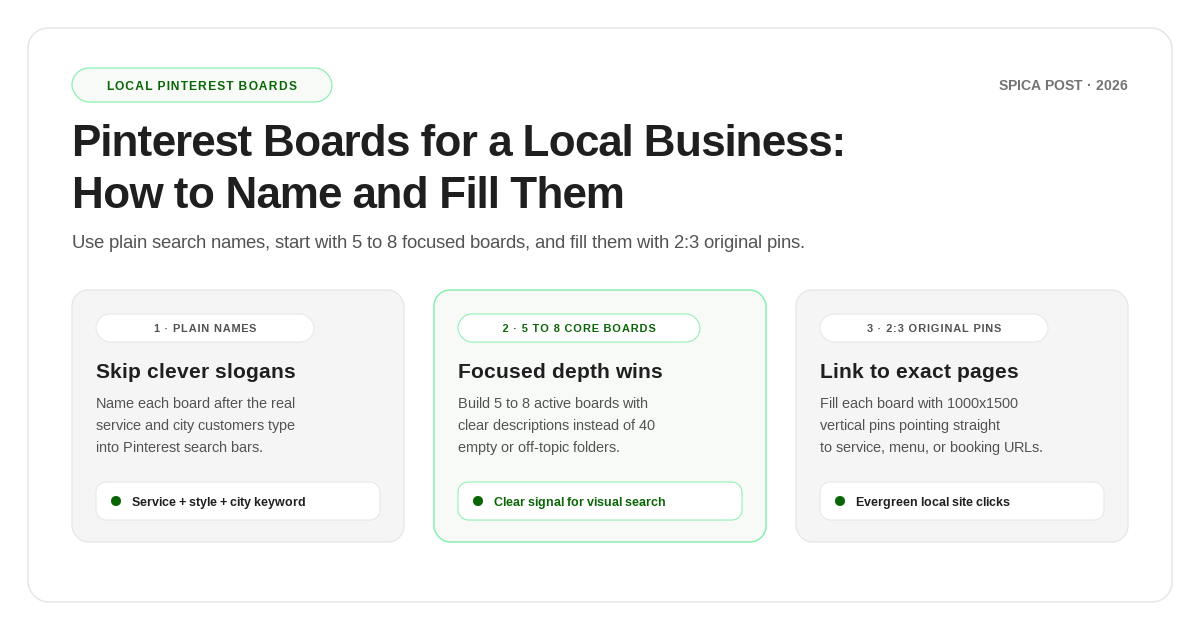
3. Build 5 to 8 focused boards with plain search titles
Skip clever board names like “Pretty Things We Adore” or “Monday Vibes.” Pinterest uses your board titles and board descriptions as primary clues to understand what each pin is about. Name boards the exact way a real buyer searches: “Small Bathroom Tile Ideas,” “Gluten-Free Birthday Cakes in Austin,” “Minimalist Silver Rings,” or “Weekly Meal Prep Guides.” Every board should carry at least 8 to 10 relevant pins so it does not look abandoned.
The 2:3 vertical pin anatomy that earns real site clicks
Pinterest feeds are built as vertical columns on phone screens. Per Pinterest Business Help creative best practices, the standard vertical ratio is 2:3 (1000 x 1500 pixels). Square 1:1 graphics take up a third less visual real estate, and overly tall infographics get truncated in mobile feeds.
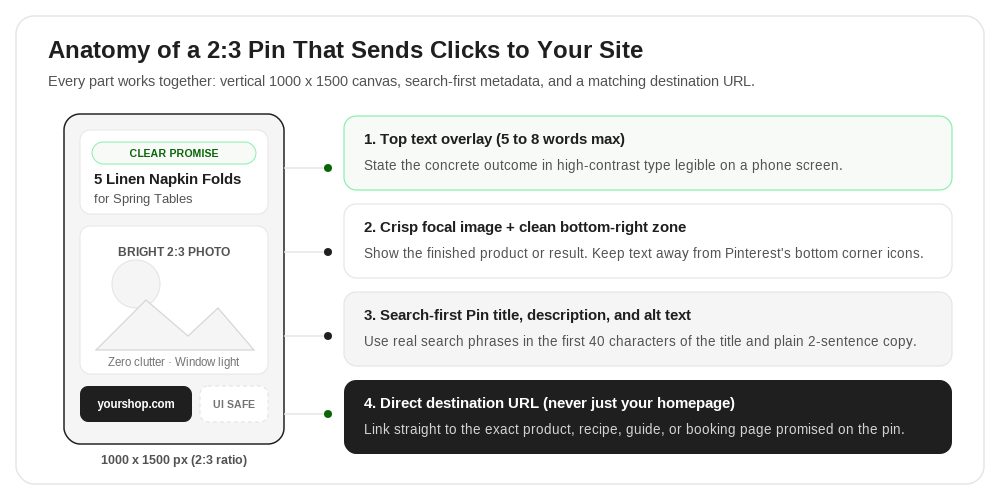
Before uploading a batch, run your vertical images through our free image size checker to confirm crisp 2:3 proportions and zero awkward cropping. Every high-converting pin shares four practical habits:
- One crisp, bright photograph with zero visual clutter. Daylight product shots, finished rooms, plated food, or styled flat-lays outperform busy collages with six tiny photos crammed together. If you shoot with a phone, use our window-light product photo guide. Whenever a portfolio pin shows a real client, wedding guest, or private home interior, obtain explicit customer permission before uploading.
- Short, high-contrast text overlay (5 to 8 words max). State clearly what happens when the person clicks: “5 Linen Napkin Folds for Spring,” “Small Kitchen Pantry Organization Checklist,” or “Warm Honey Balayage Hair Color Ideas.” Set type large enough to read effortlessly on a 6-inch phone screen, avoiding thin script fonts that disappear against textured photos.
- Clean bottom-right corner. Pinterest places visual search lenses, shop tags, and board icons in the lower corners of pin thumbnails. Keep your small domain mark centered at the very bottom or top, and never put key words in the bottom-right box.
- Matching landing page scent. When a pin promises “3-Ingredient Sourdough Focaccia Recipe” or “Handcrafted Leather Tote Bag,” link straight to that exact recipe or product URL, never your generic homepage where the visitor has to hunt for it.
Keyworded titles, descriptions, and alt text (without stuffing)
Pinterest does not rely on hashtags the way older social advice claimed; it relies on plain natural search phrases placed in four locations: your board name, pin title, pin description, and alt text.
Finding real buyer phrases in two minutes
Open Pinterest on desktop or mobile and type your broad product or service into the search bar without pressing Enter. Read the autocomplete suggestions that drop down, then hit Enter and look at the colored topic bubbles right under the search bar. Those words are live phrases people actually type on Pinterest. For example, typing “small patio” reveals modifiers like “on a budget,” “with fire pit,” “string lights,” and “apartment.” Build your pin titles directly around those real modifiers.
Writing titles and descriptions that invite clicks
- Pin title (up to 100 characters; front-load the first 40): Lead with the exact search phrase so mobile truncation never hides the topic. Good:
"Handmade Ceramic Coffee Mugs: 12 oz Wheel-Thrown Stoneware". Weak:"New arrivals just dropped in the shop today!" - Pin description (200 to 400 plain characters): Write two natural sentences explaining what the visitor gets on your page, working in two or three secondary search phrases plus a specific call to action (“Click through to see all four glaze colors and care notes”). Never paste a comma-separated wall of twenty keywords.
- Alt text (1 clear descriptive sentence): Describe literally what appears in the image for screen-reader users and visual indexing (“Overhead daylight photo of two speckled white handmade ceramic mugs on a wooden table”).
Five copy-ready Pinterest pin templates by goal
Use these five templates as structural blueprints. Pair each with a vertical 1000 x 1500 photo and link straight to the exact page on your site.
Template 1: Shop product pin (boutiques, makers, online stores)
Overlay text: Everyday Linen Apron (Cross-Back · No Neck Tie) Pin title: Cross-Back Linen Kitchen Apron in Four Washed Colors Description: Stay comfortable through long kitchen prep with our heavyweight washed linen cross-back apron featuring two deep front pockets. Machine washable and sewn in small batches. Tap through to pick your color and size on our shop page. Destination URL: Direct product page URL
Template 2: Local visual portfolio pin (salons, florists, remodelers)
Overlay text: Soft Copper Balayage on Medium Length Hair Pin title: Soft Copper Balayage Hair Color Inspiration (Austin Salon) Description: Looking for a warm, low-maintenance copper balayage that grows out smoothly between visits? Save this shade for your next color consultation, or tap to see our hair color menu and open booking slots in Austin. Destination URL: Direct service or booking page URL
Template 3: Seasonal gift guide or checklist pin (post 45 to 60 days early)
Overlay text: 7 Practical Father’s Day Gifts Under $50 Pin title: Practical Father’s Day Gift Ideas Under $50 (Ships Fast) Description: Skip novelty socks this June with seven everyday gifts dads actually keep on their workbench or kitchen counter. Browse the complete gift guide, order cutoffs, and free local pickup notes right on our site. Destination URL: Dedicated seasonal collection or blog guide URL
Template 4: How-to, recipe, or care guide pin (evergreen traffic)
Overlay text: How to Wash Cast Iron Without Rusting It Pin title: Cast Iron Skillet Care Guide: 4 Simple Cleaning Steps Description: Keep your cast iron naturally non-stick for decades with this plain four-step wash, dry, and oil routine anyone can finish in two minutes after dinner. Click to read the full care guide and save the printable sheet. Destination URL: Direct tutorial or recipe post URL
Template 5: Lead magnet or creator download pin
Overlay text: Free Weekly Small Business Post Checklist Pin title: Simple Weekly Social Media Checklist for Solo Business Owners Description: Stop staring at a blank screen on Monday morning. Use this one-page weekly posting checklist to turn real workday photos into steady local posts in under an hour. Tap to grab your free copy on our site. Destination URL: Direct landing page or opt-in page URL
A calm weekly Pinterest routine (without repinning junk)
Old Pinterest advice told small businesses to pin 25 times a day by repinning strangers’ photos onto massive group boards. Today, Pinterest prioritizes fresh pins: new 2:3 images (or fresh crops/headlines pointing to your existing URLs) saved first to the single most relevant board on your profile.
A sustainable routine for a solo owner or small team takes 30 to 45 minutes once a week:
- Publish 3 to 5 fresh pins per week. One strong product page, portfolio gallery, or blog post can easily support three distinct vertical pins spread across three weeks (for example: one clean product photo, one lifestyle angle, and one quick-benefit text overlay).
- Work 45 to 60 days ahead of seasonal peaks. Pin spring and Easter ideas in late January, Mother’s Day gift guides in mid-March, back-to-school in late June, and holiday gift lists in September and October.
- Review outbound clicks once a month. Inside Pinterest Analytics, ignore raw impressions at first and sort by Outbound clicks and Saves over the last 30 and 90 days. Make two fresh visual variations of whichever page already earns steady clicks.
Where Pinterest fits inside Spica Post (and honest trade-offs)
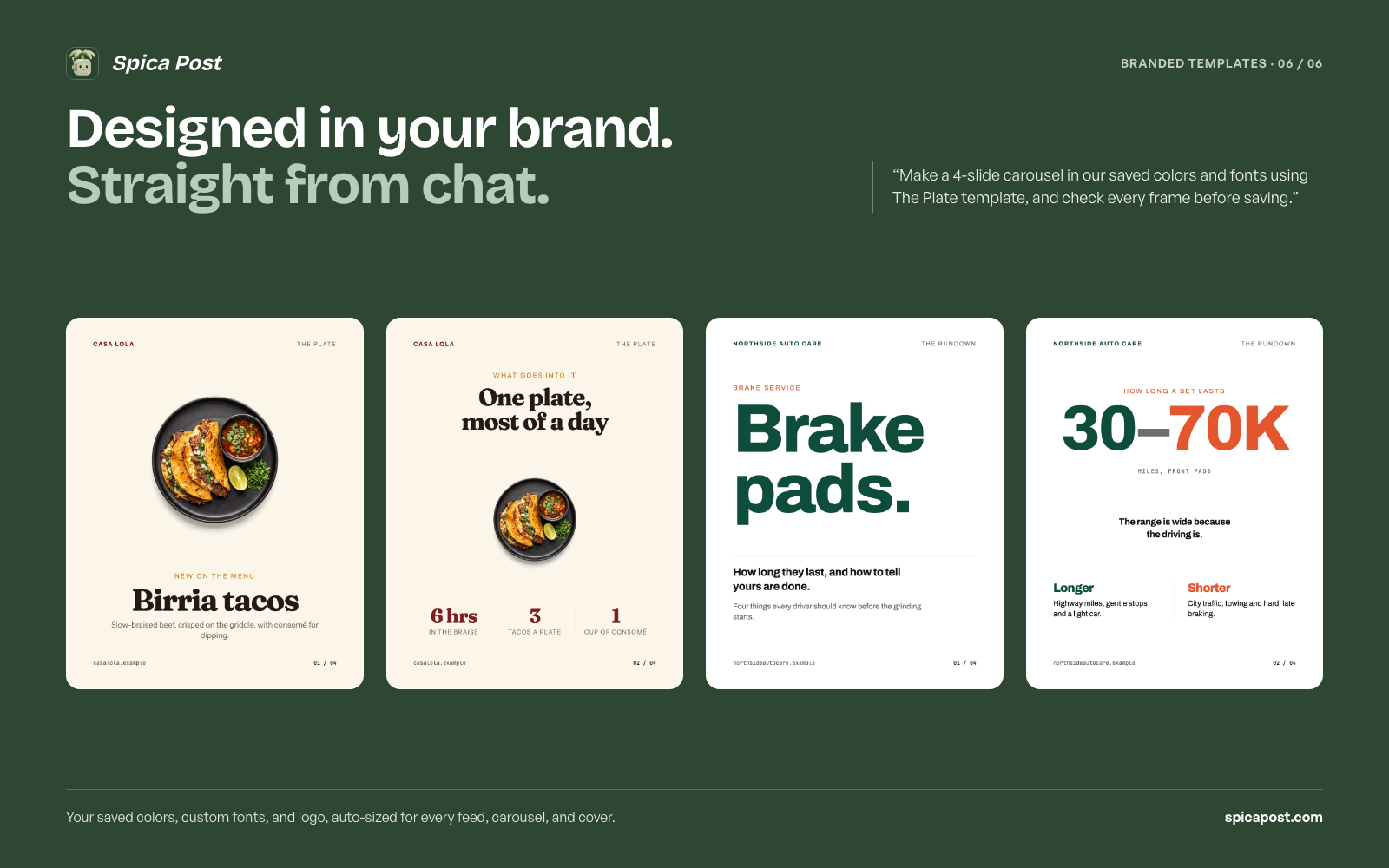
Creating separate dimensions for every social network is where most solo owners stall out. When you set up your brand once inside Spica Post, our branded templates automatically render matched channel cuts including a dedicated vertical Pinterest 1080 x 1620 (2:3) cut alongside portrait and landscape social cuts, keeping your fonts, colors, and clean margins aligned across channels. You can inspect every network we support on our platforms overview and check crop specs anytime with the free image size checker.
Real trade-offs to weigh before choosing Spica Post
To stay completely transparent on current platform availability (verified November 2026): Spica Post publishes directly today to X, LinkedIn personal profiles, Bluesky, and Mastodon (including live Bluesky analytics and Unified Inbox), plus hosted Link Pages, tracked /l/ short links, and branded templates. Our Pinterest integration (including board selection, standard pins, and video pins) is built and currently completing Pinterest’s platform review and approval, alongside Google Business Profile (API approved, completing profile verification), Instagram, Facebook Pages, Threads, TikTok, YouTube, and LinkedIn Company Pages. While Pinterest completes approval, you can still use our free image checker and branded templates to prepare clean 2:3 assets and upload them natively in Pinterest’s own built-in scheduler; explore our flat workspace plans anytime on the pricing page.
Pick your single highest-converting product page, booking page, or how-to article today, claim your domain in a free Pinterest Business Account, and publish three crisp 2:3 pins pointing straight to it this week.
Questions people ask
- Is Pinterest a social media network or a search engine for small businesses?
- Pinterest works far more like a visual search engine than a short-lived social feed. People open Pinterest with projects, purchases, recipes, or events in mind, type specific search phrases, save ideas onto boards, and click through to websites weeks or months after a pin is first published.
- What is the best image size for Pinterest pins in 2026?
- Pinterest Business Help recommends a 2:3 vertical aspect ratio, specifically 1000 by 1500 pixels. Pins taller than 2:3 can get cropped awkwardly in mobile feeds, while horizontal or square photos lose vertical screen space and earn fewer clicks.
- Which small businesses get the best results from Pinterest, and who should skip it?
- Shops, boutiques, bakeries, food brands, wedding and event vendors, salons, interior designers, remodelers, craft makers, and digital creators do well because buyers browse inspiration before purchasing. Emergency local services like towing, locksmiths, or urgent leak repair should skip Pinterest and invest in Google Business Profile instead.
- Why should a small business claim its website and turn on Rich Pins?
- Claiming your website on a free Pinterest Business Account displays your profile name and link on every pin saved from your site and unlocks outbound click analytics. Rich Pins automatically sync key metadata such as article headlines, recipe details, or current product prices from your website.
- How many pins should a small business publish per week?
- Three to five fresh vertical pins per week is plenty for most small businesses and creators. Focus on creating clear pins linked directly to specific product pages, blog tutorials, or booking pages rather than mass-repinning unrelated content every day.