Pinterest Boards for a Local Business: How to Name and Fill Them
Organize 5 to 8 keyword-clear Pinterest boards with city and service terms, original 2:3 pins, clean sections, and direct links to local pages.
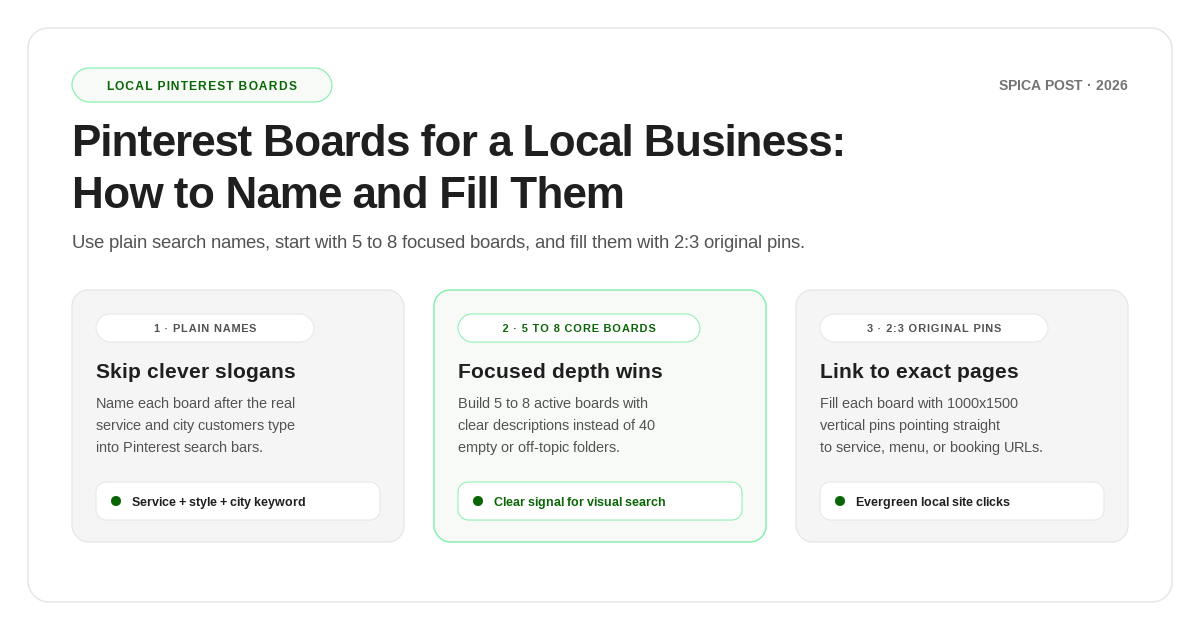
To make Pinterest boards work for a local business, treat every board like a searchable service folder rather than a personal scrapbook: start with 5 to 8 focused public boards named after the exact services and city phrases customers type, write plain two-sentence board descriptions, and fill each board steadily with original 2:3 (1000 x 1500 px) vertical pins linked directly to matching service, portfolio, or booking pages on your website.
Pinterest board organization guidance, vertical pin specs, and Spica Post integration status snapshot verified November 2026 against Pinterest Business Help documentation.
Most local businesses that open a Pinterest account make the same quiet mistake in week one. They either create 35 half-empty boards covering random lifestyle inspiration (“Cozy Fall Vibes,” “Quotes We Love,” “Dream Kitchens Around the World”) or give their real service boards cute puns (“Shear Magic,” “Flour Power,” “Bloom & Gloom”) that mean nothing to a search engine. Because Pinterest uses your board name and board description as primary context to categorize every pin saved inside it, unclear board names bury your best photography before a nearby shopper ever sees it.
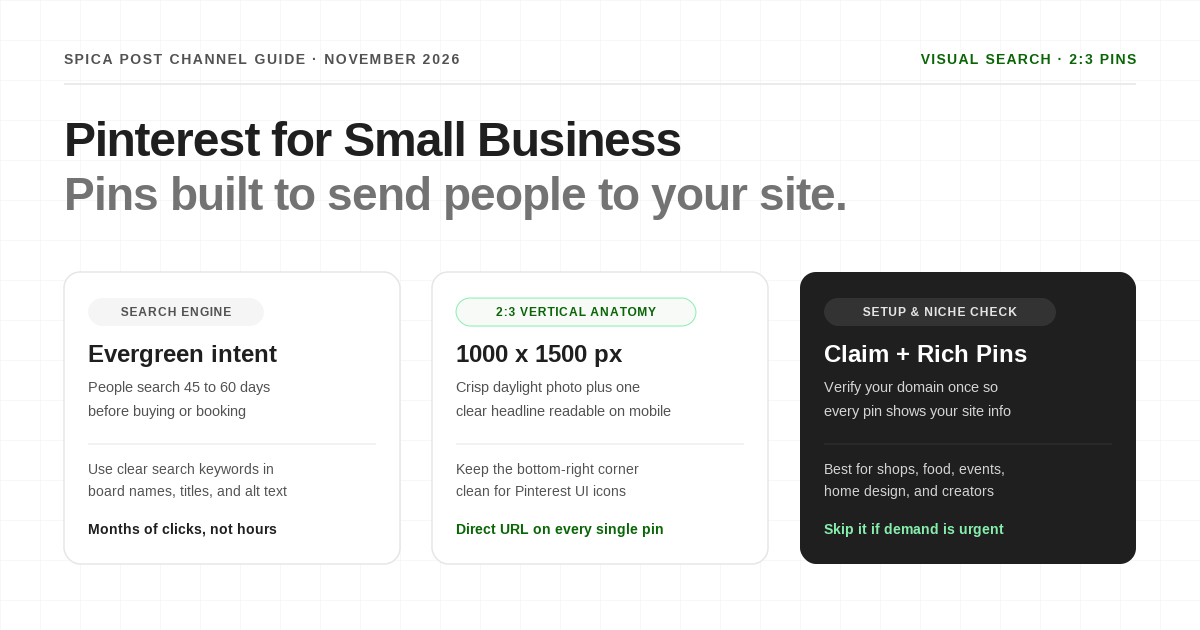
If you are still deciding whether Pinterest fits your profession at all, check our honest niche-fit matrix in Pinterest for small businesses: pins that send people to your site. Once you know your buyers browse visual inspiration before hiring or visiting (salons, bakeries, florists, remodelers, photographers, gift shops, event planners, and boutiques), this guide shows you exactly how to architect, name, describe, stock, and organize your boards cleanly.
Why Pinterest boards act like search categories for local businesses
On Instagram, a grid is mostly chronological; last Tuesday’s kitchen remodel sits right beside Friday’s holiday hours. On Pinterest, boards are permanent topical containers. Whenever you publish a new pin to a board titled “Small Bathroom Remodels in Denver”, Pinterest reads four signals together before deciding whose search feed should see that pin: the visual elements inside your photo, your pin title and description, the destination page on your claimed website, and the title and description of the board where you first saved it.
That first-saved board carries extra weight. Saving a freshly photographed honey-balayage client photo first to a board named “Balayage Hair Color Austin” gives Pinterest crystal-clear subject and location context. Saving that exact same photo first to a miscellaneous board named “Salon Favorites” throws away that context.
Claim your website and Business Account first
Before creating a single public board, switch to a free Pinterest Business Account and follow Pinterest’s website claiming guide. Put your business name, core profession, and city right in your profile display name (for example, “Cedar Street Bakery · Custom Cakes Austin”). That way, even when a local shopper finds one of your broader inspiration boards first, your city and website link appear immediately alongside every pin.
Plain searchable board names vs. cutesy slogans
Cute brand slogans belong on tote bags and storefront chalkboards, not on Pinterest board titles. Nobody opens Pinterest while planning a wedding, haircut, or patio renovation and types “Whimsical Moments” into the search bar. They type concrete nouns, styles, occasions, and cities.
Compare how small wording shifts clarify intent immediately for both human browsers and Pinterest search:
| Local profession | Weak slogan board name (skip) | Strong search-first board names (use) |
|---|---|---|
| Hair salon or barber | Good Hair Days · Chair Magic | Balayage Hair Color Austin · Short Bob Haircuts for Fine Hair · Bridal Updos & Wedding Hair |
| Custom bakery or cake shop | Sweet Treats · Oven Love | Custom Wedding Cakes Austin · Gluten-Free Birthday Cakes · Holiday Pastry Gift Boxes |
| Local florist | Petal Dreams · In Full Bloom | Spring Wedding Bouquets · Garden Style Reception Centerpieces · Same-Day Flower Delivery Seattle |
| Home remodeler or tile pro | Home Inspo · Before & Wow | Small Bathroom Tile Ideas · Kitchen Cabinet Refacing Denver · Covered Backyard Patio Projects |
| Wedding & family photographer | Frozen Moments · Through My Lens | Golden Hour Family Photos Portland · Outdoor Engagement Photo Outfits · Intimate Backyard Weddings |
| Gift shop or boutique | Things We Adore · Shop Vibes | Housewarming Gift Ideas Under $50 · Handmade Ceramic Mugs · Local Austin Gift Baskets |
| Event planner or caterer | Party Time! · Cheers | Backyard Graduation Party Tables · Corporate Lunch Catering Boards · Fall Baby Shower Themes |
When to include your city name in board titles
You do not need to paste your city name onto every single board, which can look repetitive on your profile. Use a balanced split:
- Put your city or metro area in 2 to 4 core booking boards where buyers specifically search local vendors (“Custom Wedding Cakes Austin”, “Family Photography Locations Portland”, “Kitchen Remodels in Tampa”).
- Keep 3 to 4 style and planning boards broader (“Small Bathroom Walk-In Shower Tile”, “Fall Floral Centerpiece Ideas”, “What to Wear for Fall Family Photos”), and place your city, neighborhood, and booking URL cleanly inside the board description and each pin’s description. Broad boards earn larger saves and clicks from planners browsing early, while city boards capture high-intent local searches.
Start with 5 to 8 focused boards (never 40 empty ones)
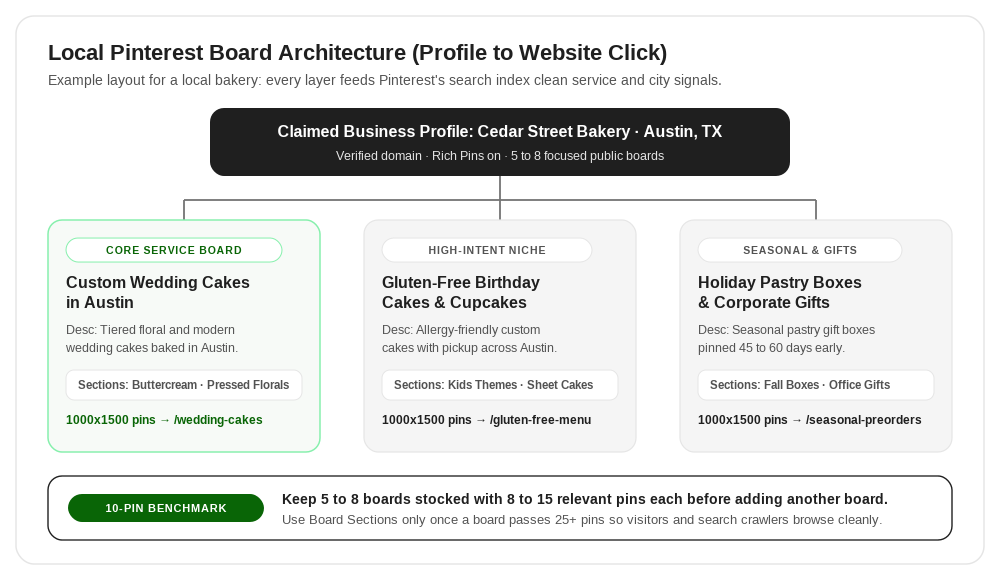
A small business profile with 38 boards holding two or three pins apiece looks neglected and confuses Pinterest about what you actually sell. Start with 5 to 8 public boards covering your real revenue lines and customer questions, and hold off on creating board nine until your first set holds at least 8 to 15 clean pins each.
Use this simple six-board starter map to structure almost any visual local business in twenty minutes:
| Board slot | Strategic role | Example for a local salon | Example for a home remodeler |
|---|---|---|---|
| Board 1 | Flagship local service (+ City) | Blonde & Balayage Hair Color [City] | Kitchen Remodeling Projects [City] |
| Board 2 | Second core service (+ City) | Dimensional Brunette & Gloss [City] | Small Bathroom Renovations [City] |
| Board 3 | High-margin specialty or event | Bridal Hair & Wedding Updos | Custom Mudrooms & Built-In Shelving |
| Board 4 | Specific style or buyer problem | Low-Maintenance Hair Color Ideas | Walk-In Shower Tile & Grout Ideas |
| Board 5 | Preparation or care guide | Hair Care Tips Between Salon Visits | Home Remodel Planning Checklists |
| Board 6 | Seasonal or gift-giving demand | Holiday Hair Styles & Gift Cards | Spring Patio & Outdoor Living Ideas |
What to do with old personal or off-topic boards
If you converted an older personal account into your Business Account and still have public boards titled “Taco Tuesday Recipes” or “Funny Dog Memes” on your bakery or remodeling profile, do not delete pins you still want to keep for yourself. Instead, switch any off-topic personal boards to Secret inside board settings (per Pinterest Business Help’s board organization guide). Secret boards stay private to you and stop diluting your business profile’s search clarity overnight.
Writing keyword-clear board descriptions that help local search
Most owners leave the board description box completely blank, passing up 500 characters of free search context. Every public board should carry two to three natural, plain-English sentences (roughly 180 to 350 characters) covering four concrete facts: what visual work lives on the board, who it helps, your city or service area, and where visitors can book or browse on your site.
Never dump a comma-separated list of twenty keywords (“cakes, wedding cakes, austin cakes, bakery, best cakes, bridal, buttercream, desserts”). Write like a helpful shop owner introducing a portfolio binder to a client sitting across the table.
Three copy-ready Pinterest board description templates
Swap the bracketed fields with your real profession, neighborhood, and website address:
Template 1: Local portfolio and booking board (salon, florist, baker, photographer)
Real [Service Type, e.g., soft copper balayage and dimensional brunette color] created at [Business Name] in [Neighborhood/City]. Save shades and finishes you love to bring to your next consultation, and tap any pin to check our current service menu, care notes, and open appointment slots at [yourdomain.com].
Template 2: Home project and before-and-after board (remodeler, landscaper, organizer)
Completed [Project Category, e.g., small bathroom tile upgrades and custom vanity installs] across [City and 2 Nearby Suburbs]. Browse layout ideas, grout pairings, and realistic material finishes from real local homes, then visit [yourdomain.com/gallery] to request a project estimate.
Template 3: Seasonal gift or event planning board (boutique, caterer, event planner)
Practical [Season or Occasion, e.g., Mother’s Day gift baskets and locally made ceramic keepsakes] curated by [Business Name] in [City]. Browse budget-friendly gift pairings, local pickup cutoffs, and shipping notes 45 to 60 days ahead of the rush at [yourdomain.com].
Filling boards with original 2:3 vertical pins (and direct links)
A well-named board only brings traffic when the pins inside it earn clicks. Follow Pinterest’s creative specifications and prioritize original vertical 2:3 (1000 x 1500 pixels) pins made from your own daylight photography rather than stuffing your boards with 90 percent repins from other businesses.
Four habits for stocking boards cleanly without burning out
- Link every original pin to the exact matching page. A pin showing a three-tier pressed-flower cake should link to
/wedding-cakesor your wedding inquiry form, never your generic homepage where the bride has to click three menus to find pricing. If you do not have separate service pages yet, review our local SEO basics guide on building clear service pages first. - Shoot vertical daylight photos right on your phone. Before you hand over a bouquet, reveal a finished haircut, or wrap up a tiled shower, snap three vertical shots in clean natural light (see our phone product photography guide). Run finished exports through our free image size checker to confirm crisp
2:3proportions and zero awkward cropping. - Always obtain explicit client permission before pinning identifiable people or private homes. Salons, photographers, event planners, and remodelers showcase real clients and private interiors. Ask explicit verbal or written permission before photographing and uploading client faces, wedding guests, children, or identifiable residential exteriors, and keep street addresses and family portraits cleanly out of frame.
- Publish 3 to 5 fresh original pins per week across your core boards. One strong project gallery or seasonal offer can easily fuel three distinct vertical pins spaced over three weeks (one clean hero photo, one detail close-up with a 6-word readable overlay headline, and one quick-checklist or before-and-after comparison). Repinning a handful of complementary local ideas (like venue inspiration or color palettes) is fine when launching a brand-new board, as long as your own claimed-site pins remain the backbone.
Using board sections cleanly without over-fragmenting
Pinterest allows Board Sections inside any board (Pinterest board organization help), acting like sub-folders (for example, placing “Spring Bouquets,” “Fall Bouquets,” and “Arch Installations” inside your “Wedding Flowers Austin” board).
Board sections work best once a single board grows past 25 to 30 pins and visitors would otherwise have to scroll endlessly to find one style. Avoid adding four empty sections inside a brand-new 10-pin board, which makes your portfolio look thin. Also remember that Pinterest’s search engine reads top-level board titles and pin titles more heavily than section titles, so if a specialty generates steady bookings on its own (such as “Gluten-Free Wedding Cakes”), give it a dedicated top-level board instead of hiding it inside a section.
Board covers, ordering, and a 20-minute monthly board audit
Once your 5 to 8 boards are stocked, spend ten minutes polishing how your profile looks to a local shopper deciding whether to tap your website:
- Choose clean, bright board covers. Pick one crisp, uncluttered daylight photo for each board cover rather than letting Pinterest auto-select a busy collage or text-heavy graphic that clips awkwardly on mobile.
- Drag your highest-converting seasonal boards to the top row. In late winter, move spring weddings, patios, or graduation boards to row one; in September, move fall services and holiday gift boxes to the top so seasonal searchers see them immediately.
- Run a 20-minute monthly audit:
- Check Pinterest Analytics sorted by Outbound clicks over the last 30 and 90 days to see which two boards send real website visitors.
- Upload two fresh
2:3pins this week for each winning board, pointing to your highest-converting service or gallery URLs. - Check whether any board sits below 8 pins and add three fresh original pins (or merge overlapping thin boards cleanly).
- Verify that every destination link on your top ten pins loads fast on a phone and reflects current hours or seasonal availability.
Preparing Pinterest boards and 2:3 visuals with Spica Post (honest trade-offs)
Building clean vertical pins alongside Instagram, Facebook, LinkedIn, and Google updates is much easier when your brand fonts, colors, and ratios stay consistent across networks.
- What works in Spica Post today: When you save your brand once in Spica Post, our branded templates generate matched channel cuts automatically, including a dedicated vertical Pinterest
1080 x 1620(2:3) cut beside your portrait and landscape social graphics, while our free image size checker verifies2:3proportions in seconds. Live direct publishing and scheduling are active today across X, LinkedIn personal profiles, Bluesky (including live analytics and Unified Inbox), and Mastodon, plus hosted branded Link Pages and/l/tracked short links. Explore flat workspace plans anytime on our pricing page. - Honest November 2026 Pinterest status and feature boundaries: Note plainly that Spica Post does not yet have a dedicated Pinterest platform page; review all current and upcoming channels on our platforms overview. Our Pinterest connector is built and tested (covering public board listing via
boards_list, creating and editing public board names and descriptions viaboards_createandboards_edit, standard pins, 2-to-5-image carousels, and MP4 video pins) and currently waits on Pinterest Standard access app approval before opening live to customer workspaces. Also note two deliberate boundaries of that connector: secret boards and board sections are not supported (Spica Post works strictly with public boards and never requests secret-board permissions), so you will still manage private draft boards and board sections directly inside Pinterest’s native app.
Open your Pinterest Business Account this week, turn any off-topic personal boards secret, rename your top five boards using plain service-and-city search terms, write two honest sentences in each description, and add three crisp 2:3 pins linked straight to the pages that actually book your work.
Questions people ask
- How many Pinterest boards should a local business start with?
- Start with 5 to 8 focused public boards tied directly to your core services, visual categories, and seasonal bookings. Having 6 well-stocked boards with 10 to 15 relevant vertical pins each sends a much stronger search signal to Pinterest than 40 vague or nearly empty boards.
- Should a local business put its city name in Pinterest board titles?
- Put your city or metro area in 2 to 4 of your highest-intent local booking boards (such as Custom Wedding Cakes Austin or Kitchen Remodels in Denver), while keeping style and inspiration boards broader so planners searching both local and general visual terms can discover your work and see your city in your board description and profile.
- How many pins should go into a new Pinterest board before creating another?
- Aim for at least 8 to 15 tightly matched pins inside every public board so visitors and Pinterest's indexing systems see clear topical depth. Keep new boards in secret drafts only while stocking those first pins, then switch the board to public once it looks complete.
- When should a local business use Pinterest board sections?
- Add board sections only after a board grows past roughly 25 to 30 pins and splits cleanly into distinct sub-styles or seasons, such as splitting a Bridal Florals board into Spring Bouquets and Reception Centerpieces. Creating sections inside tiny boards scatters your portfolio and adds unnecessary clicks.
- Can Spica Post publish directly to Pinterest boards today?
- As of November 2026, Spica Post's Pinterest integration (including public board listing, creating and editing public boards, standard pins, carousels, and video pins) is built and waiting on Pinterest Standard access app approval before opening live to customer workspaces. Today you can prepare matched 2:3 branded cuts in Spica Post and upload them natively on Pinterest.
Sources
- Pinterest Business Help: Organize your boards and board sections
- Pinterest Business Help: Creative best practices and 2:3 Pin specifications
- Pinterest Business Help: Claim your website for attribution and analytics
- Pinterest Business Help: Get a Pinterest business account
- Spica Post supported social platforms overview