Local SEO
Local SEO Basics for Owners Who Don't Do SEO (2026 Guide)
Plain-English local SEO for small business owners: nail Google Business Profile, match your NAP details, earn reviews and skip agency jargon.
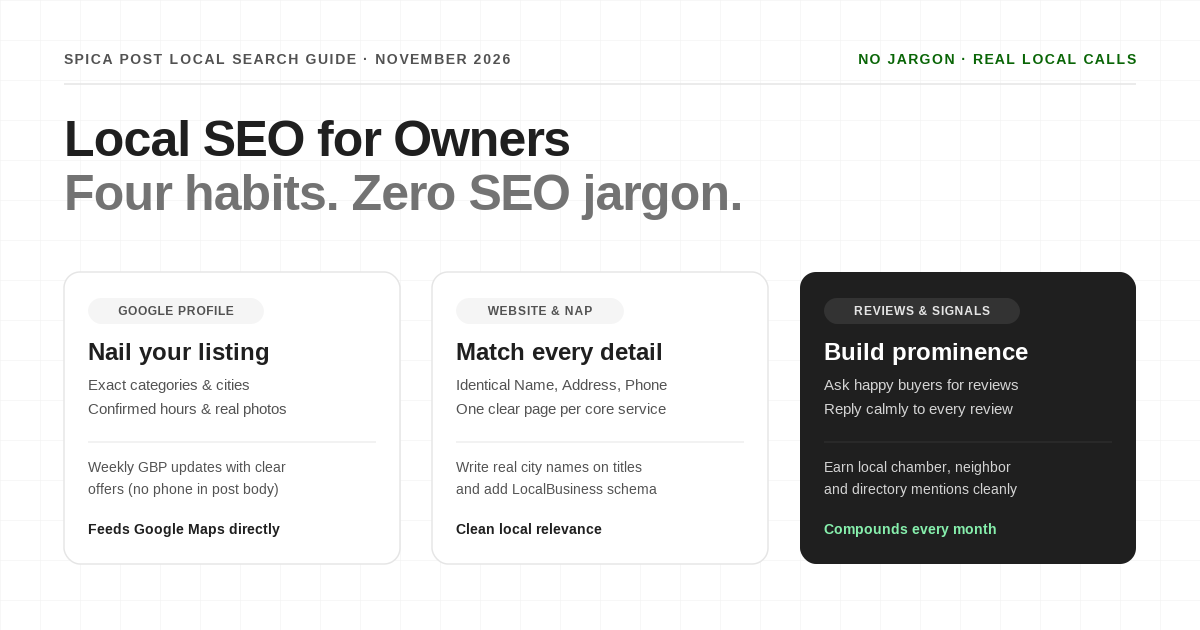
Local SEO sounds like something that requires a $2,000-a-month consultant and a stack of spreadsheets, yet roughly 80 percent of what actually moves the needle for a neighborhood business comes down to four plain habits: keeping your Google Business Profile complete and honest, making your Name, Address, and Phone number (NAP) match across the web, putting clear service and city pages on your website, and earning and answering real customer reviews every single month.
When a homeowner types “emergency plumber Coral Gables”, “curly hair salon near me”, or “tacos open now”, Google is not looking for clever tricks. Google is trying to avoid sending someone to a closed door, a disconnected number, or a business that does not actually provide that service. Every step in this guide gives Google unambiguous proof that you exist, you are open, you are close by, and real neighbors recommend you.
No jargon, no black-hat hacks, and no paid directory scams. Here is how Google’s local ranking system actually works, the one-weekend cleanup checklist that fixes most local listings, and a 20-minute monthly upkeep rhythm you can handle yourself.
How Google ranks local businesses (three official factors)
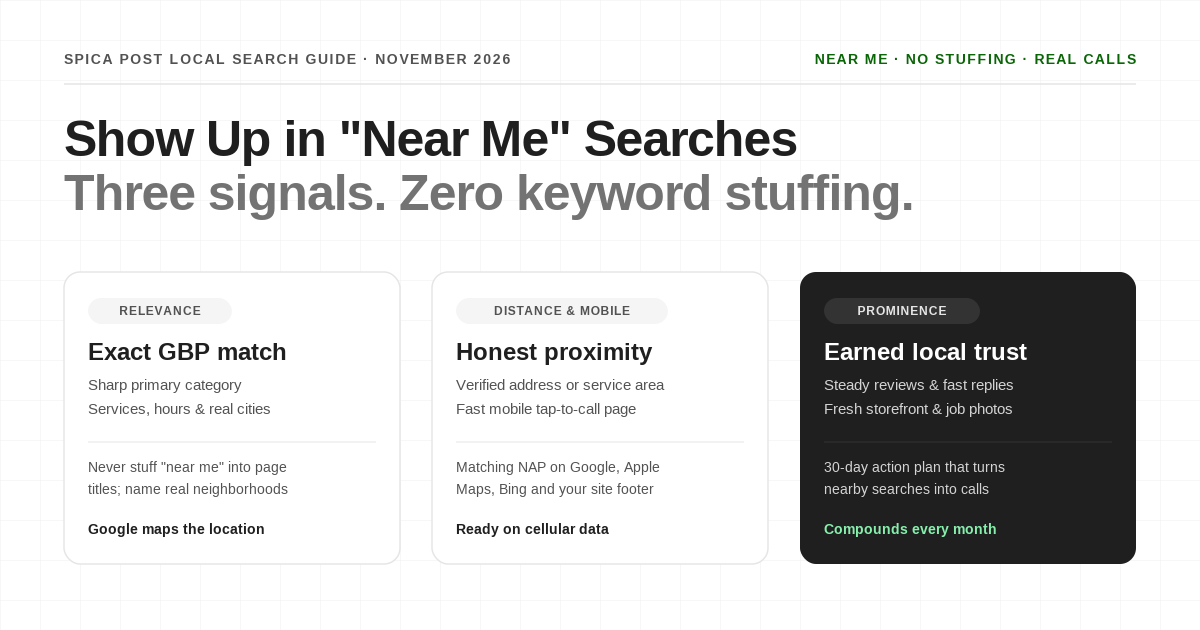
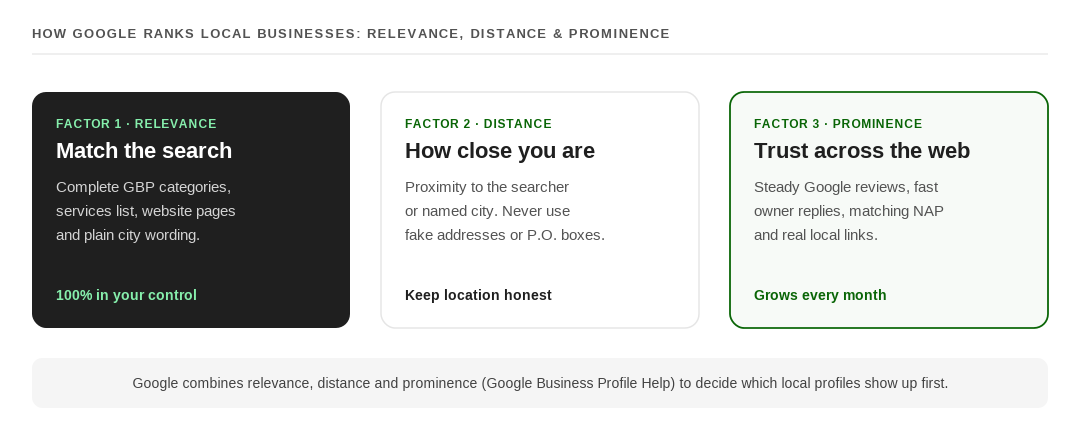
Google does not keep its local ranking logic secret. Per Google Business Profile Help, local search and Google Maps order businesses using three core factors: relevance, distance, and prominence.
1. Relevance: do you clearly do what they searched for?
Relevance measures how closely your Business Profile and website match what the searcher typed. A bakery whose primary category is simply “Store” loses relevance to a competitor categorized accurately as “Bakery” with secondary categories like “Wedding bakery” and clear menu items listed on both Google and its website. You control relevance almost 100 percent.
2. Distance: how close are you to the person searching?
Distance measures how far your verified address (or service area) sits from the searcher’s phone or the town name they typed. You cannot fake proximity, and Google strictly prohibits using P.O. boxes, virtual coworking mail drops, or empty rental offices to pretend you sit in another city, which can get an entire profile suspended. Be completely accurate about your real storefront or honest service area.
3. Prominence: how well-known and trusted are you?
Prominence reflects both offline reputation and web proof: your steady stream of real Google reviews and owner replies, how cleanly your business details match across Apple Maps, Yelp, Bing, Facebook, and local directories, local links from your chamber of commerce or neighborhood press, and how helpful your own website is in standard organic search.
Pillar 1: Nail your Google Business Profile first
If you only have two hours this month for local SEO, spend the first ninety minutes inside your Google Business Profile. Follow our dedicated Google Business Profile setup checklist to make sure these six essentials are airtight:
- Use your real-world business name only. Never stuff extra cities or services into your business title (for example, writing “Smith Plumbing Best 24/7 Emergency Plumber Austin” instead of “Smith Plumbing”). Google’s representation guidelines flag keyword-stuffed names for edits or suspension.
- Pick the single sharpest primary category, then add only honest secondary categories for real services you actually deliver.
- Confirm regular hours AND holiday special hours. Updating holiday hours even when you stay open normally removes Google’s warning that hours might differ.
- Fill out Services, Products, and Attributes. Write plain descriptions for every core service you sell so Google has clear text to match niche queries.
- Upload real photos regularly. Exterior signage, clean workspace, real tools, staff, and finished work outperform stock images every time (and always ask explicit customer permission before photographing customers or their homes).
- Publish one plain weekly Google Update or Offer post. Preview how your post crops and ensure no stray phone number slips into the body text with our free Google Business Profile post preview tool.
Pillar 2: Fix your website’s five local basics
According to Google Search Central’s SEO Starter Guide, you do not need hundreds of thin blog posts to rank locally. A fast, mobile-friendly small business website only needs five clean fundamentals:
1. Plain page titles naming service + city
Every page on your site has a <title> tag (what appears as the blue clickable headline on Google). Replace generic titles like “Home” or “Services” with clear human phrases such as “Residential Plumbing & Water Heater Repair in Tempe, AZ | Rivera Plumbing”.
2. One dedicated page per core service
Instead of dumping ten completely different services into a single bulleted list on one page, give each profitable service its own clean page explaining what is included, typical timeframes, common questions, and how to book. A page focused specifically on “Tankless Water Heater Installation in Tempe” has far stronger relevance than one passing mention buried on your homepage.
3. Matching Name, Address, and Phone (NAP) in the footer
Put your exact business name, physical street address (or honest service-area cities if you travel to customers), local phone number, and hours in your website footer in plain crawlable text (never hidden inside an image). Make sure the exact spelling matches your Google Business Profile character for character.
4. Fast phone loading and tap-to-call buttons
Most local searches happen on phones while someone is standing in a kitchen, sitting in a parking lot, or walking down the street. Test your own website on cellular data: if the phone number is clickable (tel:), your address links cleanly to Maps, and the page loads in under three seconds without giant unoptimized photos, you already beat half your local competition.
5. LocalBusiness structured data and Google Search Console
Per Google Search Central, adding clean LocalBusiness JSON-LD schema (using the most specific subtype such as Plumber, Restaurant, HairSalon, or Bakery) helps search engines read your address, hours, and phone unambiguously. Next, verify your domain in free Google Search Console so you can see the exact local search phrases already sending impressions and clicks to your site.
Pillar 3: Build clean consistency across the top local listings
You do not need to pay $500 a year for a tool that blasts your listing onto 120 obscure directories nobody has ever visited. Focus strictly on the handful of places real consumers and map apps actually pull from:
| Listing source | Why it actually matters | 5-minute check |
|---|---|---|
| Google Business Profile | Drives the majority of local search and Maps calls | Verified, exact NAP, categories, hours, photos |
| Apple Business Connect | Powers Apple Maps and Siri directions on every iPhone | Claim free at businessconnect.apple.com; match hours & address |
| Bing Places for Business | Feeds Bing search, Windows devices, and several AI assistants | Import directly from Google Business Profile in two minutes |
| Facebook Page & Instagram | Commonly checked by locals to see if you are still active | Identical phone, street address, website URL, and hours |
| Yelp / Nextdoor / Industry directory | High-trust reference sites for restaurants, clinics, and home services | Claim free listing; correct old phone numbers or closed addresses |
| Local chamber or neighborhood association | Real local authority link back to your website | Confirm your member directory profile links cleanly to your domain |
If your business ever moved streets or changed phone numbers in the past, fixing those old stale listings eliminates conflicting signals that confuse both customers and search engines.
Pillar 4: Make reviews a calm weekly habit
Reviews pull double duty: they build Google’s prominence signal AND convince cautious searchers to click your phone number instead of the competitor right below you.
- Ask right after a great moment. Hand a customer a small printed QR card at the counter or include your direct Google review link in your post-job receipt text or email while they are genuinely pleased.
- Never buy reviews, offer discounts strictly in exchange for 5-star reviews, or gate unhappy customers away. All three violate Google’s policies and risk wiping out every legitimate review you earned.
- Reply to every single review promptly and calmly. Thank happy customers specifically (mentioning the service naturally without stuffing awkward keywords), and handle rare critical reviews politely in two to four factual sentences. Follow our templates in how to respond to Google reviews fast.
Five local SEO myths that waste small business budgets
Skip these five pitches whenever an unsolicited email promises “instant page-one Google Maps rankings”:
- Buying 500 cheap directory backlinks. Low-quality link farms do zero for local rankings and waste money better spent on great photos or customer service.
- Creating 40 identical doorway pages swapping only the town name. Google treats copy-pasted city pages with zero unique local value as spam; create city pages only for real areas you genuinely serve with real project examples or neighborhood specifics.
- Uploading geo-tagged EXIF metadata into photos. Clean, bright, genuine photos help users convert; manually editing hidden GPS coordinates inside JPEGs is an outdated myth with no documented ranking benefit.
- Hiding negative reviews by opening a duplicate profile. Duplicate listings split your reviews, confuse Maps, and frequently trigger suspensions.
- Obsessing over daily rank-tracker movements. Local rankings naturally shift block by block based on where each searcher stands. Track real calls, direction requests, website clicks, and Search Console impressions month over month instead (see our guide on social media and local metrics that matter).
Your calm 20-minute monthly local SEO upkeep
Once your initial cleanup is finished, local SEO stays healthy in twenty minutes a month:
- Minutes 1 to 5: Confirm upcoming holiday special hours on Google Business Profile and Apple Business Connect.
- Minutes 6 to 10: Reply to every new Google review and upload two to four fresh phone photos from recent work.
- Minutes 11 to 15: Check your Google Performance calls/directions and Search Console top queries to see what local phrases neighbors are actually searching.
- Minutes 16 to 20: Publish one useful post or update answering a real question you noticed in your search queries or customer calls.
Keeping local search and social channels aligned in Spica Post
Local SEO works best when your Google updates, customer reviews, search terms, and social posts sit together instead of scattered across five tabs.
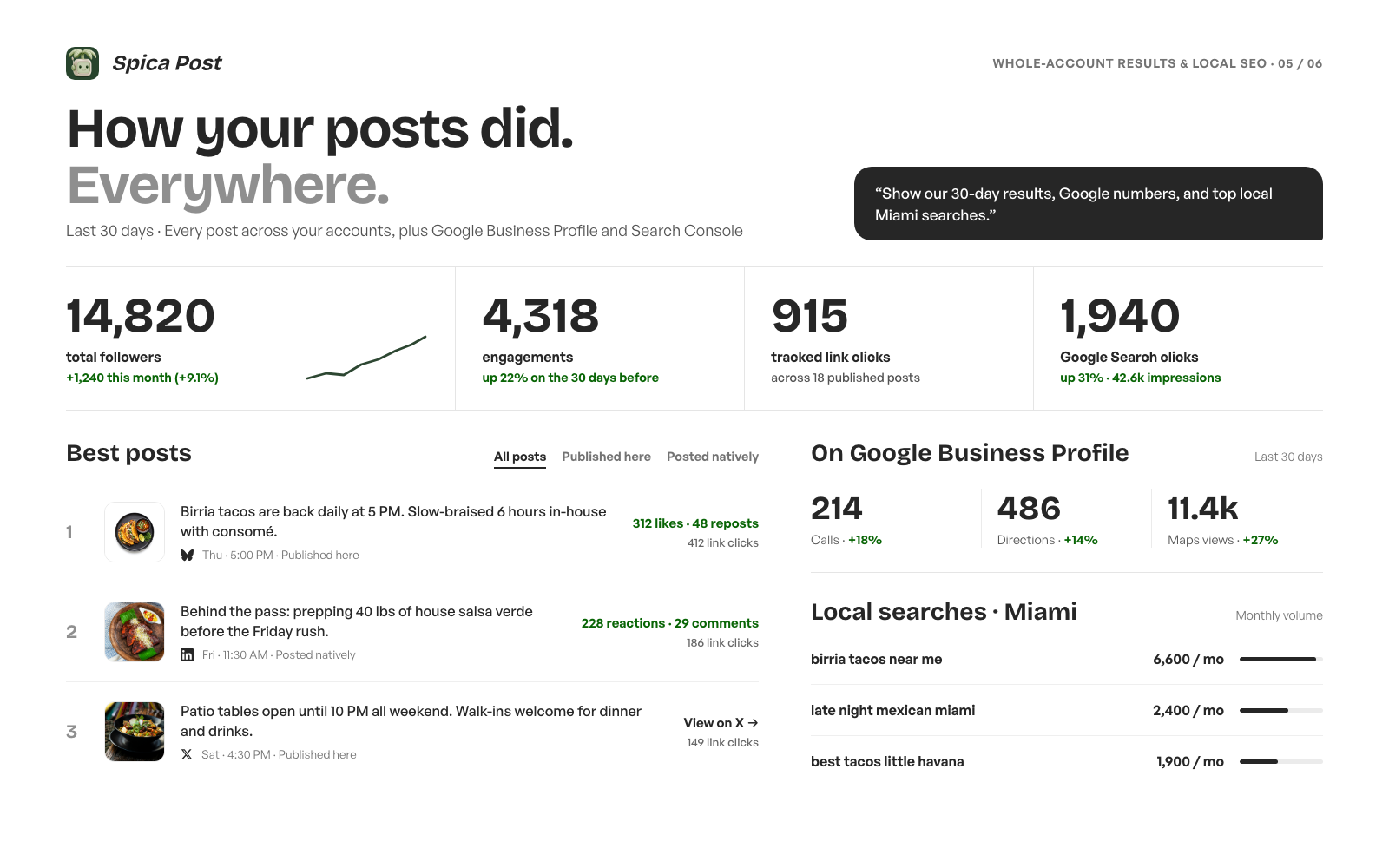
Inside Spica Post Studio, Studio, Pro and Agency plans include local keyword research (pulling real city-level Google monthly search volumes and 12-month trends for up to 10 terms in English or Spanish), Google Business Profile Performance metrics (“On Google”: calls, direction requests, website clicks, and views with period-over-period comparisons), Google Search Console top search terms and landing pages (“In Google Search”), and our Unified Inbox for replying to reviews and social comments in one place (see our pricing page for current plans).
To stay completely transparent on rollout status (verified November 2026): Google approved Spica Post’s Business Profile API access and production integration is enabled, awaiting our first live service-area profile verification before opening GBP live to all customers; Google Search Console read-only integration is built awaiting final OAuth production verification; and X, LinkedIn personal profiles, Bluesky, and Mastodon publish live today while Meta, TikTok, YouTube, Pinterest, and LinkedIn Company Pages finish their platform reviews.
Start with the four fundamentals you control right now: claim and polish Google and Apple Maps, match your NAP on your site footer, add plain service-plus-city titles, and ask three happy customers for an honest review this week.
Questions people ask
- What is local SEO in plain English for a small business?
- Local SEO is simply making it easy for Google Search and Google Maps to understand what your business does, where you operate, when you are open, and why nearby customers trust you. When those facts are complete and consistent, your business appears higher when someone searches for your profession plus their city or 'near me.'
- How does Google decide which local businesses show up first on Maps?
- Google's official help documentation lists three main factors: relevance (how closely your profile and website match the search), distance (how close you are to the searcher or named city), and prominence (how well-known and trusted you are based on reviews, ratings, local links, and web accuracy).
- Do I need a website if I already have a Google Business Profile?
- Yes, even a clean 3-to-5-page website helps significantly. Your website gives Google deeper proof of the exact services you offer and the cities you cover, lets you add LocalBusiness structured data, and gives cautious buyers a place to read pricing factors and book.
- How long does local SEO take to bring more phone calls?
- Basic fixes to your Google Business Profile (correct primary category, accurate hours, real photos, and replying to reviews) often improve map calls within two to six weeks. Website improvements and steady monthly reviews compound over three to six months.
- Can I pay an agency to guarantee a number-one spot on Google Maps?
- No. Google explicitly states that no one can pay for or guarantee a top local organic ranking, and distance always shifts depending on where each searcher is standing. Focus on the fundamentals you control rather than buying spammy backlink packages or fake reviews.
Sources
- Google Business Profile Help: Tips to improve your local ranking on Google
- Google Search Central: SEO Starter Guide
- Google Search Central: LocalBusiness structured data
- Google Business Profile Help: Guidelines for representing your business on Google
- Spica Post Guide: Google Business Profile setup for small businesses