Workflow
Native Posting vs. Social Media Schedulers: Why Not Both? (2026)
Do social media schedulers hurt reach, or does native posting burn you out? Compare both workflows honestly and see how hybrid publishing keeps both strengths.
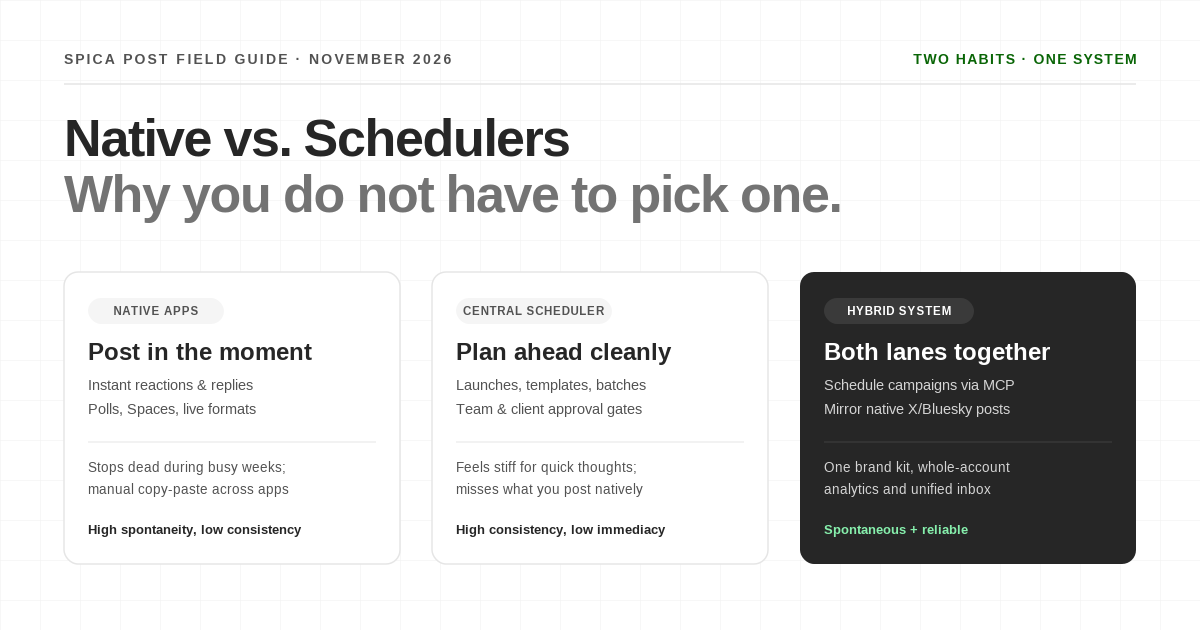
The debate between native posting and social media schedulers in 2026 is a false choice: official scheduling APIs do not automatically penalize your reach, yet relying on a scheduler alone strips away live conversation while relying on native apps alone collapses the first week your business gets busy. The strongest small businesses, creators and multi-brand teams split publishing into two deliberate lanes: schedule planned campaigns, launches and approved posts through a studio or AI assistant over MCP, and publish spontaneous thoughts directly inside native apps backed by watermarked Auto-crosspost.
Almost every business owner swings between two frustrating extremes. In January, you decide to “be more authentic” and post natively from your phone. Week one feels energized and personal. By week three, a rush of customer work hits, you forget to open three of your four apps, and your profiles sit silent for nineteen days.
In February, you swing the other direction and load thirty days of stiff, copy-pasted updates into a scheduler. The calendar stays full, yet engagement quietly flattens because every post reads like a billboard and nobody is around to reply when a customer asks a question. Neither extreme failed because of the tool alone; each failed because it forced every kind of communication into one pipe.
Snapshot verified November 2026. Platform API capabilities and publishing constraints reflect official X, Bluesky and Meta documentation as of verification time. Check Spica Post’s pricing page for current plans and live network status.
Do social media schedulers hurt reach? (Myth vs. reality)
Before designing a workflow, clear away the loudest myth in social media marketing: the claim that networks secretly throttle every post sent through a third-party scheduler.
What the data and official APIs actually show
Major social platforms build, maintain and review official Content Publishing APIs precisely because businesses, publishers and agencies cannot run multi-person operations from a single phone screen. Large-scale controlled comparisons (such as Buffer’s multi-million-post studies comparing native posts and scheduled posts across major networks) consistently find no blanket algorithmic penalty purely for using an approved publishing API.
When a team notices scheduled posts underperforming native posts, the drop almost always traces back to four behavioral side effects, not an API flag:
- “Post and ghost” timing: When you post natively, you are already holding your phone, so you naturally answer the first three comments within five minutes. Those early replies signal an active conversation to ranking feeds. When a post fires from a scheduler at 9:00 AM while you are in a meeting, early comments sit unanswered for six hours.
- Identical cross-network copy: Schedulers make it temptingly easy to blast one exact paragraph to LinkedIn, X, Bluesky and Instagram simultaneously. A post written with LinkedIn line breaks looks awkward on X; an X post crammed with
@handlesandt.costyle phrasing looks detached on Bluesky. - Missing native-only formats: Certain interactive elements (native X polls, Instagram trending audio overlays, Story link stickers, X Spaces reminders) are intentionally restricted or unsupported on third-party publishing APIs. Forcing a format that wants a native interactive element into a static scheduled image lowers interaction.
- Stale tone: Posts written three weeks ahead often sound safer and flatter than an observation written five minutes after finishing a real job or shipping a product update.
What actually drives reach regardless of how you publish
Whether a post arrives through an official API or a thumb tap on iOS, ranking systems reward the same underlying signals: clear first-line hook, native media dimensions, conversation depth in replies, saves or shares, and steady posting rhythm week after week. An imperfect scheduled post that goes out every Tuesday and Thursday beats a “perfect” native strategy that disappears whenever business gets hectic.
Stop blaming the scheduler for low engagement and check two things first: did you adapt the caption and media for each network, and did a real human reply to comments within the first hour?
Native posting vs. social media schedulers: honest side-by-side
Seeing where each approach wins and where it breaks makes the boundary obvious.
| Dimension | Native posting (inside each app) | Central social media scheduler | Hybrid system (Studio/MCP + Auto-crosspost) |
|---|---|---|---|
| Best content type | Breaking takes, replies, polls, live moments | Launches, promos, templates, client calendars | Planned campaigns in Lane A; live notes in Lane B |
| Consistency during busy weeks | Low (stops when work spikes) | High (queue keeps running) | High baseline + spontaneous spikes |
| Multi-network effort | High (log in and paste into every app) | Low (write once, tailor per account) | Low in both lanes (batch + auto-mirror) |
| Team & client approvals | None (shared passwords, zero audit trail) | Strong (roles, queues, client review links) | Enforced on planned lane; #nocrosspost on live lane |
| Native-only interactive formats | Full access (polls, live audio, stickers) | Limited to official API surface | Use native app whenever a native feature matters |
| Brand visual polish | Depends on manual phone editing | Saved brand kit, reusable templates, JPEG checks | Brand templates for planned; clean photos for live |
| Analytics visibility | Scattered across separate native apps | Often blind to natively published posts | Unified when backed by whole-account analytics sync |
Where native posting genuinely wins
Give native posting full credit where schedulers simply cannot match it:
- Speed during breaking news or local weather/events: If a storm rolls through your town and your roofing or plumbing crew opens emergency slots, you should open your phone and post immediately rather than building a multi-step draft.
- Live replies, quote posts and community threads: Real relationships happen in comment sections and quote chains. Nobody builds trust on Bluesky or X by scheduling monologues and never reading their mentions.
- API-restricted interactive tools: Native polls, collaborative Instagram tags, trending licensed Reels audio and live video remain native-first territory on most platforms.
- Unfiltered founder voice: Typing straight into X or Bluesky often produces sharper, shorter sentences than filling out a formal marketing form.
Where native posting quietly breaks down
Native-only publishing works for a solo creator with one primary platform and generous free time. It falls apart rapidly under four real-world pressures:
- Multi-network drift: Posting natively across three or four networks takes 15 to 25 minutes per update once you log in, crop photos, re-type links and double-check tags. Most owners drop down to one app within a month and neglect the rest.
- Zero safety net for teams or clients: Handing native logins to a teammate, VA or agency invites password sharing, accidental posts to the wrong client account and zero record of who published what.
- Feast-or-famine cadence: Your audience sees five posts during a slow week and zero posts during your busiest sales week, right when new customers are checking whether you are still open and active.
- Scattered performance data: Checking four native analytics tabs every Friday rarely happens, so you keep guessing which topics actually drive clicks, calls or followers.
Where central schedulers genuinely win
A dedicated scheduler (especially one paired with an AI assistant over MCP and brand kits) solves the exact failure modes native apps ignore:
- Protected consistency: Batch two weeks of baseline posts in one 45-minute sitting (see our guide on batching social media posts) so holidays, store hours, FAQs and seasonal offers publish reliably even while you are with customers.
- Brand kit and format validation: Check every draft against each network’s exact character limits, image formats (such as JPEG normalization) and brand colors before anything goes live.
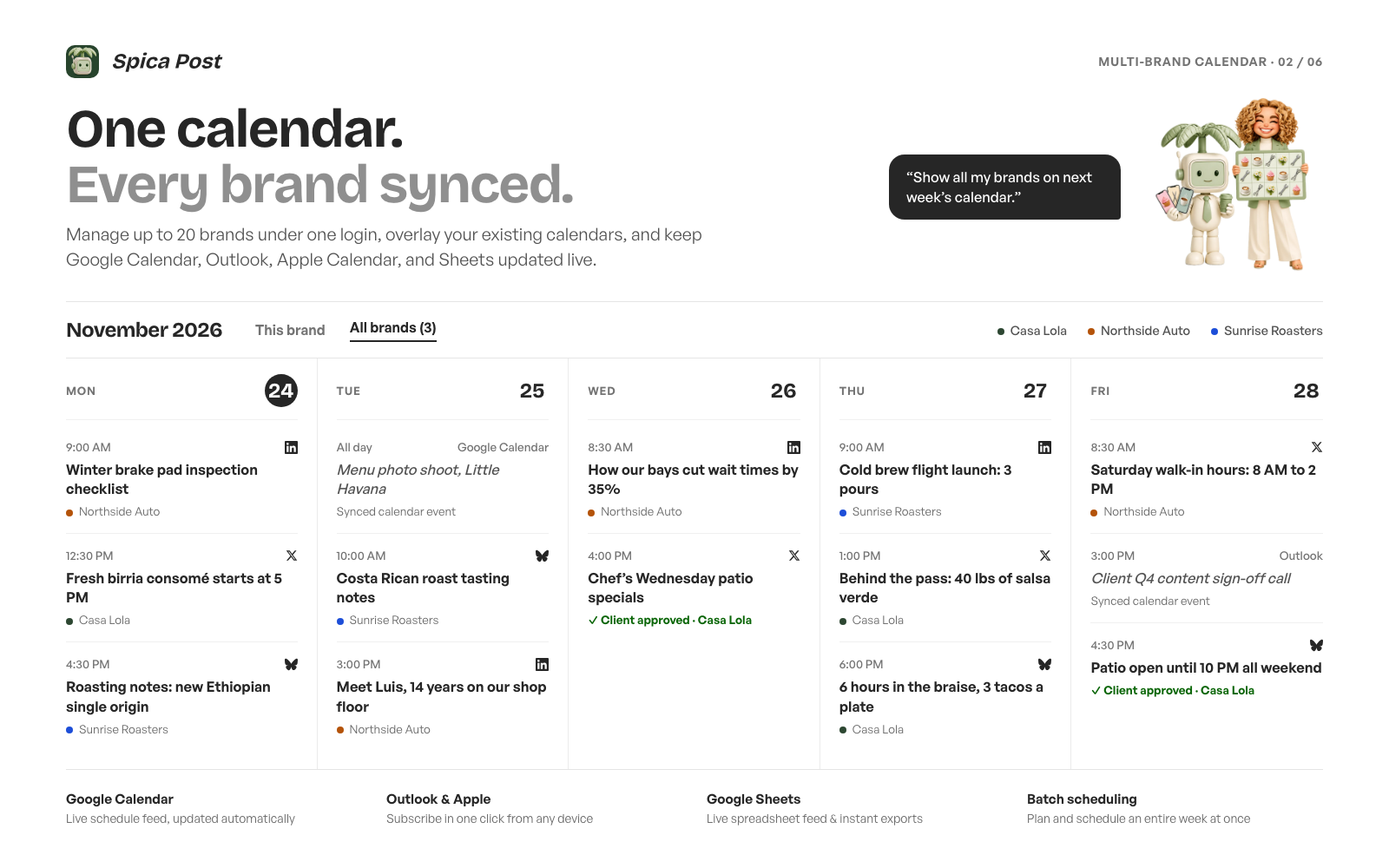
- Real governance for multi-brand operators: Separate brands cleanly under one login, enforce role-based approval queues for editors, share zero-login client review calendars, and keep an exportable audit trail.
- Synced calendars and link attribution: Mirror your publishing plan live into Google Calendar, Outlook or Google Sheets via
.icsand.csvfeeds, and attach tracked short links so you know which posts actually generated clicks.
Where central schedulers quietly break down
Traditional dashboard-only schedulers create their own friction:
- High activation energy for quick thoughts: Opening a web scheduler, selecting a workspace, picking a date and clicking through three modals kills a spontaneous two-sentence observation before you finish typing it.
- Blindness to native activity: Many older schedulers only track posts published through their own queue. If you publish half your best updates natively on X or Bluesky, your scheduler’s calendar and analytics report show an incomplete, misleading picture.
- Over-polishing everything: When every single update passes through a formal content calendar, accounts start sounding like press releases instead of people.
The hybrid publishing split: how to run both lanes cleanly
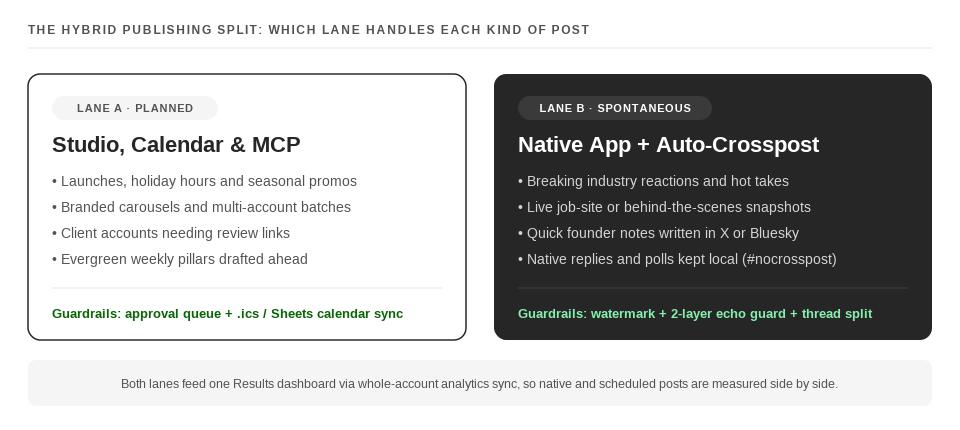
You do not need two separate subscriptions or a messy pile of spreadsheets to get the best of both worlds. Divide your content into Lane A (Planned) and Lane B (Spontaneous) and route each lane through the pipe designed for it.
Lane A: Planned publishing (Studio, Calendar and MCP)
Route 60 to 70 percent of your weekly output through your planned studio lane:
- Core business updates: Seasonal promotions, new product drops, holiday hours, customer FAQs, educational carousels and case studies (always getting customer permission before sharing a customer’s photo or story).
- Multi-brand and client work: Anything requiring internal editor sign-off (
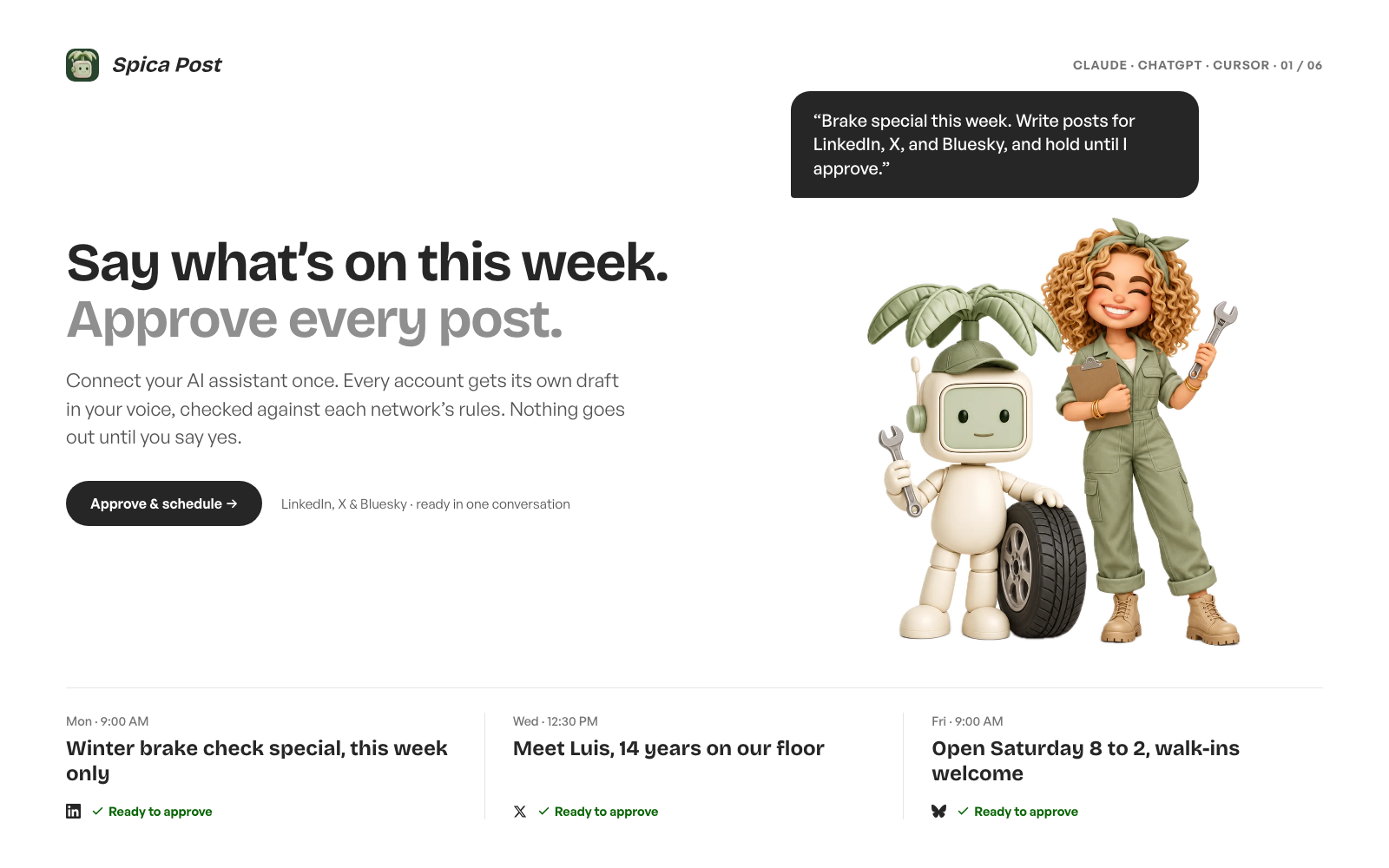
approvals_submit) or external client review links (/review/<token>). - AI-assisted drafting without the robotic tone: Connect Claude, ChatGPT or Cursor via one MCP link so your assistant reads your stored brand kit, photos and past coverage, writes distinct channel-native drafts checked against each platform’s limits, and holds every single draft for your explicit yes before scheduling.
Lane B: Spontaneous publishing (Native app + Auto-crosspost)
Leave 30 to 40 percent of your voice completely unscheduled inside your favorite native app:
- In-the-moment commentary: Quick observations, industry news reactions, behind-the-scenes snapshots and short founder updates written directly in X or Bluesky while the thought is fresh.
- Automatic clean mirroring: Turn on watermarked Auto-crosspost so eligible native posts mirror automatically to your other connected accounts (for example, X -> Bluesky and LinkedIn, or Bluesky -> X) with two-layer echo-loop guards, up to 4 re-uploaded photos, and automatic native thread splitting when text crosses a shorter destination limit.
- Deliberate local-only boundaries: Keep replies and reposts excluded at poll time, and add
#nocrosspostwhenever a native poll, joke or thread belongs strictly on one network.
Closing the loop: measuring both lanes in one place
The traditional flaw with hybrid workflows was fragmented measurement: your scheduler knew about scheduled posts, while your native posts vanished from your reports.
In 2026, look for whole-account analytics sync. Instead of tracking only posts pushed through its own queue, Spica Post syncs recent posts across your whole connected account (up to 100 recent posts over 180 days, deduplicated against scheduled jobs) plus daily follower snapshots and format breakdowns. You can open Results and toggle between All, Spica-published, and Native posts to see with real numbers whether your spontaneous native notes or your planned visual posts are driving more engagement and follower growth.
Never guess whether native or scheduled posts perform better on your accounts. Run a 30-day hybrid test with whole-account analytics sync and compare engagement rates across Native vs Scheduled using your own audience data.
Honest trade-offs to consider on Spica Post’s hybrid workflow
Every platform has boundaries worth verifying before you move your team:
- Live networks today vs. in review: X, Bluesky, Mastodon (any public server via OAuth dynamic registration) and LinkedIn (personal destination) require no waiting on central app approval on Spica Post. Instagram, Facebook Pages, Threads, Google Business Profile, YouTube, TikTok and Pinterest adapters are built in the product and unlock as each network’s official app review completes. If your planned lane needs live Instagram Reels or TikTok scheduling this week, keep an approved visual scheduler alongside Spica Post until reviews finish.
- Auto-crosspost scope and plans: Auto-crosspost runs on recurring plans (Studio, Pro and Agency; not the one-time Starter plan) and mirrors text, expanded links, quote links, native threads (up to 25 parts on X, Bluesky and Mastodon) and up to 4 photos. It does not yet mirror video files automatically or stitch a source thread into one LinkedIn post (see our X to Bluesky cross-posting guide for exact details).
- Analytics boundaries: Whole-account sync is live now on Bluesky (and built for Instagram, Facebook Pages, Pinterest, TikTok and LinkedIn Company Pages as approvals clear). By policy, Spica Post never scrapes billed X API analytics reads and instead links directly to your latest X post so X never drives hidden read costs on your subscription.
A realistic weekly schedule for small businesses, creators and agencies
Here is what a calm, sustainable hybrid week looks like in practice, taking roughly two hours total instead of daily scrambling:
Monday morning (45 minutes): Fill Lane A
- Review last week’s Results across both native and scheduled posts to see which two topics sparked real replies or clicks.
- Open your connected assistant over MCP (or the studio composer) and draft 3 to 5 baseline posts for the week: one educational tip, one proof-of-work or behind-the-scenes post (with customer permission if featuring a customer), one direct offer or booking reminder, and one FAQ answer.
- Tailor each variant to its network’s limits, approve the drafts (or send the client review link), and schedule them into your calendar slots.
Tuesday through Friday (10 minutes/day): Stay human in Lane B
- Whenever a scheduled post goes live, spend five minutes checking replies in your Unified Inbox or native app so early comments get a prompt human answer.
- Two or three times a week, when an idea strikes during real work, open X or Bluesky directly and post it natively. Let Auto-crosspost carry clean copies to your secondary profiles while adding
#nocrosspostto platform-specific banter.
Friday afternoon (10 minutes): Glance at the signal
Check your weekly executive digest or Results view for two numbers only: which posts earned replies or link clicks, and whether follower growth moved up. Carry the winning topic into next Monday’s batch.
Treat scheduled posts as your floor (so you never go dark) and native posts as your ceiling (where timeliness, humor and conversation live).
Which approach fits your situation? (Decision shortlist)
- You post on one single text network (only X or only Bluesky) with no teammates and love replying live all day: Stay native-first and add a lightweight queue only when you travel or launch offers.
- You run a visual retail shop, restaurant or multi-location brand where seasonal offers, photos and team approvals drive sales: Lead with a central studio/MCP calendar and reserve native apps for live behind-the-scenes moments and replies.
- You are a founder, creator or agency running multiple accounts across X, Bluesky and LinkedIn who hates copy-pasting spontaneous updates yet needs approved planned campaigns: Run a hybrid workflow combining Studio/MCP scheduling and Auto-crosspost on Spica Post (check pricing for flat multi-brand tiers).
- You need live Threads and video auto-crossposting right now for a solo creator account: Pair your planned calendar with MicroPoster (or see our 10 Best Social Media Automation Tools breakdown).
5-step transition plan to move from all-or-nothing to hybrid
You can adopt a hybrid rhythm this week without disrupting active campaigns:
- Audit your last 20 posts. Label each one as Planned (promo, launch, evergreen tip, announcement) or Spontaneous (news reaction, quick thought, live photo). Most accounts discover a roughly 65/35 split immediately.
- Move only the Planned pile into a weekly batch. Schedule next week’s 3 to 5 baseline posts in one sitting so your accounts never go quiet during rush hours.
- Stop copy-pasting your Spontaneous pile manually. Connect your primary native app (X or Bluesky) to a watermarked auto-crosspost rule with
#nocrosspostactive andexclude=retweets,repliesenforced. - Block a 10-minute reply window after scheduled slots. Put your live
.icspublishing feed into Google Calendar or Outlook so you know when scheduled posts land and can jump into replies right away. - Review Native vs. Scheduled numbers after 30 days. Use whole-account analytics sync to compare engagement rates across both lanes and adjust your weekly mix based on what your own audience rewards.
Questions people ask
- Do social media schedulers actually hurt reach in 2026?
- Publishing through official platform APIs does not trigger an automatic reach penalty on its own. Reach drops when scheduled posts act like detached broadcasts: identical copy pasted across networks, broken aspect ratios, missing native features, or accounts that publish and never show up in replies during the first hour.
- When is native posting clearly better than using a scheduler?
- Native posting wins for real-time news commentary, live event updates, interactive features that APIs restrict (such as native polls, trending audio stickers or X Spaces), and spontaneous founder thoughts where immediate back-and-forth replies matter more than advance approval.
- When is a social media scheduler clearly better than posting natively?
- Schedulers win for product launches, seasonal promotions, holiday hours, multi-brand calendars, visual carousels built from brand templates, and any business or agency that needs teammate or client sign-off before posts go live.
- How does a hybrid social media workflow combine native posting and scheduling?
- Put planned campaigns, promotions and approved client posts into a central calendar or AI-assistant MCP queue so your baseline never goes dark during busy weeks. Keep writing spontaneous updates directly in X or Bluesky, and let watermarked auto-crossposting mirror eligible native posts to your other connected accounts automatically.
- Can I measure both native posts and scheduled posts in the same analytics view?
- Yes, if your platform runs whole-account analytics sync rather than tracking only posts sent through its own composer. Spica Post syncs recent native and scheduled posts together on supported networks (Bluesky live today; Meta, Pinterest, TikTok and LinkedIn Company Pages as approvals clear) and lets you filter Results by All, Spica-published, or Native.
Sources
- Buffer Marketing Study: Does scheduling social media posts hurt reach?
- Meta Instagram Platform Content Publishing API documentation
- X API v2 developer introduction and publishing endpoints
- Bluesky ATProto developer documentation
- Spica Post Auto-crosspost: combining native posting and studio scheduling
- Spica Post live pricing, plans and supported networks