Analytics
How to Tell If Social Media Is Bringing You Customers
Stop guessing from likes: combine UTM links, Google Business Profile calls, a simple DM tally, and a 5-second intake question to measure sales.
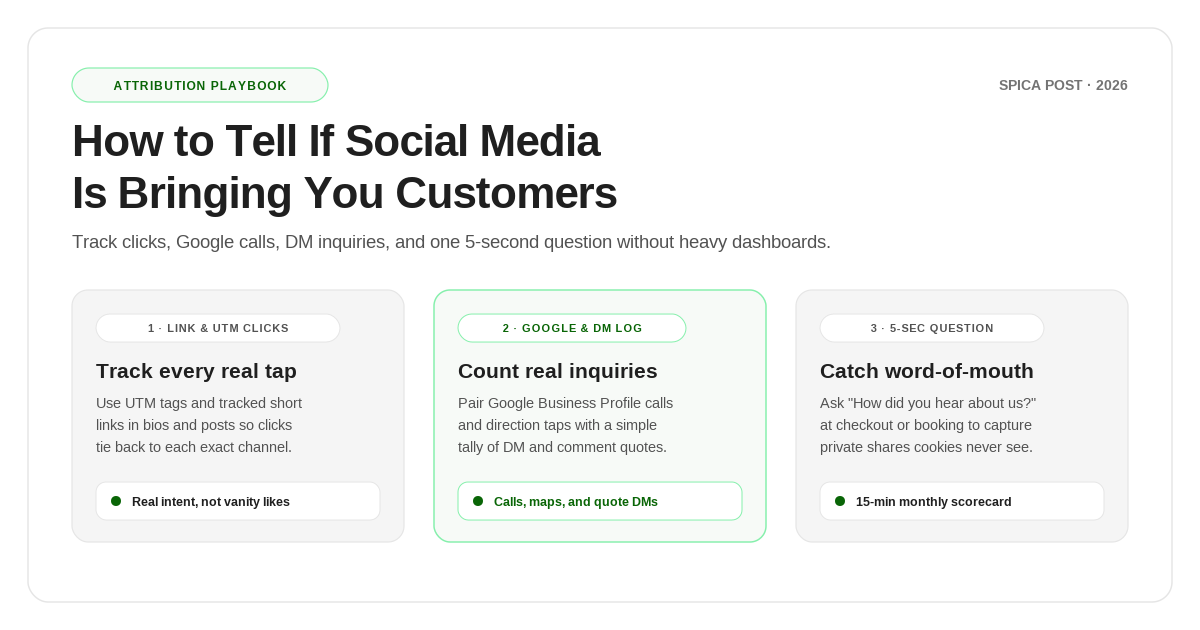
To tell if social media is bringing you customers, stop judging your account by likes or raw view counts and instead combine four concrete signals: tracked short links and UTM tags in your bios and posts, Google Business Profile calls and direction taps paired with Search Console brand searches, a simple tally of DM and comment quote inquiries, and one 5-second intake question (“How did you hear about us?”) asked at booking or checkout. Putting those four pieces into a single 15-minute monthly scorecard shows clearly which posts pay the rent and which ones only burn your Sunday evening.
Every small business owner and creator hits the same frustrating wall eventually. You spend three hours a week photographing finished jobs, editing short clips, and writing captions, yet when you open your website analytics it looks like almost nobody arrived from Instagram or Facebook. Meanwhile, your register feels busy, or it feels quiet, and you have no calm way to tell whether social media helped or simply distracted you from real work.
This guide explains why last-click cookies miss half of local social buying, breaks down the four lightweight attribution signals that work together without enterprise software, gives you a clean UTM naming sheet and copy-ready intake scripts, lays out a 15-minute monthly scorecard, and explains honestly what Spica Post tracks automatically today versus where platform limits still apply.
Why likes and last-click cookies hide real social customers
Most business owners assume analytics work like a straight turnstile: someone sees a post, clicks the link, buys immediately, and a dashboard credits the exact post. In real neighborhood buying, people almost never move in a straight line.
The “dark social” gap in everyday local buying
Picture how someone actually books a plumber, tries a bakery, or hires a local photographer after seeing your content:
- A neighbor watches your 20-second Reel on Instagram during lunch, taps Share, and drops it into a private WhatsApp group or family text message saying “Look at these guys, didn’t you need your deck stained?”
- A commuter sees your LinkedIn post explaining tax prep deadlines on their phone, closes the app, and types your business name into Google on their laptop that night.
- A parent spots your storefront cake photo on Facebook, remembers your bakery name on Saturday morning, taps Directions in Google Maps, and walks in with cash.
In all three cases, social media directly created a paying customer. Yet when a traditional cookie-based website tracker inspects those visits, it credits “Direct”, “Organic Google Search”, or logs nothing at all because the sale happened by phone or at the counter. Marketers call these private shares, word-of-mouth texts, and cross-device lookups dark social. If you only look at last-click website referrals, you routinely undercount social media and accidentally cancel the exact posts driving your busiest weeks.
Vanity signals vs. buying signals
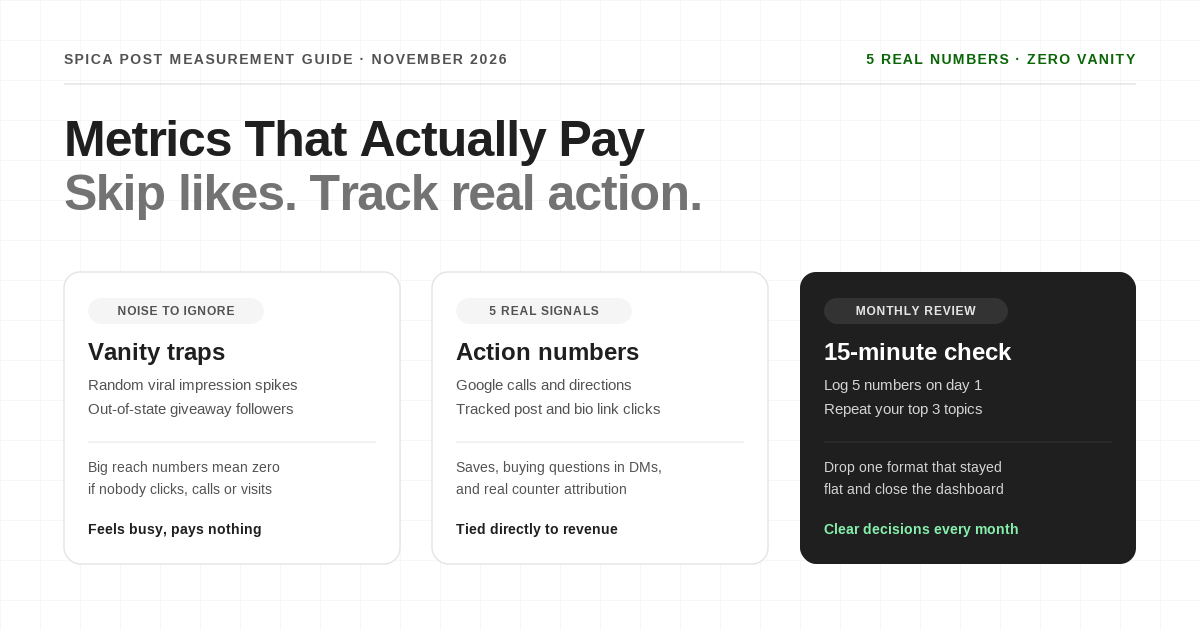
On the opposite extreme, looking only inside social apps creates the reverse mirage: high views from out-of-state scrollers who will never step into your shop or hire your profession. Separating attention from buyer intent keeps your focus sharp.
| Signal type | Examples on your screen | What it actually proves | How much weight to give it |
|---|---|---|---|
| Awareness (vanity alone) | Total impressions, raw Reel views, passive likes, follower spikes | People glanced at your post while scrolling | Low on its own; useful only when paired with local action |
| Warm interest | Post saves, shares, profile visits, thoughtful comment questions | Someone wants to remember you or ask a real detail | Medium; signals topics worth repeating |
| Direct digital intent | Tracked /l/ short-link clicks, UTM visits, Link Page button taps |
Someone stopped scrolling and actively sought prices, menus, or booking | High; tie directly to specific posts and channels |
| Local search spillover | Google Business Profile calls, direction taps, website clicks, branded Search Console queries | People who saw you online looked you up to visit or call | Very high; catches buyers who never click bio links |
| Revenue proof | Logged DM quote inquiries, booked appointments, 5-second intake answers naming social | Verified money and conversations generated by your presence | Highest; drives monthly decisions |
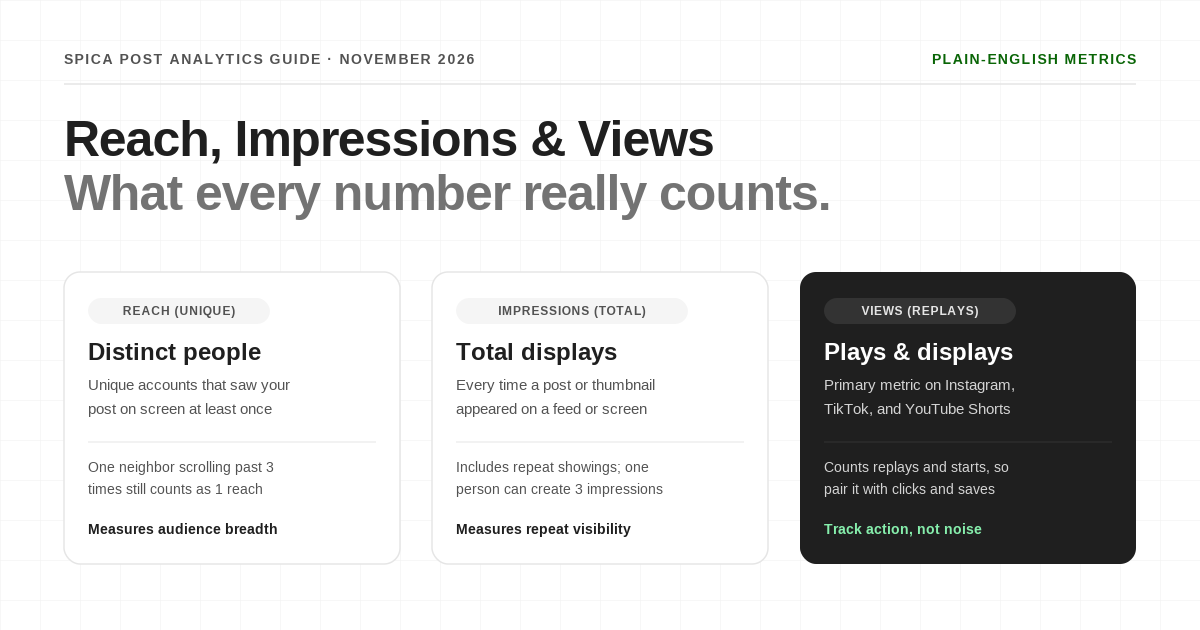
Compare how individual social metrics fit together in our plain-English guides on social media metrics for small businesses and reach vs. impressions vs. views.
The four reliable signals that prove social media is working
You do not need expensive attribution software or multi-touch tracking pixels to know whether your effort is paying off. Combining two clean digital tools with two dead-simple human habits closes almost every blind spot.
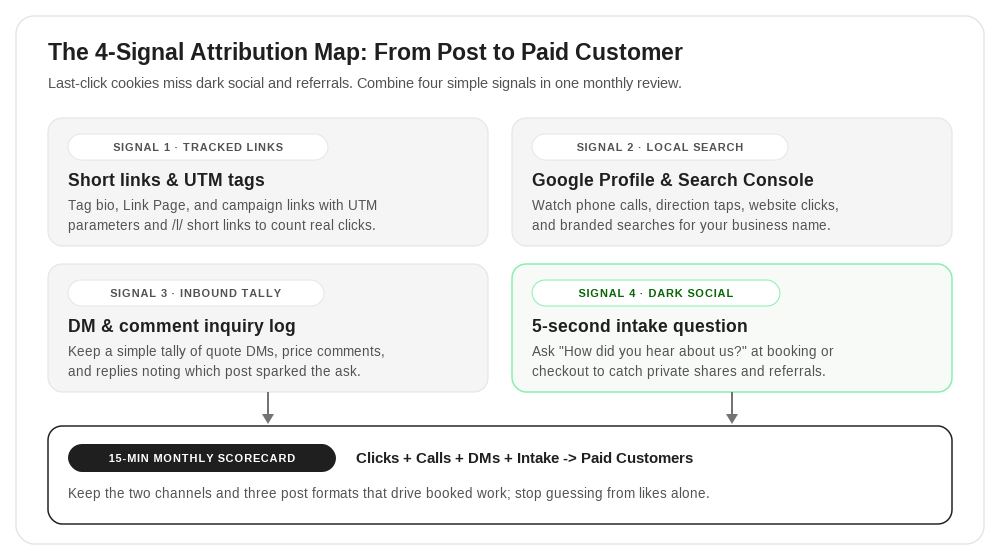
Signal 1: Tracked short links and clean UTM tags
Any time a customer does tap a link from your bio, your Link Page, a LinkedIn post, a Bluesky update, an X post, or a Google Business Profile offer, you want that tap labeled cleanly.
Standard Google Analytics UTM parameters attach small readable labels to the end of any web address (utm_source, utm_medium, utm_campaign, and optional utm_content). When someone clicks a tagged link from your Instagram bio versus your Google Business Profile, your analytics separates them immediately instead of lumping them together. You can generate clean, error-free links in seconds using our free UTM Builder.
Pairing UTM-tagged destinations with tracked short links (such as /l/<code> links) solves two extra headaches at once: it keeps captions tidy instead of exposing long query strings, and it counts verified human browser clicks per post even on networks that restrict in-app link analytics or strip referral headers inside mobile WebViews.
Signal 2: Google Business Profile actions and Search Console brand searches
For local service professions, retail shops, salons, clinics, and restaurants, social media frequently finishes its sale on Google. Someone sees your work twice on Instagram or Facebook, trusts your quality, and then searches “[Your Business Name] hours” or “[Your Business Name] phone” on Google.
Check two free Google views side by side once a month:
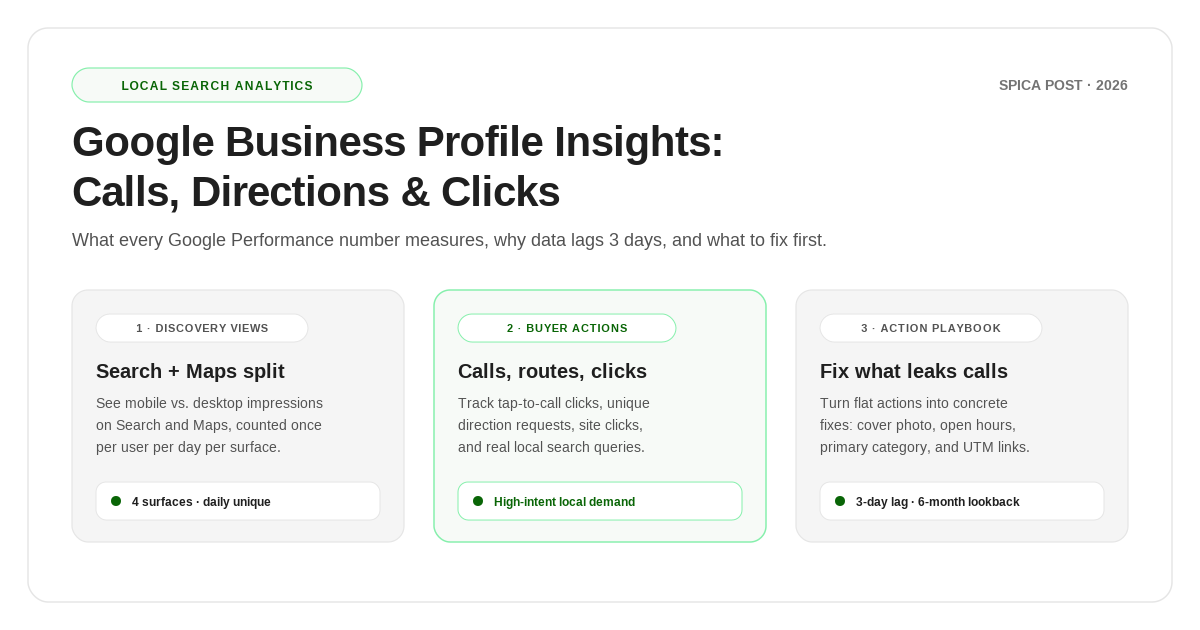
- Google Business Profile Performance: As documented in Google Business Profile performance help, Google tracks phone calls tapped directly from your profile, direction requests, website clicks, and views across Maps and Search. Watch whether weeks when you post consistently produce steady rises in calls and direction taps.
- Google Search Console Performance: Per Google Search Console’s performance report documentation, look specifically at clicks and impressions for queries containing your exact business name. Rising branded searches are one of the cleanest objective proofs that word-of-mouth and social visibility are sticking in people’s memory.
If you have not tightened your local Google listing yet, pair this habit with our Google Business Profile setup guide and local SEO starter guide.
Signal 3: A dead-simple DM and comment quote tally
Plenty of small businesses close half their social sales directly inside DMs and comments without anyone ever opening the website. “Do you have a 3:00 PM Friday cut open?”, “How much for a 20-person taco tray?”, and “Do you service Oak Ridge zip codes?” never show up in website analytics.
Keep a single five-column note or simple spreadsheet called Social Inquiries:
- Date (e.g., Nov 12)
- Channel (Instagram DM, Facebook comment, Bluesky reply, LinkedIn message)
- Spark (which post, Story, or Reel they replied to, or “Profile / bio”)
- Ask (1-line summary: quote, open slot, menu question, custom order)
- Outcome (Booked / Bought / Pending / No reply)
Updating one row takes 20 seconds right after you answer the message. After four weeks, patterns jump off the page: you might discover that your high-view fun clips brought zero DMs while one quiet photo showing starting prices brought nine serious inquiries and four paid bookings.
Signal 4: The 5-second intake question at booking or checkout
This is the single highest-value low-tech habit in small business marketing, because it catches dark social, private WhatsApp shares, spouse referrals, and walk-ins that no software on earth can track.
Ask every new caller, online booker, or first-time checkout customer one friendly five-second question: “Quick question so we know what is working: how did you first hear about us?”
When they say “Google”, a relaxed one-second follow-up (“Awesome, did you happen to search our name directly or look up [service] nearby?”) often uncovers “Actually my sister sent me your video on Instagram last week, so I Googled your number!”
Save these three copy-ready intake scripts and use whichever matches how people buy from you:
Phone or front-desk intake script
“We have you all set for Thursday at 10:00 AM! One quick question before I let you go so we know where to keep showing up: how did you first hear about us?”
Online booking or contact form field
Label: How did you first hear about us? (Optional, helps our small business a lot) Dropdown choices: Friend or neighbor referral / Instagram / Facebook / Google Search or Maps / LinkedIn / Bluesky or X / TikTok or YouTube / Walked or drove by / Other Short follow-up box: If someone referred you or a specific post caught your eye, tell us so we can say thanks!
Post-purchase DM or email check-in
“Thanks again for stopping by today! Quick five-second favor so we spend less time guessing online: was it Google, a friend’s recommendation, or one of our social posts that brought you our way?”
Whenever a customer replies with glowing feedback or a great story about how they found you, remember to ask their explicit permission before screenshotting their message or turning their quote into a public testimonial post.
A clean UTM naming system you will never mess up
UTM tracking falls apart only when people invent random spellings every week (IG, ig-bio, Instagram_Post, insta). Lock in one tiny cheat sheet, bookmark the free Spica Post UTM Builder, and reuse exact lowercase labels every time.
| Where the link lives | utm_source |
utm_medium |
utm_campaign |
utm_content |
|---|---|---|---|---|
| Instagram bio or Link Page button | instagram |
social |
profile_bio |
book_now (or menu) |
| Instagram Story or specific offer | instagram |
social |
fall_tuneup_2026 |
story_friday |
| Facebook Page post | facebook |
social |
fall_tuneup_2026 |
before_after_photo |
| LinkedIn personal profile post | linkedin |
social |
corporate_catering |
founder_post |
| Bluesky or X update | bluesky (or x) |
social |
weekly_schedule |
pinned_post |
| Google Business Profile update button | google_business |
local |
november_offer |
gbp_post |
| Printed counter or window QR code | print_qr |
offline |
counter_card |
window_menu |
Here is what one clean, tagged destination link looks like before shortening:
Three UTM habits that prevent messy reports
- Lowercase letters and underscores only. Analytics tools treat
Instagramandinstagramas two separate channels; sticking strictly to lowercase keeps every click grouped cleanly. - Never put UTMs on internal links inside your own website. Tagging links from your homepage to your booking page overwrites the original source that brought the visitor there. Use UTMs only on links placed outside your website (social bios, posts, emails, Link Pages, and QR flyers).
- Shorten visible post links cleanly. On networks where raw URLs show in the caption (like LinkedIn, X, Bluesky, or Facebook), wrapping a UTM-tagged destination inside a short link (
/l/<code>) keeps the post clean while giving you both in-app click counts and website session attribution.
The 15-minute monthly attribution scorecard
Checking analytics every morning turns normal daily fluctuations into unnecessary anxiety. Instead, put a recurring 15-minute block on your calendar on the first Monday of every month and fill in six rows in one plain spreadsheet tab.
| Monthly metric row | Where you read it in 2 minutes | What a healthy trend looks like |
|---|---|---|
| 1. Tracked short-link & Link Page clicks | Spica Post Results / Link Page stats + UTM report | Steady or rising clicks on booking, pricing, or menu buttons |
| 2. Google Business Profile actions | GBP Performance (or Spica Results once verified) | Calls, direction requests, and website clicks trending up alongside posting weeks |
| 3. Branded Google Search clicks | Google Search Console (queries with your business name) | More locals typing your exact name directly into Google |
| 4. Logged DM & comment quote inquiries | Your Social Inquiries tally | Consistent weekly asks tied to concrete service/product posts |
| 5. New customers naming social or referral | Your 5-second intake question notes | Direct confirmation of paid buyers sparked by posts or private shares |
| 6. Top 3 winning posts of the month | Cross-check link clicks + DM sparks + saves | Clear proof of which exact topics and formats to repeat next month |
How to read the scorecard and cut dead weight
Once you have two full months side by side, make calm, practical changes rather than chasing every shiny format:
- High views, near-zero clicks or DMs for 60 straight days: Your hooks entertain strangers outside your service area, or your bio and captions hide how to buy. Fix your call to action first (see our social media call-to-action examples) and name your city and starting service plainly.
- Modest views, strong DMs and intake mentions: You have found a quiet goldmine. Never delete or overhaul a “low-view” post style that consistently brings booked work; repeat that exact topic from a fresh angle twice a month.
- One channel produces almost zero clicks, DMs, or intake mentions after 90 days: Pause it cleanly and put those hours back into the two channels that actually fill your schedule.
What Spica Post tracks today and honest platform trade-offs
Many small businesses and creators ask how much of this four-signal scorecard can live inside one workspace rather than five browser tabs. Here is the exact, honest November 2026 breakdown of what Spica Post tracks live today and what waits on platform limits or approvals:
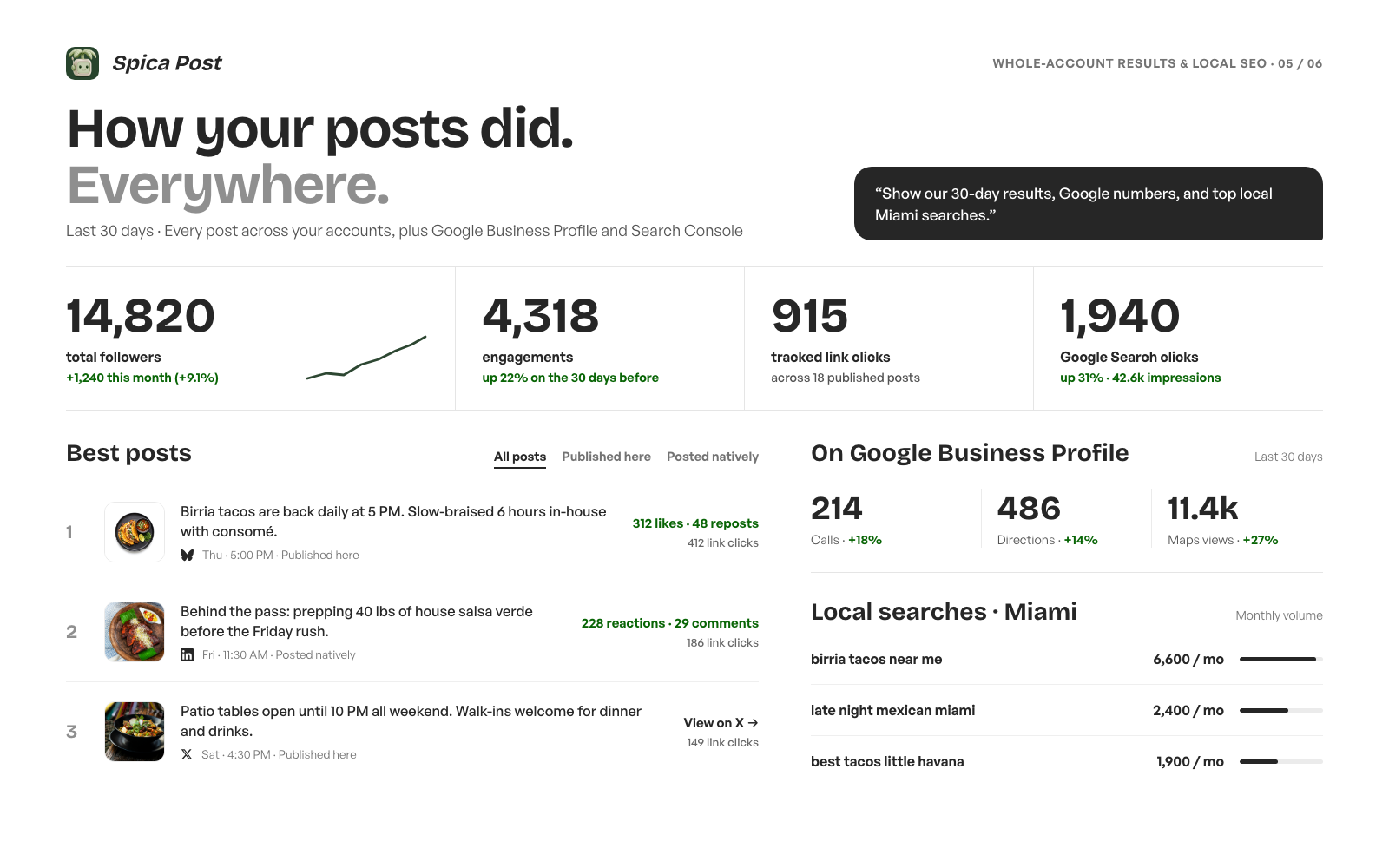
- Live today on Studio, Pro and Agency:
- Tracked short links (
/l/<code>): Every short link counts verified human browser clicks (filtering preview crawlers and prefetch bots while keeping zero personal visitor data), retains daily counts for 90 days, and automatically attributes clicks back to the exact published post or caption, including on networks that restrict post read stats. - Branded Link Page click tracking: Visits to your
/@handleLink Page and clicks on every web button or clickable custom box (/@handle/go/<key>) appear cleanly beside your editor and stats. - Whole-account Results sync: Pulls both Spica-published and native posts, daily follower snapshots, engagement rates, format breakdowns, and daily trend charts, with one-click CSV exports. Whole-account sync and Unified Inbox replies are live today on Bluesky.
- Tracked short links (
- Built and completing platform approvals or live verification:
- Google Business Profile Performance stats: Calls, direction requests, website clicks, and Search/Maps views with previous-period comparisons are built directly into Results; Google approved the Business Profile API and it is enabled in production, awaiting our first live service-area profile verification.
- Google Search Console stats: Top search queries, landing pages, clicks, impressions, and average position are built right below GBP in Results as a read-only connection (taking zero posting-account seats), awaiting Google OAuth verification for
webmasters.readonlybefore live customer sign-ins turn on. - Meta, TikTok, Pinterest, and LinkedIn Company Pages live stats: Built and tested inside Results, waiting on each platform’s app approval (and YouTube whole-account channel sync waits on the YouTube API Services compliance audit).
- Intentionally kept native or outside any third-party tool:
- X analytics stay on X: By deliberate product decision (because X bills per API read), Spica Post never pulls X likes or impressions; instead Results links directly to your latest X post so you view X’s numbers on X itself, while any
/l/<code>tracked short link inside your X post still counts every human click inside Spica Post. - LinkedIn personal profiles restrict post and follower analytics through their API, so tracked short links plus your DM and intake log carry attribution there.
- Your 5-second intake question and DM tally always remain human-owned habits, because no software can listen to a neighbor recommending your business across a backyard fence.
- X analytics stay on X: By deliberate product decision (because X bills per API read), Spica Post never pulls X likes or impressions; instead Results links directly to your latest X post so you view X’s numbers on X itself, while any
Review flat workspace plans anytime on our pricing page, or start tagging your bio and campaign links right away with zero account required using our free UTM Builder.
Set up two clean UTM links today, add the five-second question to your next booking call, and put 15 minutes on next month’s calendar. Once you measure real clicks, calls, DMs, and intake answers together, you will never again have to guess whether social media is earning its keep.
Questions people ask
- Why do my website analytics show very few visitors from Instagram or TikTok even when customers mention my videos?
- Most local buyers do not click straight from a video to a checkout page in one sitting. They watch your post on their phone, share it in a private family text or WhatsApp group, and later search your business name on Google or call straight from Maps. Standard last-click cookies label those visits as Direct or Organic Search, hiding the social post that sparked them.
- What are the four easiest signals to tell if social media is bringing customers?
- Combine four lightweight signals: tracked short links and UTM tags in bios and posts, Google Business Profile calls and direction taps paired with Search Console brand searches, a simple one-column log of DM and comment quote requests, and one 5-second intake question ('How did you hear about us?') at booking or checkout.
- How should a small business set up UTM parameters without breaking links?
- Use lowercase letters, avoid spaces, reuse exact source names like instagram or google_business_profile, and never put UTM tags on internal links between pages of your own website. A free client-side generator like the Spica Post UTM Builder formats clean links you can paste into bios, Link Pages, or short links safely.
- How often should I check my social media attribution numbers?
- Review once a month for 15 minutes on the first Monday of the month. Checking analytics daily creates stress over normal weekday noise, whereas a monthly scorecard makes clear which two channels and three post formats consistently produce real inquiries and paid bookings.
- What social and Google stats can Spica Post track automatically today?
- On Studio, Pro and Agency, Spica Post tracks human clicks on /l/ short links (even when posted to X or LinkedIn), Link Page visits and link clicks, and whole-account Results sync (live now on Bluesky). Google Business Profile Performance stats and Google Search Console stats are built inside Results and finishing live verification, live stats on Meta, TikTok, and Pinterest wait on platform approvals, and X post stats stay on X itself.