Google reviews
How to Ask Customers for Google Reviews (Texts and Cards That Work)
Get steady, genuine Google reviews without tripping spam filters or FTC policies: find your direct link, ask within two hours, and use six proven scripts.
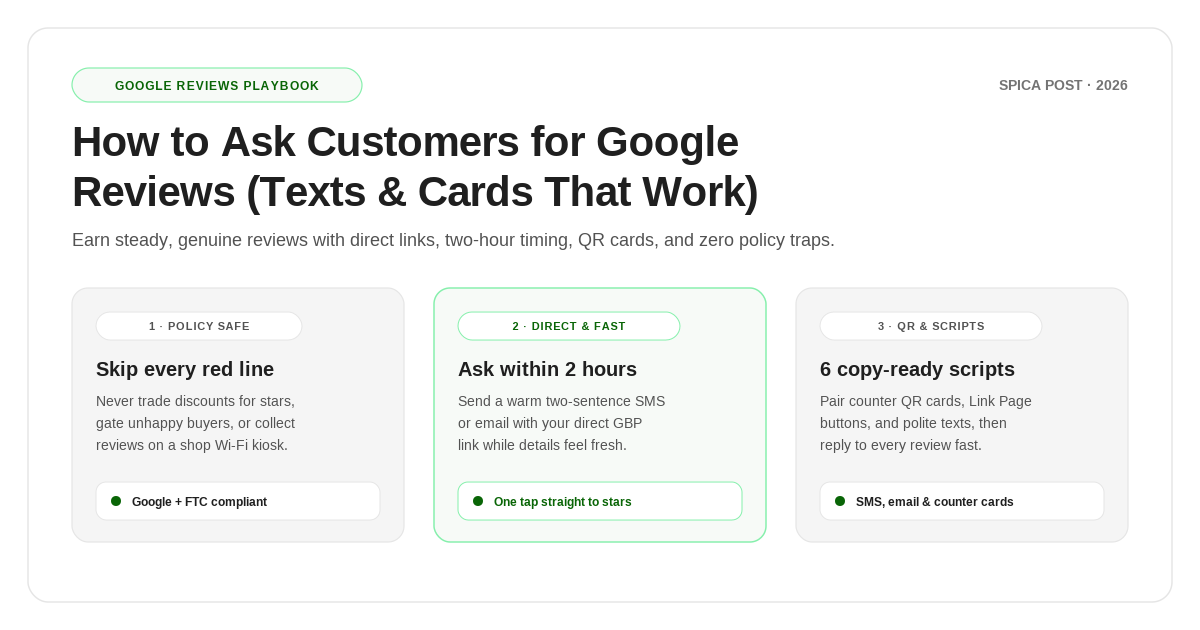
To ask customers for Google reviews effectively and safely, copy your direct Google Business Profile review link, turn it into a counter QR code and Link Page button, and send a warm two-sentence SMS or email within two hours of completing a job, meal, or appointment. Never trade discounts for stars, never screen out unhappy buyers before sharing the link, and let every customer write naturally on their own phone so Google’s spam filters never strip away genuine feedback.
Most satisfied customers are genuinely happy to leave a review for a small business they liked; they simply forget by dinner time, or they hit friction trying to hunt down the right business listing on Google Maps. Fixing that tiny friction gap while respecting Google’s Fake Engagement policies and Federal Trade Commission (FTC) review enforcement turns word-of-mouth goodwill into steady local search prominence month after month.
This practical playbook covers the three red lines strictly forbidden by Google and the FTC (verified November 2026), how to set up a frictionless direct review link and QR path, the two-hour post-service timing loop, six copy-ready SMS, email, and printed card scripts, customer permission etiquette for sharing reviews on social media, and how fast owner replies complete the cycle.
What is strictly forbidden under Google and FTC policies
Snapshot verified November 2026. Before sending a single text message or printing counter cards, know the exact compliance lines documented in Google’s Prohibited and Restricted Content policy (Fake engagement) and the FTC’s Final Rule Banning Fake Reviews and Testimonials (16 CFR Part 465). Breaking these limits risks mass review deletion, profile restrictions, public warning badges, or federal civil penalties.
| Practice | Policy status | Why it fails or creates real risk | Policy-safe alternative |
|---|---|---|---|
| Offering discounts, gift cards, free items, or raffle entries for reviews | Strictly forbidden | Violates Google’s fake-engagement policy and FTC rules prohibiting bought or sentiment-conditioned reviews | Ask sincerely with zero reward attached; thank reviewers publicly afterward |
| Review gating (sending the Google link only to happy customers) | Strictly forbidden | Google explicitly prohibits selectively soliciting positive reviews or discouraging negative feedback | Send the exact same neutral invitation to every customer and resolve issues openly |
| Shared shop tablet or review kiosk on your business Wi-Fi | Strictly forbidden / high spam trigger | Clusters of reviews submitted from one device or business IP trigger Google’s automated fake-review removals | Hand customers a QR card or SMS link so they post on their own phone and connection |
| Having employees, family, or paid strangers post fake reviews | Strictly forbidden | Violates both Google’s conflict-of-interest policy and FTC prohibitions on insider and fake reviews | Build steady volume strictly from genuine paying customers after completed visits |
| Scripting exact praise or demanding five stars | Discouraged and risky | Repetitive phrasing trips spam filters and reads as artificial to real local buyers | Invite honest feedback mentioning the service performed in the customer’s own words |
Never offer discounts, gift cards, or freebies for reviews
It is tempting to put a small sign beside the register reading “Show us your 5-star Google review for 10% off today!” or to run a monthly $50 gift card drawing for reviewers. Under Google’s Fake Engagement policy, businesses may not offer money, discounts, free goods, or any incentive in exchange for leaving a review, regardless of whether the sign asks for a positive or neutral rating. Under the FTC’s 16 CFR Part 465 rule, offering compensation conditioned on expressing a specific positive or negative sentiment is also an explicit federal violation. Keep every single review ask 100% unpaid and unconditioned.
Never use review gating to filter out unhappy customers
Some older reputation software tools popularized a two-step trick: send an email asking “Did you love your visit? Click Thumbs Up or Thumbs Down,” route Thumbs Up straight to Google, and hide Thumbs Down inside a private feedback box. Google’s review policies explicitly forbid discouraging or prohibiting negative reviews and selectively soliciting positive ones. Even practically speaking, a profile with 95 authentic reviews averaging 4.8 stars alongside two calm, well-handled 3-star reviews looks vastly more trustworthy to modern buyers than a suspiciously sterile 5.0 wall with zero critique. Send every customer the same honest invitation, and let your real service quality carry the rating.
Never set up a shop review kiosk on your own Wi-Fi
In Google Business Profile’s guide to getting more reviews, Google explicitly notes that businesses should not set up review stations or kiosks at their location to solicit reviews in bulk. Beyond policy compliance, automated anti-spam filters watch for bursts of Google accounts posting reviews from identical shop Wi-Fi IP addresses or shared tablets. Even real customers who type heartfelt paragraphs on a lobby iPad frequently watch those reviews disappear quietly 48 hours later. Always let customers open your link from their own phone on their own schedule.
Build a frictionless Google review link and QR path
Customers rarely abandon a review because they dislike your work; they abandon it because searching your name on Google Maps, picking the right location, scrolling past photos, and finding the “Write a review” button takes six clunky steps. Remove five of those six steps permanently.
How to copy your official Google Business Profile review link
Getting your official short review URL takes under sixty seconds:
- Sign in to the Google account that manages your verified Google Business Profile (for safe team role delegation without sharing passwords, see our access guide, and if your listing is not set up yet, walk through our Google Business Profile setup guide).
- Search your exact business name on Google Search (or open your profile inside Google Maps).
- Click the Ask for reviews button in your business management menu.
- Copy the short link Google generates (it normally begins with
https://g.page/r/.../review). - Test that link on your own phone while signed into a personal Google account to verify it opens directly to the five-star rating dialog with zero extra clicks.
Three places to put your review link and QR code
Once you have that direct URL saved in your phone notes and company folder, place it cleanly across three everyday touchpoints so customers meet it right when gratitude peaks:
- Printed counter card, receipt footer, or leave-behind technician card with a QR code. Convert your official
g.page/r/.../reviewlink (or a tracked short link pointing directly to it) into a crisp high-contrast SVG QR code printed at least one inch square so older phone cameras focus immediately. Place it beside checkout, inside check presenters, on takeaway bags, or on the back of your appointment card. - Digital invoice, appointment confirmation, and follow-up text. Paste the direct link cleanly on its own line inside post-job SMS confirmations and paid-invoice emails so customers tap once without hunting through dense paragraphs.
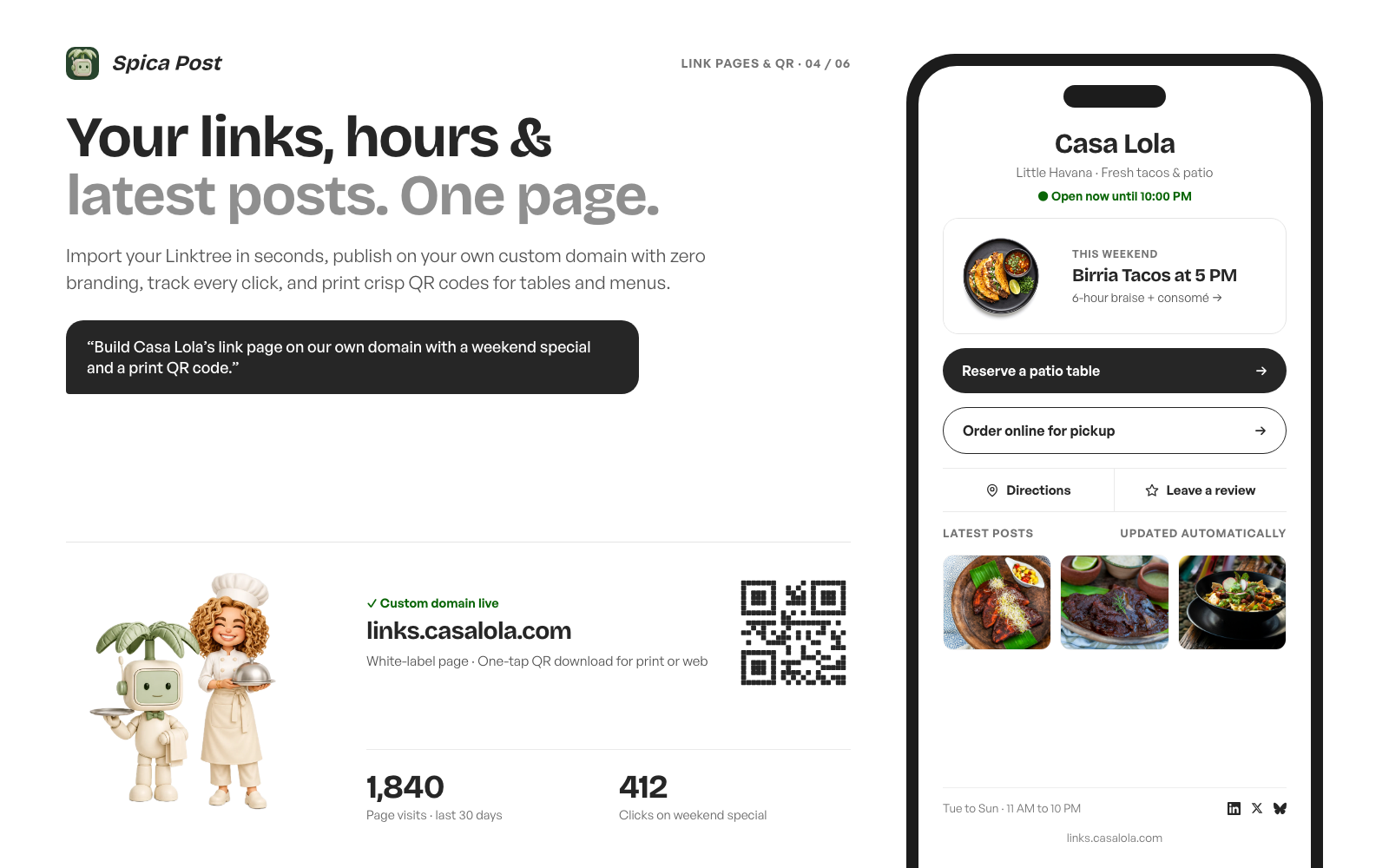
- A dedicated “Leave a Google Review” button on your mobile Link Page. Putting a review button cleanly on your branded Link Page gives customers who scan a window sticker, truck decal, or social bio link a permanent one-tap path to share feedback anytime.
The two-hour review ask loop that earns detailed reviews
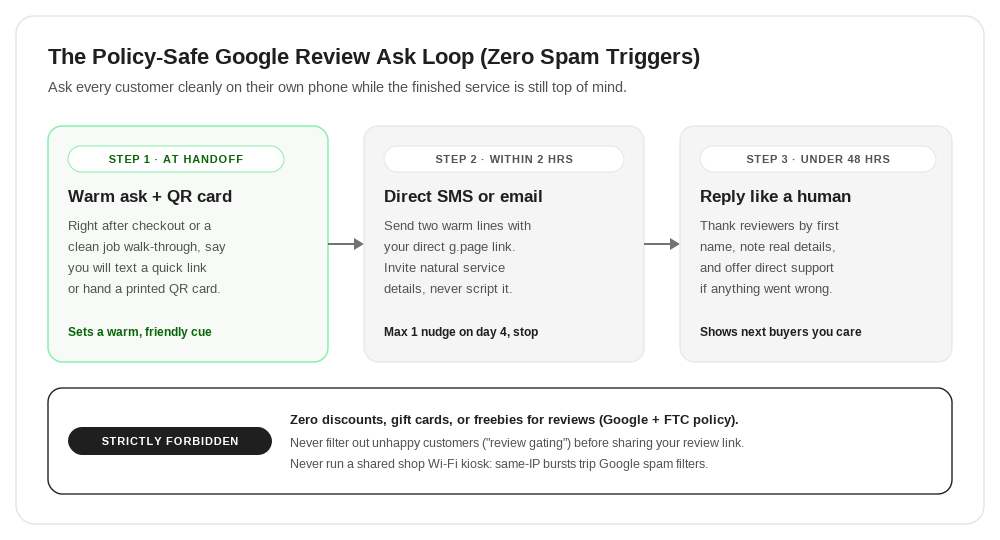
Collecting reviews steadily without feeling pushy comes down to habit and timing, not volume. One calm three-step loop works equally well for plumbers, salons, restaurants, clinics, bakeries, and local retail shops.
Why timing beats nagging
A review request lands best in the narrow window between “problem solved” and “life moves on.” Follow this timing discipline every week:
- Mention it warmly in person at handoff. When a customer smiles at their haircut, inspects a finished repair, or compliments dinner, say simply: “I am so glad that turned out cleanly. I will text over a quick link later today; if you have 30 seconds, sharing an honest review on Google really helps neighbors find us.” That five-second mention transforms the follow-up message from cold spam into a friendly continuation of a real conversation.
- Send one short SMS or email within one to two hours. While your technician’s name, the dish, or the exact service is still fresh, send two brief sentences with your direct link. Avoid texting late at night; if a job finishes at 7:30 PM, schedule the follow-up for 9:30 AM the next morning.
- Send at most one polite reminder three to five days later, then stop. Busy parents and business owners often mean to write a review and lose the message in traffic. One gentle, zero-pressure nudge four days later catches willing reviewers cleanly; sending three or four reminders irritates loyal customers and damages trust.
How to encourage helpful specifics without scripting fake praise
Short five-star ratings with zero words help your average, while natural reviews that mention what service you performed and which city or neighborhood you served do double duty: they reassure cautious local readers and reinforce topical relevance on Google Maps (see our local SEO guide for small businesses and our guide on showing up in near-me searches).
Never tell a customer what rating to give or feed them robotic keyword sentences. Instead, include one gentle, optional prompt such as “If you have a moment, mentioning which service we helped with makes it much easier for neighbors in [City] to know what to expect.” Customers still write 100% in their own authentic voice, yet they naturally recall helpful details like “same-day water heater flush in Cedar Park” or “gluten-free birthday cake pickup” instead of typing just “Great!”.
Always ask explicit customer permission before reposting reviews on social media
Great Google reviews make warm social proof, yet small businesses and creators should handle customer names and likenesses carefully. Even though a Google review sits on a public map listing, always ask explicit customer permission before turning a reviewer’s full name, profile photo, project photo, or detailed personal story (especially in healthcare, home services, beauty, or family professions) into an Instagram graphic, LinkedIn post, or printed flyer. A quick email or friendly message asking “We loved your kind words on Google; would you be comfortable if we share a short quote (first name only) on our social page this week?” protects trust and almost always earns an enthusiastic yes.
Six copy-ready Google review scripts (texts, emails, and printed cards)
Copy these six policy-safe templates directly into your invoicing app, phone keyboard shortcuts, or print layout. Notice that every script is brief, zero-pressure, completely free of incentives, and identical for every customer.
1. Home-service or field-job SMS (sent 1 to 2 hours after wrap-up)
Hi [First Name], thanks again for having [Business Name] out to handle your [Service, e.g., AC tune-up / kitchen sink repair] today.
If you have 30 seconds, sharing an honest Google review really helps neighbors in [City] know what to expect when they call us: [Direct Google Review Link]
Appreciate you trusting our crew!
2. Salon, barbershop, clinic, or appointment follow-up SMS
Hi [First Name], it was great seeing you at [Business Name] today!
Whenever you have a spare minute, we would be grateful for an honest review of your visit on Google (mentioning what you came in for helps new local guests feel right at home): [Direct Google Review Link]
Hope to see you again next time!
3. Restaurant, bakery, or local shop counter card or receipt footer
Enjoyed your visit to [Business Name]?
Honest local reviews on Google help independent [City] businesses stay easy to find. Scan the QR code below with your phone camera to share a quick note about your favorite dish, item, or experience in under a minute. Thank you for supporting our shop!
[High-contrast SVG QR code pointing directly to your g.page/r/…/review link]
4. Completed-project or professional-service email (with final invoice)
Subject: Thank you from [Business Name] (quick favor if you have a minute)
Hi [First Name],
Thank you again for working with us on your [Project / Service] in [City]. We have attached your paid receipt and final summary for your records.
Because most of our new clients find us through local search and referrals, honest Google reviews mean a great deal to our small team. If you have 60 seconds to share how the process felt from start to finish, here is our direct link:
[Direct Google Review Link]
If anything at all still needs a closer look, just hit reply to this email and I will take care of it right away.
Warmly, [Your Name], [Business Name]
5. Polite one-time follow-up (3 to 5 days later, zero pressure)
Hi [First Name], just checking in to make sure everything from your [Service / Visit] earlier this week is working smoothly.
No rush at all, and if you happened to miss our earlier note, here is our direct Google review link in case you have a quick moment to share honest feedback: [Direct Google Review Link]
Thanks again from all of us at [Business Name].
6. Leave-behind business card or technician door/counter hanger
Job complete by [Technician / Team Member First Name] from [Business Name]
Questions about today’s work? Call or text us directly at [Phone Number].
Happy to share how today went? Scan this QR code on your phone to leave an honest Google review for neighbors in [City]. No accounts to search, just one tap.
[High-contrast SVG QR code + short readable URL printed underneath]
What to do right after a review lands (and honest Spica Post trade-offs)
Asking for reviews is only half the loop; answering every review warmly within 24 to 48 hours is what compounds your results. Google explicitly lists managing and responding to reviews as a positive local trust signal (Google local ranking tips), and prospective customers often read your owner replies to a critical 3-star review even more closely than they read five glowing 5-star reviews.
Write real, brief human replies naming a detail the customer mentioned, never pasting the exact same robotic sentence under twenty listings in a row. For step-by-step response frameworks covering glowing praise, vague ratings, and difficult complaints, bookmark our complete guide on how to respond to Google reviews without sounding scripted.
Keeping replies fast with Spica Post’s Unified Inbox (and honest Nov 2026 status)
Checking four social apps plus Google Business Profile every evening is how small businesses fall three weeks behind on replies. Spica Post built the Unified Social and Reviews Inbox specifically to keep comments and Google Business Profile customer reviews (including 1 to 5 star ratings and owner replies) in one calm view, complete with reusable saved reply templates supporting {name} personalization, an All-Brands agency view for multi-brand operators, and an optional Weekly Executive Digest email summarizing open conversations so nothing slips through the cracks.
Here is the exact, honest November 2026 status of Spica Post so you can plan cleanly:
- Built and live today: The Unified Inbox (
/inbox), saved reply templates, Weekly Executive Digest, branded Link Pages (great for adding a permanent “Leave a Google Review” button plus printable SVG QR codes),/l/tracked short links, and live Unified Inbox comment replies for Bluesky are active today, alongside live direct publishing for X, LinkedIn personal profiles, Bluesky, and Mastodon (built on any public server with zero central app review). - Built and completing network approval or verification: Google Business Profile posting and Unified Inbox review syncing/replies are built, approved by Google, and enabled in production, currently awaiting first live service-area profile verification before turning on broadly across every workspace. Instagram and Facebook Pages Unified Inbox comments and direct publishing are built and completing Meta App Review. Until live Google and Meta inbox replies open across all workspaces, generate your Link Page button and printable QR card in Spica Post while replying to new Google reviews directly from your Google Business Profile email notifications within 48 hours. Check flat workspace plans anytime on our pricing page.
Start simple this week: copy your official g.page review link today, print one crisp QR card for your counter or invoice kit, save script #1 or #2 in your phone shortcuts, and ask the very next five customers warmly within two hours of wrap-up. Consistent, policy-safe habits build a review wall no shortcut can beat.
Questions people ask
- Is it allowed to offer a discount, gift card, or free coffee for a Google review?
- No. Google Business Profile's Prohibited and Restricted Content policy explicitly bans incentivized reviews, including discounts, free goods, gift cards, or raffle entries in exchange for leaving a review. Under the FTC's Consumer Reviews and Testimonials Rule (16 CFR Part 465), buying or conditioning compensation on positive or negative reviews also carries federal enforcement risk. Always ask sincerely with zero reward attached.
- What is review gating, and why does Google prohibit it?
- Review gating is the practice of asking customers privately if they were happy first, then sending the Google review link only to satisfied customers while diverting unhappy ones elsewhere. Google strictly forbids selectively soliciting only positive reviews or discouraging negative feedback. Send the exact same polite invitation to every customer and resolve any concerns openly.
- Why should I avoid putting a review tablet or kiosk on my shop Wi-Fi?
- Google advises against setting up a shared review station or kiosk at your business location. When multiple customer reviews come from the same shared device or the same business Wi-Fi IP address in a short stretch, Google's automated fake-engagement systems frequently flag and silently remove legitimate reviews. Give customers a QR code or text link so they post naturally from their own phone and cellular connection.
- When is the best time to send a Google review text or email?
- Send your short two-sentence SMS or email within one to two hours of a completed job, appointment, or meal, right after mentioning the link warmly in person. Details like the technician's name or service performed are still fresh, and one tap opens the star rating screen cleanly. If the customer does not respond, send at most one polite follow-up three to five days later and stop.
- Can I repost a customer's Google review as a graphic on Instagram or Facebook?
- Ask explicit permission before turning a customer's full name, profile photo, or detailed story into a social media post or advertisement. If you want to celebrate feedback quickly without waiting, quote a brief anonymous or first-name-only line only after confirming you are not exposing private customer details, or message the reviewer first to ask if they are happy to be featured.