Pricing
How to Announce a Price Increase on Social Media (Without Losing Good Customers)
Decide if social media should carry your rate change, give 3 to 4 weeks notice, honor prior quotes, handle grumpy comments, and copy 5 calm templates.
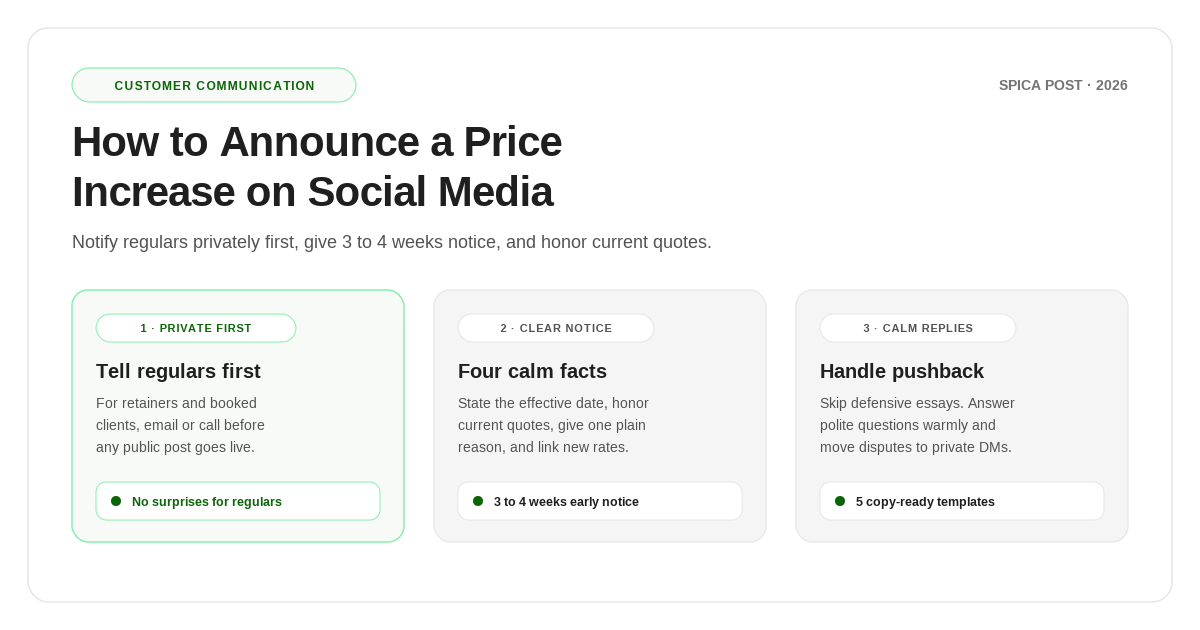
To announce a price increase to customers without burning goodwill, first decide whether social media should carry the announcement at all: email or call recurring, retainer, and already-booked clients privately first, then use a single calm social post and updated Link Page 3 to 4 weeks ahead only when you run a public-facing shop, salon, bakery, clinic, or creator membership. Every strong notice includes four plain facts and zero over-apologizing: the exact effective date, clear confirmation that existing quotes, bookings, and gift cards are honored, one straightforward sentence connecting the update to maintaining quality and team standards, and a direct link to your updated rates.
Raising prices is one of the most uncomfortable moments for small businesses and creators. Owners often put off a needed adjustment for eighteen months out of fear of angry comments, and then rush out a nervous late-night post filled with apologies, inflation essays, and defensive explanations. Ironically, that anxious tone is what makes customers hesitate. When you communicate a rate adjustment early, plainly, and respectfully, most regulars simply nod, appreciate the heads-up, and keep booking.
This guide helps you decide when to skip social media altogether versus when to publish a clean public notice, walks through a calm four-week rollout timeline, breaks down the four essential elements of an announcement (and five mistakes that spark pushback), provides five copy-ready templates across salons, bakeries, home services, solo creators, and grumpy comment replies, and shows how to keep menus and inbox replies aligned across every channel.
First decision: should social media even carry your price increase?
Before writing a caption or designing a single graphic, pause and ask one blunt question: do strangers scrolling Instagram or Facebook actually need a press release about your rate card?
In many professions, posting a dramatic “Important Pricing Update” graphic to a cold public feed draws unnecessary scrutiny from non-buyers while offending loyal clients who find out on social media instead of hearing from you directly. Match your communication channel to how customers buy from you.
| Business model | Should you post on social media? | Exact communication sequence |
|---|---|---|
| B2B services, agencies, accountants, bookkeepers, retainer consultants | Usually NO | Send personal emails (or schedule short phone calls for top accounts) 30 to 45 days early. Update your website proposal templates quietly on Launch Day. Skip public social announcements. |
| Appointment-based local services (salons, barbers, nail studios, groomers, dentists, trainers) | YES, after private email/SMS | Email and text active booked clients 3 to 4 weeks early first. Follow 48 hours later with one calm social feed post + updated Link Page rate sheet + booking-site notice. |
| Walk-in food and retail (restaurants, bakeries, coffee shops, florists, boutiques) | Optional / selective | Most everyday menu adjustments belong cleanly on your printed menu, Google Business Profile menu, and Link Page without fanfare. Post one brief, warm social notice if you are adjusting signature beloved items or custom-order minimums. |
| Home services (plumbers, HVAC, electricians, landscapers, cleaners) | Only for flat-rate packages or recurring maintenance | Notify recurring maintenance-plan customers privately by email/letter first. For one-off custom quotes, simply update your estimate sheet; publish a short social post only if you advertise flat-rate seasonal packages publicly. |
| Solo creators, coaches, paid communities, digital products | YES, framed as a clear cutoff | Email current subscribers and members first (clarifying whether existing members keep legacy pricing). Then share a crisp social post giving followers 2 to 3 weeks to join or lock in current pricing before the new rate takes effect. |
If you serve recurring clients on monthly invoices or standing appointments, never let a loyal customer learn about your rate change from an Instagram post before receiving a direct email, text, or phone call from you. Private notice first signals respect; public surprise signals carelessness.
The 4-week price-increase rollout timeline
Last-minute price jumps feel jarring because customers have no time to plan, and your staff has no time to update old PDFs, Google menus, and booking calendars. Running a steady four-week sequence removes friction for everyone.
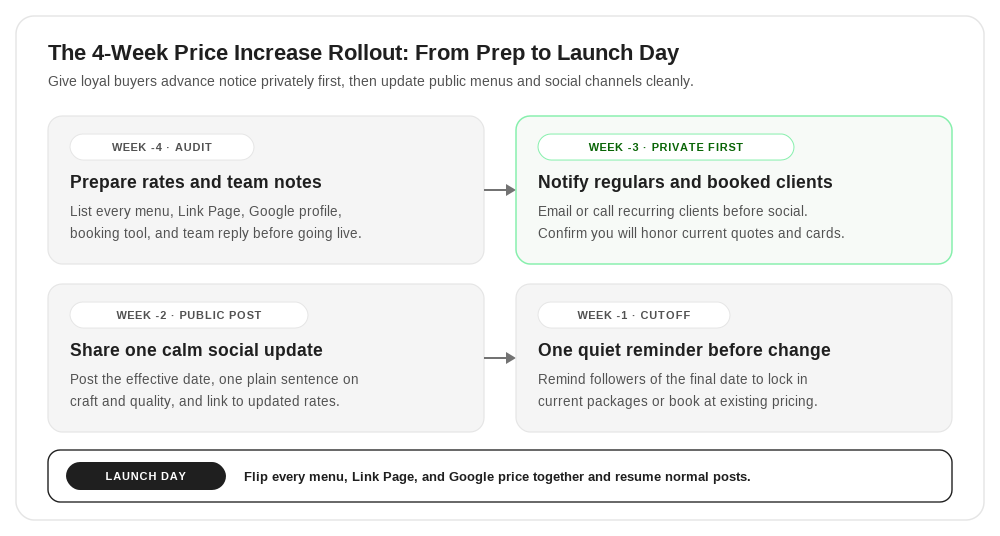
Week -4: Audit every place old prices live (and brief your team)
Make a single checklist of every public spot displaying a dollar sign so no customer discovers an outdated price screenshot two weeks after launch:
- Your website pricing page, printed counter menus, and service brochures.
- Your mobile Link Page and any QR codes taped on registers or windows.
- Online booking software, checkout pages, and intake forms.
- Your Google Business Profile menu or services list (per Google Business Profile menu help, edits can take 24 to 48 hours to propagate across Search and Maps, so plan that update cleanly around Launch Day).
- Pinned social posts, Instagram Story Highlights (such as a Prices or Menu Highlight), and saved DM quick replies.
Give every front-desk teammate, stylist, technician, or cashier a two-sentence plain script so nobody improvises nervously when a customer asks about the change in person.
Week -3: Notify regular, retainer, and booked clients privately first
Send a brief, personal email or SMS to customers who visit regularly or already hold appointments on your calendar. Keep the tone grateful and factual. Confirm explicitly that every appointment already scheduled and every valid written estimate stays locked at the previous rate.
Week -2: Publish one calm public announcement (when appropriate for your business)
If your profession benefits from a public notice (salons, bakeries with signature custom tiers, creators, flat-rate local services), publish one clear feed post on your primary active platforms. Avoid announcing exclusively in a 24-hour Instagram Story that disappears the next morning.
Use a clean, readable visual (a real photo of your workspace, fresh craft, or a minimal high-contrast text slide in your brand colors) and pair it with a link to your updated rate sheet on your website or Link Page. You can temporarily pin the post on Instagram (Instagram supports up to three pinned posts per Instagram Help) during the final two weeks before the switch, then unpin it once the new rates are live so it does not dominate your front window forever.
Week -1: Share one quiet cutoff reminder
Five to seven days before the change, post one short reminder noting the final day to book a package, claim an existing tier, or submit custom orders at the current rate. Keep it light and helpful rather than pushy: one mention is a courtesy, five countdown posts feel like pressure.
Launch Day: Flip every price simultaneously and resume normal posting
On the effective date, update your website, Link Page, booking software, printed signage, Google Business Profile menu/services, and Story Highlights together. Unpin the temporary price-change post within a few days and move straight back to your regular rhythm of finished work, team craft, and customer-helpful posts.
The four-part anatomy of a confident announcement (and five mistakes that trigger backlash)
Strong price announcements are surprisingly short. Most fit inside 80 to 140 words and leave zero ambiguity.
The four elements every calm announcement needs
- The exact effective date in sentence one or two. Never write “soon” or “next month”. Write “Starting Monday, January 4, 2027” so readers immediately know the boundary.
- Clear transition fairness for existing commitments. State plainly what stays honored: “Every appointment already booked, every unexpired written quote, and all existing gift cards will be honored at our current rates.” That single sentence disarms most anxiety before it starts.
- One plain sentence connecting the update to value and quality. Customers understand that ingredients, equipment, continuing training, and fair staff pay cost more over time. Frame the adjustment around protecting what they already love about your work: “This modest adjustment lets us keep using the same single-origin ingredients, full appointment times, and experienced team you count on every visit.”
- One unmistakable destination for updated rates. Point directly to your clean website menu or mobile Link Page instead of cramming 35 line-item prices into an Instagram caption.
Five mistakes that turn a routine update into a comment-section headache
Skipping these five habits prevents almost all awkwardness:
- Over-apologizing or writing a six-paragraph defensive essay. Opening with “We are SO sorry to do this, we hate raising prices, we agonized for months…” subconsciously tells buyers the new price is unfair. Stand calmly behind the value of your profession; a brief “Thank you for supporting our small shop” is warm without sounding guilty.
- Blaming specific vendors, landlords, staff wages, or politics. Airing financial grievances publicly looks unprofessional and invites armchair accountants in your comments to debate your overhead. Keep the reason high-level and customer-centered.
- Hiding the real change behind vague corporate euphemisms. Calling a 12 percent hike “an exciting value-realignment refresh” annoys intelligent adults. Plain language (“We are updating our service rates on May 1”) earns far more respect.
- Hiding the notice solely in a 24-hour Story. Customers who missed Instagram on Tuesday feel blindsided on Saturday. Put public notices on your feed and your Link Page if you decide to share them publicly at all.
- Forgetting to update old menus, Highlights, and Google Business Profile. Nothing triggers a legitimate customer complaint faster than showing up after seeing an outdated price still pinned on your Google listing or Instagram Highlight.
Five copy-ready price increase and comment-reply templates
Adapt these templates to match your real voice (if you want help keeping every update sounding naturally like you, read our small business brand voice guide). Replace the bracketed items and remove any line that does not fit your shop.
1. Hair salon, barber, or nail studio announcement (Instagram, Facebook, and Email)
Quick heads-up for our [Neighborhood] clients: starting [Exact Date], we are making a small update to our service menu.
This adjustment lets us keep the same unhurried appointment lengths, quality color and care products, and continuing education for our stylists without cutting corners on your visit.
Everything already on the books stays protected: any appointment booked before [Cutoff Date], plus all existing gift cards and prepaid packages, will be honored at our current rates. You can view the full updated menu anytime via the Rates & Booking button on our Link Page in bio. Thank you for trusting us with your hair year after year.
2. Bakery, coffee shop, or local restaurant menu update
A quick note from our kitchen before [Month]: starting [Exact Date], you will see a modest price adjustment on our daily pastry case and custom cake menu.
We still bake from scratch every morning using real butter, local eggs, and the same slow-fermented dough you know us for, and this update helps us protect those ingredients and our baking team rather than shrinking portions.
All custom cake deposits and catering orders already confirmed will be honored at your quoted price. Our updated menu is live on our Link Page and at the counter. Thank you for keeping our ovens busy every week.
3. Home services seasonal flat-rate update (plumbing, HVAC, landscaping, cleaning)
Service update for our [City / Service Area] homeowners: effective [Exact Date], our standard service-call and seasonal maintenance rates are updating slightly for the coming year.
Keeping upfront flat-rate pricing, stocked trucks, licensed technicians, and responsive same-week scheduling is how we run every job, and this update ensures we keep those standards solid.
Every written estimate already in your inbox stays valid through its expiration date, and active annual maintenance members will receive a direct email with renewal details 30 days before their renewal date. Questions about an upcoming project? Tap our Link Page or call our office directly.
4. Solo creator, coach, or paid membership cutoff notice
Heads-up if you have been thinking about joining [Program / Membership / 1:1 Package]: on [Exact Date], pricing moves from [Old Price] to [New Price] for new sign-ups.
Current members stay locked at their existing rate for as long as their subscription remains active (check your inbox for a quick confirmation note I sent earlier today).
If you want to lock in the current rate before the update, the link in my bio stays open through [Cutoff Date and Time]. Happy to answer honest questions in the comments or DMs so you can decide whether it fits right now.
5. Calm public comment and DM reply scripts (polite questions + grumpy pushback)
Keep these two short replies saved in your phone or inbox so you never type an emotional response on a busy afternoon:
When a loyal customer asks a genuine question about a specific service or option:
Thanks for asking, [Name]! Any appointment already booked before [Cutoff Date] stays at the current rate, and our [Express / Tier Name] option on the updated menu is [Price] if you prefer a lighter visit. Feel free to send us a quick DM anytime if you want help picking the best fit.
When a commenter leaves a grumpy public remark (“Way too expensive now, going elsewhere!”):
Thank you for sharing your feedback, [Name]. We never take a price change lightly, and we work hard to keep the same ingredients, unhurried time, and care behind every visit. We completely understand everyone budgets differently and genuinely wish you all the best.
Notice what that second reply accomplishes: it stays warm, refuses to argue over grocery or rent bills in public, and looks composed and trustworthy to the hundreds of quiet future customers reading the thread.
Handling grumpy public comments and protecting your energy
Every time a small business raises prices publicly, one or two comments can feel louder than fifty quiet bookings. Separating real feedback from noise keeps your week steady.
Three rules for reading public reactions calmly
- Answer once, warmly, and stop. If a commenter replies a second time trying to start a debate about your margins, you do not owe them a public audit. Offer once to continue in private DM if they are an actual customer with a billing question, or let the thread end gracefully.
- Never delete fair disagreement, and always remove abuse. Leaving a respectful “Wish it stayed $45, loved coming here” alongside your polite two-sentence response actually builds credibility. On the other hand, personal insults, profanity, spam, or attacks directed at your staff deserve immediate hiding or blocking without announcement.
- Ask explicit customer permission before reposting supportive messages. Loyal regulars frequently send heartwarming DMs or replies like “Worth every penny, see you next Friday!”. It is tempting to screenshot that message to your Stories right away, yet always ask that customer’s explicit permission first (and blur names or handles unless they explicitly approve showing them) before sharing any private message, quote, or customer photo publicly.
Keep your rate sheet one tap away everywhere
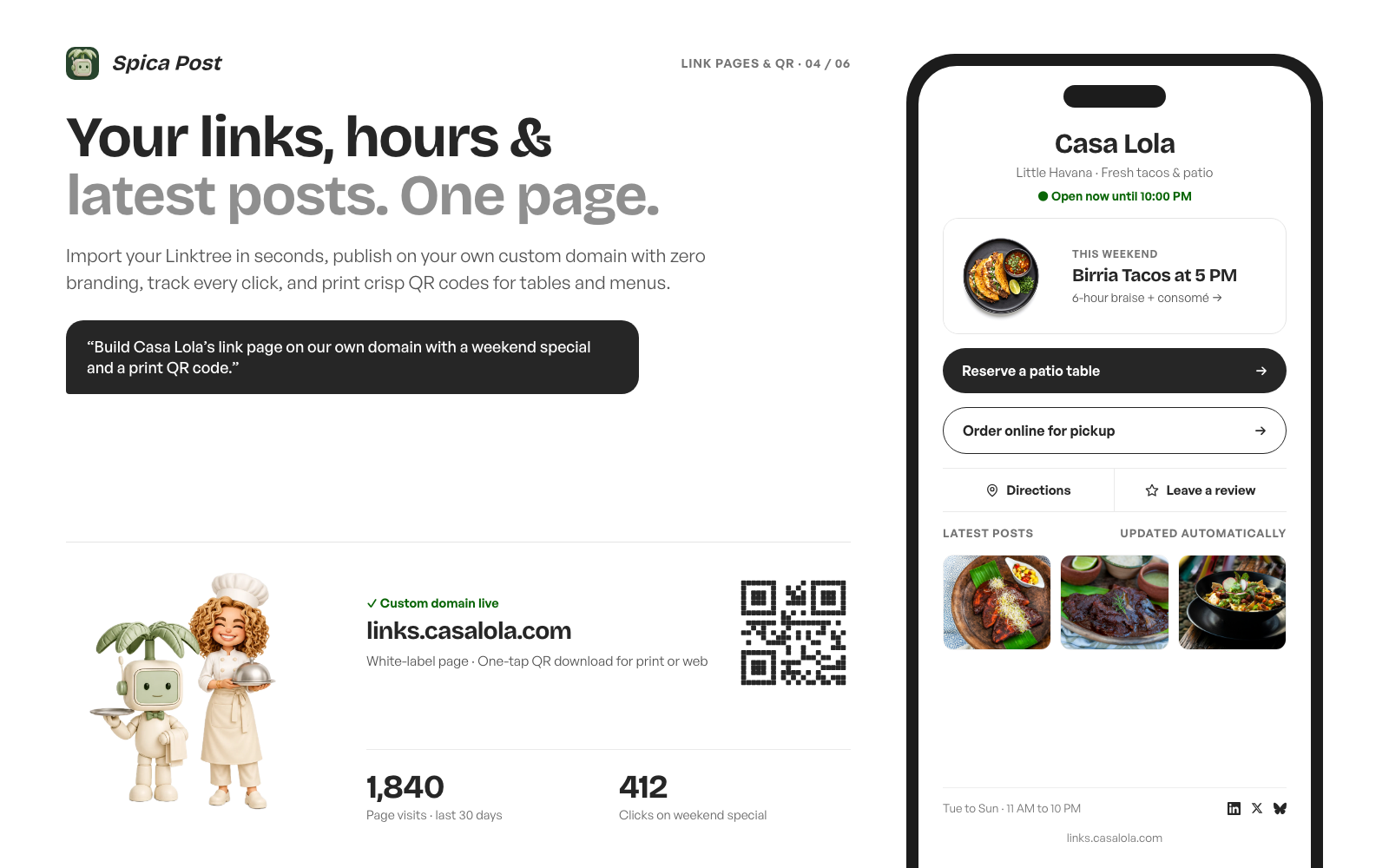
Half of the questions you receive during a price transition are simply “Wait, what is the new price for X?”. Putting a tidy, fast-loading Updated Rates & FAQ section at the top of your mobile Link Page saves hours of repetitive typing across Instagram DMs, Facebook Messenger, and phone calls.
If your business collects reviews on Google, keep an eye on your Google Business Profile reviews during the first month after a change as well. Answering any price-related review with the exact same calm dignity (per Google Business Profile review reply guidance and our Google review response playbook) reassures future searchers comparing local options.
Coordinating your rollout smoothly across channels (and honest Spica Post trade-offs)
A smooth price update depends on consistency: your Link Page, social announcement, Google profile, and saved inbox replies all tell the exact same story on the exact same date. Using Meta Business Suite’s Saved Replies alongside a central social workflow keeps answers steady even when multiple staff members help at the counter.
Honest trade-offs if you consider Spica Post
If you are checking how Spica Post’s Unified Inbox and publishing workflow fit a sensitive customer announcement, here is the exact November 2026 picture for small businesses and creators:
- What is live today: Spica Post gives you a fast branded Link Page (with editable announcement boxes for your updated menu or rate sheet, custom scheduling windows so the notice swaps cleanly on Launch Day, and printable SVG QR codes for your counter), click-tracked
/l/short links, drafting in your own voice, Saved Replies with{name}personalization inside the Unified Inbox (live today for Bluesky comment threads), and live direct publishing plus Auto-crosspost across X, LinkedIn personal profiles, Bluesky, and Mastodon. - Built and completing platform review (verified November 2026): Unified Inbox comment and review replies plus direct scheduling for Instagram, Facebook Pages, and Google Business Profile (as well as Threads, TikTok, and YouTube) are built in code and completing Meta App Review, Google profile verification, and platform audits. Until Meta and Google direct publishing open across every workspace, run your Link Page rate card, QR code, X/Bluesky/LinkedIn notices, and saved reply library inside Spica Post while pasting your Week -2 public update natively to Instagram, Facebook, and Google Business Profile. Review flat workspace plans anytime on our pricing page.
Raising your prices cleanly is a sign of a healthy, durable business that intends to stay open for its customers next year. Audit every menu four weeks ahead, tell loyal regulars privately first, share four clear facts without apologizing for your craft, and move calmly back to serving the customers who value what you build.
Questions people ask
- Should I always announce a price increase on social media?
- No. If you serve recurring B2B, retainer, or contract clients, notify those customers privately by email or phone first and often skip a public social media announcement altogether. Public social posts work best for walk-in restaurants, bakeries, salons, local shops, and creators with public menu boards or membership tiers, always after private notices go out to booked regulars.
- How much advance notice should a small business give before raising prices?
- Give 3 to 4 weeks of clear advance notice whenever possible. That window respects loyal regulars, gives existing clients time to book an appointment or purchase a package at current rates before the cutoff, and gives your team enough margin to update menus, booking links, and Google Business Profile pricing simultaneously.
- Should I explain inflation and rising supplier costs in detail when raising prices?
- Keep the explanation to one calm, plain sentence focused on maintaining quality, ingredients, materials, or team standards. Long defensive essays listing rent bills, utility spikes, or blaming specific suppliers invite debate and make a normal business adjustment feel like an apology.
- What should I do with existing quotes, gift cards, and appointments already booked?
- State explicitly in your notice that every appointment already on the calendar, every unexpired written quote, and every existing package or gift card will be honored cleanly at its original terms. Honoring prior commitments removes almost all friction from loyal customers.
- How should I reply to a grumpy public comment complaining about higher prices?
- Answer once in two calm sentences: thank them briefly, restate the craft or lower-cost option available without arguing over your margins, and offer to answer specifics by direct message. Never get pulled into a back-and-forth debate in public comments, and only hide or delete replies that cross into personal abuse or spam.