TikTok
How Long Should a TikTok Be for a Small Business? (2026)
Match TikTok length to your goal: 7 to 15 sec visual loops, 20 to 45 sec FAQs, and 60 to 90+ sec search tutorials instead of chasing one magic number.
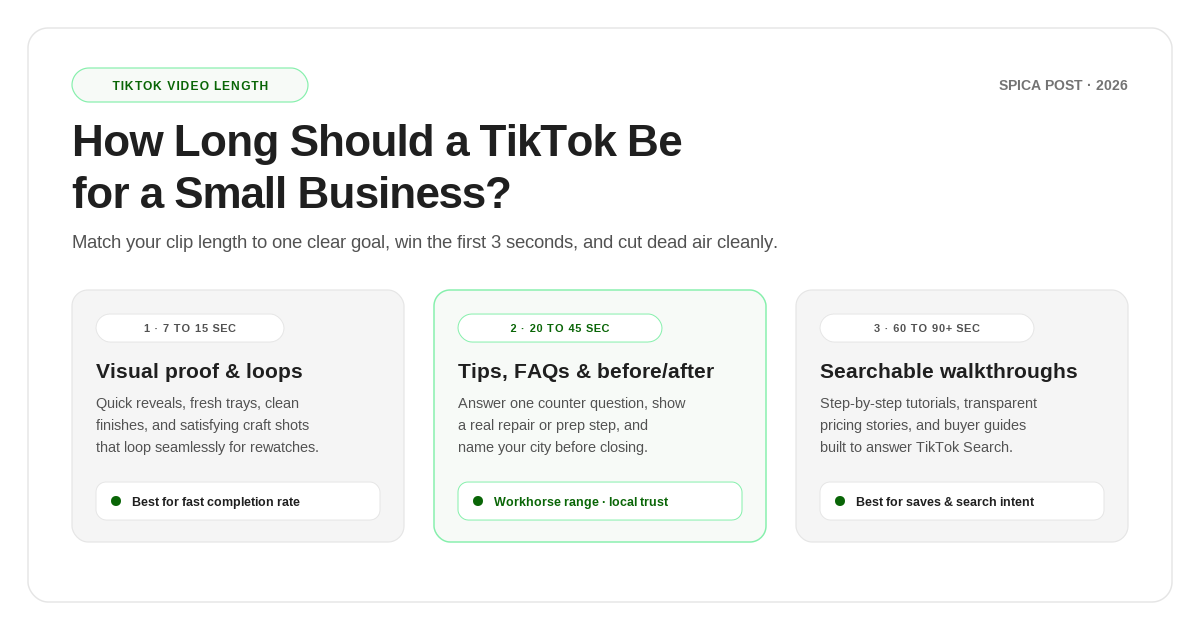
For most small businesses and creators, the right TikTok length in 2026 is the shortest runtime that delivers one clear promise cleanly: 7 to 15 seconds for visual proof and seamless loops, 20 to 45 seconds for quick tips, counter FAQs, and before-and-after clips, and 60 to 90+ seconds for detailed walkthroughs, pricing explanations, and tutorials built for TikTok Search. Chasing one universal “magic second count” backfires the moment you stretch a 14-second reveal into a slow minute or cram a nuanced explanation into a breathless 10-second rush.
Platform duration ceilings, API constraints, and Spica Post integration availability snapshot verified November 2026 against TikTok Support and TikTok for Developers documentation.
Many owners stall on TikTok because conflicting advice tells them two opposite things in the same afternoon: one creator insists every video must stay under 11 seconds for replays, while another insists TikTok only distributes clips over 61 seconds. Both claims miss what TikTok’s ranking systems actually measure. Completion rate, rewatch rate, saves, comments, and how many viewers stay past the first three seconds carry far more weight than the raw timestamp in the bottom corner.
This guide separates TikTok’s official upload ceilings from practical small-business sweet spots, maps five everyday business goals to concrete runtime ranges, explains why early retention and tight pacing beat arbitrary timers, walks through four pacing edits that trim dead air in minutes, provides three copy-ready timed scripts, and covers clean vertical cross-posting plus honest Spica Post trade-offs.
Official TikTok video length limits in 2026 vs. practical targets
Before planning your filming routine, separate what TikTok technically allows from what your viewers actually finish watching. Per TikTok Support’s video creation documentation and the TikTok Content Posting API creator info specification, TikTok supports very generous upper bounds, yet each upload method checks specific limits.
| Upload path or limit | Official TikTok ceiling (Nov 2026) | What small businesses should know |
|---|---|---|
| Minimum video length | 3 seconds (API validation floor) | Clips shorter than 3 seconds fail standard API checks and feel accidental in mobile feeds |
| In-app camera recording | Up to 10 minutes (presets for 15s, 60s, and 10m) | Useful for quick shop clips, though filming in your phone’s Camera app preserves a clean master |
| Native mobile or web file upload | Up to 10 minutes standard, with longer creator uploads (up to 60 minutes) rolling out on eligible accounts | Helpful for workshops or podcasts, rarely needed for neighborhood service or retail discovery |
| Third-party Content Posting API | Up to 10 minutes, or the account’s own max_video_post_duration_sec when lower |
Every connected account reports its live maximum duration before a post is initialized |
| Caption text limit | Up to 2,200 characters (mobile preview folds around 100 to 125 chars) | Put your city, profession, and searchable phrasing in the first two lines (check with our character checker) |
| Video aspect ratio & resolution | Vertical 9:16 recommended (360 to 4096 px per side, 23 to 60 fps) |
Standard upright phone video (1080 x 1920) fills the entire screen cleanly without black bars |
Notice the massive gap between the technical ceiling (10 minutes or more) and what earns local inquiries. Just because a bakery or dental office can upload a 9-minute tour does not mean a neighbor scrolling during lunch wants to sit through eight minutes of hallway footage. Treat TikTok’s maximum upload ceiling as breathing room for rare deep dives, not as a goal to fill every week.
Why account-level limits still matter when scheduling
If you plan to upload through any connected tool once approved, TikTok requires apps to query each creator account’s live permissions and max_video_post_duration_sec before sending the file. Checking your clip’s runtime and resolution ahead of time prevents failed uploads when you batch clips on Sunday afternoon. You can review full video specs and workflows on our TikTok platform guide and our answer on how to schedule TikTok videos.
The three TikTok length tiers that work for small businesses
Instead of asking “How long should every video be?”, ask “What job is this specific video hired to do today?” Every repeatable small-business clip falls cleanly into one of three duration tiers.
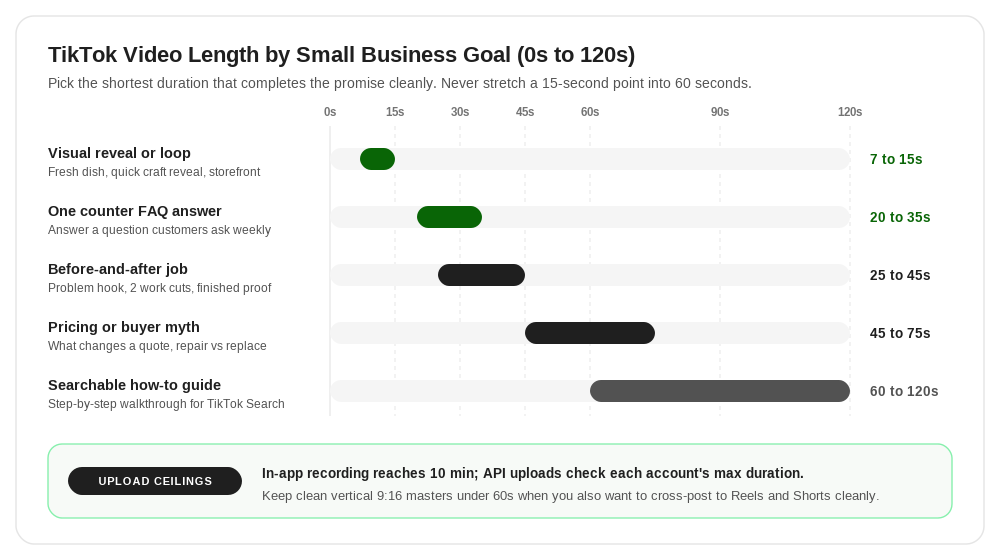
| Business video goal | Recommended length | Primary metric to watch | Best local examples across professions |
|---|---|---|---|
| Visual proof, reveal, or loop | 7 to 15 seconds | Completion rate and average watch time (aiming near or above 100% via rewatch) | Glazing hot pastries, revealing a clean fade haircut, power-washing a brick step, unboxing fresh boutique stock |
| One counter FAQ or quick tip | 20 to 35 seconds | 3-second hold rate, comments, and profile visits | Answering “How often should I replace my air filter?”, “Do you take walk-ins?”, or “Which roast is lowest acid?” |
| Before-and-after job or mini-process | 25 to 45 seconds | Full completion, shares, and local comments | Showing a foggy headlight restored, a bridal bouquet assembled, or a crooked cabinet door leveled and aligned |
| Honest pricing or myth breakdown | 45 to 75 seconds | Saves, profile taps, and follow-up comment questions | Explaining why two roof quotes differ, what an annual checkup includes, or when to repair vs. replace an appliance |
| Searchable tutorial or founder story | 60 to 120 seconds | Search traffic, saves, and high-intent DMs or website clicks | Step-by-step home care guide, first-visit walkthrough for nervous clients, or full breakdown of a custom order |
Tier 1: 7 to 15 seconds for visual proof and effortless loops
Short visual clips shine when the footage speaks louder than any explanation. A florist trimming stems into a spring centerpiece, a barista pouring clean latte art, a tile installer pulling a crisp grout line, or a detailer peeling protective film off a polished hood does not need a 45-second speech.
These micro-clips earn high completion rates because the viewer finishes the video before their thumb decides to swipe. When you add a clear two-line on-screen text headline that takes five seconds to read over a 9-second visual loop (“Fresh cinnamon rolls come out at 7:30 AM every Saturday on Main Street · Come early, they usually sell out by 10”), viewers often let the video loop once while reading, sending a strong rewatch signal to TikTok without any gimmicks.
Tier 2: 20 to 45 seconds for tips, FAQs, and before-and-after work
This is the daily workhorse range for local service businesses, clinics, shops, restaurants, and solo creators. Twenty to forty-five seconds gives you enough room to hook the viewer immediately, show real hands doing real work or hold up the actual product, answer one focused objection, and name your city or next step calmly.
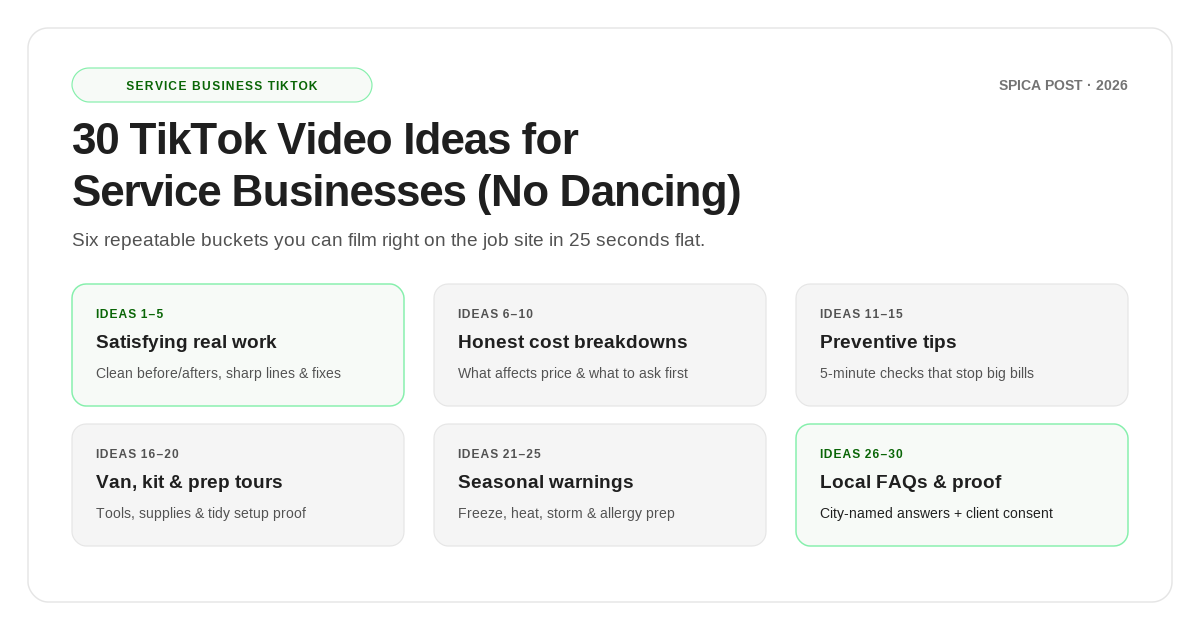
If you are filming your first ten clips from our 30 TikTok ideas for service businesses or our local TikTok playbook without dancing, keep eight of those ten clips inside this 20 to 45 second window. It is short enough that you can record one clip in three minutes between appointments and long enough to prove real competence rather than just flashing a pretty shot.
Tier 3: 60 to 90+ seconds for TikTok Search and buyer education
Younger and older shoppers alike increasingly use TikTok’s search bar like a visual help desk, typing phrases such as “best gluten-free bakery Denver”, “how much does brake pad replacement cost”, “curly haircut routine fine hair”, or “what to bring to a tax appointment”.
When someone actively searches a problem, they are not looking for an 8-second montage set to loud music. They want a calm, trustworthy professional walking them through the real answer step by step. Clips between 60 and 120 seconds excel here because you naturally speak the exact searchable keywords aloud, show clear visual steps on camera, and earn high Save counts from buyers who bookmark your video to show their partner or bring to their appointment.
Keep one clear filter in mind before crossing 60 seconds: every 15-second stretch must earn its keep with a new visual angle, a concrete number, a comparison prop, or a distinct step. If you notice yourself repeating the same point twice just to cross the one-minute mark, cut the second half and publish a crisp 38-second winner instead.
Why completion rate, rewatches, and the first 3 seconds beat length chasing
When you open your free TikTok Business Account analytics, focus on the retention graph for each video rather than worrying about whether Tuesday’s clip was 24 seconds or 52 seconds. Three behavioral signals explain almost every gap between a 200-view clip and a 6,000-view local clip:
- The 3-second hold. Look at the sharp vertical drop at the very left of your retention chart. If most viewers leave in seconds one through three, your video length was never the issue. The opening frame either started on an empty room, began with “Hey everyone, happy Wednesday!”, or failed to tell a local stranger why this clip matters to them.
- Completion rate relative to runtime. TikTok evaluates a 12-second clip against other short clips and an 80-second guide against other longer guides. A 14-second clip needs a very high percentage of viewers watching to the end (and ideally looping once) to keep traveling, whereas a 90-second tutorial that holds half of its viewers past the 45-second mark and earns strong saves can continue bringing search views for months.
- High-intent local actions. For a neighborhood business, 900 views from people within ten miles that produce four comments asking “Do you have Saturday openings?” and twelve profile taps beat 50,000 global views from a vague 6-second meme. Never sacrifice clarity about your city, service, or honest answer just to chase a shorter loop.
Diagnosing your retention curve in two minutes
Once you have published ten videos, open TikTok Analytics for your three best and three quietest clips and compare where viewers dropped off:
- Steep drop in seconds 0 to 3: Your opening shot or spoken line warmed up too slowly. Next time, start on the finished result, the broken part, or the exact customer question already on screen.
- Gradual slump in the middle: One static camera angle stayed on screen for 20 straight seconds without showing an object, close-up, or next step. Add one visual angle change every 4 to 7 seconds.
- Sharp drop right before your call to action: Viewers sensed “Okay, thanks for watching, follow us and click our bio…” coming and swiped before the end. Make your closing line one fast, useful sentence (“We are off Oak Street in Plano; drop your sizing question below”), and stop recording immediately.
Four fast pacing edits that cut dead air without heavy editing
Most small-business videos feel “too long” not because the topic is boring, but because five to eight seconds of dead air sit inside a 35-second clip. You can trim a rough phone video cleanly in two minutes inside your phone’s built-in Photos trimmer or a basic mobile editor using four simple cuts:
1. Shave the opening pause and closing finger reach
Almost every solo owner hits record, pauses a full second to check framing, inhales, and starts talking, then finishes talking and reaches toward the screen to hit stop. Cutting those two dead buffers removes two to four wasted seconds from every clip and turns sluggish openings into instant hooks.
2. Cut throat-clearing phrases completely
Delete “Hey guys, welcome back to our page, today I just wanted to hop on real quick and talk about…” every single time. Start right on the noun and the payoff: “Three signs your water heater needs flushing before winter” or “Here is what $45 actually gets you on our Tuesday taco platter.”
3. Show movement or a prop change every 4 to 7 seconds
You do not need flashy zoom transitions or loud sound effects. Simply move naturally as you work: hold up the worn belt beside the fresh belt, tilt the camera closer to show seam stitching, turn a cake turntable smoothly, or cut from your face to a close-up of your hands demonstrating the tip. Real visual progress keeps viewers watching effortlessly.
4. Ask explicit customer permission before filming faces or private homes
Tight pacing often involves showing real jobs, satisfied reactions, or busy counters. Whenever a clip shows an identifiable customer, a family with children, a private home interior, a house number, or a vehicle license plate, ask the customer for explicit permission before recording and posting. Framing tight on your hands, tools, ingredients, or finished work keeps clips crisp and respectful when a client prefers staying off camera.
Three timed TikTok scripts you can copy and film today
Use these three timed templates to test all three length tiers over the next two weeks and let your own Business Account analytics show which cadence feels easiest to keep up.
Template 1: The 12-second visual proof loop (Tier 1)
Seconds 0 to 3 (Action open): Camera already moving on the best visual moment (pulling hot sourdough from the deck oven, spraying clean sealant onto slate, or revealing a finished nail set in daylight). On-screen text (stays visible from second 1): “[Specific craft or item] ready every [Day/Time] in [Neighborhood/City]” Seconds 4 to 10 (Close-up texture): Hold steady on two crisp close-up angles showing craft quality with natural shop sound. Seconds 11 to 12 (Clean exit): Cut right back toward the starting motion so the clip loops smoothly without a slow fade-out. Caption: Plain 2-line description naming your product, street/city, and open hours.
Template 2: The 30-second counter FAQ answer (Tier 2)
Seconds 0 to 3 (Exact question hook): “Customers in [City] ask us every week: [Exact buyer question, e.g., how long does gel-X actually last?]” (Put the same 5 to 7 words in large on-screen text.) Seconds 4 to 18 (Direct plain answer + prop): Give the honest answer in two short sentences while holding the real tool, sample, or product so the viewer sees proof. Seconds 19 to 26 (One helpful bonus nuance): Share the single detail that protects their money or time (“If you garden or wash dishes without gloves, expect closer to two weeks; with cuticle oil daily, three full weeks”). Seconds 27 to 30 (Fast local close): “We are right off [Street/Area] in [City]. Drop your next question below and I will answer it in a clip.”
Template 3: The 75-second searchable buyer guide (Tier 3)
Seconds 0 to 4 (Searchable headline): “If you are getting quotes for [Service] in [City] this [Season], check these three things before you sign.” Seconds 5 to 25 (Point 1 with visual): Explain the first real detail buyers overlook, pointing directly at the material, contract line, or sample piece. Seconds 26 to 45 (Point 2 with visual): Switch camera angle or prop and walk through the second concrete variable that changes quality or price. Seconds 46 to 65 (Point 3 with visual): Show the finished standard you hold your own team to and explain why it matters a year later. Seconds 66 to 75 (Save + local invite): “Save this clip before your next estimate, and ask any specific [Service] question in the comments.”
Cross-posting one clean vertical master across TikTok, Reels, and Shorts
Small business owners rarely have time to film separate videos for TikTok, Instagram Reels, and YouTube Shorts. One simple filming habit lets a single vertical clip work cleanly across all three channels:
- Record in your phone’s native Camera app first (vertical
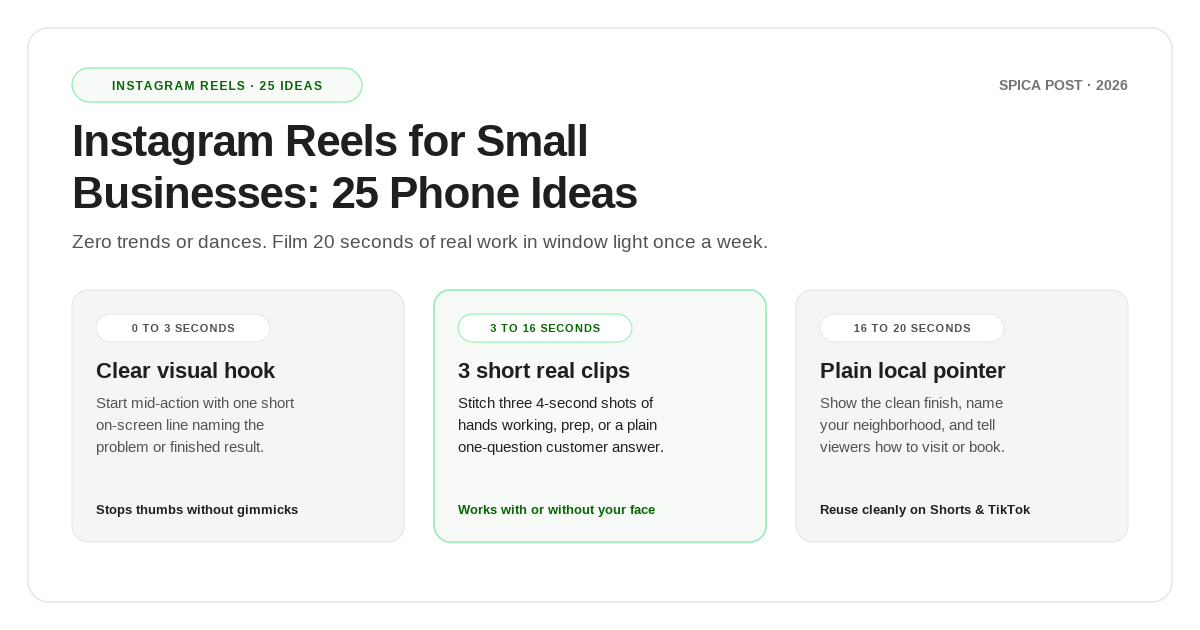
9:16, natural daylight, clean lens) so you always keep an unwatermarked master MP4 free of any network logo. - Keep reusable clips between 20 and 55 seconds. While YouTube Shorts now accepts vertical videos up to 3 minutes (see our YouTube Shorts reuse guide) and Instagram Reels accepts up to 15 minutes (see our Instagram Reels ideas guide), staying between 20 and 55 seconds keeps completion rates healthy on every short-form feed.
- Add native text or subtle captions per app only when needed, or burn clean high-contrast captions once while leaving safe margins clear of the right-side icons and bottom caption bar on every app.
- Tailor the caption and title to each network’s discovery style: local location tag and plain neighborhood phrasing for TikTok, concise front-loaded hook before the 125-character fold on Instagram, and a crisp searchable title under 100 characters for YouTube Shorts.
A simple two-week length test checklist
Run this lightweight six-video experiment before locking in your ongoing routine:
- Film two Tier 1 clips (10 to 14 seconds) showing satisfying visual craft with a clean on-screen local line.
- Film two Tier 2 clips (25 to 40 seconds) answering real questions customers asked at your counter or on the phone this month.
- Film two Tier 3 clips (65 to 90 seconds) walking clearly through a pricing factor or searchable how-to guide.
- Keep the same posting window, clear lighting, and exact location tag across all six clips.
- Wait seven full days after clip six publishes, then compare 3-second hold, average watch time, saves, comments, and profile visits inside TikTok Analytics.
- Build next month’s calendar around the two tiers that brought the most local questions and saves, dropping whichever format felt forced to record.
How Spica Post handles TikTok video workflows (and honest trade-offs)
When you manage video clips alongside written updates, Link Pages, and local search channels, keeping one clean asset library stops you from hunting through five phone folders every Friday.
- What Spica Post supports for video and multi-network workflows: Spica Post keeps your brand voice, media library (including MP4 video storage and duration checks before scheduling), caption checks against TikTok’s 2,200-character limit, branded Link Pages with printable QR codes, and direct publishing live today across X, LinkedIn personal profiles, Bluesky (including MP4 video embeds and Unified Inbox), and Mastodon. You can compare flat workspace plans anytime on our pricing page.
- Honest November 2026 TikTok status and per-post owner-choice policy: Spica Post’s TikTok integration is built and has completed sandbox publishing verification, including TikTok’s explicit per-post creator approval screen (
/tiktok, where you directly choose privacy level, comments, duets, stitches, and commercial disclosure with nothing pre-checked for you, following TikTok’s Content Sharing Guidelines) and read-only account duration inspection (tiktok_account_get). Production access is currently awaiting TikTok’s app review and Content Posting API audit before opening live to all workspaces (alongside Meta, Pinterest, YouTube compliance audit, and live Google Business Profile verification). In addition, Spica Post’s Auto-crosspost intentionally excludes silent auto-posting to TikTok so every TikTok upload respects TikTok’s per-post owner-choice policy.
Film one honest 30-second answer to a question a customer asked you this week, trim the first two seconds of dead air, tag your city cleanly, and watch how real neighbors respond when you respect their time.
Questions people ask
- What is the best TikTok video length for a small business in 2026?
- There is no single magic second count, because the right length depends on what the video needs to prove. Most small businesses see their steadiest results between 20 and 45 seconds for quick tips, counter FAQs, and before-and-after clips, while visual reveals work best at 7 to 15 seconds and searchable tutorials earn saves at 60 to 90 seconds or longer.
- What is TikTok's maximum video length limit for uploads and in-app recording?
- TikTok allows up to 10 minutes of in-app recording and supports uploaded videos up to 10 minutes through standard API workflows (or the account's own max_video_post_duration_sec ceiling when lower), while TikTok's native mobile and web uploaders allow even longer creator videos up to 60 minutes on eligible accounts. Most small businesses never need clips anywhere near those ceilings.
- Does TikTok push longer videos over 60 seconds more than short clips?
- TikTok does give longer videos room to show up for detailed search queries and earn longer total watch time, but only when viewers actually stay past the opening seconds. A tight 28-second clip watched to the end outperforms a padded 70-second video where viewers swipe away at second nine.
- Why do the first 3 seconds matter more than total video duration?
- Viewers scrolling the For You feed or Local Feed decide almost immediately whether a video applies to them. Opening directly on the finished dish, broken part, or exact customer question earns the retention needed for TikTok to test your clip with more nearby viewers, regardless of whether the full clip runs 12 seconds or 85 seconds.
- How long should a clip be if I want to cross-post it to Instagram Reels and YouTube Shorts?
- Aim for 20 to 55 seconds whenever you plan to publish the same clean vertical MP4 across TikTok, Instagram Reels, and YouTube Shorts. Staying comfortably under 60 seconds fits smoothly into short-form viewing habits on all three networks while avoiding abrupt pacing drop-offs.
Sources
- TikTok Support: Creating, recording, and uploading videos
- TikTok for Developers: Content Posting API query creator info and duration limits
- TikTok for Developers: Content Sharing Guidelines and creator consent requirements
- TikTok for Business: Business Account analytics and audience insights
- Spica Post TikTok platform guide and specifications